

QoLPlugin
The one replacement for EssentialsX! A general, all-purpose plugin that works with other popular/common plugins. Formerly the Kelpylandia plugin
📖About QoLPlugin
! MAKE SURE TO USE THE LATEST VERSION !
QoLPlugin
A lil' custom plugin with a cringe name :3
Overview
QoLPlugin is a highly customizable, all-in-one Minecraft server plugin designed for small to mid-sized SMP servers. Originally built for my own community, it combines advanced chat, moderation, player homes, teleportation, and more—making it a great alternative to EssentialsX and similar plugins. Built on the Spigot/Bukkit API, it supports Minecraft 1.16 – 1.21.11 (and likely newer).
Features
Chat System
- Channel-Based Communication: Multiple chat channels (Global, Local, Admin, etc.) with customizable formats and permissions.
- Proximity Chat: Local chat within a configurable radius.
- Custom Channels: Create and delete your own channels.
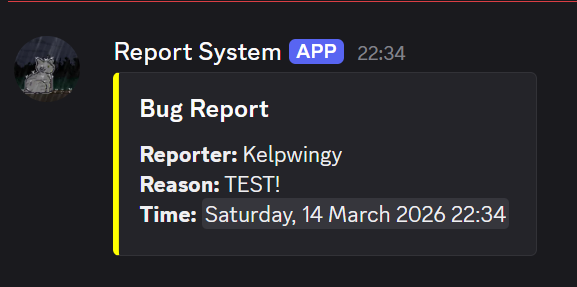
- Discord Integration: Sync in-game chat with Discord channels.
- Customizable Formats: Fully configurable message formats for both Minecraft and Discord.
Tip: For advanced Discord features, DiscordSRV is recommended.
Moderation Tools
- Broadcast Actions: Notify players of bans, kicks, mutes, and other moderation actions.
- Customizable Punishment Formats: Define how moderation messages appear.
- Join/Leave Messages: Custom join/leave messages, with the option to hide vanilla ones.
- Rules Command: Display server rules to players.
- Ban, Kick, Mute, Warn, Unban, Unmute, Unwarn: All the essentials for server moderation.
Player Utilities
- Homes System:
/home,/sethome,/delhome,/homeswith GUI and configurable max homes.
(Disabled by default—enable inconfig.yml!) - Teleportation System:
/tpa,/tpahere,/tpaccept,/tpdeny,/tpcancelfor player-to-player teleport requests, with cooldowns and invulnerability options.
(Disabled by default—enable inconfig.yml!) - Workbench Commands: Open crafting tables, ender chests, anvils, and more via commands like
/wb,/ec,/anvil, etc.
(Configurable permissions and can be disabled to avoid conflicts.)
Sitting System (pre-2.1.0 ONLY)
- Player Sitting: Sit on other players by right-clicking with an empty hand.
- Block Sitting: Sit on stairs, slabs, and other blocks.
- Configurable: Toggle sitting features in the config.
Note: For a more robust sitting experience, use Gsit and set
sitting.enabledtofalsein your config.
General
- Highly Configurable: Nearly every feature can be toggled or tweaked in
config.yml. - Permission-Based: Fine-grained permissions for all commands and features.
- No EssentialsX Dependency: Can fully replace EssentialsX for most servers.
Compatibility
- Minecraft Versions: 1.16 – Current Version
- Java: 17+
Getting Started
- Drop the plugin JAR into your
pluginsfolder. - Start your server to generate the config.
- Edit
config.ymlto enable/disable features as you like. - Reload or restart your server.
Recommendations
- For advanced Discord integration, use DiscordSRV.
- Newest versions 2.1.6+ has more advanced Discord integration, similar to that of DiscordSRV to make the switch easier.
- Use Gsit until the built-in system is improved.
- I am not fixing the sit system. It has been removed completely in the latest versions.
Made with love, cringe, and a lot of config options.
- Kelp