Logo
MINECRAFTBIBLE
Items
Items

All game items

Blocks
Blocks

Building blocks

Mobs
Mobs

Creatures & monsters

Biomes
Biomes

World biomes

Structures
Structures

Generated structures

Recipes
Recipes

Crafting guides

Advancements
Advancements

Achievements

Loot Tables
Loot Tables

Drop rates

Tags
Tags

Item groupings

All Versions
View all data →
Capes
Cape ArchiveNEW

Browse rare Minecon capes, OptiFine capes, and custom capes from players worldwide

Browse

Player Database
Player DatabasePopular

Search any player

Skin Browser
Skin Browser

Browse & download skins

Cape Gallery
Cape GalleryNEW

Minecon & OptiFine capes

Seed Vault
Seed Vault

Curated seeds

Learn

Guides
GuidesNew

Tutorials & tips

Blog
Blog

News & updates

Community

Community Hub
Community HubHub

Posts, discussions & more

All Versions
View community →
Seed Analyzer
Seed Analyzer

World seed analysis

Loot Explorer
Loot Explorer

Drop rates

Crafting Calculator
Crafting Calculator

Material planning

Enchant Calculator
Enchant Calculator

Probability math

Redstone Lab
Redstone Lab

Signal timing

Trading Profit
Trading Profit

Villager ROI

All Versions
View all tools →
Mods
Mods

Browse all mods

Plugins
Plugins

Server plugins

Resource Packs
Resource Packs

Textures & sounds

Shaders
Shaders

Visual enhancements

Datapacks
Datapacks

World logic

Scanner
Mod Intelligence

Scan & analyze any mod

All Versions
View all mods →
Loading...
IntroductionIntroductionVersion HistoryVersion HistoryGuidesGuidesBlog & NewsBlog & News
ItemsItemsBlocksBlocksMobsMobsRecipesRecipesBiomesBiomesStructuresStructuresAdvancementsAdvancementsLoot TablesLoot TablesTagsTags
ModsModsPluginsPluginsResource PacksResource PacksShadersShadersDatapacksDatapacks

MinecraftBible

The Ultimate Wiki

Logo
MINECRAFTBIBLE

The ultimate Minecraft reference. Every item, block, mob, and recipe documented with precision.

Community

  • Skin Browser
  • Cape Gallery
  • Seed Vault
  • Blog
  • Guides

Database

  • Items
  • Blocks
  • Mobs
  • Recipes
  • Biomes
  • Structures

Tools

  • Seed Analyzer
  • Mod Intelligence
  • Crafting Calculator
  • Enchant Calculator

Mods & Packs

  • Mods
  • Plugins
  • Resource Packs
  • Shaders
  • Datapacks

Site & Legal

  • About
  • Authors
  • Editorial Policy
  • Corrections
  • Contact
  • Privacy Policy
  • Terms of Service
  • DMCA
  • Sitemap

© 2026 MinecraftBible. Not affiliated with Mojang or Microsoft.

PrivacyTermsContact
JetBoom
PluginMIT

JetBoom

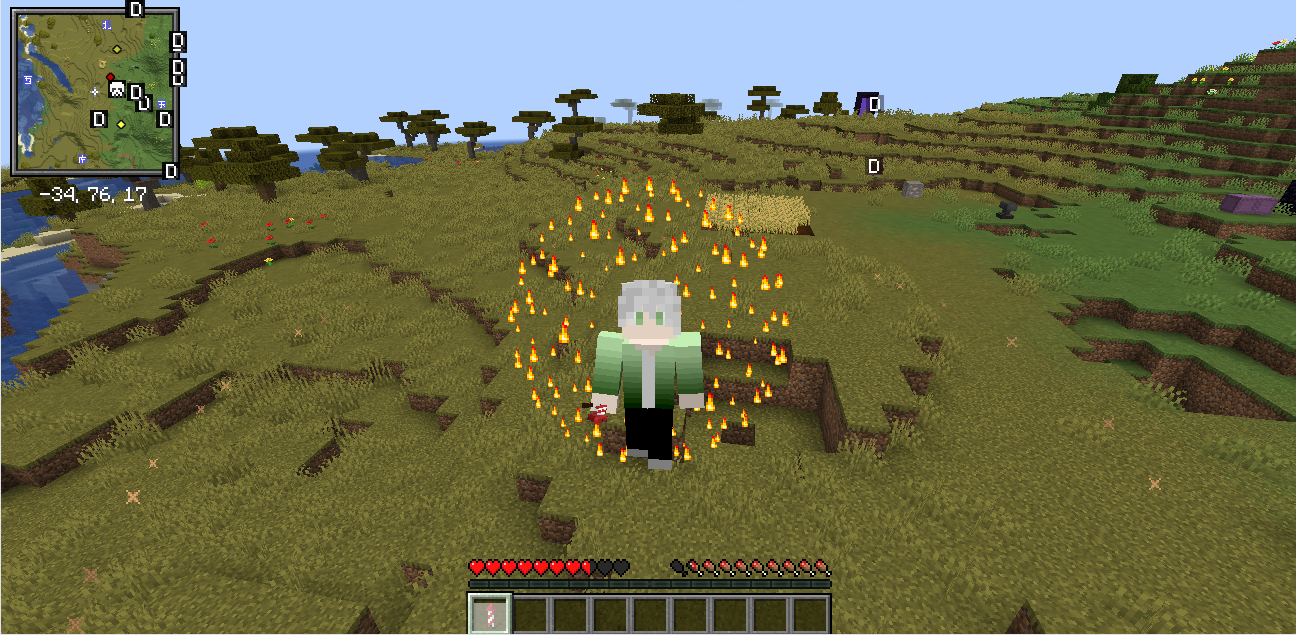
A Spigot plugin that adds a configurable piston-themed thruster item for player propulsion.

69
Downloads
0
Followers
9 months ago
Updated
📦
4
Versions
adventuregame-mechanicsminigamebukkitpaperspigot
Download Latestv1.0.0View on Modrinth

📖About JetBoom

# JetBoom

A Spigot plugin that adds a configurable piston-themed thruster item for player propulsion.


English

Features

  • Thruster Item: A custom item that launches players forward.
  • Controlled Explosion: Creates a safe explosion effect (no damage, no block breaking).
  • Configurable: Adjust propulsion force, cooldown, and explosion radius in config.yml.
  • Permissions: Fine-grained control over who can use, get, or reload the plugin.
  • Multi-language Support: Messages can be configured in English (en) or Chinese (zh).
  • Safe to Use: The thruster item cannot be placed as a block.

Commands

  • /jetboom help: Shows the help message. Displays different information based on permissions.
  • /jetboom give: (Permission: jetboom.give) Gives the player a thruster item.
  • /jetboom reload: (Permission: jetboom.reload) Reloads the plugin's configuration.

Permissions

  • jetboom.use: Allows a player to use the thruster. (Default: true)
  • jetboom.give: Allows a player to use the /jetboom give command. (Default: op)
  • jetboom.reload: Allows a player to use the /jetboom reload command. (Default: op)

Configuration (config.yml)

  • propulsion-force: The strength of the push.
  • cooldown-seconds: The cooldown time in seconds between uses.
  • explosion-radius: The visual radius of the explosion effect.
  • language: The language for plugin messages (en or zh).

中文

功能

  • 推进器物品: 一个可以将玩家向前推进的自定义物品。
  • 可控爆炸: 产生安全的爆炸效果(无伤害、不破坏方块)。
  • 高度可配置: 可在 config.yml 中调整推进力度、冷却时间和爆炸范围。
  • 权限系统: 精细控制谁可以使用、获取或重载插件。
  • 多语言支持: 插件消息支持英语 (en) 和中文 (zh) 配置。
  • 使用安全: 推进器物品无法被放置为方块。

命令

  • /jetboom help: 显示帮助信息。根据权限显示不同的内容。
  • /jetboom give: (权限: jetboom.give) 给予玩家一个推进器。
  • /jetboom reload: (权限: jetboom.reload) 重载插件的配置文件。

权限

  • jetboom.use: 允许玩家使用推进器。 (默认: true)
  • jetboom.give: 允许玩家使用 /jetboom give 命令。 (默认: op)
  • jetboom.reload: 允许玩家使用 /jetboom reload 命令。 (默认: op)

配置 (config.yml)

  • propulsion-force: 推进的力度。
  • cooldown-seconds: 每次使用之间的冷却时间(秒)。
  • explosion-radius: 爆炸效果的视觉半径。
  • language: 插件消息的语言 (en 或 zh)。

JetBoom Pro

A professional Spigot plugin that adds a highly configurable piston-themed thruster item with advanced GUI management and enhanced visual effects.


English

Pro Features

  • Advanced GUI Interface: Interactive inventory-based configuration GUI for real-time settings adjustment.
  • Enhanced Visual Effects: Customizable particle effects and sound effects for immersive experience.
  • Professional Configuration: Extended configuration options with GUI-based management.
  • Real-time Settings: Modify plugin settings without server restart through the GUI interface.
  • Advanced Permissions: Comprehensive permission system with GUI access control.
  • Enhanced Safety: Improved item handling and placement prevention mechanisms.

Core Features

  • Thruster Item: A custom piston-themed item that launches players forward with configurable force.
  • Controlled Explosion: Creates safe explosion effects with customizable visual and audio feedback.
  • Multi-language Support: Full support for English (en) and Chinese (zh) with GUI translations.
  • Particle System: Configurable particle effects including type, count, and spread patterns.
  • Sound System: Customizable sound effects with volume and pitch control.
  • Cooldown Management: Advanced cooldown system with visual feedback.

Commands

  • /jetboom help: Shows comprehensive help information based on user permissions.
  • /jetboom give [player]: (Permission: jetboom.give) Gives a thruster item to specified player or self.
  • /jetboom reload: (Permission: jetboom.reload) Reloads the plugin configuration.
  • /jetboom gui: (Permission: jetboom.gui) Opens the interactive configuration GUI.

Permissions

  • jetboom.use: Allows using the thruster item. (Default: true)
  • jetboom.give: Allows using the /jetboom give command. (Default: op)
  • jetboom.reload: Allows using the /jetboom reload command. (Default: op)
  • jetboom.gui: Allows accessing the configuration GUI. (Default: op)

Pro Configuration (config.yml)

Basic Settings

  • propulsion-force: The strength of the propulsion (1.0-10.0).
  • cooldown-seconds: Cooldown time between uses (1-300 seconds).
  • explosion-radius: Visual explosion radius (1-10 blocks).
  • language: Plugin language (en or zh).

Advanced Settings

  • particle-effects.enabled: Enable/disable particle effects.
  • particle-effects.type: Particle type (EXPLOSION_LARGE, FIREWORKS_SPARK, etc.).
  • particle-effects.count: Number of particles (1-100).
  • particle-effects.spread: Particle spread radius (0.1-5.0).

Sound Settings

  • sound-effects.enabled: Enable/disable sound effects.
  • sound-effects.launch-sound: Sound played on launch.
  • sound-effects.volume: Sound volume (0.1-2.0).
  • sound-effects.pitch: Sound pitch (0.5-2.0).

GUI Settings

  • gui.enabled: Enable/disable GUI functionality.
  • gui.title: GUI window title.
  • gui.size: GUI inventory size (9, 18, 27, 36, 45, 54).

GUI Interface

The Pro version includes an intuitive GUI interface accessible via /jetboom gui:
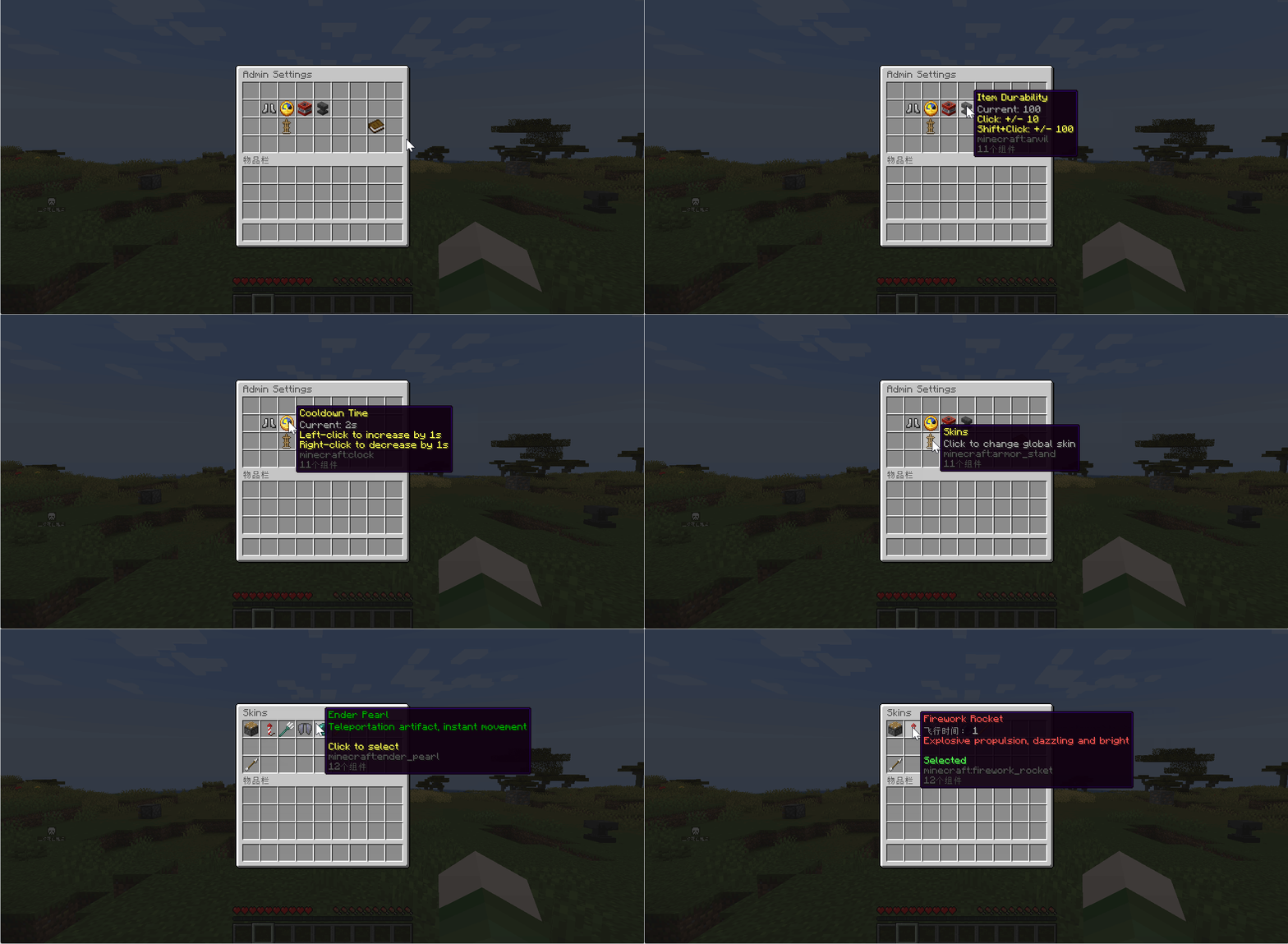
  • Settings Panel: Real-time configuration adjustment
  • Force Control: Visual slider for propulsion force
  • Cooldown Management: Easy cooldown time adjustment
  • Effect Controls: Particle and sound effect toggles
  • Language Switcher: Instant language switching
  • Apply/Reset: Save changes or restore defaults

中文

Pro版特色功能

  • 高级GUI界面: 基于物品栏的交互式配置界面,支持实时设置调整。
    GUI界面
  • 增强视觉效果: 可自定义的粒子效果和声音效果,提供沉浸式体验。
    粒子效果
  • 专业级配置: 扩展的配置选项,支持GUI可视化管理。
  • 实时设置: 通过GUI界面修改插件设置,无需重启服务器。
  • 高级权限: 全面的权限系统,包含GUI访问控制。
  • 增强安全性: 改进的物品处理和放置防护机制。

核心功能

  • 推进器物品: 活塞主题的自定义物品,可配置推进力度向前发射玩家。
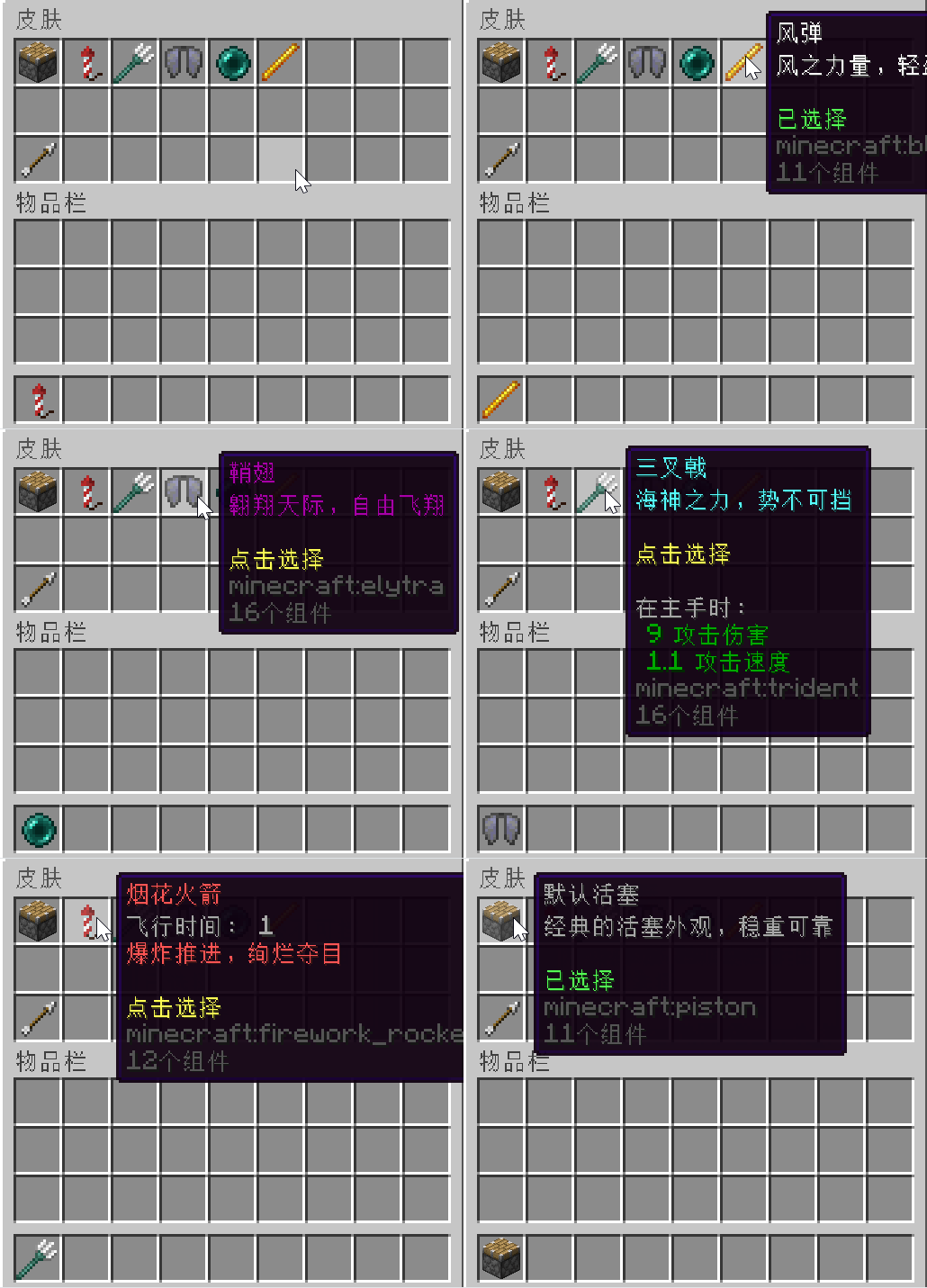
    皮肤切换
  • 可控爆炸: 创建安全的爆炸效果,支持自定义视觉和音频反馈。
  • 多语言支持: 完整支持英语 (en) 和中文 (zh),包含GUI翻译。
  • 粒子系统: 可配置的粒子效果,包括类型、数量和扩散模式。
  • 声音系统: 可自定义的声音效果,支持音量和音调控制。
  • 冷却管理: 高级冷却系统,提供视觉反馈。
    冷却反馈

命令

  • /jetboom help: 根据用户权限显示全面的帮助信息。~~~~
  • /jetboom give [玩家]: (权限: jetboom.give) 给指定玩家或自己一个推进器。
  • /jetboom reload: (权限: jetboom.reload) 重载插件配置。
  • /jetboom gui: (权限: jetboom.gui) 打开交互式配置GUI。

权限

  • jetboom.use: 允许使用推进器物品。 (默认: true)
  • jetboom.give: 允许使用 /jetboom give 命令。 (默认: op)
  • jetboom.reload: 允许使用 /jetboom reload 命令。 (默认: op)
  • jetboom.gui: 允许访问配置GUI。 (默认: op)

Pro版配置 (config.yml)

基础设置

  • propulsion-force: 推进力度 (1.0-10.0)。
  • cooldown-seconds: 使用间隔冷却时间 (1-300秒)。
  • explosion-radius: 视觉爆炸半径 (1-10方块)。
  • language: 插件语言 (en 或 zh)。

高级设置

  • particle-effects.enabled: 启用/禁用粒子效果。
  • particle-effects.type: 粒子类型 (EXPLOSION_LARGE, FIREWORKS_SPARK等)。
  • particle-effects.count: 粒子数量 (1-100)。
  • particle-effects.spread: 粒子扩散半径 (0.1-5.0)。

声音设置

  • sound-effects.enabled: 启用/禁用声音效果。
  • sound-effects.launch-sound: 发射时播放的声音。
  • sound-effects.volume: 声音音量 (0.1-2.0)。
  • sound-effects.pitch: 声音音调 (0.5-2.0)。

GUI设置

  • gui.enabled: 启用/禁用GUI功能。
  • gui.title: GUI窗口标题。
  • gui.size: GUI物品栏大小 (9, 18, 27, 36, 45, 54)。

GUI界面

Pro版本包含直观的GUI界面,可通过 /jetboom gui 访问:

  • 设置面板: 实时配置调整
  • 力度控制: 推进力度的可视化滑块
  • 冷却管理: 简易的冷却时间调整
  • 效果控制: 粒子和声音效果开关
  • 语言切换: 即时语言切换
  • 应用/重置: 保存更改或恢复默认设置

Pro Version Advantages | Pro版本优势

Compared to Standard Version | 相比标准版本

English:

  • GUI Management: No need to manually edit config files - everything can be configured through an intuitive interface.
  • Enhanced Effects: Rich particle and sound effects make the thruster experience more immersive.
  • Real-time Configuration: Changes take effect immediately without server restart.
  • Professional Features: Advanced settings for server administrators and power users.
  • Better User Experience: Visual feedback and interactive controls improve usability.

中文:

  • GUI管理: 无需手动编辑配置文件 - 所有设置都可通过直观界面配置。
  • 增强效果: 丰富的粒子和声音效果让推进器体验更加沉浸。
  • 实时配置: 更改立即生效,无需重启服务器。
  • 专业功能: 为服务器管理员和高级用户提供的高级设置。
  • 更好的用户体验: 视觉反馈和交互控制提升可用性。

Pro版:敬请期待

👥 Team & Contributors

ouaini5566
ouaini5566Owner

⚙️ Compatibility

Environment
🖥️ Server-side
Loaders
bukkitpaperspigot
Minecraft Versions
1.211.21.11.21.21.21.31.21.41.21.51.21.61.21.7+1 more

🔗 Links

Modrinth Page