


ItemAttributes
Put Attributes on Items!
📖About ItemAttributes
ItemAttributes

Overview
ItemAttributes is a lightweight but powerful plugin for Minecraft 1.21 that allows you to add or modify any attribute on your items with a simple command. Whether you want to create custom weapons with increased attack damage, armor with special properties, or tools with unique characteristics - ItemAttributes makes it easy! It is like the /enchant command but with attributes. It is like more enchantements and you can use it for custom items!
Features
- 💎 Simple Commands: Add or remove any attribute with straightforward command syntax
- 📋 Full Tab Completion: Command suggestions for all attributes and slots
- ⚙️ All Minecraft Attributes: Supports every vanilla attribute in the game
- 🔧 Slot Specification: Apply attributes to specific slots (Main Hand, Off Hand, Head, etc.)
- 🌍 Multi-Language Support: Available in English and German, easily expandable
- 🌈 Beautiful Messages: Stylish gradient-colored messages that are pleasing to the
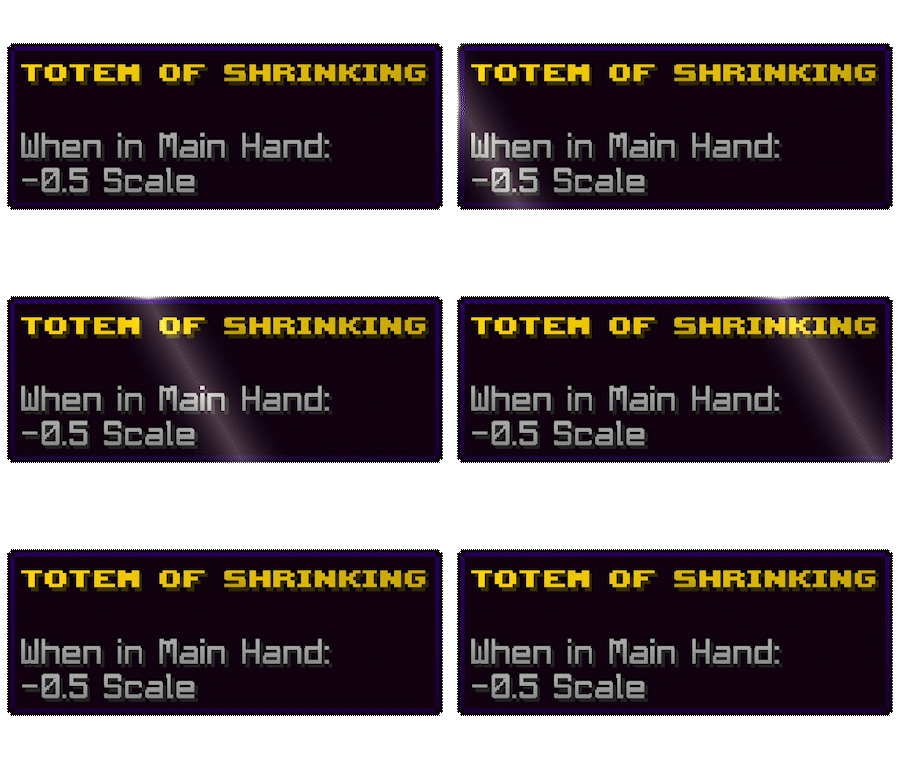
Example Item
Command Usage
The plugin adds two simple commands:
/itemattribute <attribute> <value> [slot]
- attribute: Any vanilla Minecraft attribute (e.g., attack_damage, max_health)
- value: The numerical value to set for the attribute
- slot: (Optional) The equipment slot the attribute applies to (defaults to HAND)
/unattribute <attribute>
- attribute: The attribute you want to remove from the item
Supported Attributes
All vanilla Minecraft 1.21 attributes are supported, including:
max_health- Maximum health pointsknockback_resistance- Resistance against knockback (0-1)movement_speed- Movement speedattack_damage- Attack damageattack_speed- Attack speedarmor- Armor pointsarmor_toughness- Armor toughnessluck- Luck for loot tables- and many more!
Supported Slots
You can specify which slot the attribute applies to:
ANY- Apply to any slotHAND- Main hand onlyOFF_HAND- Off hand onlyFEET- Boots slotLEGS- Leggings slotCHEST- Chestplate slotHEAD- Helmet slot
Examples
/itemattribute attack_damage 10 HAND
Adds +10 attack damage when the item is in the main hand
/itemattribute max_health 5 ANY
Adds +5 maximum health when the item is equipped in any slot
/itemattribute armor 4 CHEST
Adds +4 armor when the item is in the chestplate slot
/unattribute attack_damage
Removes all attack damage modifiers from the item
Permissions
itemattributes.use- Permission to use the /itemattribute and /unattribute commands
Configuration
The plugin is highly configurable through the config.yml file:
# Language setting for plugin messages
# Available options: en, de
language: en

# Various settings for attribute limits and display options
settings:
  show-success-messages: true
  allow-negative-values: true
  max-attribute-value: -1
  show-attributes-in-lore: false
Installation
- Download the plugin JAR file
- Place it in your server's
pluginsfolder - Restart your server or use a plugin manager to load it
- Configure in
plugins/ItemAttributes/config.ymlif needed
Requirements
- Spigot or Paper server (Minecraft 1.21)
- Java 17 or higher
Support & Bugs
If you encounter any issues or have suggestions for improvements, please report them on the GitHub Issues page.
License
This plugin is released under the ARR License. Feel free to use it on your server!
Enjoy enhancing your Minecraft experience with ItemAttributes!