Logo
MINECRAFTBIBLE
Items
Items

All game items

Blocks
Blocks

Building blocks

Mobs
Mobs

Creatures & monsters

Biomes
Biomes

World biomes

Structures
Structures

Generated structures

Recipes
Recipes

Crafting guides

Advancements
Advancements

Achievements

Loot Tables
Loot Tables

Drop rates

Tags
Tags

Item groupings

All Versions
View all data →
Capes
Cape ArchiveNEW

Browse rare Minecon capes, OptiFine capes, and custom capes from players worldwide

Browse

Player Database
Player DatabasePopular

Search any player

Skin Browser
Skin Browser

Browse & download skins

Cape Gallery
Cape GalleryNEW

Minecon & OptiFine capes

Seed Vault
Seed Vault

Curated seeds

Learn

Guides
GuidesNew

Tutorials & tips

Blog
Blog

News & updates

Community

Community Hub
Community HubHub

Posts, discussions & more

All Versions
View community →
Seed Analyzer
Seed Analyzer

World seed analysis

Loot Explorer
Loot Explorer

Drop rates

Crafting Calculator
Crafting Calculator

Material planning

Enchant Calculator
Enchant Calculator

Probability math

Redstone Lab
Redstone Lab

Signal timing

Trading Profit
Trading Profit

Villager ROI

All Versions
View all tools →
Mods
Mods

Browse all mods

Plugins
Plugins

Server plugins

Resource Packs
Resource Packs

Textures & sounds

Shaders
Shaders

Visual enhancements

Datapacks
Datapacks

World logic

Scanner
Mod Intelligence

Scan & analyze any mod

All Versions
View all mods →
Loading...
IntroductionIntroductionVersion HistoryVersion HistoryGuidesGuidesBlog & NewsBlog & News
ItemsItemsBlocksBlocksMobsMobsRecipesRecipesBiomesBiomesStructuresStructuresAdvancementsAdvancementsLoot TablesLoot TablesTagsTags
ModsModsPluginsPluginsResource PacksResource PacksShadersShadersDatapacksDatapacks

MinecraftBible

The Ultimate Wiki

Logo
MINECRAFTBIBLE

The ultimate Minecraft reference. Every item, block, mob, and recipe documented with precision.

Community

  • Skin Browser
  • Cape Gallery
  • Seed Vault
  • Blog
  • Guides

Database

  • Items
  • Blocks
  • Mobs
  • Recipes
  • Biomes
  • Structures

Tools

  • Seed Analyzer
  • Mod Intelligence
  • Crafting Calculator
  • Enchant Calculator

Mods & Packs

  • Mods
  • Plugins
  • Resource Packs
  • Shaders
  • Datapacks

Site & Legal

  • About
  • Authors
  • Editorial Policy
  • Corrections
  • Contact
  • Privacy Policy
  • Terms of Service
  • DMCA
  • Sitemap

© 2026 MinecraftBible. Not affiliated with Mojang or Microsoft.

PrivacyTermsContact
instantbrew
PluginMIT

instantbrew

InstantBrew is a lightweight Paper / Spigot / Folia plugin that lets you control how fast brewing stands brew on your server. You can set how long each brew takes.

382
Downloads
0
Followers
3 months ago
Updated
📦
3
Versions
game-mechanicsmanagementutilitybukkitfoliapaperpurpurspigot
Download Latestv1.0.2View on Modrinth

📖About instantbrew

InstantBrew

Version
Platform
Folia
bStats

Lightweight control over brewing stands: how fast potions brew, optional infinite blaze-powder fuel, and smarter shift-clicking for blaze powder. Config hot-reloads—no server restart.

Discord


Summary

InstantBrew runs on Paper, Spigot, and Folia (Minecraft 1.21+). Tune brew-delay-ticks from instant to any delay you want, optionally stop blaze powder from being consumed while keeping the fuel bar full, and choose whether shift-click places blaze powder in the ingredient slot. Use /instantbrew reload after editing config.yml.


Showcase

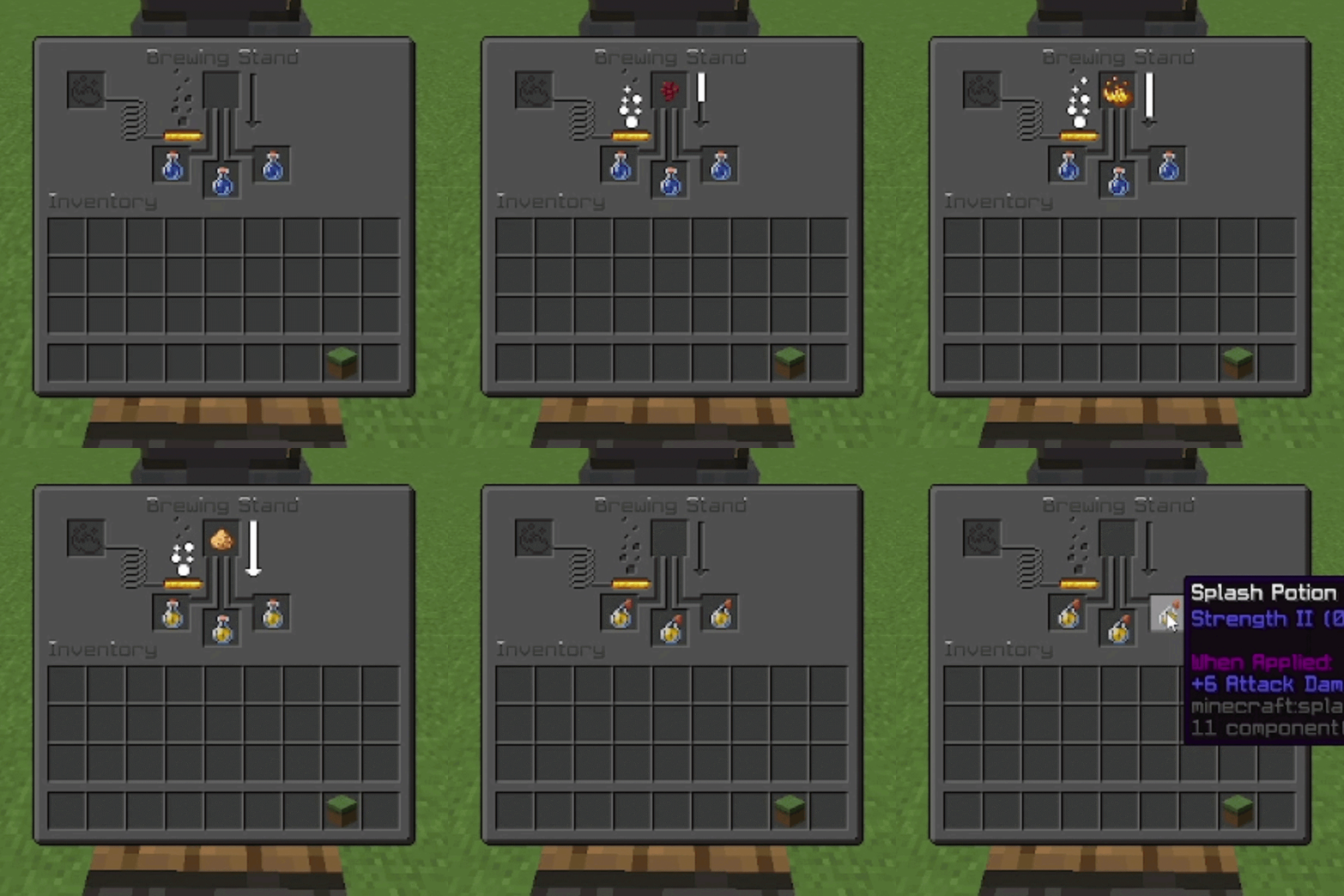
Instant brewing and infinite blaze powder
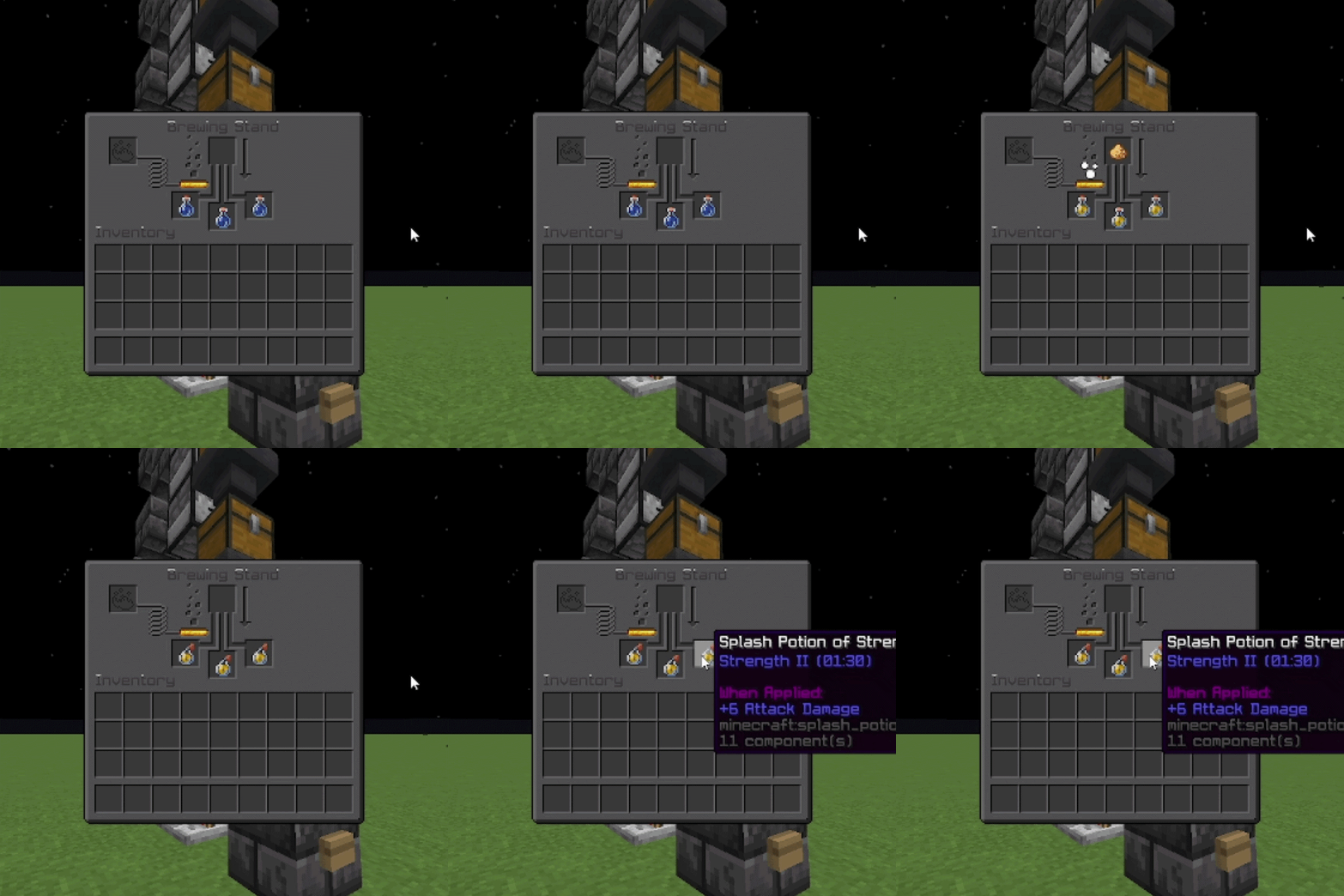
Instant brewing and infinite fuel

With the default near-instant delay, potions finish as soon as you add an ingredient. Enable blaze-powder-infinite so the fuel bar stays full and blaze powder is not consumed.

Configurable brew delay

Set brew-delay-ticks for a slower brew (e.g. 20 = 1 second, 200 = 10 seconds). The brewing arrow animates over that time before potions complete.


Features

  • Configurable brew delay — Ticks until brew completes (0 ≈ instant, 20 = 1 second)
  • Infinite blaze powder — Optional: full fuel bar, no powder consumption
  • Shift-click to ingredient — Optional: shift-click blaze powder into the ingredient slot instead of fuel
  • Hot reload — /instantbrew reload applies config without restarting

Installation

  1. Put InstantBrew-1.0.0.jar in your server’s plugins folder (use the shadow JAR from Building—it bundles bStats).
  2. Start the server once so plugins/InstantBrew/config.yml is created.
  3. Edit the config to taste, then run /instantbrew reload.

Usage

Commands

Command Permission Description
/instantbrew — Shows usage
/instantbrew reload instantbrew.reload Reloads the config

Permissions

Permission Default Description
instantbrew.reload op Reload config with /instantbrew reload

Configuration

All options are in plugins/InstantBrew/config.yml:

Option Description
brew-delay-ticks Time until brewing finishes. 20 ticks = 1 second. 0 = near-instant.
blaze-powder-infinite If true, fuel does not drain and blaze powder is not consumed.
blaze-powder-shift-click-to-ingredient If true, shift-clicking blaze powder moves it to the ingredient slot.

Example:

brew-delay-ticks: 0
blaze-powder-infinite: false
blaze-powder-shift-click-to-ingredient: false

bStats
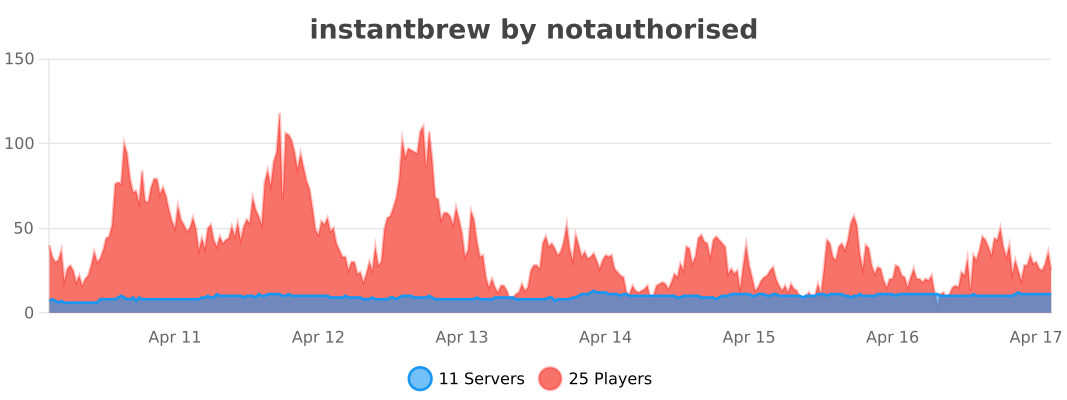
bStats: servers using InstantBrew

👥 Team & Contributors

not.authorised
not.authorisedOwner

⚙️ Compatibility

Environment
🖥️ Server-side
Loaders
bukkitfoliapaperpurpurspigot
Minecraft Versions
1.211.21.11.21.21.21.31.21.41.21.51.21.61.21.7+4 more

🔗 Links

Modrinth Page