

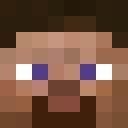
InlineHeads
Display player heads in a single line of text!
📖About InlineHeads
InlineHeads




Requirements
- Java 21+
- Paper or Folia 1.21.4+
WARNING: This plugin REQUIRES a resource pack to be installed on the client. If the resource pack is not installed, the client will not be able to connect to the server. With the default configuration the resource pack will be automatically downloaded, but it can also be found here for more advanced users.
Description
InlineHeads simply enables the use of player heads in chat or anywhere else that supports text components, such as scoreboards, action bars, and titles.
Here is an example of how it looks in chat:

See that head next to my name? That's my capybara skin's head, in full resolution, in a single line of chat.
Getting Started (Server Admins)
This plugin will not provide any functionality without the use of MiniPlaceholders. Install MiniPlaceholders and InlineHeads by placing the jar files in your server's plugins folder and restarting the server.
To use a player's head in text, use the following placeholder format: <player_head:[player name]>,
where [player name] is the name of the player whose head you want to display. For example, to display my head like in the image above, you would use <player_head:BlameBert>.
The plugin will automatically download the resource pack and install it for you.
The resource pack is compatible for use with other server-enforced resource packs, so you can use InlineHeads alongside other plugins that require a resource pack.
Getting Started (Developers)
Maven Users:
Repository:
<repositories>
    <repository>
        <id>jitpack.io</id>
        <url>https://jitpack.io</url>
    </repository>
</repositories>
Dependency:
<dependency>
    <groupId>com.github.BertTowne</groupId>
    <artifactId>InlineHeads</artifactId>
    <version>v1.1.1</version>
</dependency>
Gradle Users:
Repository:
dependencyResolutionManagement {
    repositoriesMode.set(RepositoriesMode.FAIL_ON_PROJECT_REPOS)
    repositories {
        mavenCentral()
        maven { url 'https://jitpack.io' }
    }
}
Dependency:
dependencies {
    implementation 'com.github.BertTowne:InlineHeads:v1.1.1'
}
InlineHeads uses Google's Guice dependency injection system so to get an instance of the InlineHeadsService, you can place the following code where you define your class variables:
@Inject private InlineHeadsService inlineHeadsService;
Then you can use the service to get a Component that contains a player's head:
Component head = inlineHeadsService.getHead(playerName);
WARNING: This method accesses the Minotar API, so it is recommended to use it sparingly and MUST BE DONE ASYNCHRONOUSLY to avoid blocking the main thread.
The images retrieved from the Minotar API are cached for 10 minutes after their last time being accessed, so if you need to get the same head multiple times, it will not make multiple requests to the API.
How does it work?
InlineHeads uses a couple of custom fonts to achieve this effect:
- Pixelized, a font created by me specifically for this plugin that provides the individual pixels required to render the heads.
- NegativeSpaceFont, a font created by AmberWat that provides the spacing required to organize the pixels into player heads.
While the plugin places the pixels in the correct order, it colors them based on the player's skin according to the Minotar API.