
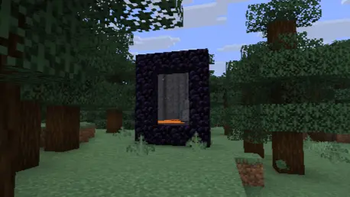

Immersive Portals Paperized
Immersive Portals but completely server-side as a Paper plugin.
📖About Immersive Portals Paperized
Immersive Portals Paperized
A highly-optimized, server-side portal rendering and teleportation engine for PaperMC. Inspired by the Immersive Portals mod. I made a port for modern versions based of the code from NetherView and BetterPortals.
Plugin
A Minecraft plugin that allows nether portals to be seen through, it displays whats on the other side in real-time, and supports custom portal creation. Everything without any client modifications.
⚠️ Currently in Alpha, don't expect a stable plugin!
⚠️ Spigot support is not guaranteed as it uses extensive PaperAPI features!
Please Message me if you encounter any Bugs!
Discord: blizzard8562 (for Bug-Reports, other Issues and Feedback)
Current Features:
- See-through nether portals
- Real-time portal rendering
- Custom portal creation
- Cross-server portal support
- Portal effects and presets
- Economy integration (Vault)
- Selection wand
- Folia compatible
- GUI admin menu
- TPS-aware rendering
- Portal admin GUI
- Anti-dupe protection
- Multi-world support
- Dimension blending
- Light block system (1.18+)
- Internationalization (25+ languages)
- Automatic update checks via Modrinth
Future Features:
- Entity/Player Pass through
- Entity tracking and replication (both are theoretically implemented but they dont work as they should)
- Making the Plugin more stable
- Performance optimizations
Commands:
- /immersiveportalspaper create Create a new portal
- /immersiveportalspaper createcustom Create a custom portal
- /immersiveportalspaper createfromcoords Create a portal from coordinates
- /immersiveportalspaper link Link two portal locations together
- /immersiveportalspaper linkexternal Create a cross-server portal
- /immersiveportalspaper remove Remove the closest portal
- /immersiveportalspaper removebyname Remove portals by name
- /immersiveportalspaper reload Reload the plugin configuration
- /immersiveportalspaper wand Get the portal selection wand
- /immersiveportalspaper tp Teleport to a portal destination
- /immersiveportalspaper setprice Set the price for using a portal
- /immersiveportalspaper setpreset Set the preset for a portal
- /immersiveportalspaper getname Get the name of a portal
- /immersiveportalspaper getportalname Get the name of the nearest portal
- /immersiveportalspaper setPortalName Set a custom name for a portal
- /immersiveportalspaper setOrigin Set the selection as the origin position
- /immersiveportalspaper setDestination Set the selection as the destination position
- /immersiveportalspaper menu Open the Portal Admin GUI
- /immersiveportalspaper reconnect Reconnect to the proxy if disconnected
- /immersiveportalspaper setseethroughportal Toggle see-through portals for yourself
- /immersiveportalspaper toggleseethroughportal Toggle see-through portal visibility
- /immersiveportalspaper getallowNonPlayerTeleportation Check if items and mobs can teleport
- /immersiveportalspaper setAllowNonPlayerTeleportation Allow or disallow item and mob teleportation
Alias:
- /p Can be used instead of /immersiveportalspaper
Permissions:
- immersiveportalspaper.createfromcoords Allows creating portals from coordinates
- immersiveportalspaper.getname Allows getting portal names
- immersiveportalspaper.link Allows linking portals
- immersiveportalspaper.linkexternal Allows creating cross-server portals
- immersiveportalspaper.removeclosest Allows removing the closest portal
- immersiveportalspaper.removebyname Allows removing portals by name
- immersiveportalspaper.reload Allows reloading the plugin configuration
- immersiveportalspaper.create Allows creating portals
- immersiveportalspaper.updatecoords Allows updating portal coordinates
- immersiveportalspaper.tp Allows teleporting to portal destinations
- immersiveportalspaper.setprice Allows setting portal prices
- immersiveportalspaper.setpreset Allows setting portal presets
- immersiveportalspaper.bypassprice Allows bypassing portal usage costs
- immersiveportalspaper.admin Allows bypassing portal size restrictions and viewing debug information
- immersiveportalspaper.createcustom Allows creating custom portals
- immersiveportalspaper.wand Allows using the portal selection wand
- immersiveportalspaper.reconnect Allows reconnecting to the proxy
- immersiveportalspaper.user Allows using portals (default: true)
- immersiveportalspaper.see Allows seeing through portals (default: true)
Dependencies:
- ProtocolLib (required, used for packet-based portal rendering)
- Vault (optional, for economy features)
- Multiverse-Core (optional, for world management)
- My_Worlds (optional, for world management)
Configuration:
The plugin configuration file will be generated on first startup at plugins/ImmersivePortalsPaper/config.yml.
The plugin supports hot-reloading via /immersiveportalspaper reload.
For detailed configuration options, including world connections, portal effect presets, proxy settings, and performance tuning, refer to the comments in the generated config.yml.
Have fun :)