

HyperShop
This is a plugin that adds a completely configurable shop to any paper, spigot or Bukkit server that has an economy.
📖About HyperShop
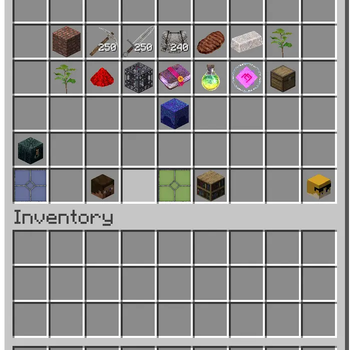
HyperShop offers a completely configurable shop to any paper,spigot, or bukkit server that has a economy. Prices of items can be changed in game just by holding the desired item in hand and putting in the command. The server sale slot payouts can be configured in game and the market can be crashed and boomed all in game as well. This plugin also offers a private sale slot where players can sell directly to each other so other players can't buy the item under you. When selling items to the server, sometimes players can make a mistake and sell a item they did'nt mean to and we thought of this, we added a buyback page where the items you sold to the server stay until their self life runs out which that shelf life can also be configured in the config. Worried about a unorganized shop? no worries here, any time a player uploads a item to shop and enters a price the shop lists that item in the correct category. Players also hear the xp sound when someone buys one of there listings. if a player is offline when there listings get bought, no worries, they will get notified with who bought what and for how much next time they get on the server! Admins can open shop in edit mode to adjust other players listings if needed, they can also add items to shop in edit mode as the server just to add incentive for players to earn money and buy nice items this includes admins. Players cant buy their own listing, they can take their items off the shop by using the listing page in shop and reclaiming the item they want off the shop. This makes it so if admins add items to the shop in edit mode they later can buy the items as if they are buying it from another player this is great for when server does a move with all players.
HyperShop command list:
Player Commands
/shop
Description: Opens the HyperShop GUI.
Usage: /shop
Permission: HyperShop.admin (Default: op)
Admin Commands
/shop edit
Description: Opens the shop in Admin Edit Mode. Items listed in this mode are owned by the SERVER. Allows Admins to adjust other players listings.
Usage: /shop edit
/HyperShop reload
Description: Reloads the plugin configuration and pricing data.
Usage: /HyperShop reload
Permission: HyperShop.admin
/pricechange (Aliases: /pc, /setprice)
Description: Changes the base price of the item you are currently holding.
Usage: /pricechange
Permission: HyperShop.admin
/market
Description: Views the current global market modifier.
Usage: /market
◦
Permission: HyperShop.admin
/market <crash|boom>
Description: Globally adjusts market prices by a specific percentage. Only
effects the server sale slot payout prices to keep the eco stable.
Usage: /market <crash|boom>
Permission: HyperShop.admin
/market populate
Description: Scans for and adds missing Minecraft items to the configuration.
Usage: /market populate
Permission: HyperShop.admin
/serversale
Description: Views current server sale payout percentages for all categories.
Usage: /serversale
Permission: HyperShop.admin
/serversale
Description: Sets a specific payout percentage for each category.
Usage: /serversale
Permission: HyperShop.admin
/serversale reset
Description: Resets the payout for a category to the default value (8.5%).
Usage: /serversale reset
Permission: HyperShop.admin