Logo
MINECRAFTBIBLE
Items
Items

All game items

Blocks
Blocks

Building blocks

Mobs
Mobs

Creatures & monsters

Biomes
Biomes

World biomes

Structures
Structures

Generated structures

Recipes
Recipes

Crafting guides

Advancements
Advancements

Achievements

Loot Tables
Loot Tables

Drop rates

Tags
Tags

Item groupings

All Versions
View all data →
Capes
Cape ArchiveNEW

Browse rare Minecon capes, OptiFine capes, and custom capes from players worldwide

Browse

Player Database
Player DatabasePopular

Search any player

Skin Browser
Skin Browser

Browse & download skins

Cape Gallery
Cape GalleryNEW

Minecon & OptiFine capes

Seed Vault
Seed Vault

Curated seeds

Learn

Guides
GuidesNew

Tutorials & tips

Blog
Blog

News & updates

Community

Community Hub
Community HubHub

Posts, discussions & more

All Versions
View community →
Seed Analyzer
Seed Analyzer

World seed analysis

Loot Explorer
Loot Explorer

Drop rates

Crafting Calculator
Crafting Calculator

Material planning

Enchant Calculator
Enchant Calculator

Probability math

Redstone Lab
Redstone Lab

Signal timing

Trading Profit
Trading Profit

Villager ROI

All Versions
View all tools →
Mods
Mods

Browse all mods

Plugins
Plugins

Server plugins

Resource Packs
Resource Packs

Textures & sounds

Shaders
Shaders

Visual enhancements

Datapacks
Datapacks

World logic

Scanner
Mod Intelligence

Scan & analyze any mod

All Versions
View all mods →
Loading...
IntroductionIntroductionVersion HistoryVersion HistoryGuidesGuidesBlog & NewsBlog & News
ItemsItemsBlocksBlocksMobsMobsRecipesRecipesBiomesBiomesStructuresStructuresAdvancementsAdvancementsLoot TablesLoot TablesTagsTags
ModsModsPluginsPluginsResource PacksResource PacksShadersShadersDatapacksDatapacks

MinecraftBible

The Ultimate Wiki

Logo
MINECRAFTBIBLE

The ultimate Minecraft reference. Every item, block, mob, and recipe documented with precision.

Community

  • Skin Browser
  • Cape Gallery
  • Seed Vault
  • Blog
  • Guides

Database

  • Items
  • Blocks
  • Mobs
  • Recipes
  • Biomes
  • Structures

Tools

  • Seed Analyzer
  • Mod Intelligence
  • Crafting Calculator
  • Enchant Calculator

Mods & Packs

  • Mods
  • Plugins
  • Resource Packs
  • Shaders
  • Datapacks

Site & Legal

  • About
  • Authors
  • Editorial Policy
  • Corrections
  • Contact
  • Privacy Policy
  • Terms of Service
  • DMCA
  • Sitemap

© 2026 MinecraftBible. Not affiliated with Mojang or Microsoft.

PrivacyTermsContact
HrdaTools
PluginMIT

HrdaTools

Useful Commands for Servers and Scripted SMPs

680
Downloads
4
Followers
1 months ago
Updated
📦
11
Versions
game-mechanicsmanagementutilitybukkitfabricpaperpurpurspigot
Download Latestv1.8View on Modrinth

📖About HrdaTools

HrdaTools

logo

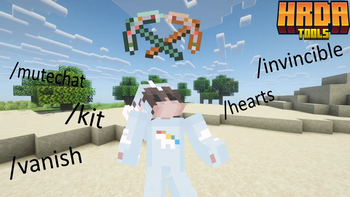
HrdaTools is a versatile utility plugin designed for SMP servers and content creators who need advanced control over their world, items, and player interactions. Originally inspired by the "Unstable SMP" style of gameplay, it offers a unique mix of administration tools and immersive features.
Need Hosting? Use PROMO CODE!

neyhost promo(https://www.neyhost.com/?ref=HRDA)


✨ Key Features

👤 Player Management & Stealth

  • /vanish – Become completely invisible. This hides you from the world, removes you from the TAB list, blocks your name from Tab-Complete, and sends a fake "left the game" message to others.
  • /hearts <player> <amount> – Set a player's maximum health (e.g., /hearts Hrda 10 for 10 hearts).
  • /invincible [player] – Toggle a special "Fake Immortality" mode. Players stay at 0.5 hearts and cannot die from standard damage.
  • /invsee <player> [armor] – Peek into any player's inventory. Use the armor argument to open a protected preview of their equipment and off-hand.
  • /ec [player] – Access your own or someone else's Ender Chest.
  • /freeze <player> [time] – Freezes or Unfreezes specific player.

📦 Kit System

  • /kit save <name> – Save your current inventory (including armor and off-hand) as a kit.
  • /kit gui - Opens GUI with all kits and their previews
  • /kit <name> <player|all> – Give a saved kit to a specific player or everyone online.
  • /kit delete <name> – Remove a kit from the database.

⚔️ Item & Enchantment Overdrive

  • /enchant <target> <enchantment> <level> – Apply any enchantment up to level 255. Bypass all standard limits! Supports selectors (@a, @p, @s, @r).
  • /durability <value> – Precisely set the durability of the item in your hand.
  • /book <sign|unsign|author|title> – Advanced book editing. Change authors, revert signed books to editable drafts, or change titles with color support.

🔊 Immersive Proximity System

  • Proximity Messages – Join, quit, and death messages are only shown to players within a certain range (configurable).
  • Death Effects – Adds a visual lightning bolt (no damage) and optional Wither spawn sound at the player's death location.
  • /proximity – Quickly toggle the proximity system on or off.

🛡️ Server Administration

  • /mutechat – Instantly lock the chat for everyone except players with bypass permissions.
  • /toggletab – Instantly shows/hides player names in the TAB list for ultimate anonymity.
  • /clearall [survival|creative|adventure|offline|permission] – Clears inventory (including armor and off-hand) for specified players or based on their gamemode/permissions. Use offline to wipe all player data files.
  • /kickall [survival|creative|adventure|permission] [reason] – Kicks all specified players from the server with an optional custom reason.
  • /banall [survival|creative|adventure|permission] [reason] – Permanently bans all specified players and kicks them from the server.
  • /hrdatools reload – Reload the configuration file without restarting the server.

⚙️ Configuration

The plugin comes with a config.yml that allows you to customize:

  • Proximity distance (default: 50 blocks).
  • Toggle for proximity chat features.
  • Toggle for death sound effects and lightning summons.
  • Kit storage and management in kits.db

🔑 Permissions

  • hrdatools.admin – Access to all commands (default: OP).
  • hrdatools.mutechat.bypass – Ability to speak when chat is muted.
  • hrdatools.kickall.bypass - Bypass for /kickall permission
  • hrdatools.banall.bypass - Bypass for /banall permission
  • hrdatools.clearall.bypass - Bypass for /clearall permission

Placeholders

For working placeholders you need to have PAPI Installed.

  • %hrdatools_chat_muted% - Shows if chat is muted or not.
  • %hrdatools_is_frozen% - Shows if you are frozen or not.
  • %hrdatools_is_vanished%- Shows if you are vanished or not.
  • %hrdatools_is_invincible%- Shows if you have invinciblity on or off.
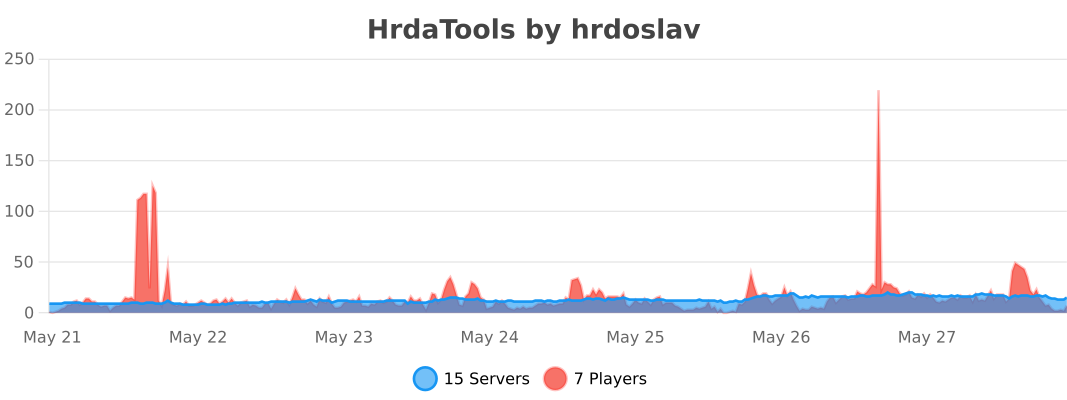
bStats Servers

Contact

If you have any problems with the plugin, just message me on my Discord server: https://dsc.gg/hrda-plugins
Thanks for downloading!

👥 Team & Contributors

Hrda
HrdaOwner
unknownv3
unknownv3
Fabric Versions Dev

⚙️ Compatibility

Environment
❓ Unknown
Loaders
bukkitfabricpaperpurpurspigot
Minecraft Versions
1.211.21.11.21.21.21.31.21.41.21.51.21.61.21.7+8 more

🔗 Links

Modrinth Page