About
It's frustrating when you can't see how much health your opponent has left. Well, now you can! With HoloMobHealth, you can customize how you would like to display mob health above its head!
Videos
Want video demonstrations? Here are some videos made by some awesome people!
Video by ServerMiner in English:
Video by SirBukkit in German:
Features
First of all, it won't affect your death messages or mob names!
The health display is only CLIENT-SIDE!
So that death message filled with hearts won't happen!
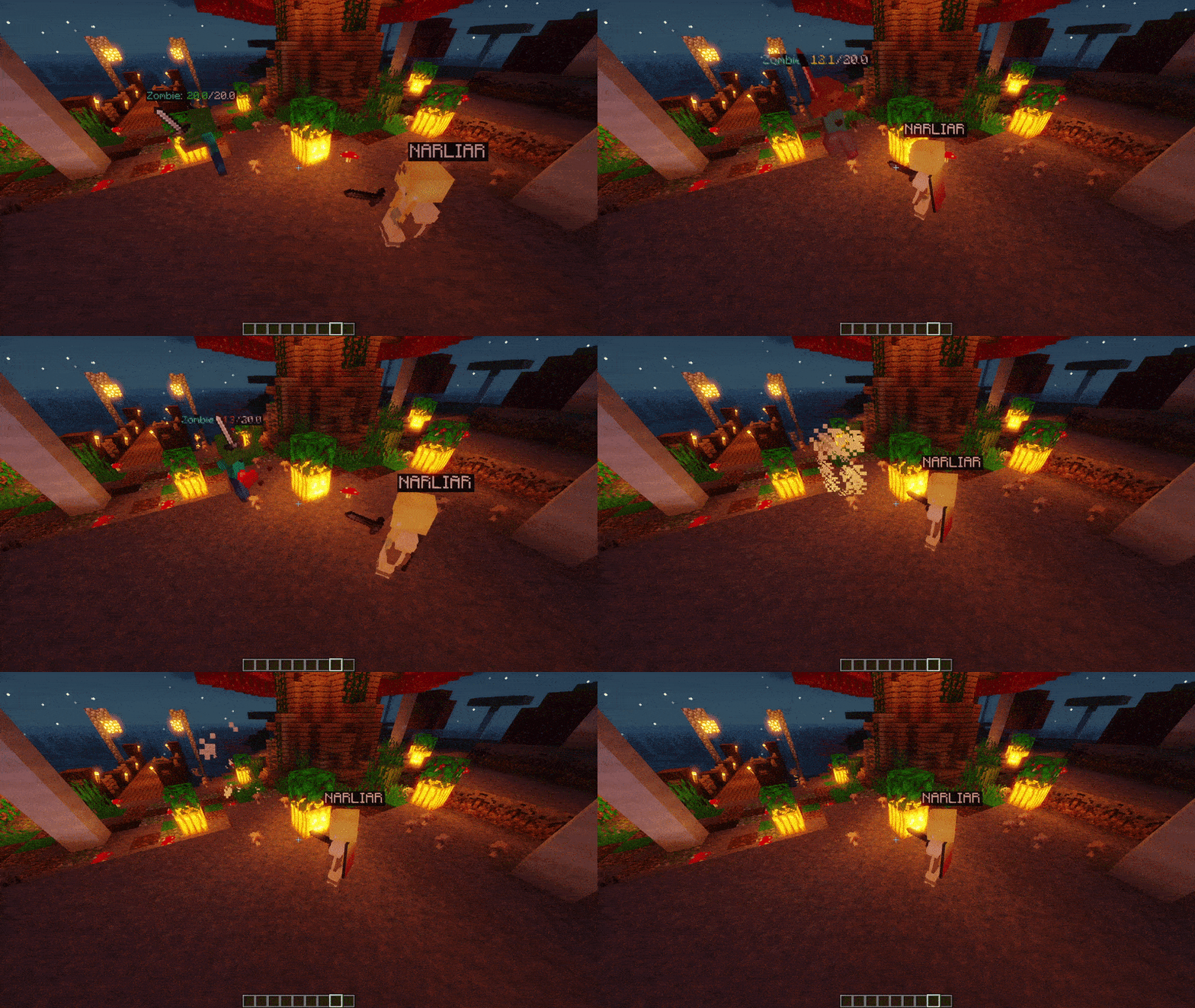
1. Display health above all mob's head
- Well obviously, this is the point of the plugin, here is a few pictures!
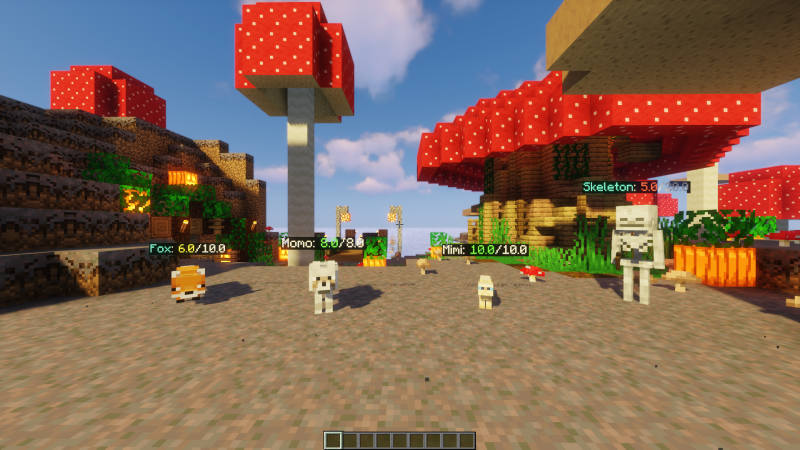
2. Customize your own mob health display design
- The plugin provides multiple different placeholders for you to customize your display, for example you can choose round health to nearest integer, or 2 decimal places, or display the mob's name!
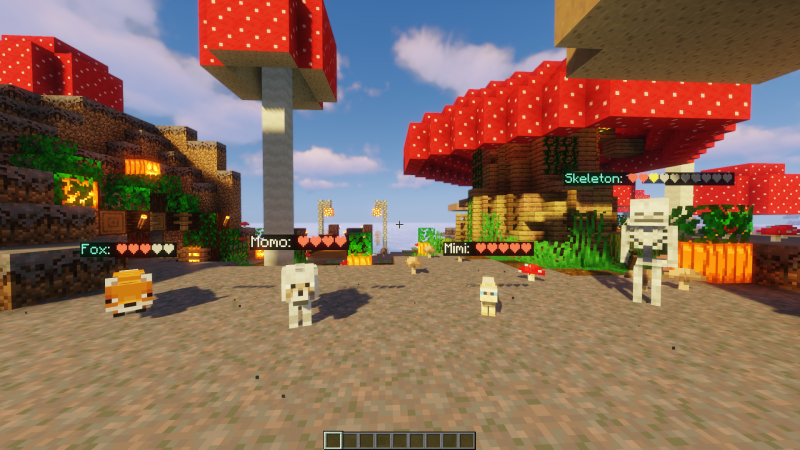
3. Support hearts display ❤
- If you like to use hearts instead of text, you can! Just put the corresponding placeholder {ScaledSymbols} in the config!
4. Damage Indicators! [1.11 or above]
- Show health gain and loses with tiny numbers around the mob!
- You can hide damage indicators in certain regions through flags if you use WorldGuard [v7].
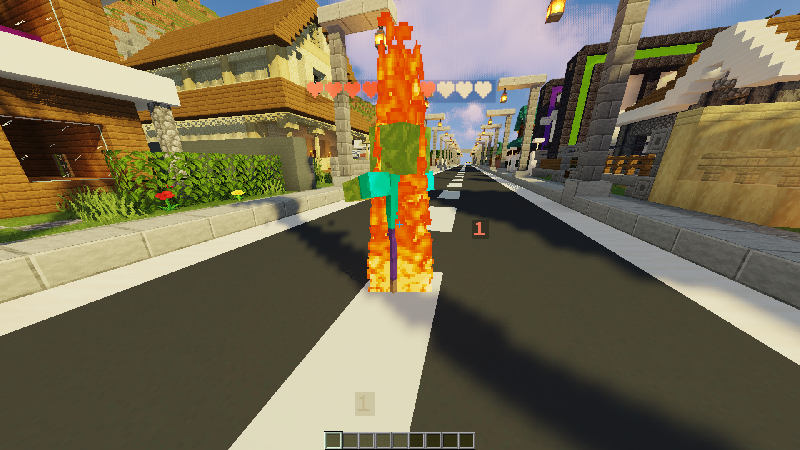
5. Completely client-side! No mobs are changed
- The health display is only visual, meaning that the mob's actual name isn't changed on the server.
- If you want to not let the health display override named mobs, or want health display to display alongside the mob's name, you can do that all in the config!
6. Custom placeholder scripts
- Yes! You can create your own placeholders through the use of JavaScript
- More info on that below
7. Languages and Mob types
- All of course! You will be able to change all the text that is sent to players to your liking to suit your server.
- Entity type names will be translated to the language of each user's client language!
- Villager professions and Tropical Fish types are also identified by the plugin!
8. Blacklist any mobs
- Blacklist any mob type from being affected by the health display
- Blacklist any mob with a certain name
- Blacklist any mob with a name that contains a certain text
9. Dynamic health display
- You can toggle the plugin to only display mob health when it is attacked or taking damage in the config!
10. Supports RGB and Font [1.16 or above]
You can use RGB code in any part of the config that support colors!
&x&F&F&F&F&F&F
or
[color=#ffffff]
If you have a custom resource pack that has different fonts, you can even use them like color codes!
[font=myawesomefont]
11. Compatibility with other plugins
- You can disable health display for mobs from MyPet, Citizens, MythicMobs (Partly) and Shopkeeper in the config!
- PlaceholderAPI placeholders can be used as well!
- If you have other plugins you want to be supported, tell me in the discussions!
Supported Plugins
Dependencies
Installation
- Put HoloMobHealth.jar into the plugins folder along with the required dependencies
- Start the server
- Edit the config (if you need to)
- Restart the server (if you changed something in the config in step 3)
Development Builds

Jenkins
Placeholder Scripts
In HoloMobHealth, you can define your own custom placeholders through the use of JavaScripts, here is an example:
Take me to the example
Showcase Server
Want to give the plugin a try?
IP: mc.loohpjames.com

Commands
/holomobhealth reload - Reloads the plugin (or /hmh reload)
/holomobhealth update - Check for updates (or /hmh update)
/holomobhealth toggle - Toggle mob health display for yourself (or /hmh toggle)
Permissions
permissions:
  holomobhealth.reload:
    description: Allows you to reload the plugin
    default: op
  holomobhealth.use:
    description: Allows you to see the health display
    default: true
  holomobhealth.toggle:
    description: Allows you to toggle health display for yourself
    default: true
  holomobhealth.toggle.others:
    description: Allows you to toggle health display for others
    default: op
  holomobhealth.update:
    description: Allows you to recieve update notifications
    default: op
Default Config
Latest Config with Descriptions
Limitations
- AlwaysShow doesn't work in 1.8 due to a Minecraft bug
- Multi-Line IS NOT SUPPORTED on 1.8 - 1.9.4
- Mobs disguised as the player mob type will not have its health shown as player names and mob names are handled differently
Data usage
Usage statistics at https://bstats.org/plugin/bukkit/InteractiveChat will be visible to the public with your server included in the statistics. No private information of your server is sent.
Update checking is also done via https://api.loohpjames.com to notify you whenever a new version is released. No private information of your server is sent.