

Herecroppy
A Paper Minecraft plugin for auto-farming — automatically harvest ripe crops, collect drops, and replant seeds in a player-defined rectangular area.
📖About Herecroppy
HereCroppy
A Paper Minecraft plugin for auto-farming — automatically harvest ripe crops, collect drops, and replant seeds in a player-defined rectangular area with advanced configuration options.
Features
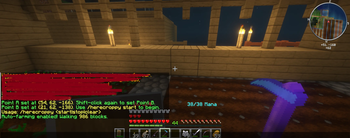
- Area selection — Shift-right-click with a hoe to set two corners (Point A and Point B) of your farming area.
- Area scanning — After setting Point B, the area is scanned and classified as farmable, passable, door, or obstructed. You get a summary before starting.
- Smart pathfinding — Generates a safe snake path that includes farmable and passable blocks (e.g. cobblestone paths) while avoiding obstacles like lava, water, fences, and stairs.
- Auto-farming toggle — Start or stop auto-farming with
/herecroppy startor/herecroppy stop. - Restart from last block — If farming stops because your inventory is full, use
/herecroppy restartto resume from the last visited block. - Rescan on loop — After completing a full loop, the area is rescanned to detect new obstacles or changes.
- Ripe crop detection — Detects and harvests fully grown crops (Wheat, Carrots, Potatoes, Beetroots, Nether Wart, Sugar Cane, Pumpkins, Watermelons).
- Automatic replanting — Replants crops immediately after harvesting using seeds from your inventory.
- Smart Replanting — Automatically tries to replant the same crop type that was just harvested before falling back to the seeding priority list.
- Seeding Priority — Define the order of seeds used for replanting via the
/herecroppy configmenu. - Auto-tilling — If your selected area contains untilled dirt or grass, plugin uses your held hoe to prepare it into farmland.
- Auto-planting — On empty farmland or soul sand, plugin automatically plants first available seeds from your inventory.
- Drop collection — Automatically collects dropped items after breaking crops.
- Inventory full detection — Automatically stops when your inventory is full and allows restart.
- Activity Summary — Displays a detailed "table" of farming status (crops collected, seeds, bonemeal used, and inventory dumps) instead of individual messages.
- Offline cleanup — Automatically removes players from auto-farming when they disconnect.
- Setup Wizard — Configure optional dump boxes and bonemeal collection with
/herecroppy setup:- Dump unwanted crops — Automatically deposit unwanted crops in a designated box.
- Dump keep crops — Automatically deposit desired crops in a separate storage box (Poisonous Potatoes are always kept).
- Bonemeal collection — Automatically collect and apply bonemeal to crops during farming.
- Crop Configuration UI — Fine-tune farming behavior per crop with
/herecroppy config:- Enable/disable seeding — Control which crops are planted.
- Enable/disable collecting — Control which crops are harvested.
- Enable/disable bonemeal — Control which crops receive bonemeal.
- Enable/disable seed dumping — Control which seeds are dumped to storage (default: dump all seeds).
- Seeding Priority — Reorder the priority of crops to be planted.
- Smart Bonemeal Usage — Bonemeal is automatically collected and applied to unripe crops to speed up growth (respects per-crop configuration).
- Proper Pumpkin/Watermelon Harvesting — Collects fruit blocks without breaking stems, allowing continuous production.
- Correct Sugar Cane Harvesting — Breaks sugar cane at height 2 above ground, leaving 1 block to regrow naturally.
- Soul Sand Support — Properly recognizes and farms nether wart on soul sand blocks.
- AuraSkills integration — When AuraSkills is installed, plugin inspects player's Farming skill level for extra buffs:
- Bonus AuraSkills XP — AuraSkills Farming XP gains are boosted based on farming level.
- Fortune drops — Chance for double crop drops based on farming level.
- Faster farming — Slightly increased movement speed between crops based on farming level.
- HereRolePlay integration — When HereRolePlay is installed, automatically awards Collect experience points directly to the player for each crop harvested, matching manual harvesting XP.
Supported Crops
The plugin supports the following crops with automatic harvesting and replanting:
| Crop | Seed Item | Ground Type | Special Requirements |
|---|---|---|---|
| Wheat | Wheat Seeds | Farmland | None |
| Carrots | Carrot | Farmland | None |
| Potatoes | Potato | Farmland | None |
| Beetroots | Beetroot Seeds | Farmland | None |
| Nether Wart | Nether Wart | Soul Sand | None |
| Sugar Cane | Sugar Cane | Dirt/Grass/Farmland | Must be adjacent to water |
| Pumpkins | Pumpkin Seeds | Farmland | Harvests from stem, produces pumpkin block |
| Watermelons | Melon Seeds | Farmland | Harvests from stem, produces melon block |
Note: Sugar cane requires water adjacency and will only be planted on blocks next to water. Pumpkins and watermelons grow from stems on farmland and produce their respective blocks when fully grown.
Requirements
- Paper 1.21+ server
- Java 21+
- (Optional) AuraSkills 2.x for farming skill XP
Installation
- Download the latest
HereCroppy-*.jarfrom the releases page. - Drop the JAR into your server's
plugins/folder. - Restart the server.
Building from Source
Using Gradle (recommended):
./gradlew build
The compiled JAR will be in build/libs/HereCroppy-1.2.5.jar.
Recent Changes (v1.2.5)
- Fixed Off-hand Bonemeal Consumption — Bonemeal in the player's off-hand (or main hand/hotbar slots) is now robustly detected and subtracted upon application to crops, fixing a bug where bonemeal could be used infinitely without being consumed.
- Robust Crop Age Verification — Bonemeal is only consumed when successfully applied to crops that are actually eligible for growth (i.e. not fully grown).
- Added command alias
/hc— Players can now use/hcas a short alias for/herecroppy.
Recent Changes (v1.2.2)
- Fixed bonemeal consumption — Bonemeal is now correctly removed from inventory (including offhand) when applied to crops.
- Fixed XP rewards — Minecraft experience orbs are now correctly spawned at the harvested block's location.
- Improved XP visibility — Experience orbs are now centered on the block for better visibility.
Commands
All commands can be run with /hc instead of /herecroppy.
| Command | Description | Permission |
|---|---|---|
/herecroppy start (or /hc start) |
Start auto-farming in your selected area | herecroppy.use |
/herecroppy stop (or /hc stop) |
Stop auto-farming | herecroppy.use |
/herecroppy restart (or /hc restart) |
Resume from last block after inventory-full stop | herecroppy.use |
/herecroppy clear (or /hc clear) |
Clear your current selection and setup configuration | herecroppy.use |
/herecroppy setup (or /hc setup) |
Start the setup wizard to configure dump boxes and bonemeal collection | herecroppy.setup |
/herecroppy config (or /hc config) |
Open the crop configuration UI to enable/disable per-crop settings | herecroppy.config |
Permissions
| Permission | Description | Default |
|---|---|---|
herecroppy.use |
Allows use of the /herecroppy command |
true |
herecroppy.setup |
Allows use of the setup wizard | true |
herecroppy.config |
Allows use of the crop configuration UI | true |
How to Use
Basic Farming Setup
- Hold any hoe in your main hand.
- Shift-right-click a block to set Point A.
- Shift-right-click another block to set Point B. The area will be scanned and you'll see a summary.
- Run
/herecroppy startto begin auto-farming. - The plugin will move your character through the area, harvesting ripe crops and replanting them.
- If your inventory fills up, farming pauses. Use
/herecroppy restartto resume from the last block. - Run
/herecroppy stopto stop manually.
Advanced Usage: Setup Wizard
The setup wizard allows you to configure optional dump boxes and bonemeal collection:
- Run
/herecroppy setupto start the setup wizard. - Hold a hoe and shift-right-click the box where you want to dump unwanted crops.
- Shift-right-click the box where you want to dump crops to keep.
- Shift-right-click the box where you want to collect bonemeal from.
- Type the amount of bonemeal to collect per farming loop (the plugin will suggest the available amount).
- Setup is complete! Your configuration is saved automatically.
Note: The setup wizard is optional. You can farm without it, and all crops will go directly to your inventory.
Advanced Usage: Crop Configuration
Fine-tune which crops are seeded, collected, and receive bonemeal:
- Run
/herecroppy configto open the crop configuration UI. - Click on a crop category (Farmland Crops or Special Crops).
- Click on a specific crop to open its settings.
- Click on the toggles to enable/disable:
- Seeding — Whether to plant this crop
- Collecting — Whether to harvest this crop
- Bonemeal — Whether to apply bonemeal to this crop
- In the main
/herecroppy configmenu, click Seeding Priority to reorder which seeds are used first when multiple types are available.- Left-click to move a crop UP in priority.
- Right-click to move a crop DOWN in priority.
- Click "Back" to return to the crop list or "Close" to exit.
Default Settings:
- All crops: Seeding and Collecting enabled
- Bonemeal: Only enabled for Pumpkins and Watermelons by default
Configuration Files
HereCroppy stores player configurations in YAML files:
- Setup configurations:
plugins/HereCroppy/setup-configs/{playerId}.yml - Crop configurations:
plugins/HereCroppy/player-configs/{playerId}.yml
These files are created automatically and can be edited manually if needed.
License
This project is licensed under the GNU General Public License v3.0.