
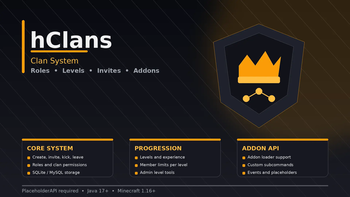

hClans
Configurable clan system with invites, roles, permissions, levels, experience, PlaceholderAPI, SQLite/MySQL storage, visual clan creator and addon API.
📖About hClans
hClans
hClans is a configurable clan system for Minecraft servers.
It provides clan creation, invites, member management, role-based permissions, clan levels, experience, PlaceholderAPI placeholders, SQLite/MySQL storage and an addon system for extending the core plugin.
Features
- Clan creation and deletion
- Clan invites with expiration time
- Accept and deny invite commands
- Member kick and leave commands
- Role-based clan permissions
- Configurable owner and member roles
- Clan levels and experience
- Member limits based on clan level
- PlaceholderAPI support
- SQLite and MySQL storage
- Configurable clan name validation
- Blocked clan names list
- PlaceholderAPI-based creation conditions
- Visual clan name creator GUI
- Configurable fonts, colors and text styles
- Addon loader
- Developer API and clan events
- Hex color support
- Configurable actions
Clans
Players can create clans, invite other players, accept or deny invites, leave their clan, kick members and delete the clan when they have the required access.
Clan names can be controlled with minimum length, maximum length, regex validation, blocked names and custom creation conditions.
Invites
hClans includes a built-in invite system.
Invites expire after a configurable time.
settings:
  clans:
    inviteExpirationSeconds: 300
Invite messages can include clickable text through the action system.
Roles
hClans includes a role-based permission system.
Default roles:
owner
member
Default member permission:
hclans.leave
Built-in clan permissions:
hclans.invite
hclans.kick
hclans.delete
hclans.leave
hclans.request.accept
hclans.request.deny
hclans.request.expire
Addons can register additional clan permissions through the hClans API.
Levels
Clan levels are configurable.
Each level can define required experience and a maximum member limit.
settings:
  levels:
    lvl:
      1:
        exp: 0
        maxMembers: 10
      2:
        exp: 300
        maxMembers: 15
      3:
        exp: 500
        maxMembers: 25
Staff can manage clan level and experience through admin commands.
Creator GUI
hClans includes an optional GUI for visual clan name customization.
Configuration file:
plugins/hClans/clanCreator.yml
The creator GUI supports:
- font selection
- small caps style
- bold toggle
- italic toggle
- underline toggle
- three configurable color points
- name preview item
- confirm and cancel buttons
- custom decorative items
- custom heads through basehead materials
Conditions
Clan creation can be restricted through PlaceholderAPI-based conditions.
createConditions:
  1:
    check: '%player_level%'
    type: '>='
    value: 30
    actions:
      - '[MESSAGE] {prefix}&cYou do not meet the requirements to create a clan.'
Storage
Supported storage modes:
SQLite
MySQL
SQLite is used by default. MySQL can be enabled in config.yml.
The plugin also supports table prefixes so the core plugin and addons can use the same database safely.
Addons
hClans can load addons from:
plugins/hClans/addons/
Addons can extend the clan system with extra commands, menus, storage modules, events and integrations.
The core API provides access to:
- clan permissions
- custom roles
- custom subcommands
- custom placeholders
- database API
- clan events
- skull utilities
PAPI
PlaceholderAPI identifier:
hclans
Available placeholders:
%hclans_has_clan%
%hclans_invite_clan%
%hclans_clan%
%hclans_name%
%hclans_owner%
%hclans_owner_uuid%
%hclans_members%
%hclans_member_count%
%hclans_is_owner%
%hclans_roles%
%hclans_role_ids%
%hclans_role_count%
Custom placeholders can also be registered through the API or addons.
Actions
hClans supports configurable actions.
Examples:
[MESSAGE]
[CONSOLE]
[PLAYER]
[BROADCAST]
[SOUND]
[TITLE]
[ACTIONBAR]
[BOSSBAR]
[PARTICLE]
[FIREWORK]
[EFFECT]
[VAULT]
[CLOSE]
Actions can be used in messages, invite notifications, creation conditions, creator GUI items and result handling.
Commands
| Command | Description |
|---|---|
/clan |
Shows clan help |
/clan create <name> |
Creates a clan |
/clan delete |
Starts clan deletion confirmation |
/clan delete <name> |
Confirms clan deletion |
/clan invite <player> |
Invites a player |
/clan kick <player> |
Kicks a member |
/clan accept <clan> |
Accepts an invite |
/clan deny <clan> |
Denies an invite |
/clan leave |
Leaves the clan |
/hclans reload |
Reloads the plugin configuration |
/hclans levels <clan> <action> <amount> |
Manages clan level or experience |
Level actions:
addlvl
addexp
removelvl
removeexp
setlevel
setexp
Permissions
Bukkit permissions:
hclans.use
hclans.reload
hclans.levels
Clan role permissions:
hclans.invite
hclans.kick
hclans.delete
hclans.leave
hclans.request.accept
hclans.request.deny
hclans.request.expire
Requirements
Required:
Java 21+
Minecraft 1.21+
Spigot / Paper / compatible core
PlaceholderAPI
Optional:
MySQL
Vault-compatible economy for Vault actions
hClans addons
PlaceholderAPI is required.
Install
- Install PlaceholderAPI.
- Place
hClans.jarinto thepluginsfolder. - Start or restart the server.
- Open
plugins/hClans/config.yml. - Configure storage, roles, levels and clan settings.
- Configure
clanCreator.ymlif you want to use the visual creator menu. - Restart the server after editing storage or major configuration settings.
Notes
- SQLite is used by default.
- MySQL can be enabled in the storage section.
- Clan levels can control maximum member limits.
- The addon folder can be used to extend the system.
- The creator menu is configured through
clanCreator.yml.