

HardMob
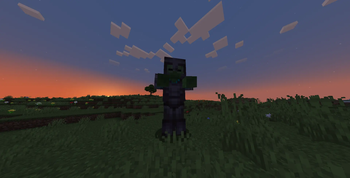
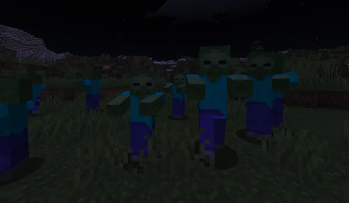
HardMob makes every mob more dangerous and rewarding as your world ages. Mobs gain a level based on in‑game days, their attributes scale accordingly, and a configurable chance turns them into elite bosses with special loot and visuals.
📖About HardMob
HardMob




RPG‑style mob levelling and elite bosses for your Minecraft server.
HardMob makes every mob more dangerous and rewarding as your world ages.
Mobs gain a level based on in‑game days, their attributes scale accordingly, and a configurable chance turns them into elite bosses with special loot and visuals.
✨ Features
- 🧮 Dynamic levels – mobs scale from 1 to 99 depending on world age.
- 📈 Stat modifiers – health, damage, speed, knockback resistance all grow with level.
- 👑 Elite mobs – bosses with configurable size, full armour, and custom drops.
- 🎲 Configurable distributions – uniform, more low levels, or more high levels.
- 🧪 Potion effects – high‑level mobs can receive random buffs.
- 🖼 Visual polish – custom nameplates showing health & level, dynamic mob sizes.
- 🌍 World blacklist and mob whitelist for precise control.
- ⚙️ Commands – spawn custom mobs or bosses manually with
/hardmob.
📦 Requirements
- Server: Paper 1.21.*
- Java: 17 or newer
🚀 Installation
- Download the latest
HardMob.jarfrom the Releases page. - Place it into the
plugins/folder of your server. - Restart the server (a full restart is recommended over
/reload). - Edit
plugins/HardMob/config.ymlto your liking. - Apply changes with
/hardmob reload(no restart needed).
⚙️ Configuration
All settings live in plugins/HardMob/config.yml.
Below is the complete reference. You can also read the comments inside the file itself.
general:
  enabled: true   # Master switch for the entire plugin
level_system:
  enabled: true
  formula:
    A: 99.0       # max level after infinite days
    B: 98.0       # difference at day 0
    C: 40.0       # days until ~63% of max
  distribution: uniform   # uniform | weighted_low | weighted_high
  scaling:
    health_percent_per_level: 2.0
    damage_percent_per_level: 1.5
    speed_percent_per_level: 0.3
    knockback_resist_per_level: 0.01
  equipment:
    thresholds:
      20: chainmail
      40: iron
      60: diamond
      80: netherite
    enchant_multiplier: 0.2
  potion_effects:
    chance_per_level: 0.5
    duration_multiplier: 1.0
    amplifier_base: 0
    max_duration_seconds: 600
elite_mobs:
  enabled: true
  spawn_chance_percent: 0.5     # 0.5% chance to become elite
  health_multiplier: 2.0
  damage_multiplier: 2.0
  speed_multiplier: 0.7
  size: 2.0
  always_equipped: true
  drops:
    diamonds: { min: 0, max: 4 }
    gold: { min: 0, max: 20 }
    music_discs:
      - MUSIC_DISC_13
      ...
    exp_per_level: 10
visual:
  dynamic_size:
    enabled: true
    min: 0.8
    max: 1.2
  custom_name:
    enabled: true
    visible: false
    format: "&8[&c%health%&8/&c%max_health%&8] &f%name% &8[&6%level% lvl&8]"
    format_boss: "&8[&c%health%&8/&c%max_health%&8] &f%name% &8[&4BOSS&8]"
    colors:
      low_level: "GREEN"
      medium_level: "YELLOW"
      high_level: "RED"
      boss: "DARK_RED"
world_blacklist:
  - world_the_end      # worlds where HardMob won't run
mob_whitelist: []      # empty = all mobs allowed
debug_mode: false
🛡 Commands & Permissions
| Command | Permission | Description |
|---|---|---|
/hardmob reload |
hardmob.reload |
Reloads the configuration |
/hardmob spawn <mob> <level> [elite] |
hardmob.spawn |
Spawns a HardMob mob with specified level |
/hardmob spawnboss <mob> <level> |
hardmob.spawnboss |
Spawns an elite boss with specified level |
<mob>– entity type name, e.g.ZOMBIE,SKELETON,CREEPER.<level>– integer between 1 and 99.[elite]– optional flag; if present, the mob is elite (same asspawnboss).- All permissions default to op (server operators).
❓ FAQ
Q: Mobs aren’t changing at all. What should I check?
A: Ensure general.enabled is true, the world isn’t in world_blacklist, and the mob type is either in the whitelist or the whitelist is empty (which allows all non‑player entities).
Q: Can I disable elite drops?
A: Yes. Set elite_mobs.drops.diamonds.max, gold.max, etc., to 0 and clear the music_discs list.
Q: Does HardMob work with MythicMobs / other mob plugins?
A: Generally yes, as long as the other plugin doesn’t permanently override the entity’s custom name or the GENERIC_SCALE attribute. You can use the mob_whitelist to restrict HardMob to only certain mobs.
Q: How does the level formula work?
A: The maximum possible level grows over time:maxLevel = A - B * exp(-days / C)
where days = world.getFullTime() / 24000. The formula asymptotically approaches A (default 99). The actual level of a freshly spawned mob is then rolled randomly within [1, maxLevel] according to the configured distribution.