

PluginMIT
Fly's
Fly’s is yet another, but EXTREMELY sexy, customizable fly plugin for Minecraft.
832
Downloads
3
Followers
4 months ago
Updated
📦
8
Versions
📖About Fly's
Fly's – The Lightweight & Feature-Rich Fly Plugin ✈️
Fly's is no longer just a simple fly toggle – it's now a fully customizable and modern fly plugin with particles, sounds, flight speed control, world restrictions, and multi-language support!
🚀 Features
- Toggle Flight:
/flyto enable or disable flight for yourself or others - Flight Speed Control:
/flyspeedto check or set speeds (1–10) – works for yourself or other players - World Restrictions: Allow or block flight in specific worlds, with auto-disable on entry
- Multi-Language Support: Switch between English, German, Spanish, French, Russian, and Polish – edit all messages easily
- Visual & Sound Effects: Custom particles and sounds for flight toggle, speed changes, and errors (fully configurable)
- Auto-Update Notifications: Be informed instantly when new versions are released
- Smart UX: Action bar messages instead of chat spam, tab completion for all commands, clearer errors
- Optional PlaceholderAPI Support: Full integration with placeholders
🎮 Commands
/fly– Toggle flight on/off/fly <player>– Toggle flight for another player (optional: player name)/flyspeed– Show your current flight speed/flyspeed <1-10>– Set your own flight speed (optional: speed value)/flyspeed <player> <speed>– Set another player's speed (optional: player name and speed)/flyreload– Reload config and messages
🔐 Permissions
| Permission | Description |
|---|---|
flys.fly |
Use /fly |
flys.fly. others |
Toggle flight for other players |
flys.flyspeed |
Change your own speed |
flys.flyspeed.others |
Change other players' speed |
flys.admin |
Manage world restrictions ingame with /flys |
flys.flyreload |
Reload plugin config |
flys.updatenotify |
Receive update notifications |
🏷️ Optional PlaceholderAPI Placeholders (new in v1.2)
Fly's now supports PlaceholderAPI! Use these placeholders in any plugin that supports PAPI:
| Placeholder | Description | Example Output |
|---|---|---|
%flys_flying% |
Returns if player is flying | true / false |
%flys_flying_status% |
Flight status as text | Enabled / Disabled |
%flys_flying_symbol% |
Visual symbol for flight | ✔ / ✘ |
%flys_speed% |
Current flight speed (1-10) | 5 |
%flys_speed_percent% |
Flight speed as percentage | 50% |
%flys_world_allowed% |
If flight is allowed in current world | true / false |
%flys_world_status% |
World restriction status | Allowed / Disabled |
%flys_total_flying% |
Total players currently flying | 3 |
📝 Message Placeholders
All messages support the following placeholders:
| Placeholder | Description |
|---|---|
{PLAYER} |
Target player name |
{SENDER} |
Command sender name |
{SPEED} |
Flight speed value |
{WORLD} |
World name |
{COUNT} |
Count of worlds in lists |
These placeholders work in all language files and can be customized in the messages configuration!
⚙️ Configuration
- Language: Switch between English (
en), German (de), Spanish (es), French (fr), Russian (ru), and Polish (pl) - Particles & Sounds: Enable/disable in config
- Worlds: Define allowed or restricted worlds
Example Configuration:
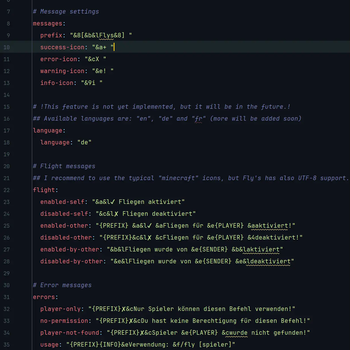
# Message settings
messages:
  prefix: "&8[&b&lFlys&8] "

# Language settings (en = English, de = German, es = Spanish, fr = French, ru = Russian, pl = Polish)
language:
  language: "en"  # Supported: en, de, es, fr, ru, pl

# Update notifications
update-checker:
  enabled: true

# General settings
general:
  enable-particles: true
  enable-sounds: true
  flight-speed:
    default-speed: 0.1
    max-speed: 1.0

# World settings
worlds:
  allowed-worlds: []   # Leave empty to allow all worlds, or specify: ["world", "world_nether"]
  disabled-worlds: []  # Add world names to restrict flight: ["pvp_world", "minigames"]
📥 Download & Support
- Download: Modrinth
- Support & Issues: GitHub Issues
- Community: Discord
📊 Metrics & License
- Uses bStats for anonymous usage statistics
- Licensed under the MIT License – free to use, adapt, and share (a mention is appreciated ❤️)
✨ Have fun flying with Fly's – made with ❤️ by Dötchen!