Logo
MINECRAFTBIBLE
Items
Items

All game items

Blocks
Blocks

Building blocks

Mobs
Mobs

Creatures & monsters

Biomes
Biomes

World biomes

Structures
Structures

Generated structures

Recipes
Recipes

Crafting guides

Advancements
Advancements

Achievements

Loot Tables
Loot Tables

Drop rates

Tags
Tags

Item groupings

All Versions
View all data →
Capes
Cape ArchiveNEW

Browse rare Minecon capes, OptiFine capes, and custom capes from players worldwide

Browse

Player Database
Player DatabasePopular

Search any player

Skin Browser
Skin Browser

Browse & download skins

Cape Gallery
Cape GalleryNEW

Minecon & OptiFine capes

Seed Vault
Seed Vault

Curated seeds

Learn

Guides
GuidesNew

Tutorials & tips

Blog
Blog

News & updates

Community

Community Hub
Community HubHub

Posts, discussions & more

All Versions
View community →
Seed Analyzer
Seed Analyzer

World seed analysis

Loot Explorer
Loot Explorer

Drop rates

Crafting Calculator
Crafting Calculator

Material planning

Enchant Calculator
Enchant Calculator

Probability math

Redstone Lab
Redstone Lab

Signal timing

Trading Profit
Trading Profit

Villager ROI

All Versions
View all tools →
Mods
Mods

Browse all mods

Plugins
Plugins

Server plugins

Resource Packs
Resource Packs

Textures & sounds

Shaders
Shaders

Visual enhancements

Datapacks
Datapacks

World logic

Scanner
Mod Intelligence

Scan & analyze any mod

All Versions
View all mods →
Loading...
IntroductionIntroductionVersion HistoryVersion HistoryGuidesGuidesBlog & NewsBlog & News
ItemsItemsBlocksBlocksMobsMobsRecipesRecipesBiomesBiomesStructuresStructuresAdvancementsAdvancementsLoot TablesLoot TablesTagsTags
ModsModsPluginsPluginsResource PacksResource PacksShadersShadersDatapacksDatapacks

MinecraftBible

The Ultimate Wiki

Logo
MINECRAFTBIBLE

The ultimate Minecraft reference. Every item, block, mob, and recipe documented with precision.

Community

  • Player Database
  • Skin Browser
  • Cape Gallery
  • Community Hub
  • Seed Vault

Database

  • Items
  • Blocks
  • Mobs
  • Recipes
  • Biomes
  • Structures

Tools

  • Seed Analyzer
  • Mod Intelligence
  • Crafting Calculator
  • Enchant Calculator

Mods & Packs

  • Mods
  • Plugins
  • Resource Packs
  • Shaders
  • Datapacks

© 2026 MinecraftBible. Not affiliated with Mojang or Microsoft.

PrivacyTermsContact
FlagsH
PluginMIT

FlagsH

Minecraft plugins to display banners as flags.

410
Downloads
6
Followers
4 months ago
Updated
📦
6
Versions
decorationbukkitfoliapaperpurpurspigot
Download Latestv4.4.13View on Modrinth

📖About FlagsH

download
discord-shield

Discord | Hangar | Spigot | Modrinth | GitHub

FlagsH

Minecraft plugins to display banners as flags.
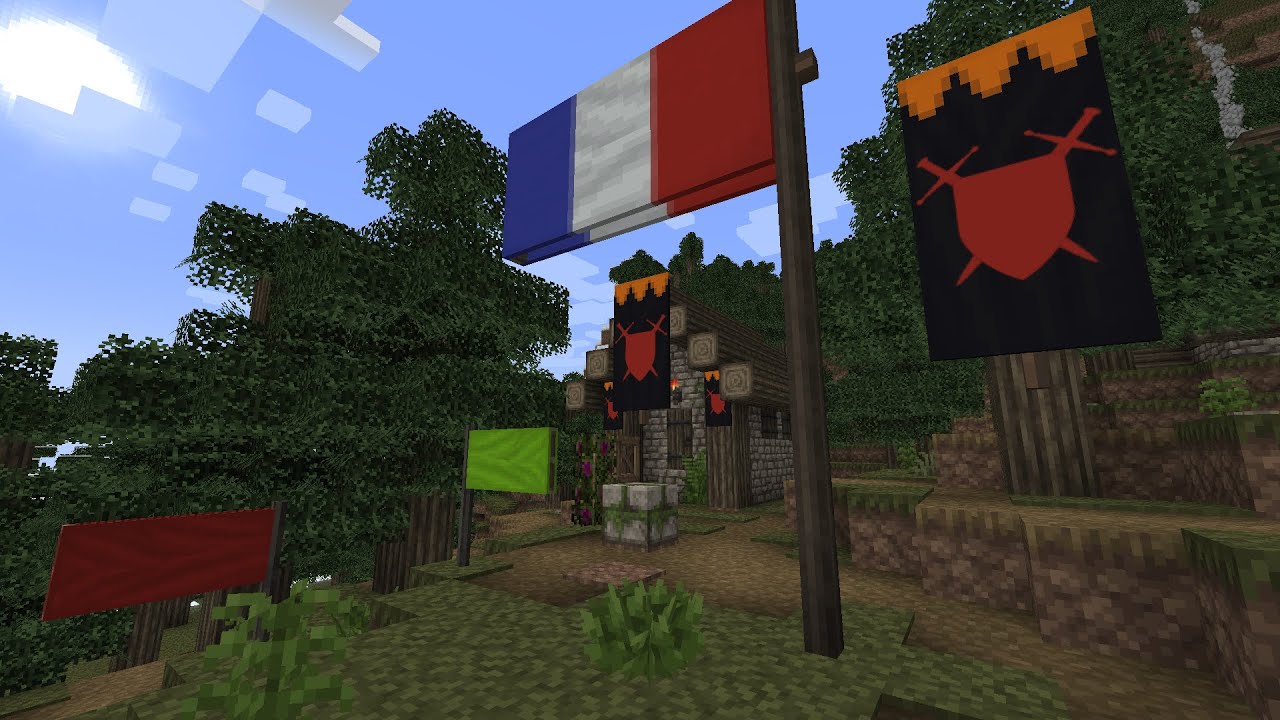
Click to view video
See video here

Use

this plugin tries to be as intuitive as possible. No command is needed to create, extend and remove a flag.

  • Place a banner item on a block to get a banner.
  • Place a banner item on a block while sneaking to get a flag.
  • Extends flag or banner by placing new banner item onto the flag or banner.
  • Break flag or banner by hitting it.

Compatibility

FlagsH work with Spigot, Paper, Folia (and should work with any fork).

FlagsH is compatible with Towny claim permission.

Admin commands

  • /flagsh or fh Print the version.
  • /fh reload Reload config & flags data file.
  • /fh list Print the list of all flags.
  • /fh remove <id>|all Remove a flag on the list based on its possition or all flags.

Install

  1. Download last version.
  2. Place it in plugins/ in your server files.
  3. Restart your server

Supported Minecraft version are listed in each release.

If you are using an older Minecraft version than 1.20.5, you will need to have Java 21 on your server.

Configure

After 1st launch you can edit config in plugins/FlagH/config.yml

maxFlagSize is the max size of a flag. Default size is 1. A size of 2 means that the flag is 2 times larger and 2 times longer. If a player try to increase flag size over the limit, then flag won't be extended, banner item will drop to the ground and angry NPC sound will be played.

Each new banner added extend the flag of increasingSizeStep.

flagEnable & bannerEnable enable or disable flag or banner.

forbidenInteractGamemodes is a list of gamemode in which player can't interact with flags and banners. Usually you only want player in adventure not being able to edit flag, but you might also want to prevent any player in survival to place or destroy banner.

offHandMod possible values are:

  • "DEFAULT": No difference with main hand.
  • "VANILLA": Off hand only place vanilla banners. (Allow vanilla banner to be placed.)
  • "INVERTED": Off hand place banner in sneaking mode instead of flags. (Allow banner to be placed on switchable blocks.)

Statistics

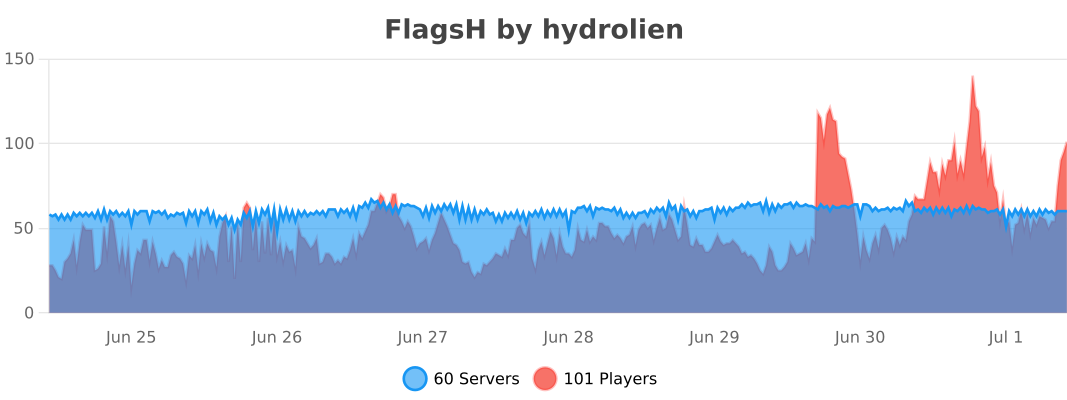
bStats Graph Data

Build

Build with ./gradlew assemble. Plugin file will be in build/libs/.

Build and run a local paper server with ./gradlew runServer

👥 Team & Contributors

Hydrolien
HydrolienOwner

⚙️ Compatibility

Environment
🖥️ Server-side
Loaders
bukkitfoliapaperpurpurspigot
Minecraft Versions
1.201.20.11.20.21.20.31.20.41.20.51.20.61.21+11 more

🔗 Links

Modrinth Page