FKBoom
Explosion protection and customization of different types of explosion effects
📖About FKBoom
FKBoom Plugin Overview
The following content is auto-translated as English is not my native language. Sorry for any readability issues!
Main Features:
- Standard Protection: Uses the game's default explosion protection effects to prevent destruction caused by TNT, respawn anchors, beds, etc.
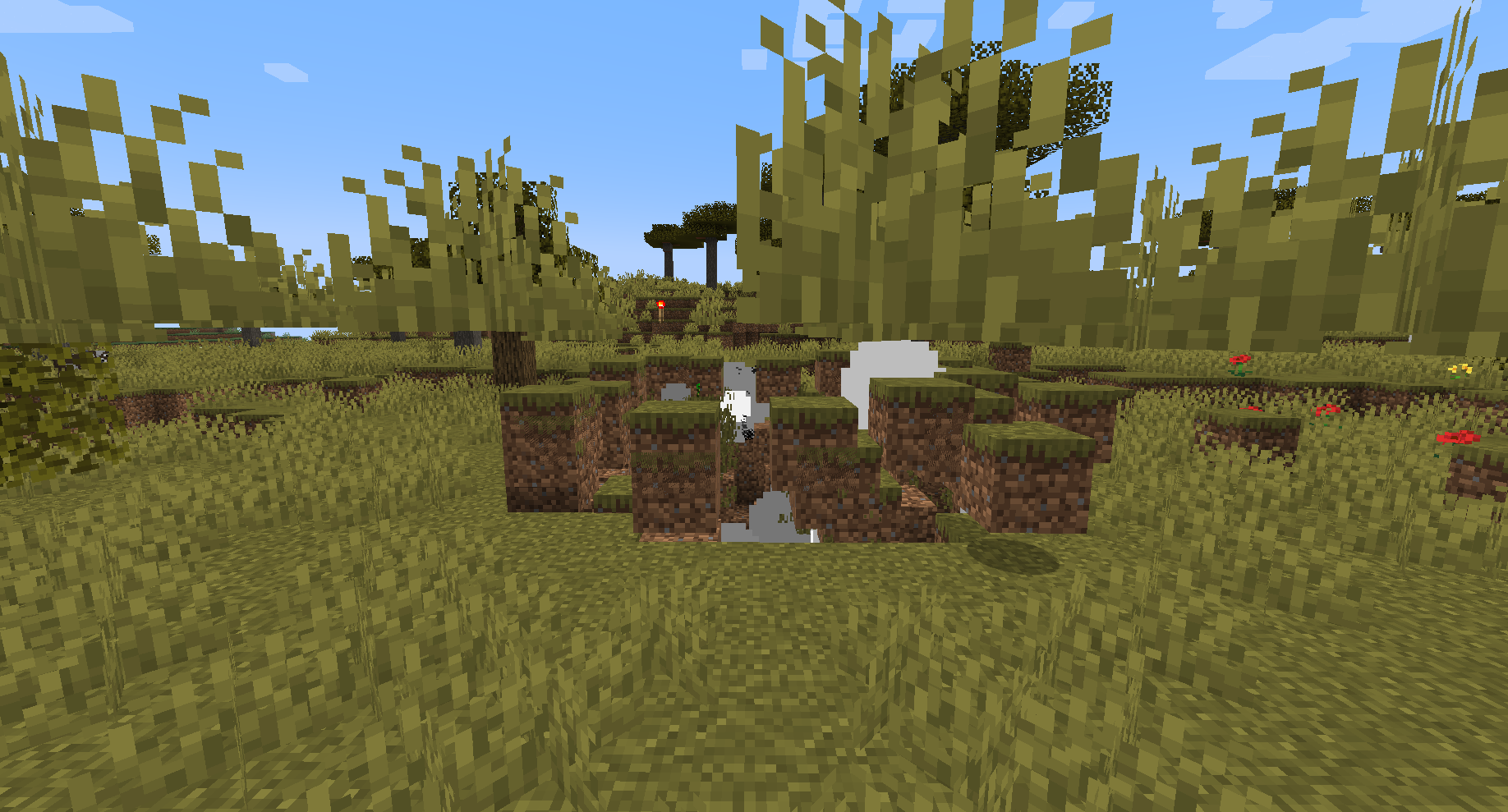
- Dynamic Explosions: Explosion effects dynamically change based on the environment and configuration, enhancing gameplay.
- Disable Explosion Protection: Allows all explosion effects to occur without any protection.
- Interaction Management: Allows beds to be used in the Nether and End, enhancing game interaction.
- GUI Settings Interface: Provides an intuitive graphical interface that allows players with the necessary permissions to easily adjust settings.
- Commands and Permissions: Simplified commands (e.g., /fk xxx) for easy management.
- Multi-World Support: Customize explosion and interaction rules for each world.
- Config Reload: Instantly update server settings without a restart.
- Silent Explosion Mode: Enables silent explosions, reducing disturbances.
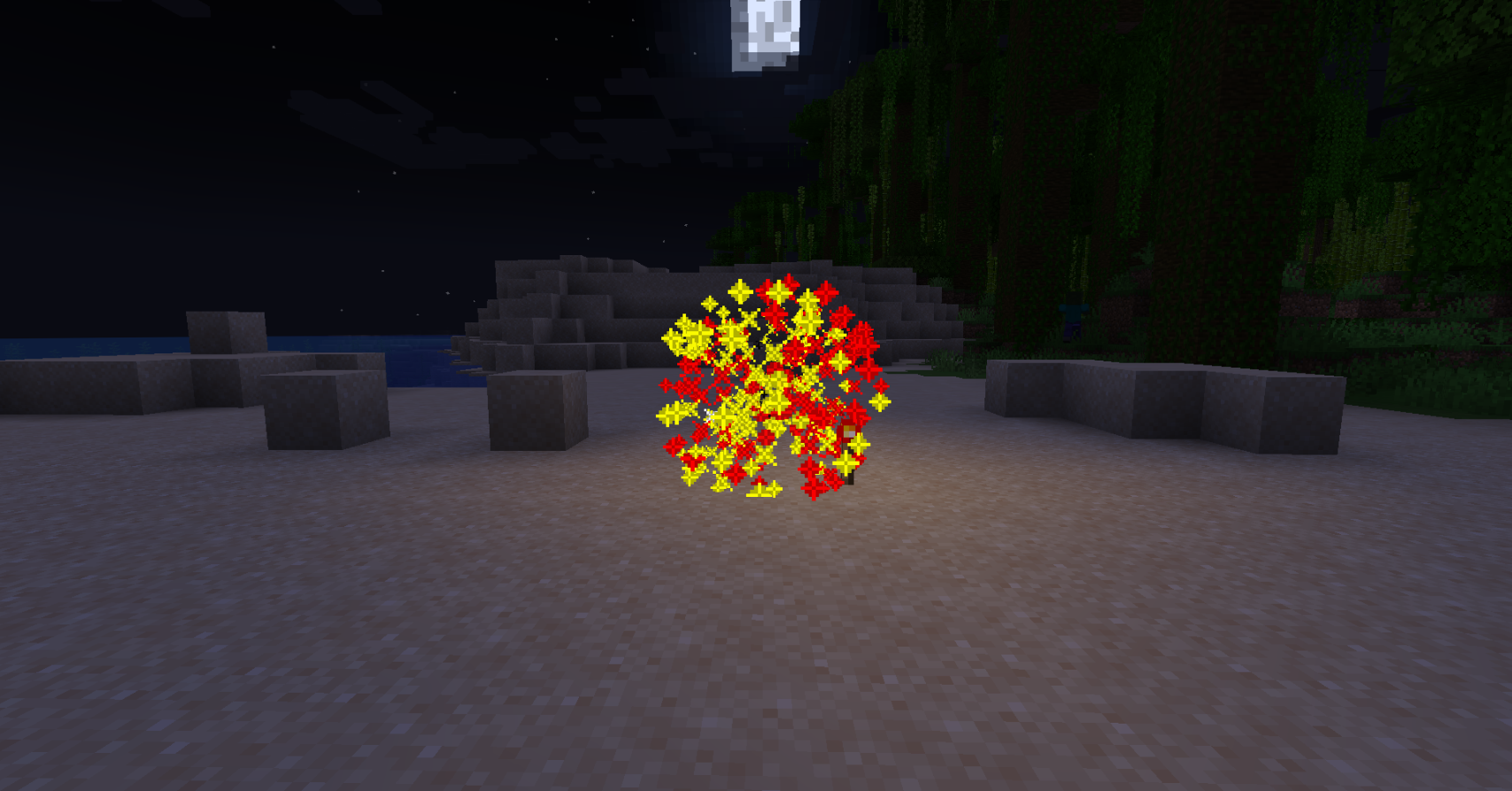
- Fireworks Explosion Mode: New fireworks explosion effects add more visual flair to your game.
- Explosion Damage: Option to enable or disable explosion damage to all entities.
- Default Settings Generation: When clicking on the world settings in the GUI, the default settings will be automatically generated without the need for manual configuration.
- Custom GUI Interface: Provides a more convenient custom GUI interface, including the main interface and world settings interface. Users can flexibly configure and manage according to their needs. Supports customization of the GUI interface language, items, IDs, and commands.
Compatibility:
- Minecraft Versions: 1.20.1 to 1.21
- Java Versions: Java 17 to Java 22
- Server Core Support: Spigot, Paper, Folia, Purpur, PufferFish, Leaves, Mohist, Arclight
Protection Measures:
- Comprehensive Protection: Protects paintings, armor stands, item frames, boats, minecarts, leashes, glowing item frames, etc., from explosion damage.
FKBoom plugin provides comprehensive explosion management and control for Minecraft servers while ensuring gameplay interaction and diversity. Whether you want to fully control explosion effects or maintain different game rules across multiple worlds, FKBoom can meet your needs.
Mod Usage InstructionsOther Mods need to be tested individually
Tested version 1.20.1:
- Botania Mod - Manastorm Charge: During the last explosion of the Manastorm Charge, although it shows the explosion as asynchronous, in reality, it does not destroy any blocks. Re-entering the game will display it normally.
- Mekanism Mod - Obsidian TNT, Baby Creeper
- Creeper Overhaul Mod - All Exploding Creepers
Known Issues and Incompatibilities:
- Applied Energistics 2 Tiny TNT
For other Mods tested individually, if you find items not explosion-proof, the plugin may not be able to achieve explosion-proof effects.
There might be issues with some versions of the Mohist server, please do not report these issues to me.
Permissions IntroductionPermission Node:
fkboom.command- Description: Allows the use of FKBoom plugin commands.
- Default: This permission is granted by default only to server operators (op), ensuring that only trusted administrators can execute this command.
Permission Node:
fkboom.reload- Description: This permission allows users to reload the plugin's configuration files, applying new settings without needing to restart the server.
- Default: This permission is granted by default only to server operators (op), ensuring that only trusted administrators can execute this command.
Permission Node:
fkboom.gui- Description: Allows opening the explosion protection settings graphical user interface (GUI).
- Default: This permission is granted by default only to server operators (op), ensuring that only trusted administrators can execute this command.
Permission Node:
fkboom.manage- Description: Allows management of all explosion protection settings.
- Default: This permission is granted by default only to server operators (op), ensuring that only trusted administrators can execute this command.
Permission Node:
fkboom.gui.access- Description: Allows access to the explosion protection settings graphical user interface (GUI), but does not allow management of the settings.
- Default: This permission is granted by default only to server operators (op), ensuring that only trusted administrators can execute this command.
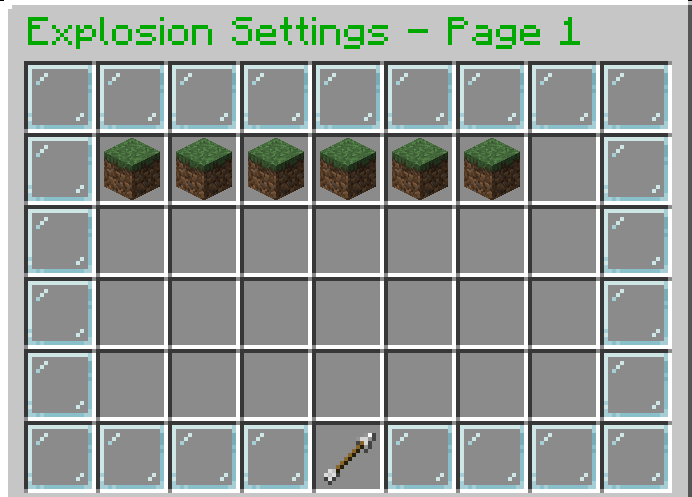
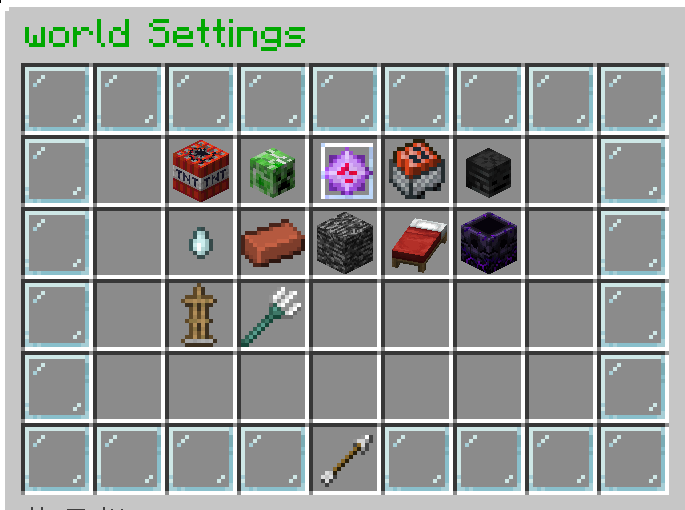
#After granting the permissions fkboom.command, fkboom.gui, and fkboom.gui.access, players can view the explosion settings GUI but cannot modify the settings.

# Example button to execute command as console (customizable name)
# When the player clicks this button, the console will execute the command dm open menu {player_name} clicked the button!, where {player_name} will be replaced with the name of the player who clicked the button. This command name example_console_command can be customized to any suitable name.
#example_console_command:
#slot: 49
#material: "BARRIER"
#name: "&cReturn"
#lore:
#- "&7Click to return to the menu"
#command: "console:dm open menu {player_name}"

# Example button to execute command as player (customizable name)
# When the player clicks this button, they will execute the command kill {player_name}, where {player_name} will be replaced with the name of the player who clicked the button. This command name suicide can be customized to any suitable name.
#suicide:
#slot: 31
#material: "DIAMOND"
#name: "&bSuicide"
#lore:
#- "&7Click to commit suicide"
#command: "player:kill {player_name}"

# GUI configuration file

# Main GUI configuration
# Only existing slots can be customized
gui:
  main:
    title: "&2Explosion Settings - Page "
    size: 54
    border:
      material: "GLASS_PANE"
      name: "&f "
      slots: [0, 1, 2, 3, 4, 5, 6, 7, 8, 9, 17, 18, 26, 27, 35, 36, 44, 45, 46, 47, 48, 49, 50, 51, 52, 53]
    items:
      prev_page:
        slot: 45
        material: "ARROW"
        name: "&6Previous Page"
        lore:
          - "&7Click to go to the previous page"
        command: "prev_page"
      next_page:
        slot: 53
        material: "ARROW"
        name: "&6Next Page"
        lore:
          - "&7Click to go to the next page"
        command: "next_page"
      return_button:
        slot: 49
        material: "BARRIER"
        name: "&cClose"
        lore:
          - "&7Click to close the menu"
        command: "close"
      world_items:
        material: "GRASS_BLOCK"
        name: "&a"
        lore:
          - "&7Click to set the world"
        command: "open_world_settings {world_name}"
        slots: [10, 11, 12, 13, 14, 15, 16, 19, 20, 21, 22, 23, 24, 25, 28, 29, 30, 31, 32, 33, 34, 37, 38, 39, 40, 41, 42]

# Configuration for world settings menu
# You can freely customize any slot, including adding or removing slots
  world_settings:
    title: "&2{world_name} Settings"
    size: 54
    border:
      material: "GLASS_PANE"
      name: "&f "
      slots: [0, 1, 2, 3, 4, 5, 6, 7, 8, 9, 17, 18, 26, 27, 35, 36, 44, 45, 46, 47, 48, 49, 50, 51, 52, 53]
    items:
      return_button:
        slot: 49
        material: "ARROW"
        name: "&cReturn to Main Menu"
        command: "open_main_gui"
      tnt_explosion_setting:
        slot: 11
        material: "TNT"
        name: "&cTNT Explosion Setting"
        lore:
          - "&7Current setting: &e{custom_info}"
        command: "toggle_setting tnt-explosion-setting"
      creeper_explosion_setting:
        slot: 12
        material: "CREEPER_HEAD"
        name: "&aCreeper Explosion Setting"
        lore:
          - "&7Current setting: &e{custom_info}"
        command: "toggle_setting creeper-explosion-setting"
      endercrystal_explosion_setting:
        slot: 13
        material: "END_CRYSTAL"
        name: "&bEnd Crystal Explosion Setting"
        lore:
          - "&7Current setting: &e{custom_info}"
        command: "toggle_setting endercrystal-explosion-setting"
      minecart_tnt_explosion_setting:
        slot: 14
        material: "TNT_MINECART"
        name: "&eMinecart TNT Explosion Setting"
        lore:
          - "&7Current setting: &e{custom_info}"
        command: "toggle_setting minecart-tnt-explosion-setting"
      wither_explosion_setting:
        slot: 15
        material: "WITHER_SKELETON_SKULL"
        name: "&cWither Explosion Setting"
        lore:
          - "&7Current setting: &e{custom_info}"
        command: "toggle_setting wither-explosion-setting"
      ghast_explosion_setting:
        slot: 20
        material: "GHAST_TEAR"
        name: "&fGhast Explosion Setting"
        lore:
          - "&7Current setting: &e{custom_info}"
        command: "toggle_setting ghast-explosion-setting"
      block_explosion_setting:
        slot: 21
        material: "BRICK"
        name: "&7Block Explosion Setting"
        lore:
          - "&7Current setting: &e{custom_info}"
        command: "toggle_setting block-explosion-setting"
      wither_block_damage:
        slot: 22
        material: "SOUL_SAND"
        name: "&cWither Block Damage"
        lore:
          - "&7Current setting: &e{custom_info}"
        command: "toggle_setting wither-block-damage"
      allow_bed_interaction:
        slot: 23
        material: "WHITE_BED"
        name: "&cBed Interaction"
        lore:
          - "&7Current setting: &e{custom_info}"
        command: "toggle_setting allow-bed-interaction"
      allow_anchor_interaction:
        slot: 24
        material: "RESPAWN_ANCHOR"
        name: "&dRespawn Anchor Interaction"
        lore:
          - "&7Current setting: &e{custom_info}"
        command: "toggle_setting allow-anchor-interaction"
      custom_protection:
        slot: 29
        material: "SHIELD"
        name: "&9Protected from Explosions"
        lore:
          - "&7Paintings, Armor Stands, Item Frames"
          - "&7Boats, Minecarts, Leads, Glow Item Frames"
          - "&7Current setting: &e{custom_info}"
        command: "toggle_setting custom-protection"
      explosion_damage:
        slot: 30
        material: "REDSTONE"
        name: "&cExplosion Damage"
        lore:
          - "&7Current setting: &e{custom_info}"
        command: "toggle_setting explosion-damage"

messages:
  no_permission: "&cYou do not have permission to change settings."
  unknown_command: "&cUnknown command: {command}"
  config_save_error: "&cUnable to save config file."
  setting_updated: "&aSetting updated."
  no_permission_msg: "&cYou do not have permission to use this command."
  config_reloaded: "&aPlugin reloaded successfully!"
  command_help:
    - "&6-------- FKBoom --------"
    - "&6 » /fkboom help - Shows the command list"
    - "&6 » /fkboom gui - Opens the settings interface"
    - "&6 » /fkboom reload - Reloads the plugin"
    - "&6 » /fkboom plugin - Shows information about the plugin"
    - "&6-------- FKBoom --------"
  unknown_command_msg: "&cUnknown command. Use » /fkboom help to see the command list。"
  plugin_info:
    - "&6-------- FKBoom --------"
    - "&6 » Author:_Aosion"
    - "&6 » QQ:1435567503"
    - "&6-------- FKBoom --------"
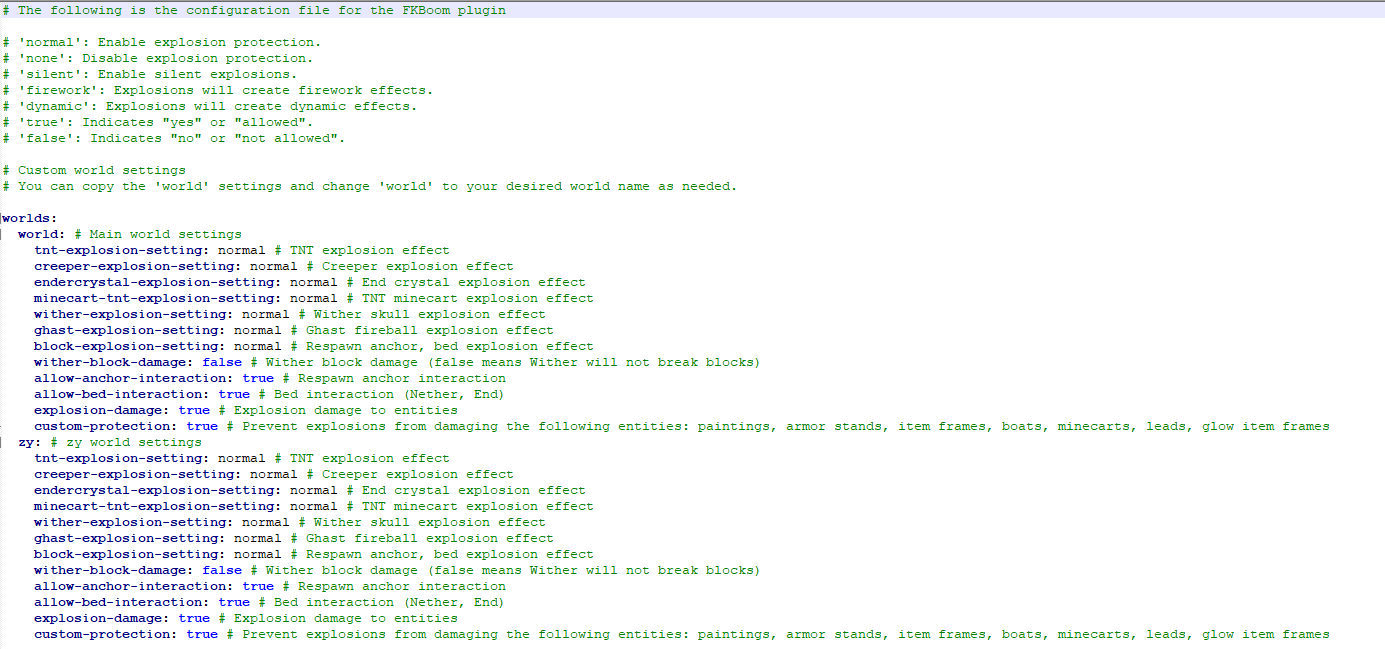
# The following is the configuration file for the FKBoom plugin

# 'normal': Enable explosion protection.
# 'none': Disable explosion protection.
# 'silent': Enable silent explosions.
# 'firework': Explosions will create firework effects.
# 'dynamic': Explosions will create dynamic effects.

# Please review the plugin introduction before using the Mod Universal Explosion-proof Settings (this does not affect the original version, no need to pay attention)
explosion-settings:
  enable-general-anti-explosion: true

# Custom world settings
# You can copy the 'world' settings and change 'world' to your desired world name as needed.
worlds:
  world: # Main world settings
    tnt-explosion-setting: normal # TNT explosion effect
    creeper-explosion-setting: normal # Creeper explosion effect
    endercrystal-explosion-setting: normal # End crystal explosion effect
    minecart-tnt-explosion-setting: normal # TNT minecart explosion effect
    wither-explosion-setting: normal # Wither skull explosion effect
    ghast-explosion-setting: normal # Ghast fireball explosion effect
    block-explosion-setting: normal # Respawn anchor, bed explosion effect
    wither-block-damage: false # Wither block damage (false means Wither will not break blocks)
    allow-anchor-interaction: true # Respawn anchor interaction
    allow-bed-interaction: true # Bed interaction (Nether, End)
    explosion-damage: true # Explosion damage to entities
    custom-protection: true # Prevent explosions from damaging the following entities: paintings, armor stands, item frames, boats, minecarts, leads, glow item frames
Dynamic Explosion Effect
Fireworks Explosion Effect
bStats: