

PluginMIT
FancyTPA
FancyTPA brings modern TPA, HOME, and WARP features to your server with sleek GUIs, countdowns, and fully configurable behavior.
38
Downloads
0
Followers
2 months ago
Updated
📦
1
Versions
📖About FancyTPA
FancyTPA
FancyTPA is a Paper plugin for Minecraft 1.21+ that adds a polished teleport system with GUI menus, configurable countdowns, safety checks, homes, warps, and /back support. The codebase is split into small layers so commands stay thin and the actual logic lives in managers.
Features
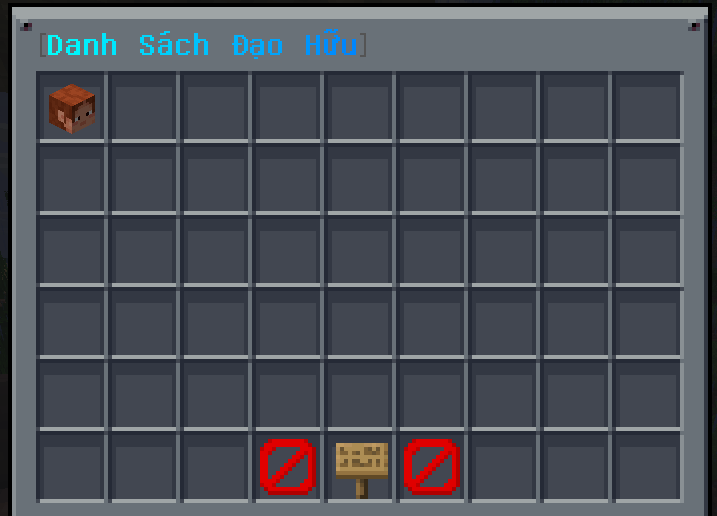
- TPA / TPAHere with request expiry, withdraw support, toggle, and auto-accept.
- GUI player selector for
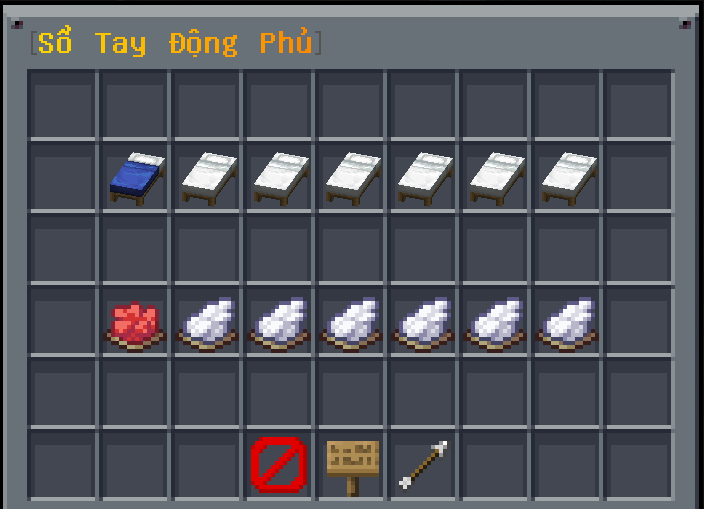
/tpagui, built withInventoryHoldermenus instead of title checks. - Homes with per-player slot limits driven by permissions like
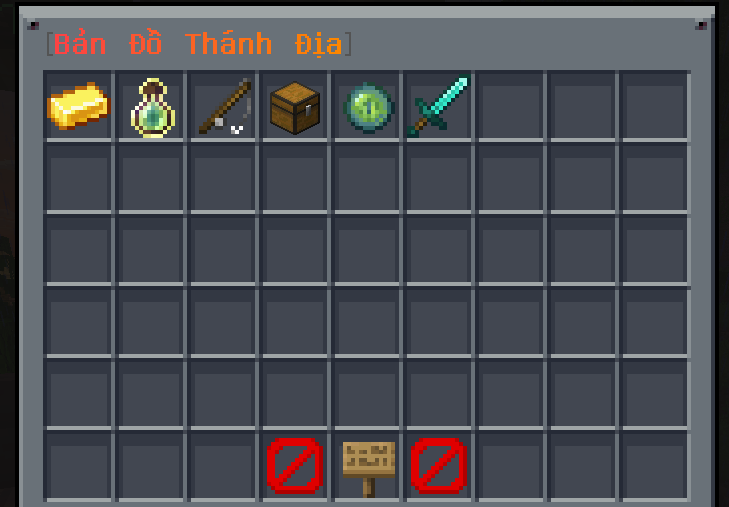
fancytpa.home.max.<number>. - Warps with GUI browsing, tab completion, and case-insensitive lookup.
- /back for returning to a previous teleport or death location.
- Countdown teleport flow for TPA, homes, warps, and
/back. - Safety checks that prevent unsafe destinations and can fall back to a nearby safe location.
- Config-driven sounds and MiniMessage-based messages.
- PlaceholderAPI support for
%fancytpa_tpatoggle%and%fancytpa_tpaauto%.
Installation
- Download the plugin JAR and place it in your server's
plugins/folder. - Install PlaceholderAPI only if you want to use placeholders.
Commands and Permissions
TPA


| Command | Description | Permission |
|---|---|---|
/tpa <player> |
Send a teleport request to another player. | fancytpa.tpa |
/tpahere <player> |
Request another player to teleport to you. | fancytpa.tpahere |
/tpaccept / /tpyes |
Accept the latest pending request. | fancytpa.accept |
/tpacancel / /tpdeny / /tpno |
Deny or cancel a pending request. | fancytpa.deny |
/tpawithdraw / /tpaundo |
Withdraw a request you sent. | fancytpa.withdraw |
/tpatoggle |
Toggle whether you receive TPA requests. | fancytpa.toggle |
/tpaauto |
Toggle auto-accept for TPA requests. | fancytpa.auto |
/tpagui |
Open the player selection GUI. | fancytpa.gui |
/tpareload |
Reload config, messages, homes, and warps. | fancytpa.reload |
Homes
| Command | Description | Permission |
|---|---|---|
/home / /homes / /fhome |
Open the home GUI. | fancytpa.home |
/sethome [slot] |
Save your current location into a home slot. | fancytpa.home.set |
/delhome <slot> |
Delete a home slot. | fancytpa.home.delete |
Warps
| Command | Description | Permission |
|---|---|---|
/warp [name] / /warps / /fwarp |
Open the warp GUI or teleport to a warp. | fancytpa.warp |
/setwarp <name> [displayName] [lore...] |
Create a new warp at your current location. | fancytpa.admin |
/delwarp <name> / /deletewarp / /removewarp |
Delete a warp. | fancytpa.admin |
Back
| Command | Description | Permission |
|---|---|---|
/back / /fback |
Return to your previous location. | fancytpa.back |
Configuration Highlights
config.yml
settings.teleport-delay: countdown before teleporting.settings.request-expiry: how long a pending TPA request stays valid.settings.cancel-on-move: cancel countdown when the player changes block coordinates.settings.back.back-on-deathandsettings.back.back-on-teleport: control what/backstores.settings.back.allowed-worlds: restrict/backto specific worlds, or use*for all worlds.world-restriction.enabledandworld-restriction.type: apply a global whitelist/blacklist for all plugin commands.sounds.*: fully configurable sounds for GUI open, request sent/received, countdown, teleport success, cancellation, and home/back actions.
messages.yml
- Uses MiniMessage formatting.
- Messages are versioned and automatically merged when the plugin ships new keys.
{prefix}is cached and injected into messages automatically.
Storage and Runtime Files
FancyTPA creates and manages these files in the plugin data folder:
config.ymlmessages.ymlhomes.ymlwarps.yml
Home data is stored per player UUID and warp names are saved case-insensitively.
PlaceholderAPI
FancyTPA registers a PlaceholderAPI expansion with the identifier fancytpa.
Available placeholders:
%fancytpa_tpatoggle%%fancytpa_tpaauto%
Each placeholder returns Enabled or Disabled based on the player's current state.