
MINECRAFTBIBLE
Loading...

Enhanced Rails supercharges Minecraft rail systems with lightning-fast speeds, automated minecart loading/unloading, and a no-redstone pushback mechanism.
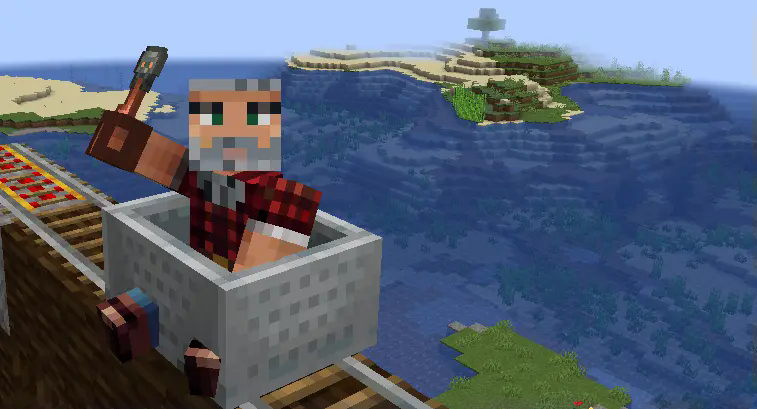
Welcome to Enhanced Rails v1.1, a plugin that transforms your Minecraft rail systems with exciting features, from blazing-fast speeds to smart automation. Whether you're building complex transportation networks or simple automated item delivery systems, this plugin brings a new level of functionality to minecart travel.
Enhanced Rails modifies powered rail behavior under specific conditions, significantly increasing minecart speed for players and enabling automated minecart loading/unloading systems.
This plugin is perfect for creating quest rewards, enhancing transportation networks, building exciting rail systems, and automating item transport across your Minecraft world.
Note: As of version 1.21.4, Paper has created a hard-fork and no longer follows Spigot as a base API. This plugin is built using the latest Paper API and may not function correctly on pure Spigot servers.
Download the Plugin
Install on Your Server
plugins/ folderconfig.yml in plugins/EnhancedRails/Verify Installation
The config.yml file in plugins/EnhancedRails/ controls all plugin features. Below is the default configuration with explanations:
super-speed:
  enabled: true
When enabled, provides super-speed only when players hold the specified item in their main hand.
special-item:
  enabled: true
  material: "TRIAL_KEY"  # Recommended: use a rare item
  custom-name: "Super Speed Key"  # Optional custom name requirement
If you prefer not using the special item approach, you can enable super-speed based on the block beneath powered rails. Note: This section is ignored if special-item is enabled.
special-block:
  enabled: true
  material: "SMOOTH_STONE"
Fine-tune speed settings for different track conditions. Exceed recommended limits at your own risk!
super-speed-parameters:
  flat-speed-multiplier: 2.0  # Max recommended: 2.0
  flat-max-speed: 4.0  # Max recommended: 4.0
  slope-speed-multiplier: 1.1  # Must be greater than 1.0, max recommended: 1.1
  slope-max-speed: 1.0  # Max recommended: 1.0
  max-uphill-velocity: 2.0  # Max recommended: 2.0
  max-downhill-velocity: 2.0  # Max recommended: 2.0
Configure special blocks that reduce minecart speed automatically.
slow-down-parameters:
  enabled: true
  block1-material: "GRAVEL"
  block1-max-speed: 0.4  # 0.4 is a relatively slow speed
  block2-material: "SAND"
  block2-max-speed: 0.1  # 0.1 for extreme slowdown
Configure the new automatic minecart loading/unloading system (new in v1.1).
minecart-loader:
  enabled: true
  # How strong the push should be (default Minecraft minecart speed is around 0.4)
  push-strength: 1.0
  # Enable debug logging
  debug: false
  # Special block settings
  special-block:
    enabled: true
    material: "SMOOTH_STONE"
Note: Always back up your configuration before making changes, and avoid exceeding the recommended speed values to prevent unexpected behavior.
Need to update settings without restarting? Use the reload command:
/enhancedrails reloadenhancedrails.use (default: ops only)config.yml in plugins/EnhancedRails//enhancedrails reload in-game or console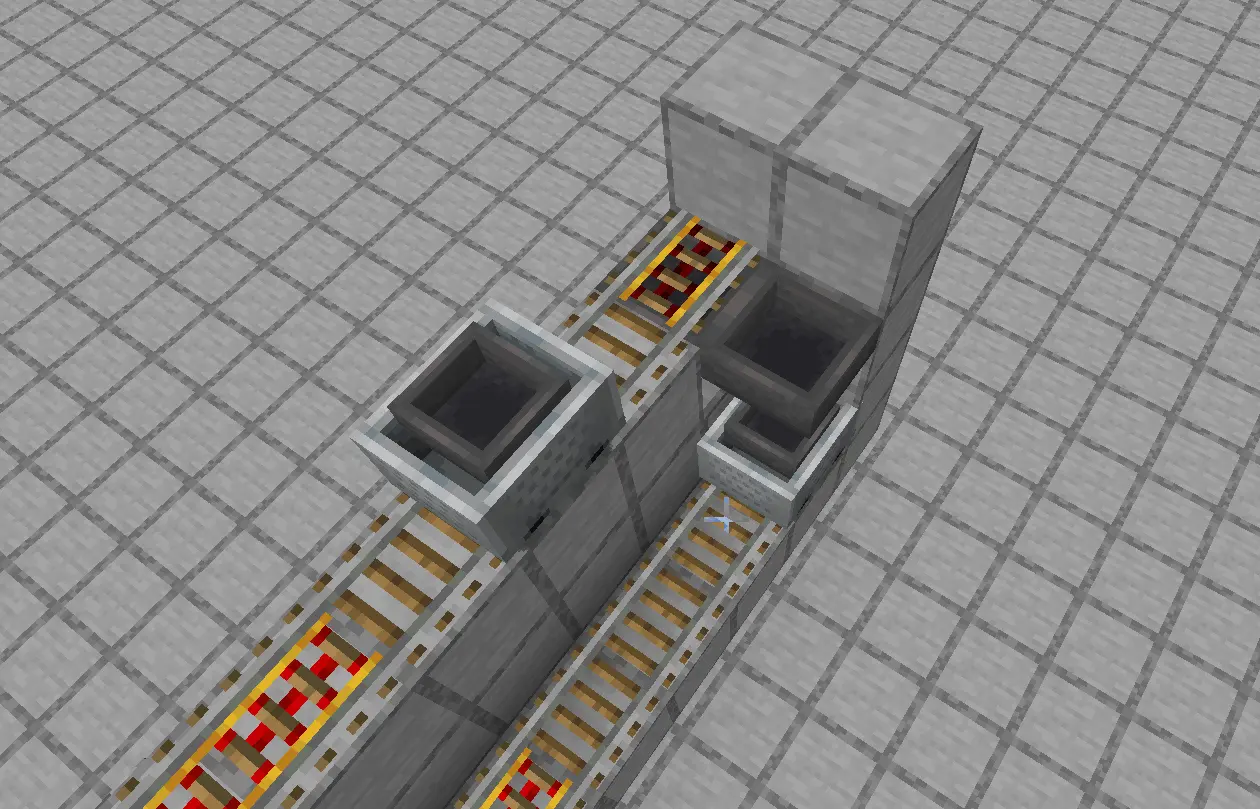
The new Minecart Loader/Unloader feature (v1.1) simplifies automated item transportation without complex redstone circuits, making it easier than ever to build efficient transportation networks.
The loader system automatically dispatches hopper minecarts when they're full or when the supply container is empty but the minecart contains items.
Setup Requirements:
How It Works:
The unloader system automatically dispatches empty hopper minecarts after they've transferred all their contents.
Setup Requirements:
How It Works:
Super-Speed is thrilling but requires careful track planning to prevent derailments. Here are essential design tips:
Important: All slowdown blocks mentioned below must be placed directly underneath the powered rails. The plugin detects the block type beneath the powered rail to determine speed behavior.
Pro Tip: Create a test track with all the common scenarios (curves, uphills, downhills, loading/unloading stations) to perfect your design before building in your main world.
| Problem | Solution |
|---|---|
| Carts Derailing | Add more slowdown blocks before curves or slopes |
| Super-Speed Not Working | Check that players are holding the correct special item or that rails are placed on the correct special blocks |
| Minecart Loader Not Activating | Verify your setup matches the requirements (hopper/chest above or below, special block at rail end if enabled) |
| Minecart Not Pushing With Full Inventory | Check that all slots are at maximum stack size (not just filled) |
| Config Not Applying | Verify you've used the reload command correctly and check console for errors |
| Plugin Not Working | Confirm you're using a Paper server (not Spigot) running Minecraft 1.21.4+ |
For further assistance, bug reports, or feature requests:
Enhanced Rails v1.1 — Making Minecraft transportation better, faster, and more exciting!
© 2025 ElFahja. All rights reserved.