
MINECRAFTBIBLE
Loading...


Plugin that adds support for emojis
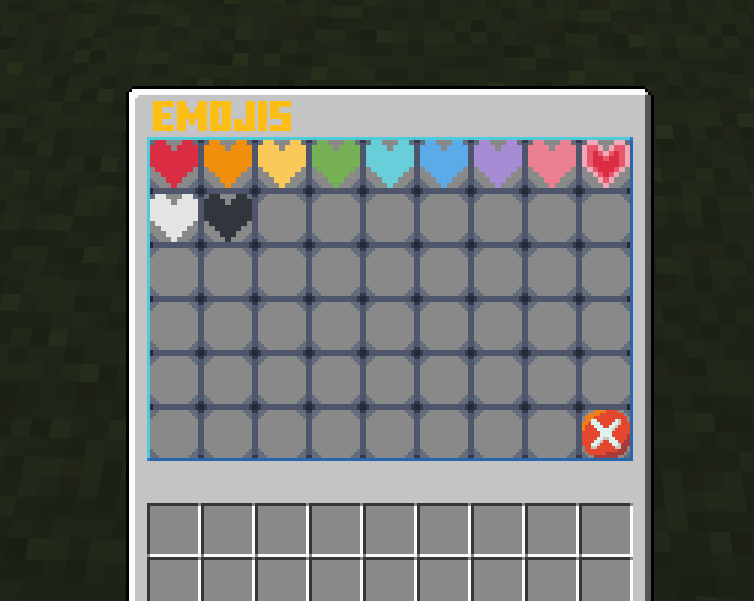
An emoji panel plugin allows players to use emojis in chat using the built into resource pack font function.
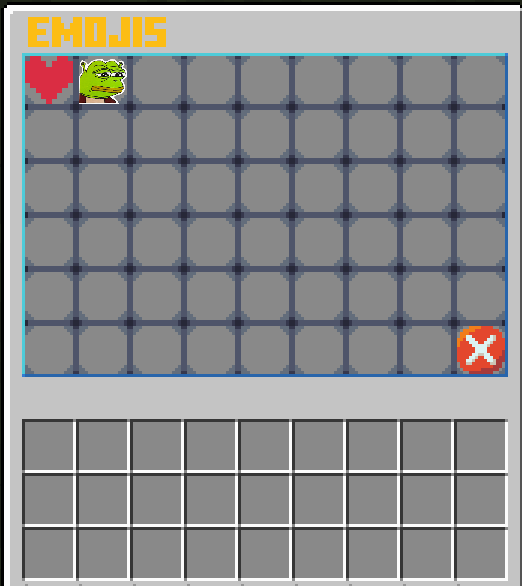
To open the panel type /emoji
.png file of your emoji.Emojify.zip and open it in your editor of choice, I will be using VSCode. You should see something like this: 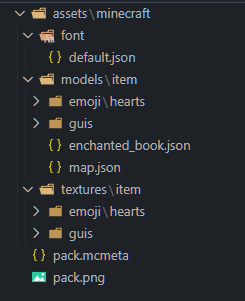

First place your image.png into assets/minecraft/textures/item/emoji/[Your folder]/image.png.WARNING: your image.png should be all lower caps
After that, go to assets/minecraft/font/default.json and create a new bitmap for a random Unicode character you can get from here.
{
    "providers": [
      {"type": "bitmap", "file": "minecraft:item/guis/pixel.png","ascent": -2000,"height": -3,"chars": ["七"]},
      {"type": "bitmap", "file": "minecraft:item/guis/upper_section.png","ascent": 13,"height": 222,"chars": ["ㇺ"]},
      {"type": "bitmap", "file": "minecraft:item/emoji/hearts/red_heart.png", "ascent": 8, "height": 10, "chars": ["媀"]},
      {"type": "bitmap", "file": "minecraft:item/emoji/hearts/orange_heart.png", "ascent": 8, "height": 10, "chars": ["鬣"]},
      {"type": "bitmap", "file": "minecraft:item/emoji/hearts/yellow_heart.png", "ascent": 8, "height": 10, "chars": ["觮"]},
      {"type": "bitmap", "file": "minecraft:item/emoji/hearts/green_heart.png", "ascent": 8, "height": 10, "chars": ["継"]},
      {"type": "bitmap", "file": "minecraft:item/emoji/hearts/light_blue_heart.png", "ascent": 8, "height": 10, "chars": ["佃"]},
      {"type": "bitmap", "file": "minecraft:item/emoji/hearts/blue_heart.png", "ascent": 8, "height": 10, "chars": ["青"]},
      {"type": "bitmap", "file": "minecraft:item/emoji/hearts/purple_heart.png", "ascent": 8, "height": 10, "chars": ["橙"]},
      {"type": "bitmap", "file": "minecraft:item/emoji/hearts/pink_heart.png", "ascent": 8, "height": 10, "chars": ["紫"]},
      {"type": "bitmap", "file": "minecraft:item/emoji/hearts/heartpulse.png", "ascent": 8, "height": 10, "chars": ["梾"]},
      {"type": "bitmap", "file": "minecraft:item/emoji/hearts/white_heart.png", "ascent": 8, "height": 10, "chars": ["白"]},
      {"type": "bitmap", "file": "minecraft:item/emoji/hearts/black_heart.png", "ascent": 8, "height": 10, "chars": ["黒"]},
      {"type": "bitmap", "file": "minecraft:item/emoji/shrek/pepe_shrek.png", "ascent": 8, "height": 10, "chars": ["ࢢ"]}
    ]
  }

You can change "ascent" and "height" to change how it is displayed
assets/minecraft/models/item/emoji/[Your folder]/[Your emoji name].json and paste this into it:{
"parent": "minecraft:item/generated",
"textures": {
"layer0": "minecraft:item/emoji/shrek/pepe_shrek"
}
}
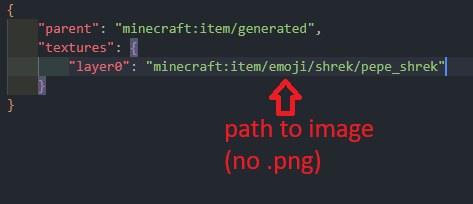
WARNING:Do not use .png extension at the end of the file path
assets/minecraft/models/item/enchanted_book.json and add your model that you created before:{
"parent": "minecraft:item/generated",
"textures": {
"layer0": "minecraft:item/enchanted_book"
},
"overrides": [
{"predicate": {"custom_model_data": 101}, "model":"minecraft:item/emoji/hearts/red_heart"},
{"predicate": {"custom_model_data": 102}, "model":"minecraft:item/emoji/hearts/orange_heart"},
{"predicate": {"custom_model_data": 103}, "model":"minecraft:item/emoji/hearts/yellow_heart"},
{"predicate": {"custom_model_data": 104}, "model":"minecraft:item/emoji/hearts/green_heart"},
{"predicate": {"custom_model_data": 105}, "model":"minecraft:item/emoji/hearts/light_blue_heart"},
{"predicate": {"custom_model_data": 106}, "model":"minecraft:item/emoji/hearts/blue_heart"},
{"predicate": {"custom_model_data": 107}, "model":"minecraft:item/emoji/hearts/purple_heart"},
{"predicate": {"custom_model_data": 108}, "model":"minecraft:item/emoji/hearts/pink_heart"},
{"predicate": {"custom_model_data": 109}, "model":"minecraft:item/emoji/hearts/heartpulse"},
{"predicate": {"custom_model_data": 110}, "model":"minecraft:item/emoji/hearts/white_heart"},
{"predicate": {"custom_model_data": 111}, "model":"minecraft:item/emoji/hearts/black_heart"},
{"predicate": {"custom_model_data": 201}, "model":"minecraft:item/emoji/shrek/shrek"}
]
}
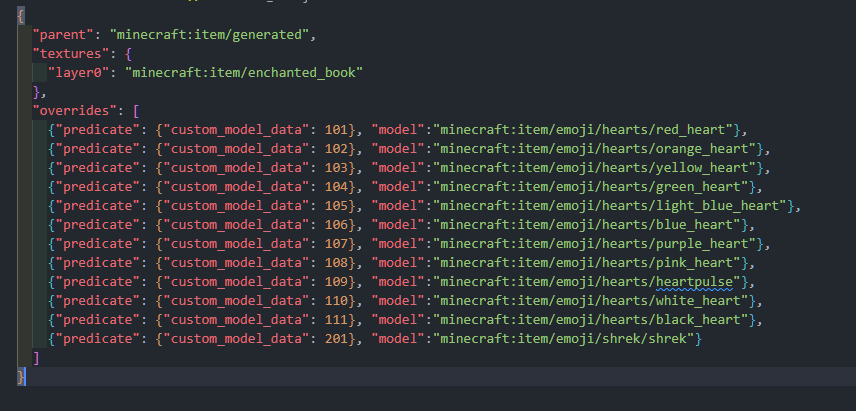
WARNING:Do not use .json extension at the end of the file path and make sure that the custom_model_data goes up in numerical order, if not it will not display the custom item
plugins/Emojify/config.yml like this: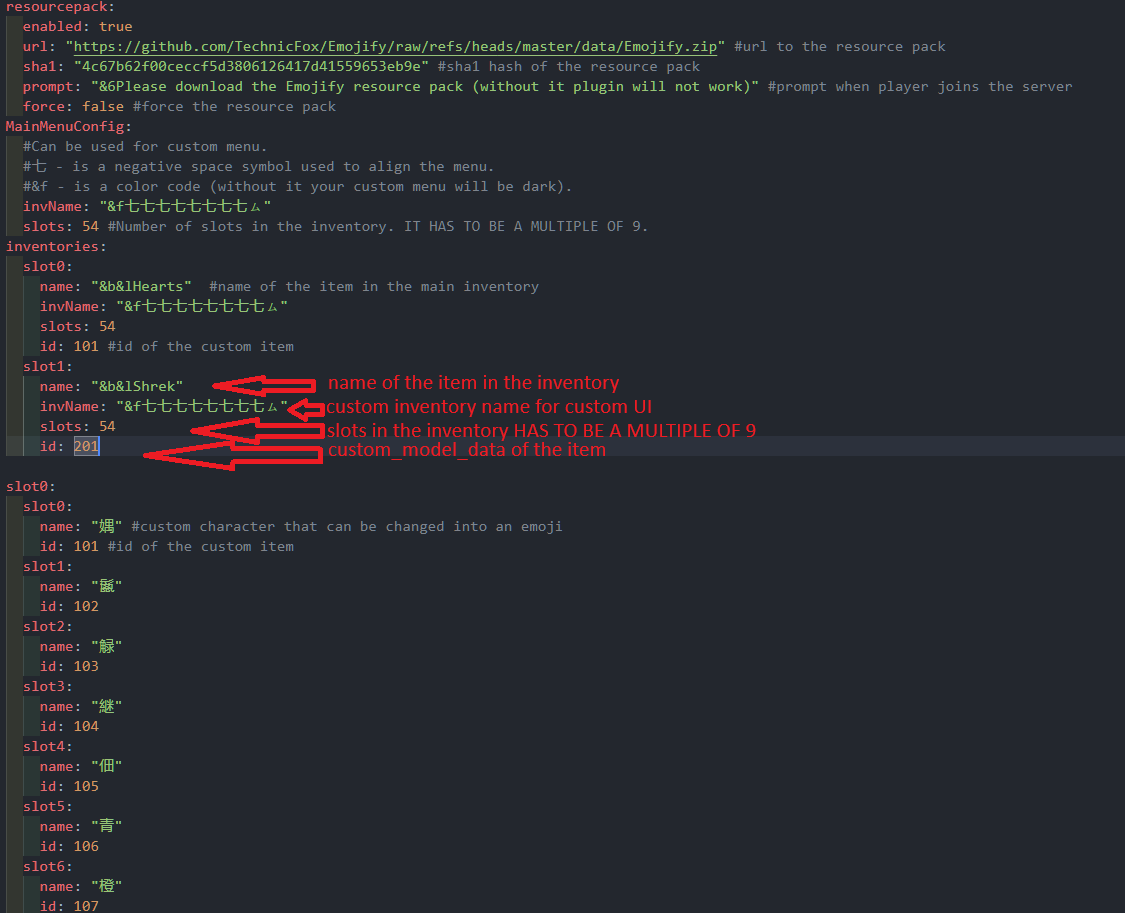
inventories:
  slot0:
    name: "&b&lHearts"  #name of the item in the main inventory
    invName: "&f七七七七七七七七ㇺ"
    slots: 54
    id: 101 #id of the custom item
  slot1:
    name: "&b&lShrek"
    invName: "&f七七七七七七七七ㇺ"
    slots: 54
    id: 201
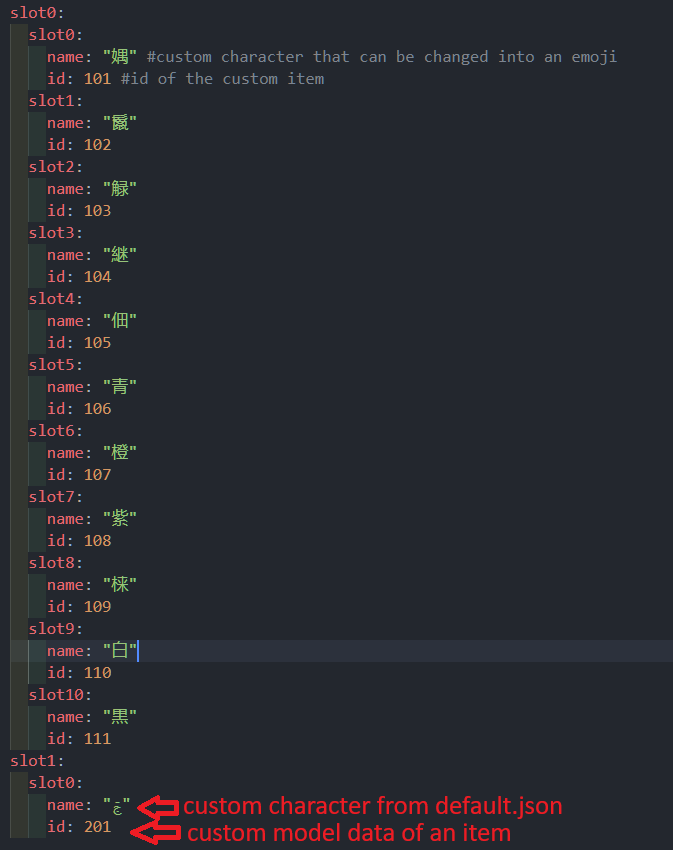
slot1:
  slot0:
    name: "ࢢ"
    id: 201
.zip and upload it to mc-packs.net and enter url and hash to plugins/Emojify/config.yml.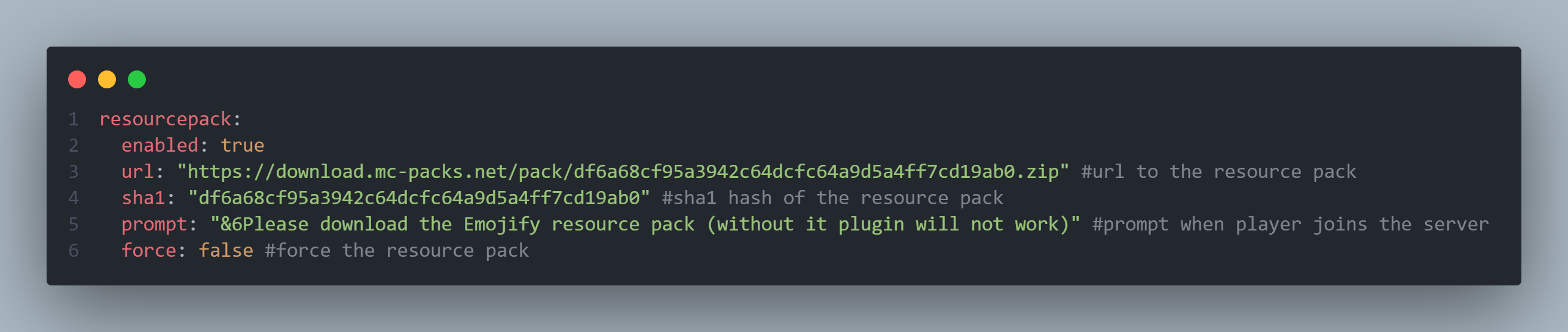
resourcepack:
  enabled: true
  url: "https://download.mc-packs.net/pack/df6a68cf95a3942c64dcfc64a9d5a4ff7cd19ab0.zip" #url to the resource pack
  sha1: "df6a68cf95a3942c64dcfc64a9d5a4ff7cd19ab0" #sha1 hash of the resource pack
  prompt: "&6Please download the Emojify resource pack (without it plugin will not work)" #prompt when player joins the server
  force: false #force the resource pack

I know, and I am planning on realising some sort of automation tool
Feel free to share the suggestion, bugs and glitches with me on Discord TechnicFox
I am still experimenting with this feature, but for now you can try modifying the assets/minecraft/textures/item/guis/upper_section.png