

EmakiCoreLib | Shared Runtime Core for the Emaki Series
The single foundation behind every Emaki module: a composable action engine, GUI framework, in-browser Web Console, universal item-source resolution, PDC and item assembly, conditions, expressions, economy bridging, weighted pools, JavaScript scripting and
📖About EmakiCoreLib | Shared Runtime Core for the Emaki Series
EmakiCoreLib is the shared runtime core that every Emaki business plugin depends on. It does not ship a gameplay loop of its own; instead it provides the cross-plugin infrastructure that Attribute, Forge, Strengthen, Cooking, Gem, Skills, Item and Level all reuse. Install it once and the whole series speaks the same configuration language, references items the same way, schedules tasks the same way and renders item displays through one shared pipeline.
Because every module builds on the same core, a server owner learns one action syntax, one item-reference format, one condition system and one GUI model — and that knowledge carries across the entire suite. CoreLib must load first; if it fails to start, fix CoreLib before troubleshooting anything else.
Key Highlights
- One install powers the entire suite — Config parsing, action execution, item references, GUI rendering, display assembly and platform scheduling are all provided by CoreLib and shared by every Emaki plugin. No duplicated infrastructure per module.
- Composable action engine — Messages, sounds, particles, commands, economy, experience, temporary items, blocks, teleport, scripts and action templates all share one YAML syntax, with control prefixes for chance and conditions. Any module can register its own actions into the same registry.
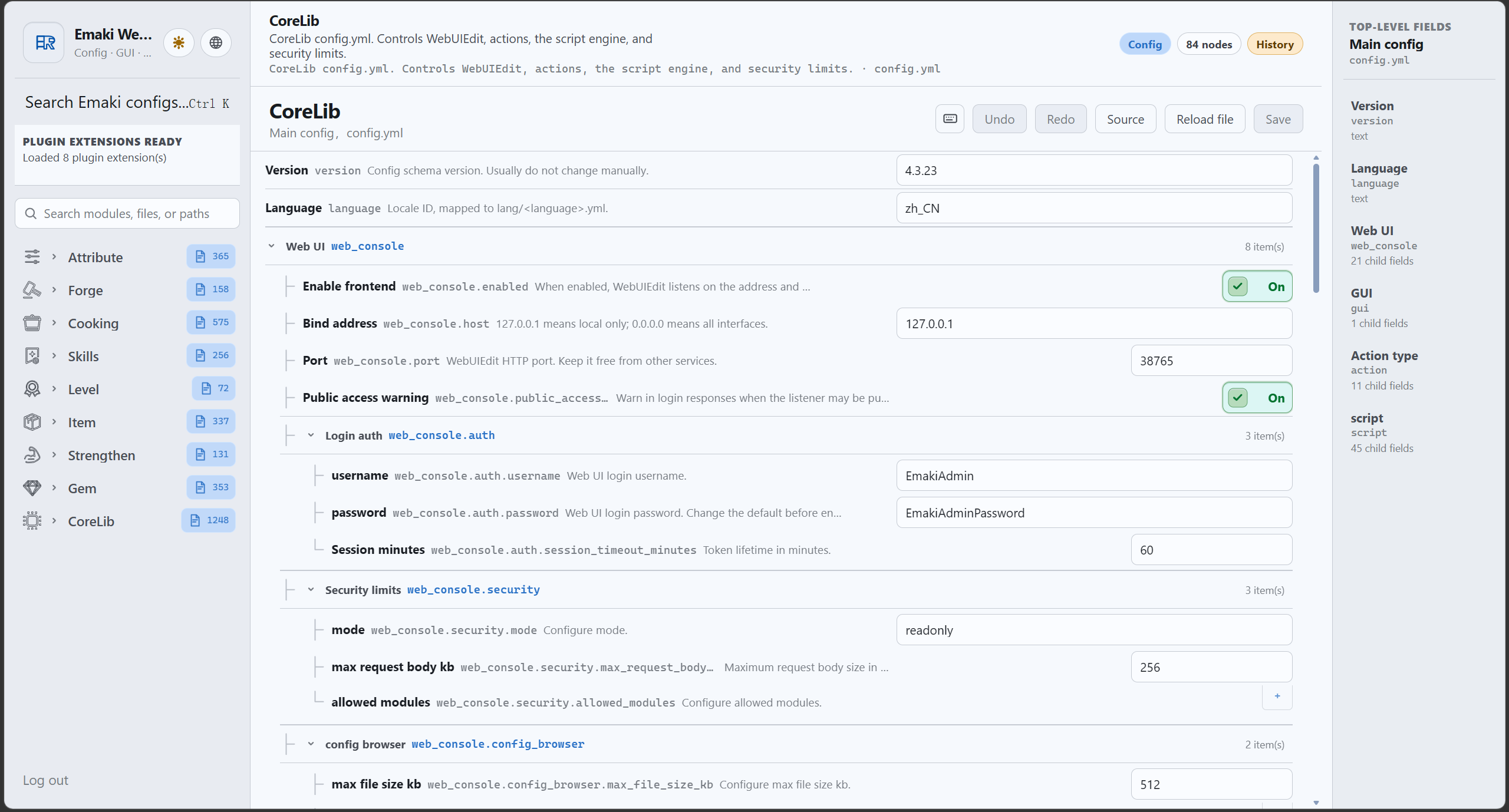
- Edit configs from a browser — A built-in Web Console offers authenticated file browsing, structured editors, history snapshots, Insight search, frontend extensions and per-plugin read-only APIs. No FTP or file-manager round trips.
- Universal item-source resolution — One syntax references vanilla items, CraftEngine, ItemsAdder, Nexo, Oraxen, MMOItems, NeigeItems and EmakiItem, so recipes, materials, rewards and GUI slots never depend on display names or lore.
- Layered item assembly — A PDC layer system lets Forge, Strengthen, Gem, Item and Attribute each write their own layer and have CoreLib rebuild the final name and lore without overwriting each other.
- Folia / Paper / Spigot transparency — Modules schedule async and timed tasks through one scheduler abstraction, with platform detection cached once and no per-task reflection.
- GraalJS scripting — A managed JavaScript runtime with a
runjsaction, global script extensions, a controlled server API and dynamic module entry points that business plugins register on enable.
Feature Overview
Action engine
- Execute messages, sounds, particles, commands, economy, experience, temporary items, blocks, teleport, scripts and templates from any module's YAML in one consistent syntax.
- Control prefixes such as a chance prefix and a conditional prefix gate whether each action line runs.
- Loop actions support repeated execution for countdowns, staged feedback and persistent effects.
- Business plugins append their own actions to the same registry — Level's experience actions, Attribute's stat actions, Skills' skill actions all live alongside the built-ins.
GUI framework
- Menu templates, slot parsing, buttons, click handling, session management, item-source resolution and dynamic rendering are all provided centrally.
- Business plugins only declare their own GUI files and flow logic; the heavy lifting (protecting input slots, returning items, handling clicks) is shared.
- Titles support MiniMessage, rows are configurable, and backgrounds/borders are template-driven.
Web Console
- A main Web Console service with authentication, directory-tree file browsing and in-browser editing.
- Structured editors for cross-plugin field types (action chains, effect lists, economy provider dropdowns) so modules reuse the same UI.
- History snapshots track configuration changes, with rollback through the existing save/permission pipeline.
- Insight search, reference tracking, dependency graphs and historical snapshots scoped to registered files.
- Plugin read-only/preview APIs are exposed under per-module routes; write-type capabilities still go through CoreLib's save, history, permission and rollback chain.
- Business plugins register their own pages and schema via
web-console.ymlandweb-extensions/*.js.
Item-source resolution
- One unified syntax resolves vanilla, CraftEngine, ItemsAdder, Nexo, Oraxen, MMOItems, NeigeItems and EmakiItem sources.
- Dash-style references (e.g.
minecraft-diamond,emakiitem-<id>) keep recipes, materials, rewards and GUI slots independent of display name or lore. - Provides item construction, component writing, PDC markers and final display for every business module.
PDC and item assembly
- Wraps Bukkit's PersistentDataContainer with a safe, source-isolated API: each module registers its own source and writes only its own data, so layers never overwrite each other.
- The assembly system merges the layers written by different modules into one final name and lore.
- Item operation ledgers record name/lore operations so they can be precisely reverted (e.g. when a gem is extracted) and replayed during rebuilds.
- PDC snapshots support versioned YAML, schema versions and signature validation.
Conditions, expressions, economy and weights
- A condition system with condition groups and expression entries for permission, item, state and numeric checks.
- An expression engine for costs, probabilities, levels, damage and any configuration formula, with
%variable%support. - An economy bridge for Vault and ExcellentEconomy providers, with dynamic provider enumeration in the Web Console.
- A weight system providing random pools, quality pools, reward pools and pity/guarantee pools as reusable tools.
JavaScript scripting
- A GraalJS runtime with a
runjsaction, global script extensions and a controlled, sandboxed server API. - Dynamic module entry points: business plugins register
emaki.module("...")capabilities on enable and remove them on disable. - A shared scripts directory with subfolders per module (global, forge, strengthen, cooking, gem, skills, item, attribute, templates, examples).
- Polyglot values are deep-copied to plain Java maps/lists before being handed to business plugins, so no script object leaks across the boundary.
Configuration prechecks and runtime
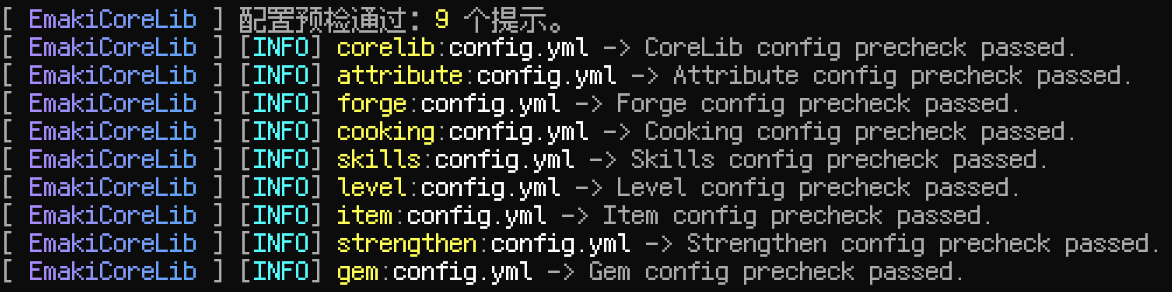
/corelib checksummarizes the configuration health of every registered module in one place.- Missing resources, format errors and unmet dependencies are reported together on reload.
- Web Console and scripting capabilities are gated by configurable security modes.
bStats hosting and runtime libraries
- A single runtime-library loader prepares shared libraries (Adventure, Gson, BoostedYAML, exp4j, Caffeine, GraalJS) during CoreLib load, so business plugins use them through CoreLib abstractions instead of shading their own copies.
- bStats is hosted centrally: CoreLib registers metrics for itself and each business plugin by id, and a failed metrics init only logs a warning instead of breaking plugin startup.
Commands
| Command | Description |
|---|---|
/corelib help |
Show help |
/corelib reload |
Reload configuration and the Web Console |
/corelib check |
Precheck the configuration of all registered modules |
/corelib web |
Get the clickable Web Console link |
/corelib debug |
Toggle debug mode |
Main command /emakicorelib, aliases /corelib, /emakicore.
Permissions
emakicorelib.admin— all administrative commands (default: op); includes the two belowemakicorelib.web— view the clickable Web Console link (default: op)emakicorelib.reload— reload CoreLib configuration and the Web Console (default: op)
Compatibility & Dependencies
| Item | Details |
|---|---|
| Java | 25 |
| Bukkit API | 1.21 |
| Server | Spigot / Paper and downstream forks |
| Folia | Supported |
| Required | None |
| Optional | Vault, ExcellentEconomy, PlaceholderAPI, MMOItems, MythicMobs, ItemsAdder, Nexo, Oraxen, NeigeItems, CraftEngine |
Installation & Quick Start
- Place
EmakiCoreLib.jarinto your serverplugins/folder. (Install only the plugin jar; theemaki-corelib-apijar is a compile-time dependency for developers, not for the server.) - Start the server to generate the default config, language files and scripts directory.
- Run
/corelib checkto verify configuration health. - Install the Emaki modules you need — every business module depends on CoreLib.
Links
- Documentation: https://jiuwu02.github.io/Emaki_Series/
- Discord: https://discord.gg/FV4GFQbvCM
- QQ Group: https://qm.qq.com/q/GqGrzHp0wU