MINECRAFTBIBLE
Loading...


A Minecraft plugin that generates custom blocks with unique durabilities.
DuraBlock is a Minecraft plugin, inspired by the Metin Stones from Metin2, that allows server owners to create custom blocks with configurable durabilities. Players can race to break these blocks and earn rewards!
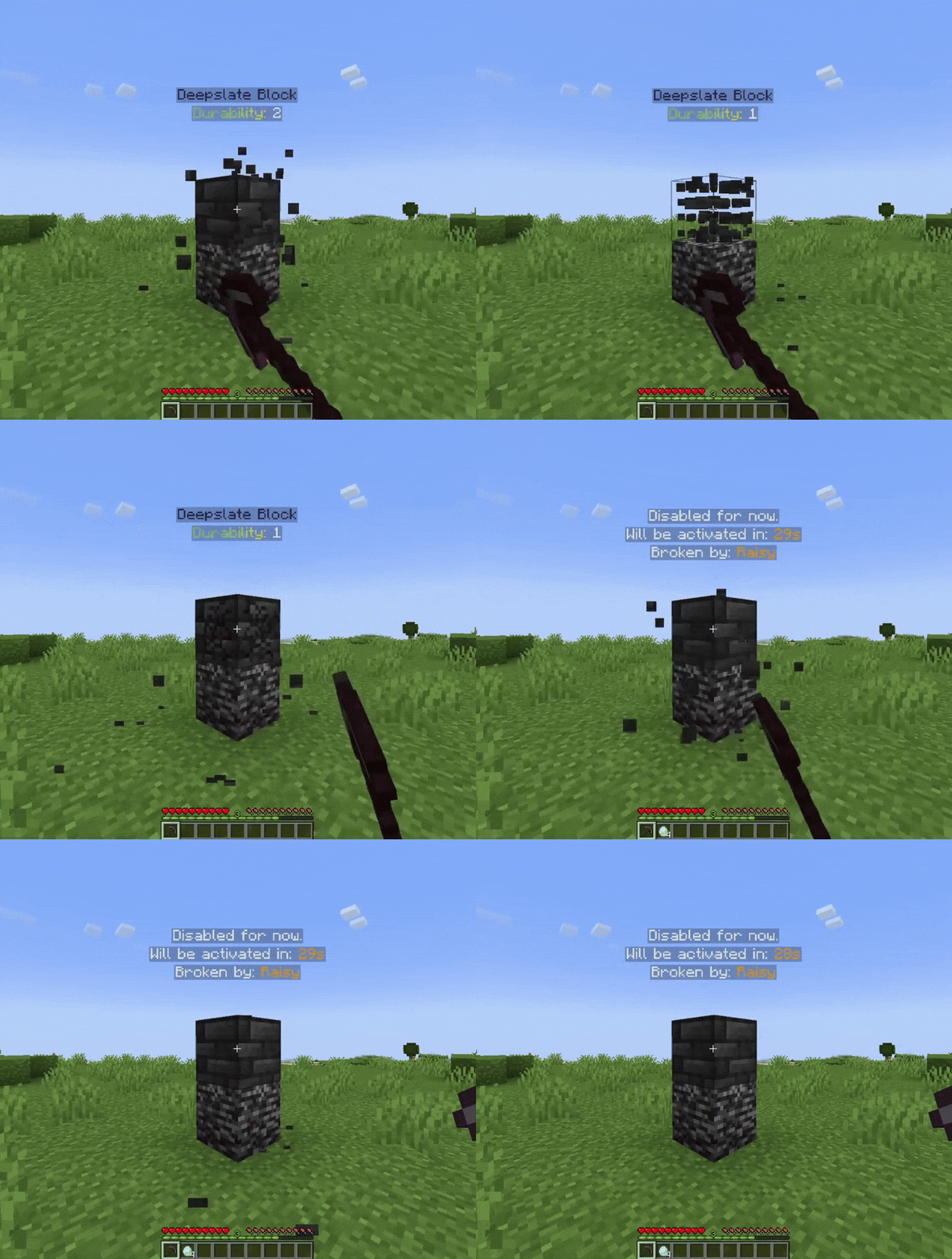
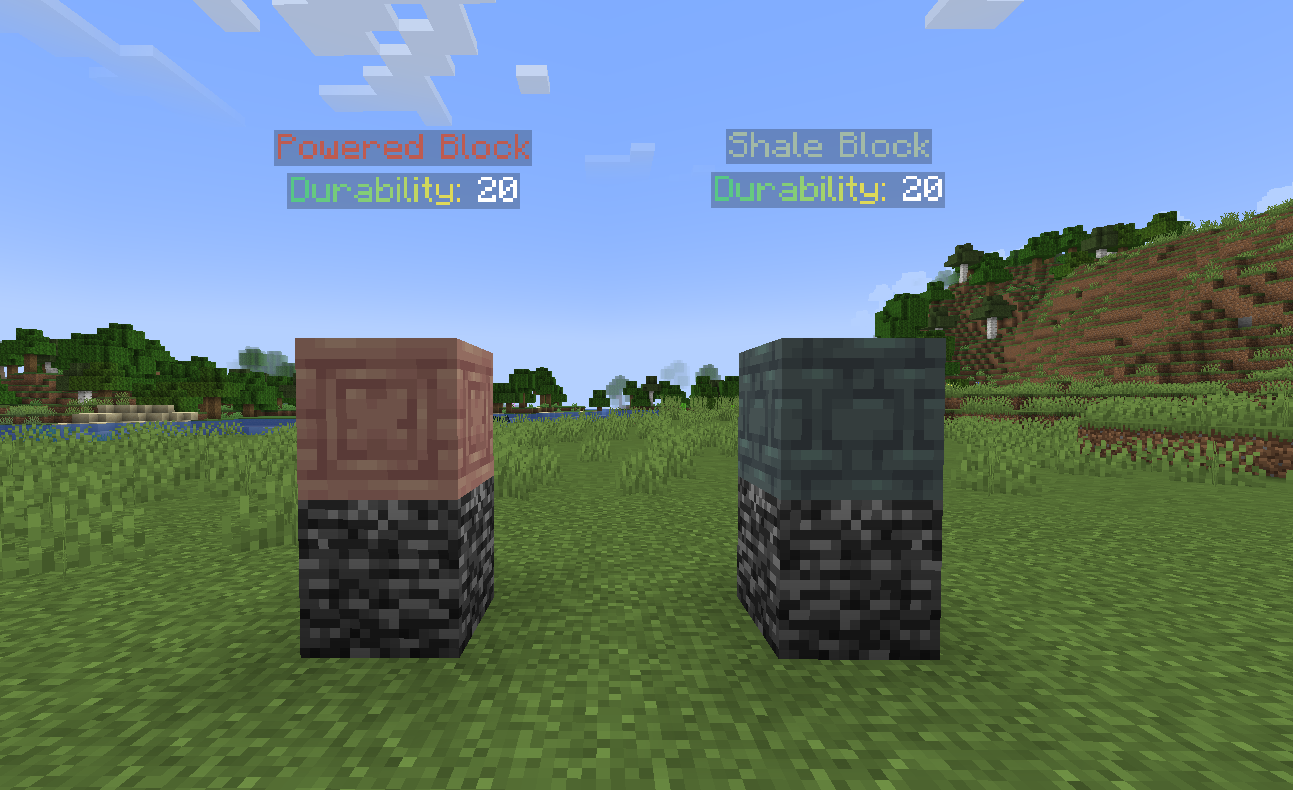
.jar file in your server's plugins folder.config.yml to customize your blocks./durablock reload to apply changes.The plugin supports two languages by default:
You can create your own language file by creating a lang.yml file in the languages directory.
language: en_us

prefix: "<#874CCC><bold>DuraBlock</bold> <gray>» "

blocks:
  test-block:
    durability: 20
    # Time in seconds before the block gets restored after being broken
    restore-interval: 30
    # Vertical offset for the hologram above the block (in blocks)#
    y-level: 2
    # Permission required to break this block
    permission: durablock.break.test-block
    # Text lines displayed in the hologram when the block is active/enabled
    # Refer to the DecentHolograms wiki for formatting and color options:
    # https://wiki.decentholograms.eu/general/format-and-colors/
    enabled-hologram-lines:
      - "<#6DE1D2>Test Block"
      - "<#FF0000>Durability: {durability}</#00FF00>"
    # Text lines displayed in the hologram when the block is disabled
    disabled-hologram-lines:
      - "Disabled for now."
      - "Will be activated in: <#FFA725>{restore}"
      - "Broken by: <#FFA725>{last_player}"
    # List of commands executed with a certain probability when the block's durability is above 0
    rewards:
      - command: "give {player} diamond 1"
        chance: 0.1 # %10 chance
      - command: "give {player} emerald 2"
        chance: 0.3 # %30 chance
    # Actions to perform when the block is broken
    on-break:
      sound:
        enabled: true
        # https://minecraft.wiki/w/Sounds.json/Java_Edition_values for sound list
        sound-type: "minecraft:entity.player.levelup"
        # Whether the sound should play for everyone or only the player who broke it
        play-to-everyone: true
      broadcast:
        enabled: true
        # Message broadcast to all players when the block is broken
        message: "<red>{player} broke the test-block"
      # Commands executed when the block is broken
      commands:
        - "give {player} diamond 16"

# Warning: Adjusting these values may impact server performance or cause unexpected behavior.
# Only change them if you understand the potential consequences.
# Interval for updating hologram (in seconds)
hologram-update-interval: 1
# Interval for checking if blocks needs to be enabled (in seconds)
block-restore-interval: 1
config.yml file.| Command | Description |
|---|---|
/durablock reload |
Reloads the configuration |
/durablock add <block-type> |
Adds a new custom block of the specified type |
/durablock list |
Lists all configured custom blocks |
/durablock remove <block-id> |
Removes a specific custom block by ID |
/durablock restore <block-id> |
Manually restores a block by ID |
/durablock info |
Displays information about the plugin |
| Permission | Description |
|---|---|
durablock.commands.main |
Allows using /durablock command |
durablock.notify.update |
Allows receiving update notifications |
{last_player} - Displays the name of the player who last broke the block.{restore} - Displays the remaining time (in seconds) until the block is restored.{durability} - Shows the current durability of the block.{player} - Represents the name of the player who broke the block.To create a new block named "diamond-block" with 50 durability and a 20-second restore time, add this to your config.yml:
blocks:
  diamond-block:
    durability: 50
    restore-interval: 20
    permission: durablock.break.diamond-block
    enabled-hologram-lines:
      - "Diamond Block - {durability} hits left"
    disabled-hologram-lines:
      - "Regenerating in: {restore} seconds"
    rewards:
      - command: "give {player} diamond 1"
        chance: 0.1 # %10 chance
    on-break:
      sound:
        enabled: true
        sound-type: "minecraft:entity.player.levelup"
        play-to-everyone: true
      broadcast:
        enabled: true
        message: "<red>{player} broke the diamond block and earned 16 diamonds!"
      commands:
        - "give {player} diamond 16"
If you encounter any issues or have feature suggestions, feel free to open an issue on GitHub or join my Discord Server.
This project is licensed under the MIT License - see the LICENSE.md file for details.
Enjoy making your server more dynamic with DuraBlock!