Logo
MINECRAFTBIBLE
Items
Items

All game items

Blocks
Blocks

Building blocks

Mobs
Mobs

Creatures & monsters

Biomes
Biomes

World biomes

Structures
Structures

Generated structures

Recipes
Recipes

Crafting guides

Advancements
Advancements

Achievements

Loot Tables
Loot Tables

Drop rates

Tags
Tags

Item groupings

All Versions
View all data →
Capes
Cape ArchiveNEW

Browse rare Minecon capes, OptiFine capes, and custom capes from players worldwide

Browse

Player Database
Player DatabasePopular

Search any player

Skin Browser
Skin Browser

Browse & download skins

Cape Gallery
Cape GalleryNEW

Minecon & OptiFine capes

Seed Vault
Seed Vault

Curated seeds

Learn

Guides
GuidesNew

Tutorials & tips

Blog
Blog

News & updates

Community

Community Hub
Community HubHub

Posts, discussions & more

All Versions
View community →
Seed Analyzer
Seed Analyzer

World seed analysis

Loot Explorer
Loot Explorer

Drop rates

Crafting Calculator
Crafting Calculator

Material planning

Enchant Calculator
Enchant Calculator

Probability math

Redstone Lab
Redstone Lab

Signal timing

Trading Profit
Trading Profit

Villager ROI

All Versions
View all tools →
Mods
Mods

Browse all mods

Plugins
Plugins

Server plugins

Resource Packs
Resource Packs

Textures & sounds

Shaders
Shaders

Visual enhancements

Datapacks
Datapacks

World logic

Scanner
Mod Intelligence

Scan & analyze any mod

All Versions
View all mods →
Loading...
IntroductionIntroductionVersion HistoryVersion HistoryGuidesGuidesBlog & NewsBlog & News
ItemsItemsBlocksBlocksMobsMobsRecipesRecipesBiomesBiomesStructuresStructuresAdvancementsAdvancementsLoot TablesLoot TablesTagsTags
ModsModsPluginsPluginsResource PacksResource PacksShadersShadersDatapacksDatapacks

MinecraftBible

The Ultimate Wiki

Logo
MINECRAFTBIBLE

The ultimate Minecraft reference. Every item, block, mob, and recipe documented with precision.

Community

  • Player Database
  • Skin Browser
  • Cape Gallery
  • Community Hub
  • Seed Vault

Database

  • Items
  • Blocks
  • Mobs
  • Recipes
  • Biomes
  • Structures

Tools

  • Seed Analyzer
  • Mod Intelligence
  • Crafting Calculator
  • Enchant Calculator

Mods & Packs

  • Mods
  • Plugins
  • Resource Packs
  • Shaders
  • Datapacks

© 2026 MinecraftBible. Not affiliated with Mojang or Microsoft.

PrivacyTermsContact
DreamSkip
PluginGPL-3.0-or-later

DreamSkip

DreamSkip automatically skips the night as soon as the required number of players go to bed.

39
Downloads
0
Followers
5 months ago
Updated
📦
10
Versions
utilitypaper
Download Latestv1.0-1.21.11View on Modrinth

📖About DreamSkip

✨ What is DreamSkip?

DreamSkip automatically skips the night as soon as the required number of players go to bed.
It’s a true slice-of-life feature that makes multiplayer survival much more comfortable.

🎮 Features

  • ✅ Instantly turns night into day once the required number of players are sleeping
  • ✅ Bossbar message to all players: “required players (x/x)” with a progress bar and color scale
  • ✅ Configurable required player amount
  • ✅Full plugin features can be toggled per world
  • ✅ Persistent JSON-based storage for all settings

🛠 Commands & permissions

  1. /sleep on – Enables the plugin features in a world (Permission: sleep.use)
  2. /sleep off – Disables the plugin features in a world (Permission: sleep.use)
  3. /sleep playeramount – Changes the required number of players to skip the night (Permission: sleep.use)
  4. /sleep list – Shows all configured worlds (Permission: sleep.use)
  5. /sleep reload – Reloads the configuration (Permission: sleep.use)
  6. /sleep help – Displays the help menu (Permission: sleep.use)

⚙️ Configuration & storage

Java (persistent – permanently stored)

All settings are saved in plugins/DreamSkip/dreamskip_worldconfig.json.
The file is automatically loaded on server startup and saved when changes are made or the server stops.
Format (JSON structure):
{
"world_name": {
"plugin_online": true / false
“Playeramount”: int
},
[...]
}

📸 Showcase
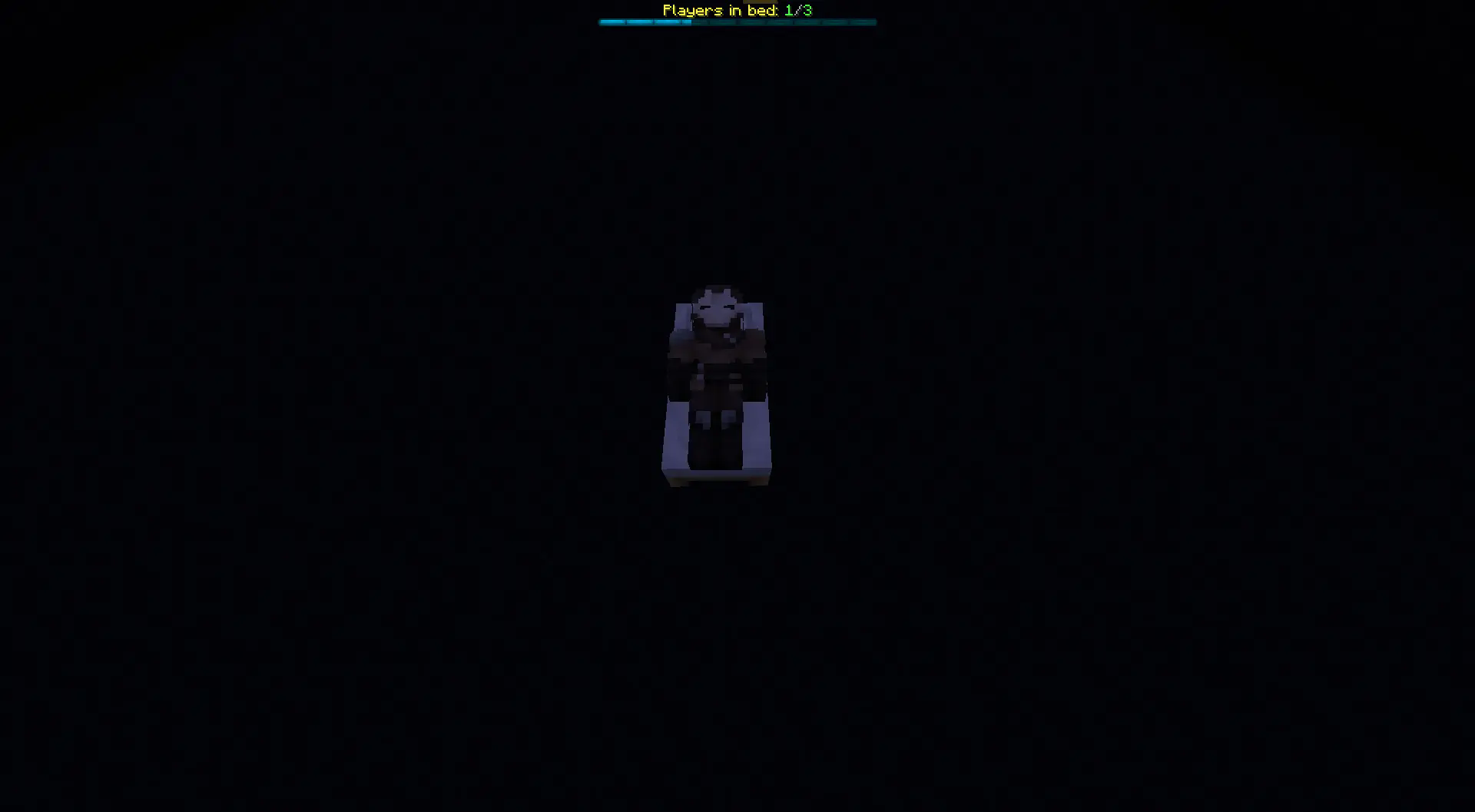
Configured DreamSkip

📂 Installation

  1. Download DreamSkip--.jar.
  2. Place it in your server's plugins folder.
  3. Restart the server.

📜 Terms of Use – DreamSkip

✅ You may

  • Use DreamSkip free of charge on private and public servers.
  • Modify or extend the code as long as the credits remain intact.
  • Include the plugin in server packs if “wolfwriter” is named as the author.

❌ You may not

  • Sell DreamSkip or distribute it for money.
  • Pretend to be the author of the plugin.
  • Upload manipulated versions as “official.”

⚠️ Disclaimer

  • DreamSkip is provided without warranty.
  • Use at your own risk.
  • No liability for data loss or server problems.

ℹ️ License

License: GNU General Public License version 3 (GPLv3)

💬 Support & Contact

Do you have questions, feedback, or want to report bugs?
Join my Discord and chat directly with the author:
👉 Join Discord server: https://discord.gg/TJgzq9aCxN

👥 Team & Contributors

wolf.writer
wolf.writerOwner

⚙️ Compatibility

Environment
🖥️ Server-side
Loaders
paper
Minecraft Versions
1.21.11

🔗 Links

Modrinth Page