

PluginMIT
DonutBillford
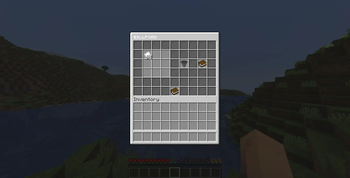
DonutBillford is a lightweight trading system designed by SirSnaryo for DonutSMP, owned by DrDonutt. Players open a clean 6-row GUI to view trade recipes and exchange items instantly. Server owners configure required ingredients and rewards
1.1K
Downloads
1
Followers
1 months ago
Updated
📦
2
Versions
📖About DonutBillford


Please contact me on Discord if you have any suggestions or edits.

- DonutBillford makes a Billford Command exactly like the famous Server "DonutSMP"

- Single-Command Trading –
/billfordopens the GUI instantly - Crafting-Style Layout – 9 slots like a crafting table
- Instant Validation – Real-time inventory checks
- Full Feedback System – Custom messages, sounds, and titles
- Zero Dependencies – No extra plugins needed
- Hex Color Support –
&#RRGGBBworks everywhere - Pixel-Perfect Customization – Configure every element
- Smart Item Detection – Skips invalid items safely
- Auto-Recovery – Fixes broken configs automatically
- Vanilla Item Colors – Natural rarity colors (white/aqua/purple)
- Snapshot Support – Works on 1.21.x and latest snapshots
- Update Checker – Modrinth notifications on join

| Command | Access | Description |
|---|---|---|
donutbillford.use |
Everyone | Opens the billford GUI |
donutbillford.reload |
Operator | Reloads the configuration file |
donutbillford credits |
Everyone | Shows credits for the creator and some information |

- A folder named
DonutBillfordis created in yourpluginsfolder automatically. Inside you will find a cleanconfig.yml and trade.ymlfiles.
# ==========================================================
#
# DonutBillford — config.yml
# by SirSnaryo
#
# Works on: Paper · Spigot · Bukkit · Purpur
# Version: 1.21.x
#
# ==========================================================
#
#
# ┌─────────────────────────────────────────────────────────┐
# │ COLOR CODES │
# ├─────────────────────────────────────────────────────────┤
# │ &f = white &7 = gray &0 = black │
# │ &a = green &c = red &e = yellow │
# │ &b = aqua &9 = blue &d = purple │
# │ &l = bold &o = italic &r = reset all │
# │ &#RRGGBB = any hex color (e.g. &#FF5500 = orange) │
# └─────────────────────────────────────────────────────────┘
#
#
# ┌─────────────────────────────────────────────────────────┐
# │ PLACEHOLDERS │
# ├─────────────────────────────────────────────────────────┤
# │ [amount] → the amount of an item │
# │ [item] → the name of an item with vanilla color │
# └─────────────────────────────────────────────────────────┘
#
#
# ┌─────────────────────────────────────────────────────────┐
# │ BROKEN CONFIG │
# ├─────────────────────────────────────────────────────────┤
# │ If you break this file the plugin automatically │
# │ deletes it and regenerates a clean copy on startup. │
# └─────────────────────────────────────────────────────────┘
#
# ==========================================================
billford-command: "billford"
container-name: "&fʙɪʟʟꜰᴏʀᴅ"
empty-slot-item: "BLACK_STAINED_GLASS_PANE"
empty-slot-name: ""
empty-slot-description:
line-1: ""
line-2: ""
line-3: ""
trading-slots:
slot-1:
row: 2
slot: 2
slot-2:
row: 2
slot: 3
slot-3:
row: 2
slot: 4
slot-4:
row: 3
slot: 2
slot-5:
row: 3
slot: 3
slot-6:
row: 3
slot: 4
slot-7:
row: 4
slot: 2
slot-8:
row: 4
slot: 3
slot-9:
row: 4
slot: 4
trade-button:
row: 3
slot: 6
item: "HOPPER"
name: "&8ᴛʀᴀᴅᴇ"
description:
line-1: "&fClick to confirm your trade"
line-2: ""
line-3: "&7(you need the items in your inventory)"
sound:
enabled: true
sound: "UI_BUTTON_CLICK"
result-item:
row: 3
slot: 8
ingredients-book:
row: 6
slot: 5
item: "BOOK"
name: "
E336ʙɪʟʟꜰᴏʀᴅ'ꜱ ᴛʀᴀᴅᴇ"
ingredients-line: "&7[amount]x [item]"
for-line: "&7for"
billford-trade-line: "&7[amount]x [item]"
trade-failed:
chat:
enabled: true
message: "&cYou do not have all the required contents."
actionbar:
enabled: true
message: "&cYou do not have all the required contents."
title:
enabled: false
message: "&cTrade Failed"
subtitle: "&7You are missing required items."
fade-in: 10
stay: 40
fade-out: 10
sound:
enabled: true
sound: "ENTITY_VILLAGER_NO"
trade-success:
chat:
enabled: true
message: "&7Traded for [amount]x [item]"
actionbar:
enabled: true
message: "&7Traded for [amount]x [item]"
title:
enabled: false
message: "&aTrade Success"
subtitle: "&7You received [amount]x [item]"
fade-in: 10
stay: 40
fade-out: 10
sound:
enabled: false
sound: "ENTITY_EXPERIENCE_ORB_PICKUP"
reload:
chat:
enabled: true
message: "&aReloaded Trade.yml and Config.yml"
actionbar:
enabled: true
message: "&aReloaded Trade.yml and Config.yml"
sound:
enabled: true
sound: "ENTITY_EXPERIENCE_ORB_PICKUP"

- Download the latest version of DonutBillford.
- Drop the
.jarfile into your server'spluginsfolder. - Restart your server.
- Done! setup required.


© 2026 DonutBillford. All rights reserved to MIT.
