Logo
MINECRAFTBIBLE
Items
Items

All game items

Blocks
Blocks

Building blocks

Mobs
Mobs

Creatures & monsters

Biomes
Biomes

World biomes

Structures
Structures

Generated structures

Recipes
Recipes

Crafting guides

Advancements
Advancements

Achievements

Loot Tables
Loot Tables

Drop rates

Tags
Tags

Item groupings

All Versions
View all data →
Capes
Cape ArchiveNEW

Browse rare Minecon capes, OptiFine capes, and custom capes from players worldwide

Browse

Player Database
Player DatabasePopular

Search any player

Skin Browser
Skin Browser

Browse & download skins

Cape Gallery
Cape GalleryNEW

Minecon & OptiFine capes

Seed Vault
Seed Vault

Curated seeds

Learn

Guides
GuidesNew

Tutorials & tips

Blog
Blog

News & updates

Community

Community Hub
Community HubHub

Posts, discussions & more

All Versions
View community →
Seed Analyzer
Seed Analyzer

World seed analysis

Loot Explorer
Loot Explorer

Drop rates

Crafting Calculator
Crafting Calculator

Material planning

Enchant Calculator
Enchant Calculator

Probability math

Redstone Lab
Redstone Lab

Signal timing

Trading Profit
Trading Profit

Villager ROI

All Versions
View all tools →
Mods
Mods

Browse all mods

Plugins
Plugins

Server plugins

Resource Packs
Resource Packs

Textures & sounds

Shaders
Shaders

Visual enhancements

Datapacks
Datapacks

World logic

Scanner
Mod Intelligence

Scan & analyze any mod

All Versions
View all mods →
Loading...
IntroductionIntroductionVersion HistoryVersion HistoryGuidesGuidesBlog & NewsBlog & News
ItemsItemsBlocksBlocksMobsMobsRecipesRecipesBiomesBiomesStructuresStructuresAdvancementsAdvancementsLoot TablesLoot TablesTagsTags
ModsModsPluginsPluginsResource PacksResource PacksShadersShadersDatapacksDatapacks

MinecraftBible

The Ultimate Wiki

Logo
MINECRAFTBIBLE

The ultimate Minecraft reference. Every item, block, mob, and recipe documented with precision.

Community

  • Skin Browser
  • Cape Gallery
  • Seed Vault
  • Blog
  • Guides

Database

  • Items
  • Blocks
  • Mobs
  • Recipes
  • Biomes
  • Structures

Tools

  • Seed Analyzer
  • Mod Intelligence
  • Crafting Calculator
  • Enchant Calculator

Mods & Packs

  • Mods
  • Plugins
  • Resource Packs
  • Shaders
  • Datapacks

Site & Legal

  • About
  • Authors
  • Editorial Policy
  • Corrections
  • Contact
  • Privacy Policy
  • Terms of Service
  • DMCA
  • Sitemap

© 2026 MinecraftBible. Not affiliated with Mojang or Microsoft.

PrivacyTermsContact
Descriptive
PluginApache-2.0

Descriptive

Customize your in-game name with (basically) no limits!

345
Downloads
9
Followers
1 months ago
Updated
📦
11
Versions
game-mechanicstechnologyutilitybukkitfabricfoliapaperpurpurquiltspigot
Download Latestv1.2.3View on Modrinth

📖About Descriptive

Descriptive

Email
Support on Ko-Fi
Source
License

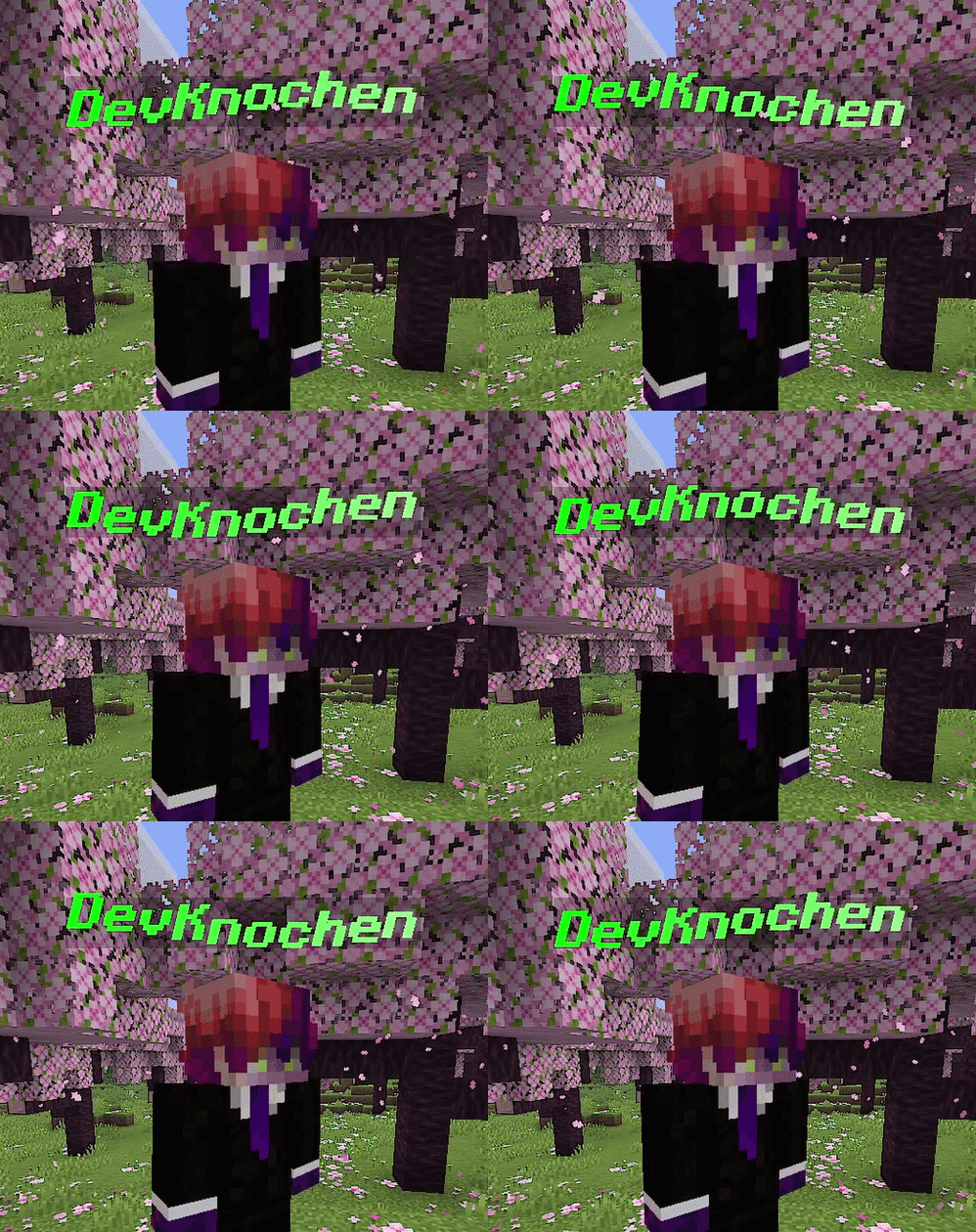
Why have a boring white name when you could have this?

Descriptive in Action

Colors. Formatting. Animations. Your name, your style.

⚠️ Project is now in Beta! Expect some bugs. ⚠️


🎨 Pick your color, any color

🟦 Solid — RGB sliders + live hex input. Fine tune your color to your liking.

🌈 Rainbow — Animated, cycling through every color.

🎨 Gradient — Two colors blended together.


✍️ Make it highlighted

Stack any combination of:

Bold · Italic · Underline · Strikethrough

Yes, you can select all four at once.


🎬 Add some movement

Animation How it looks
🏀 Bounce Bounce Animation
🌊 Wave Wave Animation
⚡ Glitch Glitch Animation
🕰️ Pendulum Pendelum Animation
💓 Pulse Pulse Animation
😵 Shake Shake Animation
🎷 Swing Swing Animation
🌀 Turbulence Turbulence Animation
〰️ Wiggle Wiggle Animation
🌅 Fade Fade Animation

Pick one animation, stack a few together, or enable them all. It's entirely up to you.

Fine-tune how fast everything plays with the speed slider. Anywhere from a 0.1× speed to an unhinged 5.0× speed.


✅ Works in Multiplayer

Here's how it works:

  • Server has Descriptive installed — your styled name is shown to everyone automatically, no extra setup needed.
  • Vanilla or unmodded server — Descriptive will ask if you want to connect to an external relay server so other Descriptive users can still see your name. This connection is opt-in, you can enable this function in the Descriptive Settings > Toggle Relay... Menu.

📥 Getting started

🎮 Minecraft Client

  1. Download Descriptive and the Fabric API.
  2. Drop it in your mods/ folder
  3. Boot up Minecraft
  4. Launch a world, press U or type /descriptive config and go customize!

🖥️ Minecraft Server

  1. Download Descriptive
  2. Drop it in your server's mods/ or plugins/ folder
  3. Start the server. You can allow or disallow players to use the mod in the descriptive-server.toml file

⚠️ Only download from Modrinth. Don't trust random sites!


🐛 Something broken?

Open an issue on GitHub. Describe your issue, include what version you're on, what other mods you have and any crash logs. We'll sort it out.


📩 Contact

Reach out to us at [email protected]


Enjoyed it? A ❤️ on Modrinth or a ⭐ on GitHub genuinely makes our day.

👥 Team & Contributors

DevKnochen
DevKnochen
Founder

⚙️ Compatibility

Environment
💻 Client-side
Loaders
bukkitfabricfoliapaperpurpurquiltspigot
Minecraft Versions
26.2

🔗 Links

Modrinth Page