Logo
MINECRAFTBIBLE
Items
Items

All game items

Blocks
Blocks

Building blocks

Mobs
Mobs

Creatures & monsters

Biomes
Biomes

World biomes

Structures
Structures

Generated structures

Recipes
Recipes

Crafting guides

Advancements
Advancements

Achievements

Loot Tables
Loot Tables

Drop rates

Tags
Tags

Item groupings

All Versions
View all data →
Capes
Cape ArchiveNEW

Browse rare Minecon capes, OptiFine capes, and custom capes from players worldwide

Browse

Player Database
Player DatabasePopular

Search any player

Skin Browser
Skin Browser

Browse & download skins

Cape Gallery
Cape GalleryNEW

Minecon & OptiFine capes

Seed Vault
Seed Vault

Curated seeds

Learn

Guides
GuidesNew

Tutorials & tips

Blog
Blog

News & updates

Community

Community Hub
Community HubHub

Posts, discussions & more

All Versions
View community →
Seed Analyzer
Seed Analyzer

World seed analysis

Loot Explorer
Loot Explorer

Drop rates

Crafting Calculator
Crafting Calculator

Material planning

Enchant Calculator
Enchant Calculator

Probability math

Redstone Lab
Redstone Lab

Signal timing

Trading Profit
Trading Profit

Villager ROI

All Versions
View all tools →
Mods
Mods

Browse all mods

Plugins
Plugins

Server plugins

Resource Packs
Resource Packs

Textures & sounds

Shaders
Shaders

Visual enhancements

Datapacks
Datapacks

World logic

Scanner
Mod Intelligence

Scan & analyze any mod

All Versions
View all mods →
Loading...
IntroductionIntroductionVersion HistoryVersion HistoryGuidesGuidesBlog & NewsBlog & News
ItemsItemsBlocksBlocksMobsMobsRecipesRecipesBiomesBiomesStructuresStructuresAdvancementsAdvancementsLoot TablesLoot TablesTagsTags
ModsModsPluginsPluginsResource PacksResource PacksShadersShadersDatapacksDatapacks

MinecraftBible

The Ultimate Wiki

Logo
MINECRAFTBIBLE

The ultimate Minecraft reference. Every item, block, mob, and recipe documented with precision.

Community

  • Skin Browser
  • Cape Gallery
  • Seed Vault
  • Blog
  • Guides

Database

  • Items
  • Blocks
  • Mobs
  • Recipes
  • Biomes
  • Structures

Tools

  • Seed Analyzer
  • Mod Intelligence
  • Crafting Calculator
  • Enchant Calculator

Mods & Packs

  • Mods
  • Plugins
  • Resource Packs
  • Shaders
  • Datapacks

Site & Legal

  • About
  • Authors
  • Editorial Policy
  • Corrections
  • Contact
  • Privacy Policy
  • Terms of Service
  • DMCA
  • Sitemap

© 2026 MinecraftBible. Not affiliated with Mojang or Microsoft.

PrivacyTermsContact
CraftyAI
PluginLicenseRef-All-Rights-Reserved

CraftyAI

A free, intelligent AI companion for Minecraft. Talk naturally, scan blocks, and more in chat!
378
Downloads
12
Followers
1 months ago
Updated
📦
16
Versions
socialtechnologyutilitybukkitfabricfoliaforgepaperpurpurspigot
Download Latestv1.2.0-betaView on Modrinth

📖About CraftyAI

banner


CraftyAI Logo

CraftyAI

AI companion for Minecraft

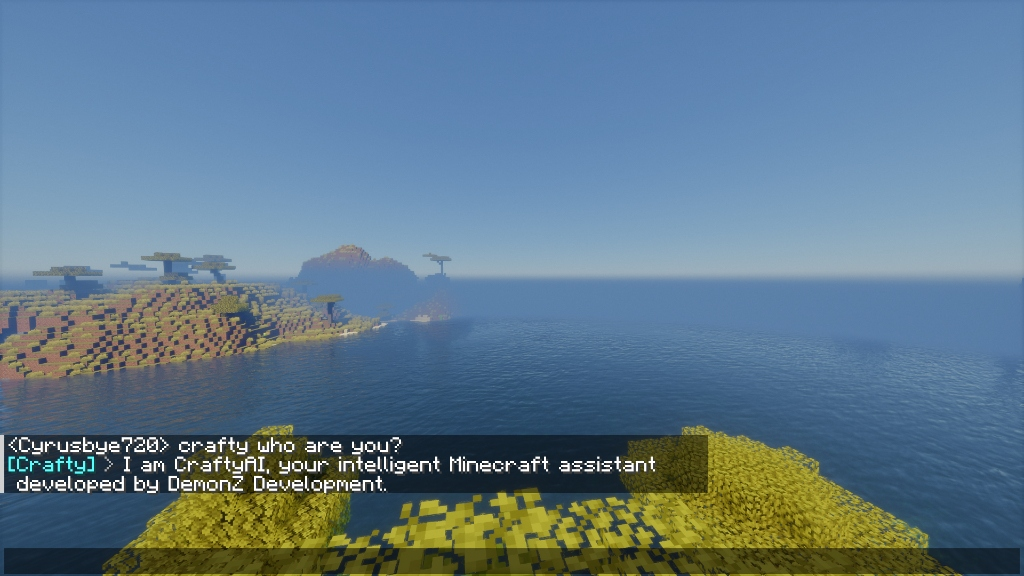
Talk to an AI in Minecraft chat. It answers questions, scans blocks, controls time and weather, gives items, and runs commands. Free to use.

Docs · Download · Features · Discord

CraftyAI is in beta. You may hit bugs or slow responses during peak hours. Report issues on our Discord server.


v1.2.0-beta ("Orion")

  • RAG Memory: The AI recalls past conversations across sessions using vector search.
  • Block Scanning: Ask the AI to scan nearby blocks and entities (up to 32 blocks out).
  • Scheduled & Delayed Tasks: Set recurring or one-shot actions. "Remind me to sleep in 5 minutes" or "Set weather to clear every hour".
  • Auto-Mint API Keys: Install the plugin. An API key generates automatically. No Discord required.
  • Custom Prompts (Pro): Change the AI's personality and behavior per server.
  • Server Linking: Connect your Minecraft server to your Discord account.

Features

In-Game AI Chat

  • Talk to AI in Minecraft chat
  • Configurable names and aliases
  • Typo-tolerant matching
  • Conversation memory across sessions
  • Per-player cooldowns and rate limits

CraftyAI Natural Chat

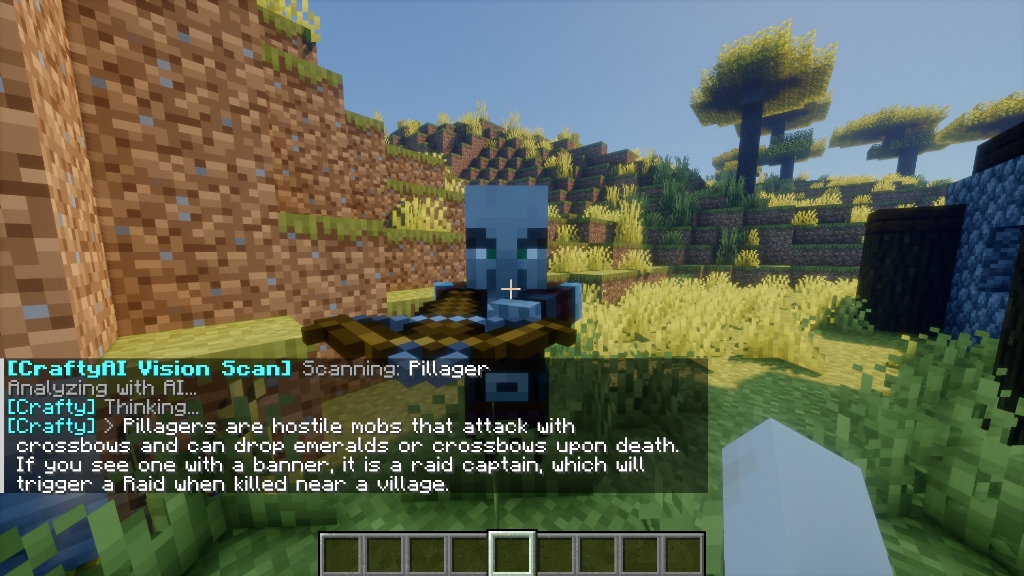
Vision Scanner

  • Scan blocks and entities around you
  • AI analyzes what you see
  • Reports biome, time, coordinates
  • Works with all entity and block types

CraftyAI Vision Scanner

AI Game Actions

  • Control time and weather
  • Heal and feed players
  • Change gamemodes
  • Give specific items
  • Run scheduled or delayed automations

Edge Infrastructure

  • Runs on Cloudflare edge servers worldwide
  • BYOK: bring your own Gemini API keys
  • Background vector memory pruning

Subscription Tiers

CraftyAI is free. Higher tiers add more capacity for large networks.

Tier RPM Requests/Day Tokens/Day Custom Prompts
Free 30 100 50K No
Starter 100 1,000 500K No
Pro 200 5,000 2.5M 1 change/24h
Enterprise 500 100,000 10M Yes

Platform Support

Plugin (Server-Side)

Platform Versions Status
Spigot 1.8 → 1.21+ Full Support
Paper 1.8 → 1.21+ Full Support
Folia 1.19+ Async Scheduling
Purpur 1.16+ Full Support

Mod (Client/Server)

Platform Versions Status
Fabric 1.20.4 – 1.21.1 & 26.x Full Support
Quilt 1.20.4 – 1.20.6 Fabric-Compatible
Forge 1.20.4 – 1.20.6 Full Support

(Fabric requires craftyai-fabric for 1.20.x–1.21.1, craftyai-fabric-26 for MC 26.x)


Quick Setup

Plugin (Spigot/Paper/Folia/Purpur)

  1. Download craftyai-spigot-1.2.0-beta.jar from Modrinth
  2. Drop it in plugins/ and start the server
  3. and start chatting.

Mod (Fabric/Forge)

  1. Download from Modrinth and place in mods/
  2. Fabric users: Install Fabric API
  3. Launch Minecraft
  4. chat.

Commands & Permissions

Command Description Permission
/crafty Plugin info and status crafty.chat
/crafty status Connection diagnostics crafty.chat
/crafty reload Reload configuration crafty.admin
/crafty learn Q | A Teach the AI new knowledge crafty.admin
/crafty test Test AI connection crafty.chat
/crafty apikey Generate a new API key crafty.admin
/crafty pro status Show current tier and expiry crafty.chat
/crafty pro redeem <key> Redeem a Pro key from Discord crafty.chat
/crafty pro help How to get a Pro key crafty.chat
/crafty link Link server to Discord crafty.chat
/crafty prompt view View custom prompt crafty.chat
/crafty prompt set <text> Set custom prompt (Pro) crafty.admin
/crafty prompt reset Reset prompt (Pro) crafty.admin

Grant crafty.actions to let the AI run in-game commands and actions.


Transparency & Privacy

  • Edge Network: Chat is processed on our Cloudflare edge servers. We don't sell chat history.
  • BYOK: Bring your own Gemini API keys for full data isolation.
  • Closed Source Backend: The server-side code is closed source. Plugins communicate over HTTPS.

Remote Connections:

  • AI Endpoint: Connects to craftyai-gateway.craftyauth.workers.dev when a player chats. Sends game context, API key, and Session ID.
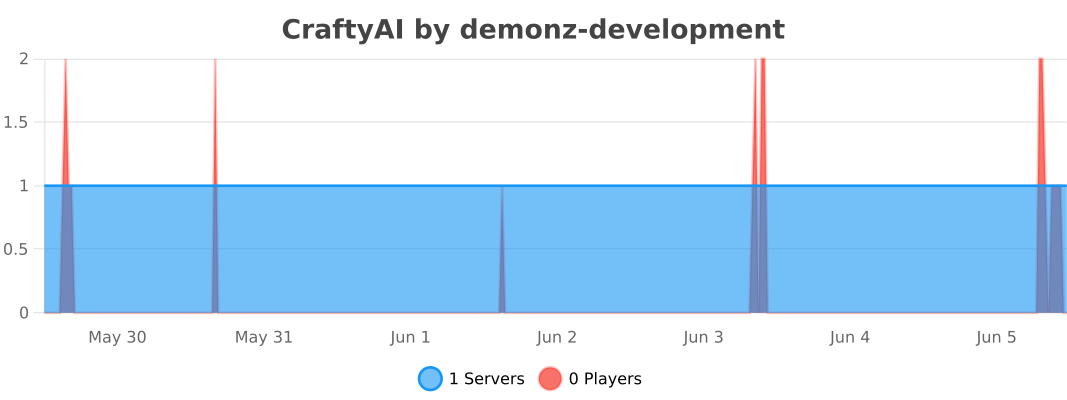
  • Telemetry: Sends anonymous heartbeats with request counts. Disable with enable_metrics: false (Plugin) or telemetry_enabled: false (Mod).
bStats

Found a Bug?

Open a ticket on our Discord server.


Sponsored by Nexeu Hosting

nexeu-sponsor

High-performance, affordable hosting for your Minecraft server. Premium hardware, instant setup, 24/7 support.

Get hosting at nexeu.zip


Built by DemonZ Development


CraftyAI is not affiliated with Mojang, Microsoft, or Minecraft.
👥 Team & Contributors

No authors recorded.

⚙️ Compatibility

Environment
❓ Unknown
Loaders
bukkitfabricfoliaforgepaperpurpurspigot
Minecraft Versions
1.20.41.20.51.20.61.211.21.11.21.21.21.31.21.4+7 more

🔗 Links

Modrinth Page