

CoreCaseX
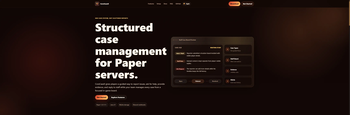
CoreCaseX is a Paper plugin for structured staff case management, guided player reports, inventory-based staff workflows, SQLite case history, and optional Discord webhook notifications.
📖About CoreCaseX
CoreCaseX
CoreCaseX is a Paper-only staff case management plugin for Minecraft servers. It gives players a guided way to open support cases, report issues, provide context, and reply to staff, while giving staff an in-game workflow for triage, assignment, replies, notes, resolutions, and Discord notifications.
The goal is simple: server support should feel organized without forcing staff to manage everything through chat scrollback, screenshots, Discord DMs, or scattered ticket notes.
This page is a commercial-style feature overview. Exact config keys, defaults, limits, and operational details are documented at https://icewolf23x.github.io/CoreCaseX-website/
What CoreCaseX Does
- Adds structured player support cases.
- Includes five built-in case types: support requests, player reports, bug reports, lost items, and grief/theft reports.
- Uses inventory GUIs as the main in-game interface.
- Uses Paper Dialogs for typed input such as descriptions, replies, notes, and resolution text.
- Gives players a case list, case detail views, and reply flow.
- Gives staff a case board with filters, paginated lists, and detailed case sections.
- Supports claim, assign/reassign, priority changes, status changes, internal notes, staff replies, info requests, resolve, reject, archive, and teleport actions.
- Stores case history, replies, notes, evidence, resolutions, and timeline events in SQLite.
- Supports evidence visibility rules for player-visible, staff-only, and sensitive evidence.
- Supports in-game staff notifications and optional Discord webhook notifications.
- Includes configurable case types, messages, inventory menu text, Dialog input text, permissions, and storage settings.
How To Use
Install the jar on a Paper server, start the server, and let CoreCaseX generate its default files.
Players use /case to open the main menu, create a case, view their own cases, and reply when staff need more information.
Staff use /case board or the staff tools menu to browse cases, claim or assign work, inspect evidence, add notes, reply to players, request more information, resolve or reject cases, and archive finished cases.
Case Types
CoreCaseX ships with five focused workflows:
- Support Request for general help.
- Player Report for reporting another player with a reason and description.
- Bug Report for technical or gameplay issues.
- Lost Items for missing items, death issues, or recovery requests.
- Grief / Theft for location-based incidents, suspicious edits, griefing, or theft.
Each case type can be enabled or disabled and can have its own default priority and location collection behavior.
Staff Workflow
CoreCaseX is designed around a real staff workflow instead of one-off reports.
Staff can filter cases by all open, unassigned, assigned to me, high/urgent, waiting player, waiting staff, recent closed, or archived.
Case details are split into readable sections for overview, description, evidence, conversation, internal notes, and resolution information. Staff actions are permission-controlled and rechecked before workflow changes are applied.
Discord And Notifications
CoreCaseX includes optional Discord webhook output for important case events.
Supported events include case creation, urgent cases, claim, assignment, status changes, priority changes, player replies, info requests, staff replies, resolution, and rejection.
Discord delivery is best-effort: invalid webhook URLs, send failures, and non-2xx responses are logged without blocking the actual case workflow.
Current State
CoreCaseX currently:
- supports Paper 1.21.11 and above
- requires Java 21 or newer
- works as a standalone Paper plugin
- uses local SQLite storage
- does not require MySQL
- does not require Vault
- does not require PlaceholderAPI
- does not require a web dashboard
- does not require a Discord bot
- keeps Discord integration optional through webhooks
Summary
CoreCaseX is built for servers that want player support and staff moderation work to be structured, visible, and manageable directly in-game.
It is a focused case system for Paper servers: players submit issues through guided menus, staff handle them through a staff board, and the full history stays attached to the case instead of getting lost in chat or Discord.
Also try
 CoreToolsX |
 CoreArmorX |
 CoreChatX |
 CoreCaseX |
 CoreExtractionX |