
PluginCC-BY-NC-ND-4.0
CookieGUI
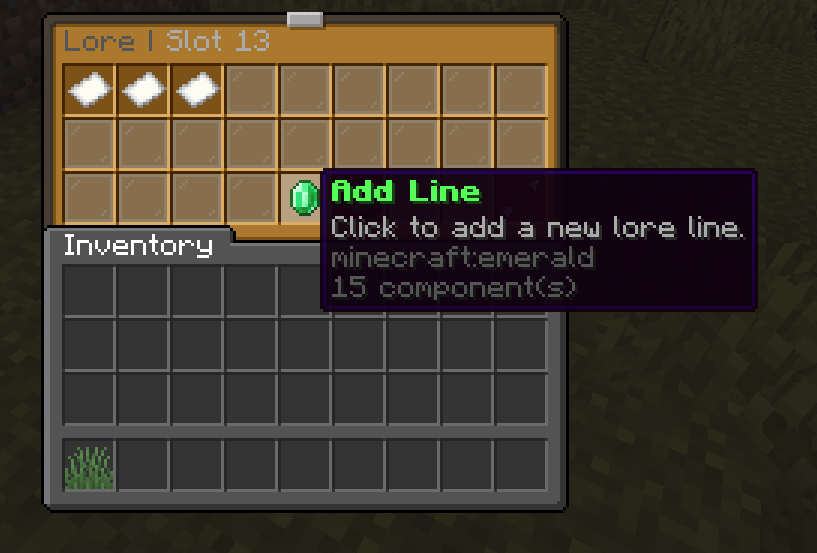
An Free and simple GUI maker plugin that supports Placeholderapi, color codes and so on (Also includes in game gui editor)
251
Downloads
1
Followers
2 months ago
Updated
📦
4
Versions
📖About CookieGUI
CookieGUI
Version: 1.2.5
CookieGUI is a simple GUI plugin made for making GUIs kinda easy to make while not paying for a plugin. CookieGUI supports PlaceholderAPI, Color Codes, and much more you can add actions to things, and you can make multiple GUIs and a lot more
Features
- In-game GUI Creation: Create and edit GUIs without editing any config files
- Multiple Actions: Assign multiple actions to GUI items
- Dynamic Content: Use PlaceholderAPI variables to create dynamic GUIs
- Conditional Logic: Create complex behavior with if statements
- Material Placeholders: Use placeholders for materials that can change dynamically
- Built-in Placeholders: Multiple built-in placeholders for player information (as also stated in Dynamic Content)
- Color Code Support: Add color to your GUI titles and messages
- Multiple Action Types: Console commands, player commands, messages, broadcasts, sounds, and more
- Hot Reload: Reload GUI configurations without restarting the server
Dependencies
- Optional: PlaceholderAPI (for using placeholders in GUIs)
Commands
Main Commands
/gui create <name> <title> [size]- Create a new GUI/gui edit <name>- Edit an existing GUI/gui delete <name>- Delete a GUI/gui list- List all available GUIs/gui reload- Reload all GUI configurations from disk/gui show <name>- Shows a GUI (also called opening a GUI)
Editing Commands
/gui edit <name> <slot> item <material>- Set an item in a slot/gui edit <name> <slot> name <display_name>- Set the display name of an item/gui edit <name> <slot> lore add <text>- Add a line of lore to an item/gui edit <name> <slot> lore set <line> <text>- Set a specific line of lore/gui edit <name> <slot> lore clear- Clear all lore from an item/gui edit <name> <slot> action add <type> <value>- Add an action to an item/gui edit <name> <slot> action remove <type|line>- Remove an action from an item/gui edit <name> <slot> action list- List all actions on an item/gui edit <name> <slot> clear- Clear a slot
Action Types
console: Run a command as console
- Example:
/gui edit test 0 action add console give [player] diamond 64
- Example:
player: Run a command as the player
- Example:
/gui edit test 0 action add player spawn
- Example:
message: Send a message to the player
- Example:
/gui edit test 0 action add message &aWelcome to the server!
- Example:
broadcast: Broadcast a message to all players
- Example:
/gui edit test 0 action add broadcast &e[player] used a special item!
- Example:
sound: Play a sound to the player
- Example:
/gui edit test 0 action add sound ENTITY_PLAYER_LEVELUP:1.0:1.0
- Example:
close: Close the inventory
- Example:
/gui edit test 0 action add close
- Example:
open: Open another GUI
- Example:
/gui edit test 0 action add open other_menu - Open for another player:
/gui edit test 0 action add open other_menu:Steve
- Example:
if: Conditional action based on variables
- Format:
if:<variable>:<operator>:<value>:<then_action>:[<else_action>] - Example:
/gui edit test 0 action add if permission equals vip.access console give [player] diamond message You need VIP!
- Format:
Operators for If Statements
- equals or ==: Check if values are equal
- !equals or !=: Check if values are not equal
- contains: Check if one value contains another
- !contains: Check if one value does not contain another
- startswith: Check if a value starts with another
- endswith: Check if a value ends with another
- >: Greater than (numeric comparison)
- <: Less than (numeric comparison)
- >=: Greater than or equal (numeric comparison)
- <=: Less than or equal (numeric comparison)
Special Values
- [player]: Automatically replaced with the player's name
- & color codes: Used for colored text (e.g., &a for green)
- %placeholder%: Any PlaceholderAPI placeholder
Example
Create dynamic items with PlaceholderAPI:
/gui create stats &8Stats 54
/gui edit stats 0 item player_head
/gui edit stats 0 name &e%player_name%'s Stats
/gui edit stats 0 lore add &7Kills: &f%statistic_player_kills%
/gui edit stats 0 lore add &7Deaths: &f%statistic_deaths%
/gui edit stats 0 lore add &7K/D Ratio: &f%math_kills_div_deaths%
Permissions
- cookiegui.command: Access to the base /gui command (default: op)
- cookiegui.admin: Full access to all plugin commands and features (default: op)
- Includes all permissions below
- cookiegui.create: Permission to create new GUIs (default: op)
- cookiegui.edit: Permission to edit existing GUIs (default: op)
- cookiegui.delete: Permission to delete GUIs (default: op)
- cookiegui.list: Permission to list all available GUIs (default: op)
- cookiegui.show: Permission to show GUIs to yourself (default: op)
- cookiegui.show.others: Permission to show GUIs to other players (default: op)
- cookiegui.reload: Permission to reload GUI configurations from disk (default: op)
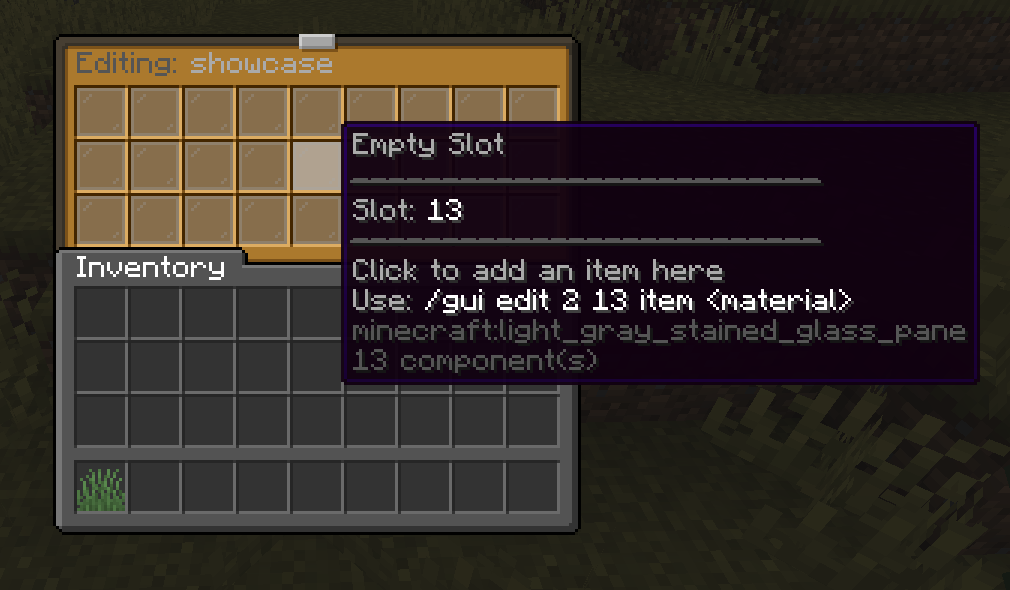
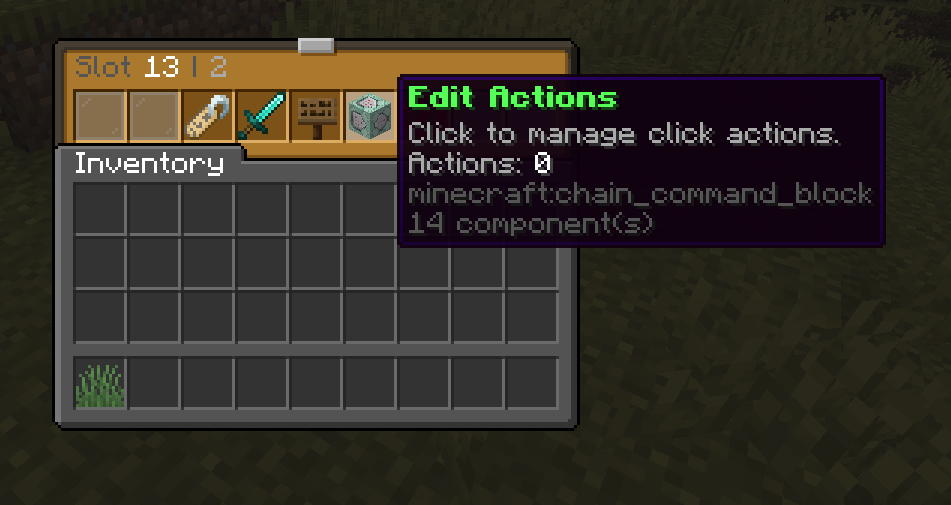
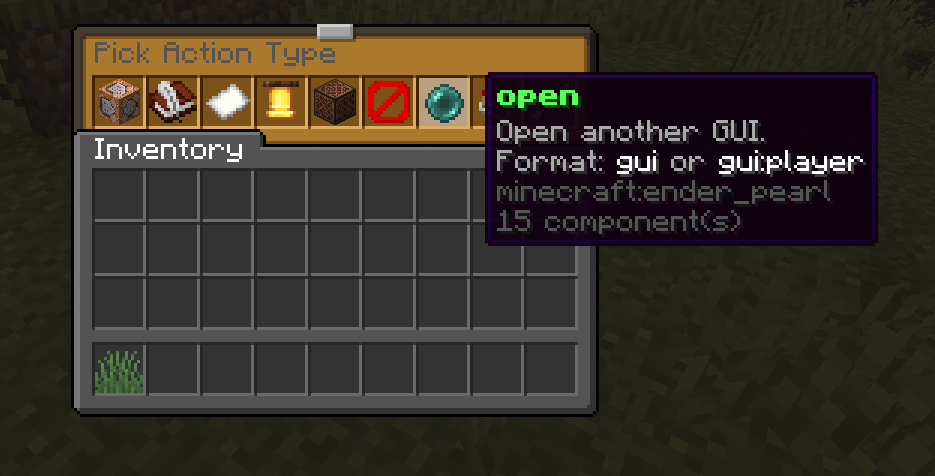
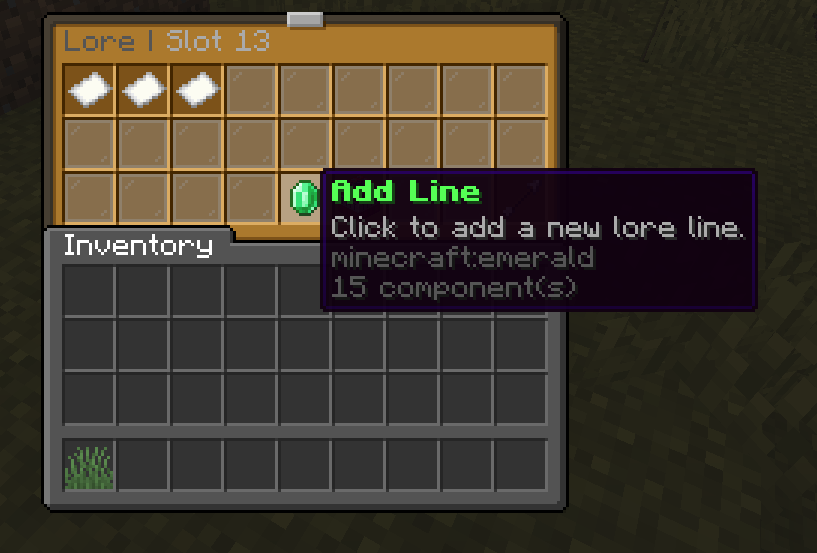
In game GUI editor