Logo
MINECRAFTBIBLE
Items
Items

All game items

Blocks
Blocks

Building blocks

Mobs
Mobs

Creatures & monsters

Biomes
Biomes

World biomes

Structures
Structures

Generated structures

Recipes
Recipes

Crafting guides

Advancements
Advancements

Achievements

Loot Tables
Loot Tables

Drop rates

Tags
Tags

Item groupings

All Versions
View all data →
Capes
Cape ArchiveNEW

Browse rare Minecon capes, OptiFine capes, and custom capes from players worldwide

Browse

Player Database
Player DatabasePopular

Search any player

Skin Browser
Skin Browser

Browse & download skins

Cape Gallery
Cape GalleryNEW

Minecon & OptiFine capes

Seed Vault
Seed Vault

Curated seeds

Learn

Guides
GuidesNew

Tutorials & tips

Blog
Blog

News & updates

Community

Community Hub
Community HubHub

Posts, discussions & more

All Versions
View community →
Seed Analyzer
Seed Analyzer

World seed analysis

Loot Explorer
Loot Explorer

Drop rates

Crafting Calculator
Crafting Calculator

Material planning

Enchant Calculator
Enchant Calculator

Probability math

Redstone Lab
Redstone Lab

Signal timing

Trading Profit
Trading Profit

Villager ROI

All Versions
View all tools →
Mods
Mods

Browse all mods

Plugins
Plugins

Server plugins

Resource Packs
Resource Packs

Textures & sounds

Shaders
Shaders

Visual enhancements

Datapacks
Datapacks

World logic

Scanner
Mod Intelligence

Scan & analyze any mod

All Versions
View all mods →
Loading...
IntroductionIntroductionVersion HistoryVersion HistoryGuidesGuidesBlog & NewsBlog & News
ItemsItemsBlocksBlocksMobsMobsRecipesRecipesBiomesBiomesStructuresStructuresAdvancementsAdvancementsLoot TablesLoot TablesTagsTags
ModsModsPluginsPluginsResource PacksResource PacksShadersShadersDatapacksDatapacks

MinecraftBible

The Ultimate Wiki

Logo
MINECRAFTBIBLE

The ultimate Minecraft reference. Every item, block, mob, and recipe documented with precision.

Community

  • Player Database
  • Skin Browser
  • Cape Gallery
  • Community Hub
  • Seed Vault

Database

  • Items
  • Blocks
  • Mobs
  • Recipes
  • Biomes
  • Structures

Tools

  • Seed Analyzer
  • Mod Intelligence
  • Crafting Calculator
  • Enchant Calculator

Mods & Packs

  • Mods
  • Plugins
  • Resource Packs
  • Shaders
  • Datapacks

© 2026 MinecraftBible. Not affiliated with Mojang or Microsoft.

PrivacyTermsContact
Compost Manager
PluginMIT

Compost Manager

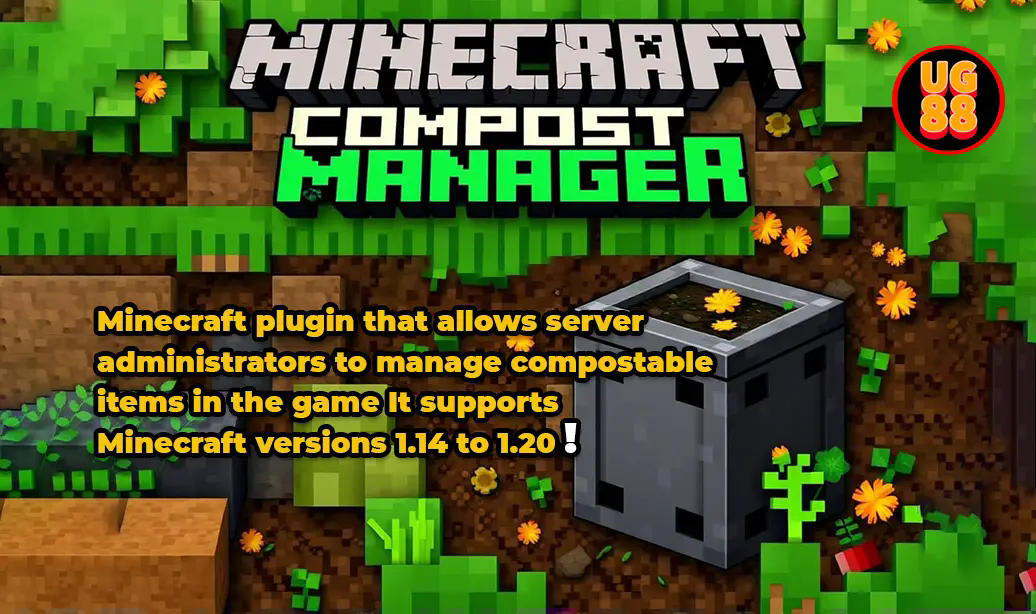
A Minecraft plugin that lets you customize which items can be composted, their success rates, and bonus bone meal drops for Minecraft 1.14+.
64
Downloads
1
Followers
1 years ago
Updated
📦
1
Versions
adventuregame-mechanicsutilitybukkitpaperspigot
Download Latestv1.0View on Modrinth

📖About Compost Manager

Compost Manager

Overview

CompostManager is a Minecraft plugin that allows server administrators to manage compostable items in the game. It supports Minecraft versions 1.14 and above (when composters were added).

Features

Version-Specific Support

  • Automatically detects server version
  • Loads only items available in that version
  • Prevents errors with items from newer versions

Item Managemen

  • Add custom compostable items
  • Edit existing items
  • Remove custom items
  • View all compostable items
  • Configure composting chance and fill amounts

Bonus Bone Meal System

  • Configurable bonus bone meal drops
  • Multiple bonus types:
  • Random bonus
  • High chance bonus
  • High fill bonus
  • Customizable amounts and chances

Commands

Command Description Permission
/compost add Add a new compostable item compostmanager.command.add
/compost edit Edit existing item compostmanager.command.edit
/compost remove Remove a custom item compostmanager.command.remove
/compost list Show all compostable items compostmanager.command.list
/compost reload Reload configuration compostmanager.command.reload

Parameters

  • chance: 0.0 to 1.0 (Example: 0.65 = 65% chance)
  • fill: 1 to 7 (Amount added to composter level)

Configuration

# Main Settings
use-default-items: true  # Use vanilla Minecraft items
version:
  auto-add-new-items: true  # Add new items automatically
  show-version-warnings: true  # Show warnings about version compatibility

# Bonus Bone Meal Settings
bonus-bone-meal:
  enabled: true
  base-amount: 1
  max-amount: 5
  
  random-bonus:
    enabled: true
    max-bonus: 2
    chance-multiplier: 0.5
    
  high-chance-bonus:
    enabled: true
    required-chance: 0.85
    bonus-chance: 0.3
    bonus-amount: 1
    
  high-fill-bonus:
    enabled: true
    required-fill: 5
    bonus-chance: 0.3
    bonus-amount: 1

Default Items

  • 30% chance items: Seeds, leaves, grass, etc.
  • 50% chance items: Dried kelp block, melon slice, etc.
  • 65% chance items: Food items, mushrooms, etc.
  • 85% chance items: Baked foods, hay block, etc.
  • 100% chance items: Cake, pumpkin, etc.

Custom Ingame Items

  • Stored in custom-items section of config
  • Persist through server restarts
  • Can be added/removed/edited in-game

Permissions

compostmanager.admin:
  description: Access to all commands
  children:
    compostmanager.command.add: true
    compostmanager.command.edit: true
    compostmanager.command.remove: true
    compostmanager.command.reload: true
    compostmanager.command.list: true

Installation

  1. Place plugin JAR in plugins folder
  2. Start/restart server
  3. Edit config.yml if needed
  4. Use /compost commands to manage items

Notes

  • Requires Minecraft 1.14 or higher
  • Changes save automatically
  • Tab completion available for all commands
  • Supports all vanilla compostable items
  • Custom items persist through restarts

Support

For support, please visit our Discord Server on issue for any bugs or feature requests.

👥 Team & Contributors

UG88
UG88Owner

⚙️ Compatibility

Environment
🖥️ Server-side
Loaders
bukkitpaperspigot
Minecraft Versions
1.141.14.11.14.21.14.31.14.41.151.15.11.15.2+23 more

🔗 Links

Modrinth Page