Logo
MINECRAFTBIBLE
Items
Items

All game items

Blocks
Blocks

Building blocks

Mobs
Mobs

Creatures & monsters

Biomes
Biomes

World biomes

Structures
Structures

Generated structures

Recipes
Recipes

Crafting guides

Advancements
Advancements

Achievements

Loot Tables
Loot Tables

Drop rates

Tags
Tags

Item groupings

All Versions
View all data →
Capes
Cape ArchiveNEW

Browse rare Minecon capes, OptiFine capes, and custom capes from players worldwide

Browse

Player Database
Player DatabasePopular

Search any player

Skin Browser
Skin Browser

Browse & download skins

Cape Gallery
Cape GalleryNEW

Minecon & OptiFine capes

Seed Vault
Seed Vault

Curated seeds

Learn

Guides
GuidesNew

Tutorials & tips

Blog
Blog

News & updates

Community

Community Hub
Community HubHub

Posts, discussions & more

All Versions
View community →
Seed Analyzer
Seed Analyzer

World seed analysis

Loot Explorer
Loot Explorer

Drop rates

Crafting Calculator
Crafting Calculator

Material planning

Enchant Calculator
Enchant Calculator

Probability math

Redstone Lab
Redstone Lab

Signal timing

Trading Profit
Trading Profit

Villager ROI

All Versions
View all tools →
Mods
Mods

Browse all mods

Plugins
Plugins

Server plugins

Resource Packs
Resource Packs

Textures & sounds

Shaders
Shaders

Visual enhancements

Datapacks
Datapacks

World logic

Scanner
Mod Intelligence

Scan & analyze any mod

All Versions
View all mods →
Loading...
IntroductionIntroductionVersion HistoryVersion HistoryGuidesGuidesBlog & NewsBlog & News
ItemsItemsBlocksBlocksMobsMobsRecipesRecipesBiomesBiomesStructuresStructuresAdvancementsAdvancementsLoot TablesLoot TablesTagsTags
ModsModsPluginsPluginsResource PacksResource PacksShadersShadersDatapacksDatapacks

MinecraftBible

The Ultimate Wiki

Logo
MINECRAFTBIBLE

The ultimate Minecraft reference. Every item, block, mob, and recipe documented with precision.

Community

  • Skin Browser
  • Cape Gallery
  • Seed Vault
  • Blog
  • Guides

Database

  • Items
  • Blocks
  • Mobs
  • Recipes
  • Biomes
  • Structures

Tools

  • Seed Analyzer
  • Mod Intelligence
  • Crafting Calculator
  • Enchant Calculator

Mods & Packs

  • Mods
  • Plugins
  • Resource Packs
  • Shaders
  • Datapacks

Site & Legal

  • About
  • Authors
  • Editorial Policy
  • Corrections
  • Contact
  • Privacy Policy
  • Terms of Service
  • DMCA
  • Sitemap

© 2026 MinecraftBible. Not affiliated with Mojang or Microsoft.

PrivacyTermsContact
CompassLocator
PluginLicenseRef-All-Rights-Reserved

CompassLocator

Displays coordinates, direction, biome and locator bar while holding a compass. Compass ∙ Death Compass ∙ Locator Bar ∙ Lodestone

113
Downloads
4
Followers
1 months ago
Updated
📦
6
Versions
adventuregame-mechanicssocialbukkitfoliapaperpurpurspigot
Download Latestv3.5.1View on Modrinth

📖About CompassLocator

CompassLocator Banner

Version
Minecraft
Platform
Java

Modrinth
Side
Telegram


📌 What is this?

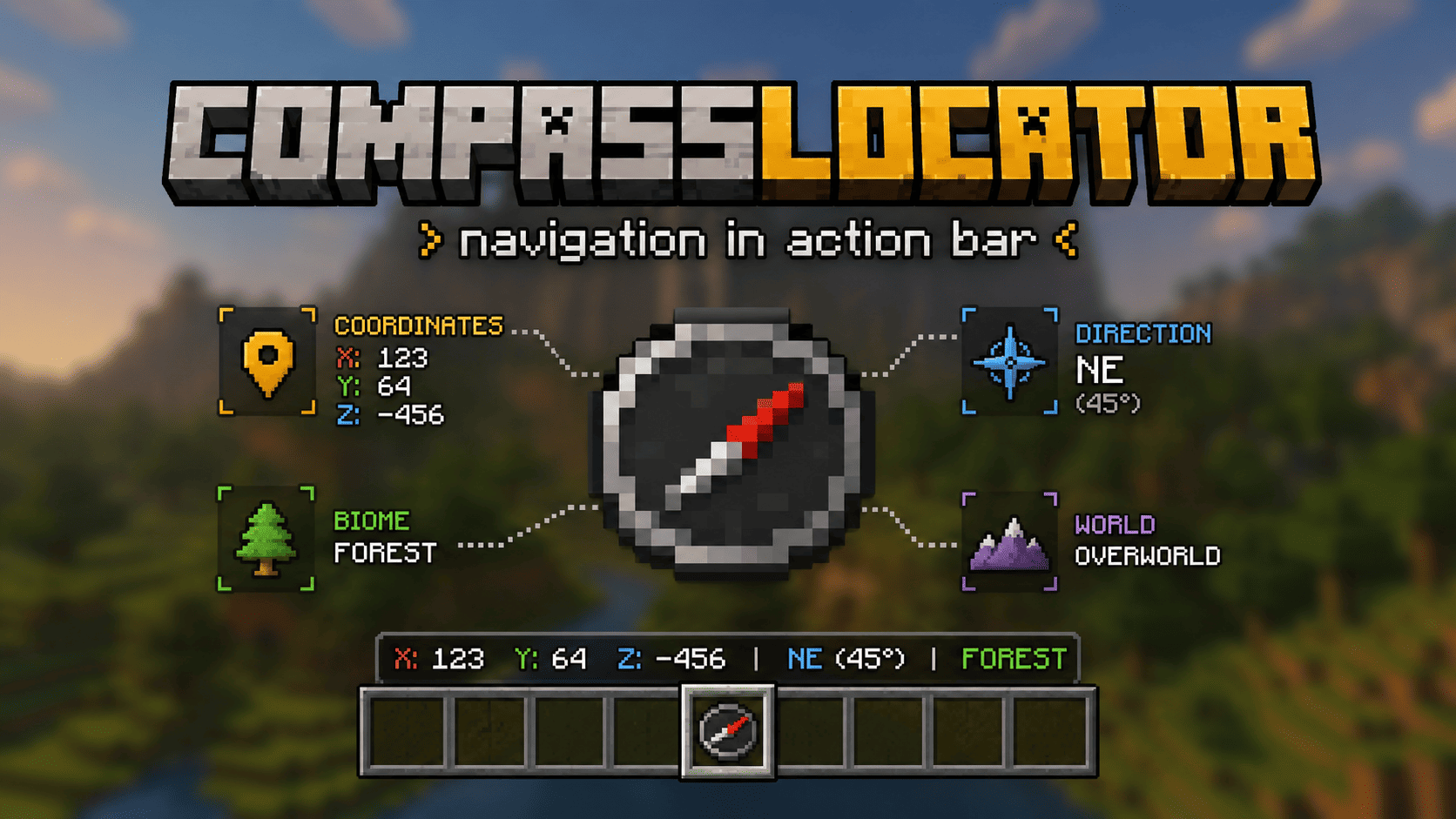
CompassLocator is a plugin that adds useful compass information directly to the action bar.

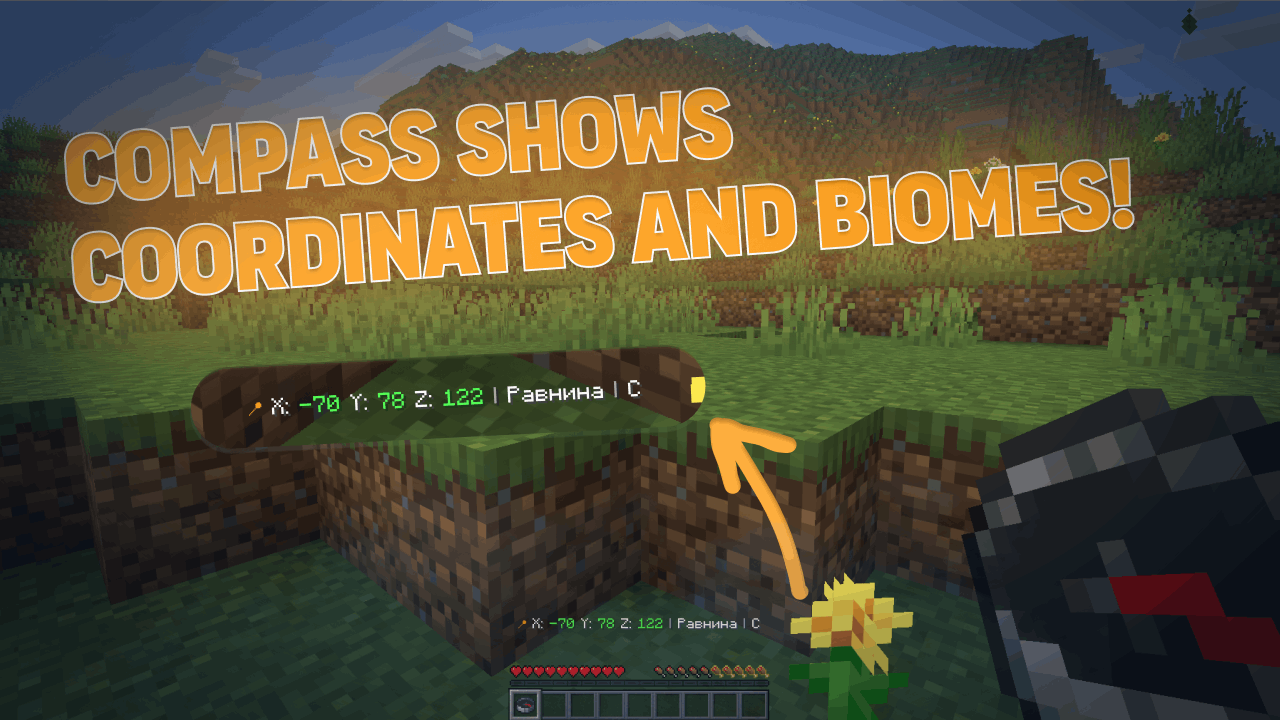
No more opening F3. Just hold a compass and see:

  • where you are
  • which direction you're facing
  • what biome you're in
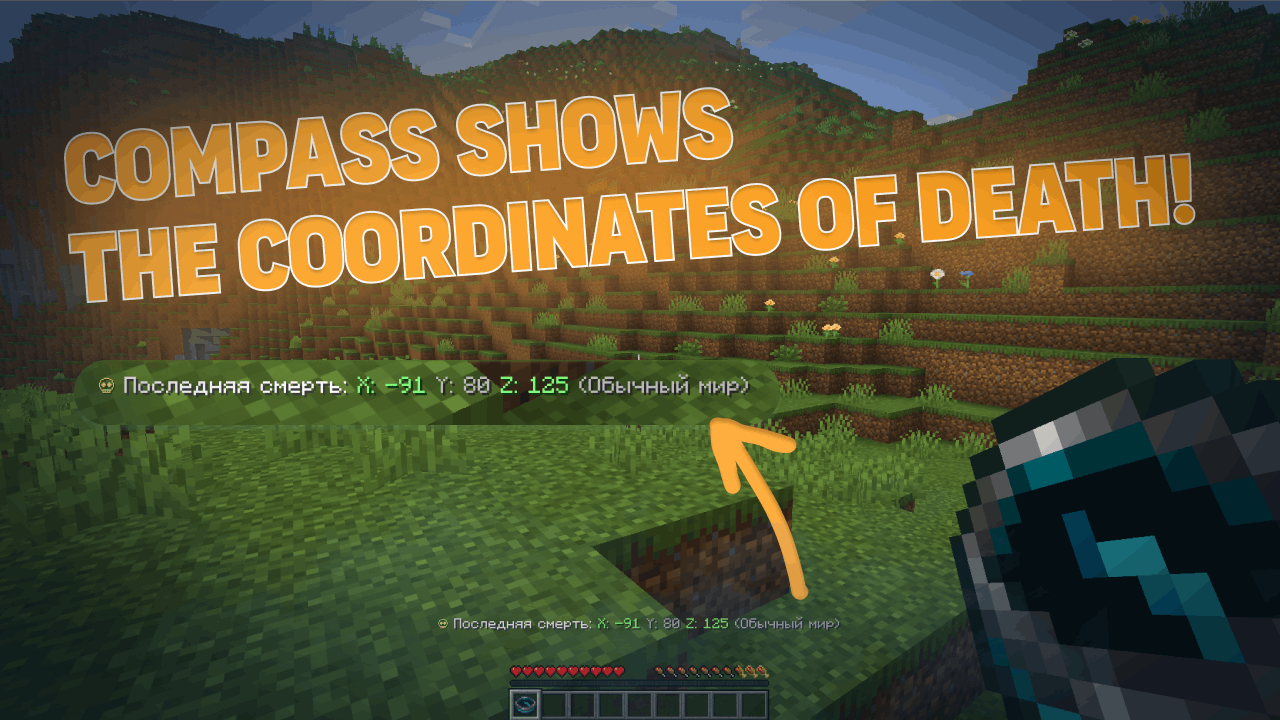
  • where you died last time

✨ What does the compass show?

Normal Compass

  • Coordinates (adjustable precision — integer or decimal)
  • Current biome
  • Cardinal direction (North/South or N/S — as you prefer)
  • Time of day (optional)
  • World name (optional)
  • If the compass is linked to a lodestone — shows lodestone coordinates

Recovery Compass

  • Where you last died (coordinates)
  • Which world
  • Time since death
  • Distance to death location

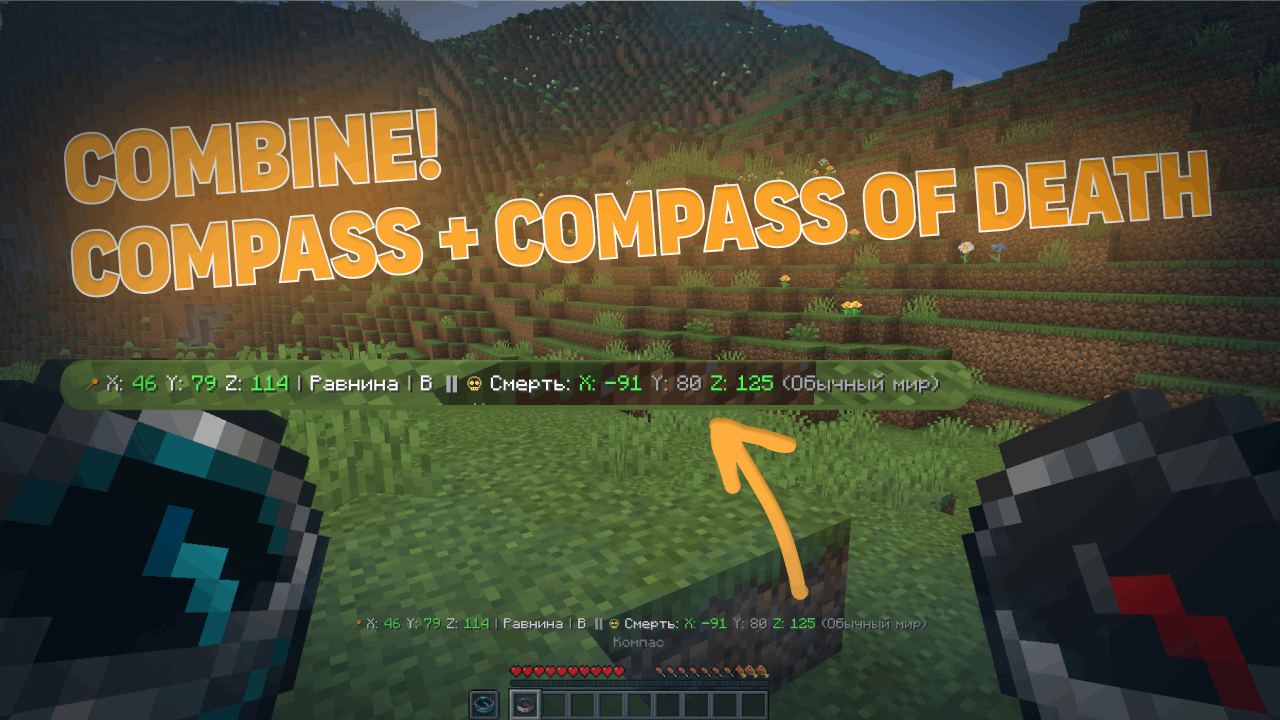
Combined Mode

  • Hold a normal compass in one hand and a recovery compass in the other
  • The action bar shows information from both at once

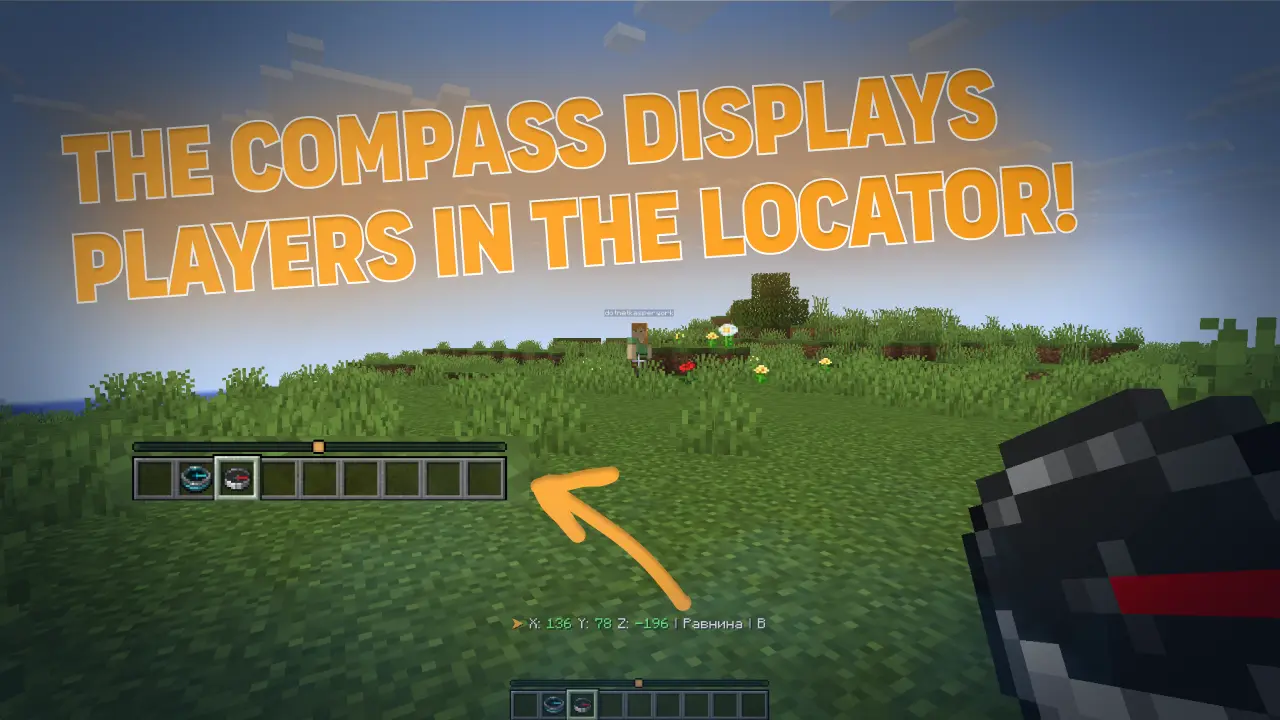
📡 Locator Bar (for 1.21.6+)

With a normal compass in hand, you can see other players on the radar (like a minimap). Range is configurable — up to the entire world.


🖼️ Screenshots

Normal Compass Recovery Compass Combined Mode Locator Bar

🎮 For Players

  • Works right out of the box — just hold a compass
  • Information only appears when you're holding a compass
  • No need to download anything on the client (except for Locator Bar — that requires Minecraft 1.21.6+)
  • Recovery compass shows the way to your items after death

🛠 For Server Admins

The plugin is highly configurable via config.yml:

  • Which information is shown (coordinates, biome, direction, world, time)
  • Coordinate precision (integer or decimal)
  • Short or full cardinal directions
  • Action bar update frequency
  • Who is visible in Locator Bar (everyone / only compass holders)
  • Enable/disable any module
  • Language (Russian, English, or auto-detect)
  • And much more

📥 Installation

  1. Download the .jar file
  2. Put it in your plugins/ folder
  3. Restart the server
  4. Done! (Optionally, edit config.yml)

⚙️ Requirements

  • Minecraft 1.21+
  • Paper / Spigot / Purpur (or compatible forks)
  • Java 21

Locator Bar requires Minecraft 1.21.6+ on the client.


🔄 There's also a client mod version!

A separate client-side mod for Fabric and Forge on Minecraft 1.21.6 — 26.1.2.

Functionality will differ from the plugin (client-side capabilities are broader). Details — after release.

👉 CompassLocator — Mod Version


❓ FAQ

Do I need to install anything on the client? No. The plugin runs on the server. For Locator Bar, you need Minecraft 1.21.6+ on the client. Does the compass work in both hands? Yes, you can hold it in either hand. Both are checked. What if the compass is linked to a lodestone? The plugin will show lodestone coordinates after your own coordinates. If the lodestone is broken, you can configure it to show the last known coordinates. Does the recovery compass drop on death? Configurable. If you enable the option, the compass stays in your inventory even on death (when keepInventory is disabled). What's the difference between the mod and the plugin? The plugin is for the server, the mod is for the client. Functionality is similar but the mod has access to more client-side features.

🔗 Links

Modrinth
Telegram


© 2026 kasperoid — All Rights Reserved

👥 Team & Contributors

kasperoid
kasperoidOwner

⚙️ Compatibility

Environment
🖥️ Server-side
Loaders
bukkitfoliapaperpurpurspigot
Minecraft Versions
1.21.61.21.71.21.81.21.91.21.101.21.1126.126.1.1+2 more

🔗 Links

Modrinth Page