

Comparator
The AI agent built for Minecraft
📖About Comparator

The AI agent built for Minecraft.







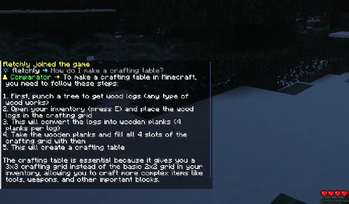
Comparator brings a fully conversational AI agent to your Paper server; with multi-turn memory, built-in tools, and an API to extend it on your own.
Features
🤖 Conversational AI Agent
Embed a fully conversational AI agent directly into your Minecraft server. Comparator maintains context across messages for natural, coherent dialogue; not just one-shot responses.
🔧 Built-In Tools
The agent can to more than just chat. Comparator ships with several built-in tools the AI can invoke to give accurate, grounded answers:
| Tool | Description |
|---|---|
| Web Search | Searches the web for up-to-date information, so the agent isn't limited to its training data |
| Current Date | Retrieves the current date, helping the agent reason about how recent its knowledge is |
| Game Version | Fetches the server's running Minecraft version so answers are version-accurate |
| Player Info | Retrieves the player's surroundings, inventory, nearby entities, biome, game mode, and what they're looking at. This enables contextual in-game assistance |
🌐 Embedded Web Panel
Comparator includes a built-in web panel served directly from the plugin via an embedded server. It gives server admins a live view into conversations, tool runs, and registered tools with real-time updates. No separate deployment needed; just configure the host and port in comparator.conf and run /comparator panel start to launch it.
🧩 Extensible Tool API
Third-party plugins can register their own tools using the Comparator API. Defining a tool is as simple as annotating a function:
@ToolFunction("give_item", "Gives an item to the requesting player")
suspend fun giveItem(
    @ToolParameter("The item to give") item: String,
    context: ToolContext
): GiveResult {
    val player = context.bukkitPlayer ?: throw ToolException("No player context", null)
    // ...
}

// Register during ToolRegistrationEvent
event.registry.register(tool(::giveItem))
The API handles parameter validation, type checking, serialization, and error reporting automatically. See the API docs for full details.
🔒 Designed for Responsible AI Use
Comparator was built with safety and transparency in mind. This sets it apart from plugins that simply wrap an AI API with no guardrails:
- Permission-gated access — All commands and public chat interactions respect Bukkit permissions, giving server admins fine-grained control over who can use the agent and who can manage it.
- Configurable system prompt — The agent's behavior, persona, and constraints are fully configurable. The default prompt explicitly instructs the agent to stay on-topic, avoid fabricating information, and flag when its knowledge may be outdated.
- Context scoping — Conversations are isolated per-player, per-console, and for public chat. A player cannot read or pollute another player's conversation history.
- Automatic context expiry — Conversation history expires after a configurable period of inactivity, limiting unintended data retention.
- Tool result and parameter validation — Tool inputs are validated against declared parameter types and constraints before execution. The agent cannot invoke a tool with malformed arguments.
- Queue-based message handling — Each conversation runs through a bounded channel. If a player floods the agent with messages, excess requests are rejected gracefully rather than queued unboundedly.
- Structured error handling — Tool failures are surfaced to the model as descriptive errors, not raw stack traces or internal state.
⚡ High-Performance, Non-Blocking Architecture
Built on Kotlin coroutines for fully non-blocking execution. AI requests, tool calls, and context operations never block the server thread, so the agent has no impact on server tick performance.
✨ Flexible AI Provider Support
Integrates with Ollama, supporting both cloud-hosted and self-hosted models. Configure your model, base URL, and optional API key in comparator.conf.
Installation
- Download the plugin
.jarfrom Modrinth or GitHub Releases - Place the
.jarin your server'splugins/folder - Restart your server
- Follow the quickstart guide to complete setup
Usage
Ask in private (DM-style):
/ask <prompt>
Mention in public chat:
@bot <prompt>
For full usage information, see the documentation.
Support
Contributing
Contributions are welcome!
- Fork the repository
- Create a feature branch:
git checkout -b feature/my-feature - Commit your changes:
git commit -m "Add my feature" - Push and open a Pull Request
Please follow the existing code style and include tests where applicable. For more details, see CONTRIBUTING.md.
Credits
- Main icon: circuit by Skena Grafis from The Noun Project (CC BY 3.0)