


ChunkVeil
Anti-xray, anti-ESP, and freecam protection for underground chunks on Paper servers.
📖About ChunkVeil
ChunkVeil
ChunkVeil is a free, open-source Paper + ProtocolLib anti-xray and anti-ESP protection plugin focused on underground chunk leaks.
Most anti-xray tools focus on ores. ChunkVeil goes further: it helps hide underground chunks, cave shapes, hidden rooms, storage areas, block entities, entity spawns, and later block updates before modified clients can use that information.
It is built for server admins who want stronger protection against xray, ESP, freecam scouting, cave discovery, hidden-base discovery, and PieChart-style underground leaks without adding a full gameplay anti-cheat.
ChunkVeil reduces what the client can learn. It does not claim to make every hacked client impossible to use.
Why Use ChunkVeil?
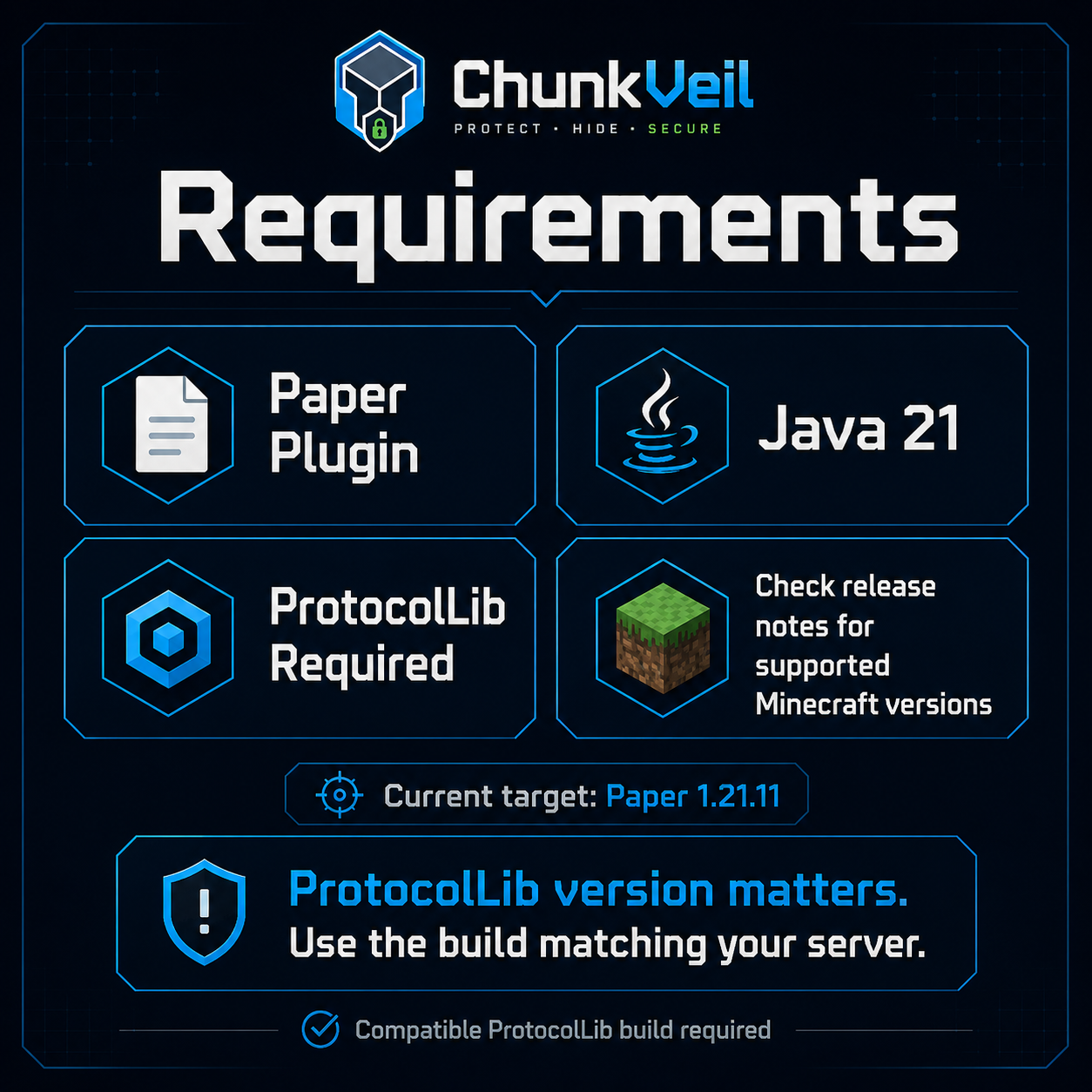
- Anti-xray for more than ores - Hide underground terrain, ores, caves, and base layouts.
- Anti-ESP support - Optionally hide underground entities while their chunk is hidden.
- Freecam resistance - Underground chunks stay masked until the player can realistically see or reach them.
- Packet-level protection - Rewrites hidden chunk data before it reaches the client when supported.
- Block update protection - Later block changes are also masked while a chunk is hidden.
- Block entity protection - Hidden block entity update packets below the protected Y range are cancelled.
- Secondary leak protection - Can cancel hidden underground explosion, world event, block break animation, and positional sound packets.
- View-based reveals - Uses a 360-degree visibility scan instead of revealing everything in a simple radius.
- Adaptive scan quality - Optional TPS-aware ray reduction helps busy servers keep tick time predictable.
- Per-world config - Configure fake blocks, hidden Y ranges, air hiding, entity hiding, and player hiding per world.
- Fail-closed startup/runtime - If ProtocolLib or raw chunk rewriting is not compatible, ChunkVeil disables protection instead of pretending it is safe.
- Admin tools - Includes status, compatibility diagnostics, player inspect, diagnostic reports, performance prediction, reload, refresh, debug metrics, permissions, and emergency disable.
- Open source - MIT licensed and easy to audit.
Requirements
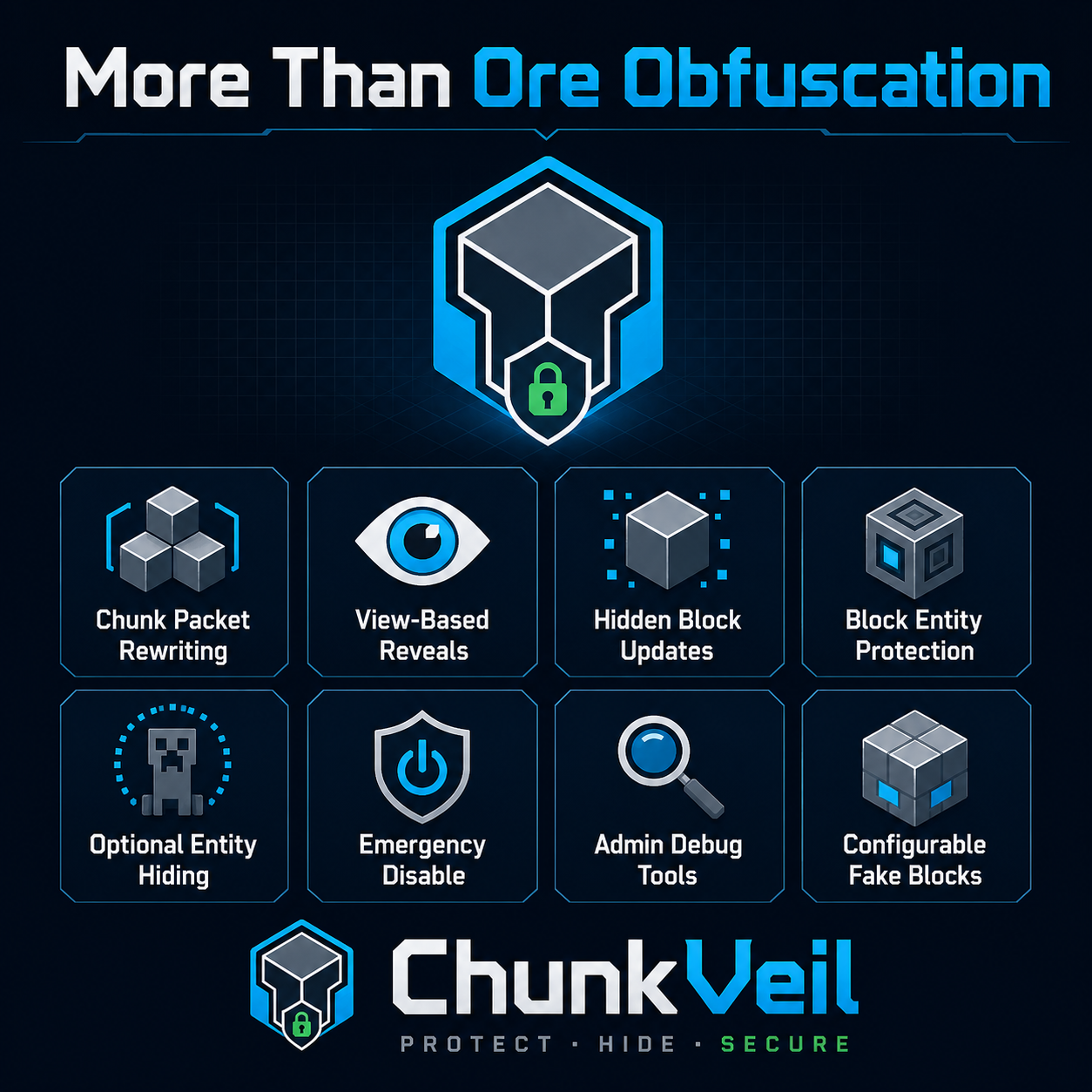
- Paper 1.21.x or 26.x
- Java 21
- ProtocolLib compatible with your Paper/Minecraft version
ProtocolLib version matters. Use the ProtocolLib build recommended for your server version:
https://www.spigotmc.org/resources/protocollib.1997/
ChunkVeil is tested on Paper 1.21.11 and Paper 26.1.2. Other Paper 1.21.x and 26.x builds are expected to work when paired with a compatible ProtocolLib build, but they are not all tested before each release.
How It Works
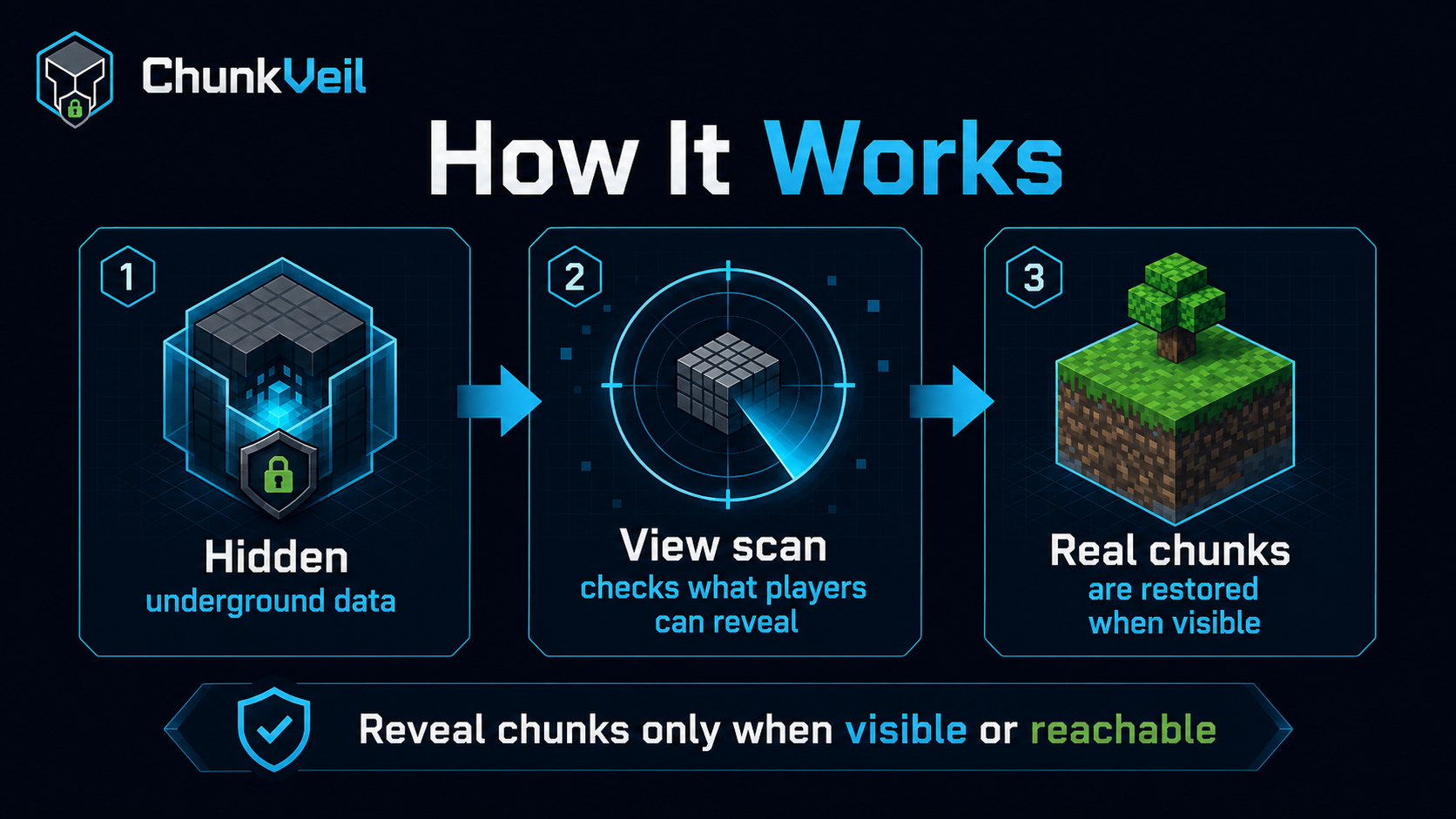
- Underground data starts hidden from the player.
- Hidden underground blocks are replaced with a configurable fake block.
- ChunkVeil scans what the player can realistically reveal using view rays.
- Real chunks are restored when they become visible or reachable.
- Later hidden block/entity updates are masked or cancelled where possible.
If the main packet rewrite path cannot start, or if a critical packet rewrite incompatibility appears at runtime, ChunkVeil fails closed and disables its runtime protection. This avoids giving admins false confidence when underground data cannot be hidden before send.
ChunkVeil is primarily designed for the overworld. Nether and End can be configured, but they are disabled by default because their terrain and fake block choices usually need separate testing.
Visual Comparison
These screenshots use an xray-style view so the difference is easy to see.
Without ChunkVeil
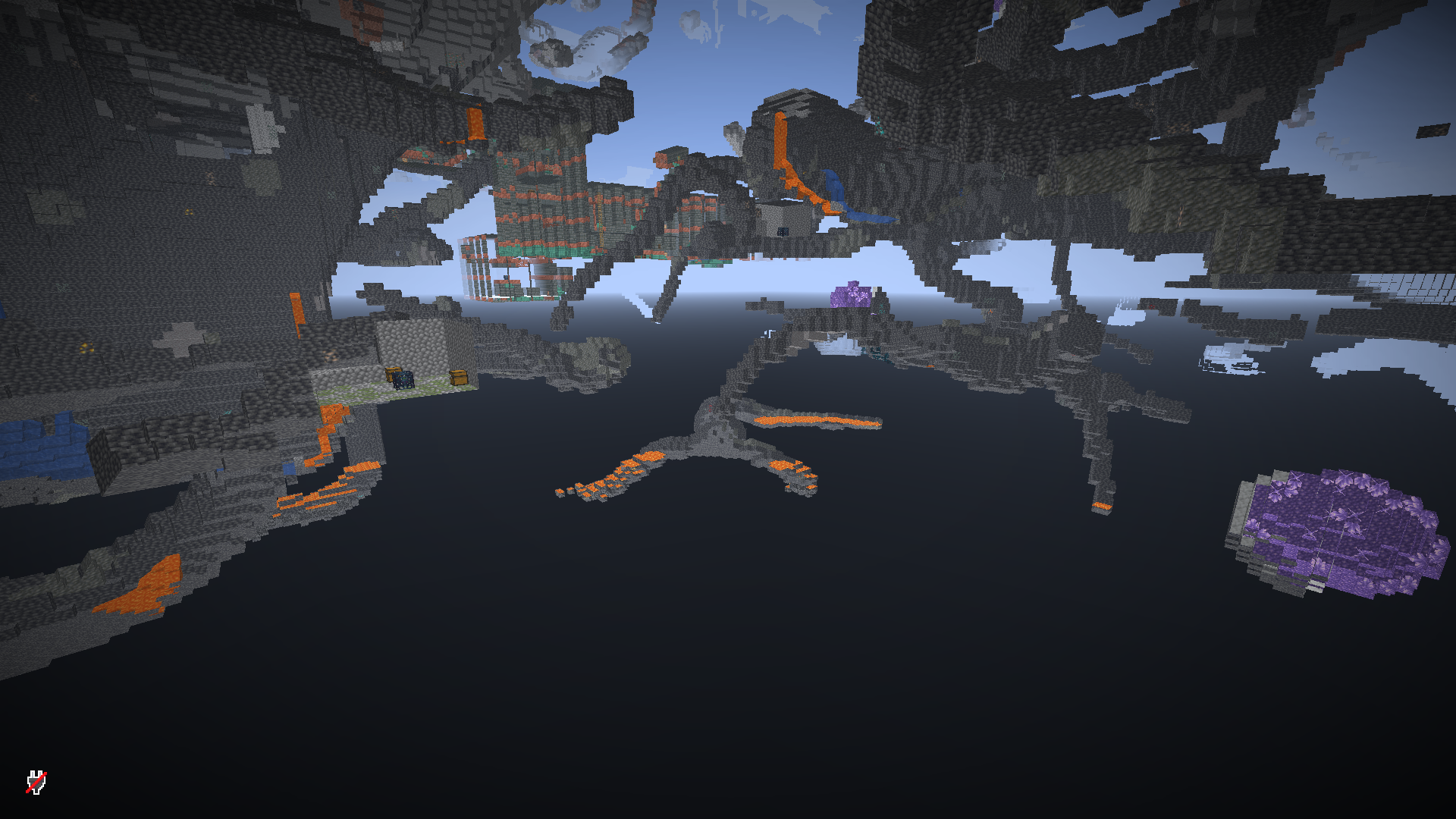
With ChunkVeil disabled, underground terrain, caves, ores, structures, and hidden spaces can be visible to modified clients before the player should know about them.
ChunkVeil with hide-air: false
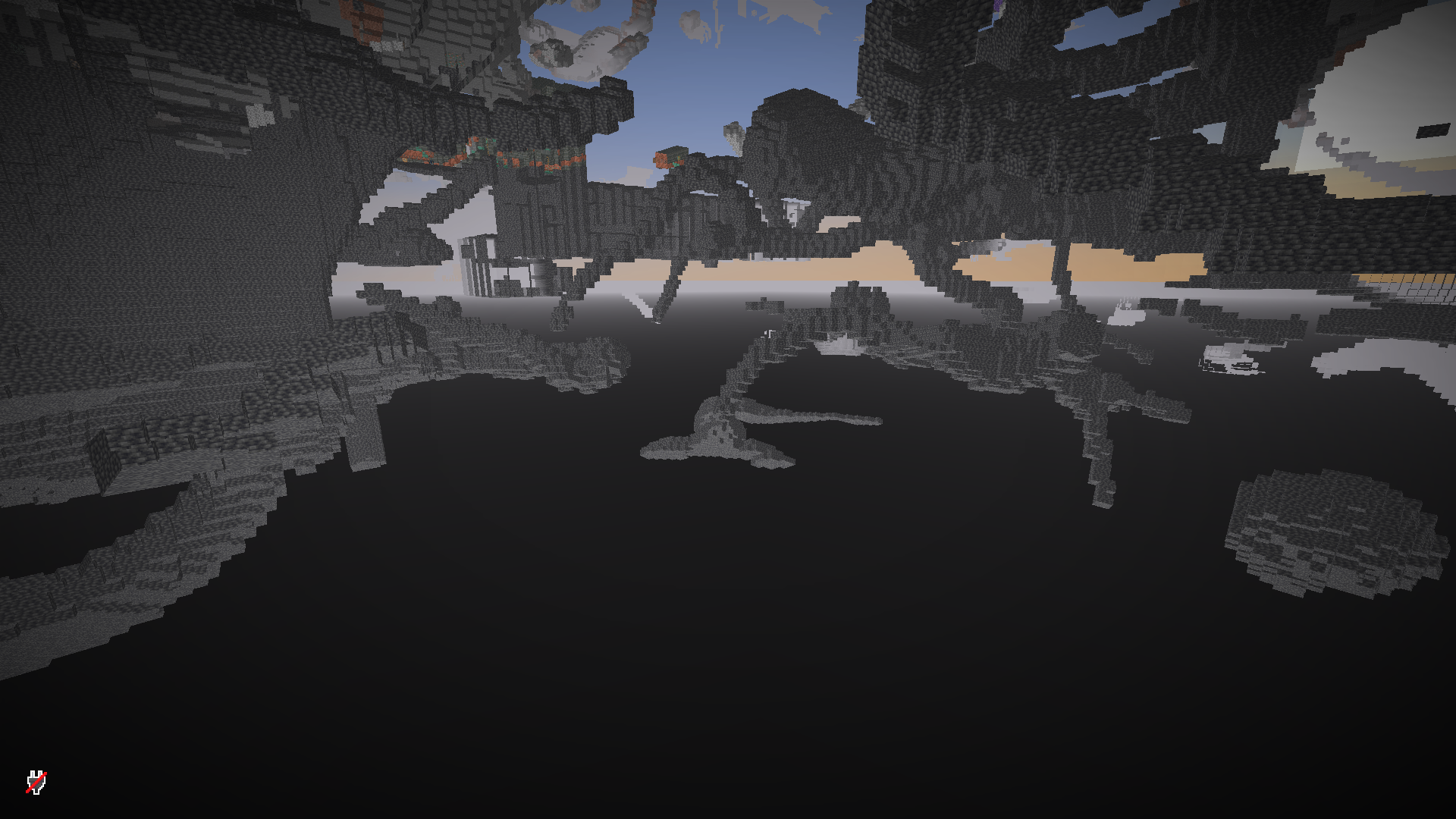
This is the recommended default. Air stays air, so caves and empty pockets may still appear as open space, but solid hidden blocks are replaced with the configured fake block, such as DEEPSLATE. This is faster and reduces the most useful block information without rewriting huge amounts of air.
ChunkVeil with hide-air: true
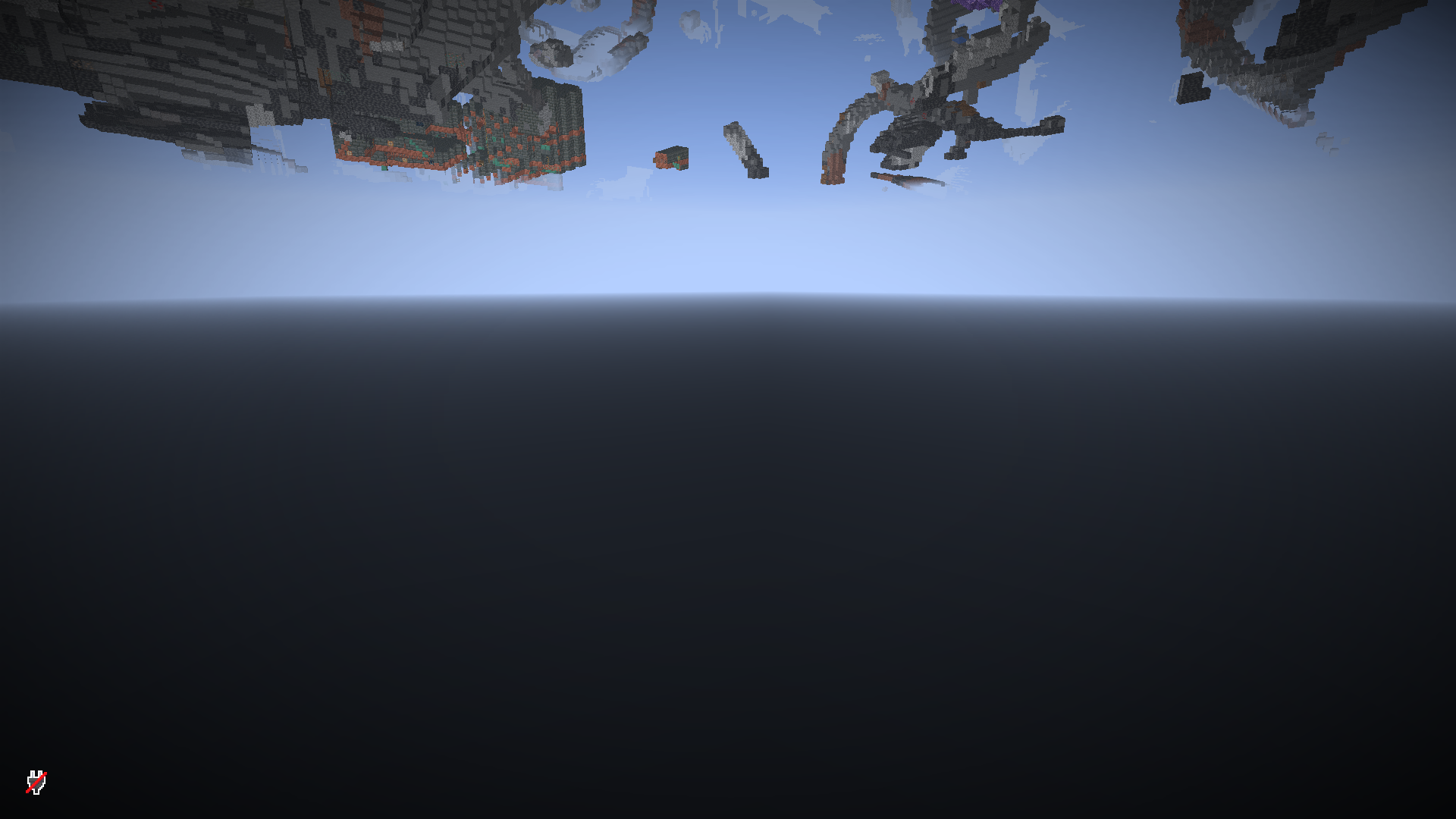
When hide-air is enabled, ChunkVeil also replaces underground air with the fake block. This makes cave shapes, rooms, and hidden base layouts much harder to read from the client side, but it costs more because many more blocks need to be rewritten.
Compatibility With Paper Anti-Xray
ChunkVeil can run alongside Paper's built-in anti-xray and packet-based plugins such as Orebfuscator. Paper anti-xray usually runs before ProtocolLib sees the outgoing chunk packet, and ChunkVeil then applies its underground hiding pass to the packet the player is about to receive.
For the strictest protection, test your exact plugin stack with /chunkveil status, an xray/freecam client, and both hide-air: false and hide-air: true depending on how much cave/base shape you want to conceal.
Installation
- Install Paper 1.21.x.
- Install Java 21.
- Install a ProtocolLib build compatible with your Paper version.
- Put
ChunkVeil.jarin your server'spluginsfolder. - Start the server once to generate
plugins/ChunkVeil/config.ymlandplugins/ChunkVeil/lang.yml. - Run
/chunkveil statusin-game or from console.
Recommended Default
worlds:
  world:
    enabled: true
    hide-below-y: 0
    min-y: -64
    default-fake-block: DEEPSLATE
    hide-air: false
    hide-entities: true
    hide-players: false
hide-air: false is recommended for most servers because it is much lighter. Use hide-air: true when hiding cave shapes and hidden base layouts is more important than performance.
Commands
/chunkveil status- Shows runtime state, worlds, queue size, rewrite status, and metrics./chunkveil compat- Shows server, Java, ProtocolLib, rewrite, runtime, and warning diagnostics./chunkveil inspect <player>- Shows a player's current ChunkVeil state, visible chunks, queue count, view distance, and bypass state./chunkveil report- Creates a diagnostic report file for troubleshooting./chunkveil predict <players> <ramGb> <cpuTier> [viewDistance]- Estimates performance from live timing samples./chunkveil reload- Reloads config and language files./chunkveil refresh- Forces a rescan and refresh for online players./chunkveil disable- Emergency switch that restores real chunks for online players./chunkveil enable- Starts the runtime again./chunkveil debug on|off- Toggles debug metrics./chunkveil version- Shows the plugin version.
Alias: /cv
Permissions
chunkveil.adminchunkveil.statuschunkveil.compatchunkveil.inspectchunkveil.reportchunkveil.predictchunkveil.reloadchunkveil.refreshchunkveil.togglechunkveil.debugchunkveil.versionchunkveil.bypass
Good First Test
- Join with an admin account.
- Run
/chunkveil status. - Run
/chunkveil compatand check for warnings. - Go underground below the configured
hide-below-y. - Move in and out of caves or tunnels.
- Test
/chunkveil inspect <yourname>. - Test
/chunkveil reportbefore reporting bugs. - Test
/chunkveil refresh. - Test
/chunkveil disableto restore real chunks for online players. - Use
/chunkveil debug onwhile testing.
Bug Reports
Please report bugs on GitHub:
https://github.com/DeKaeyman/ChunkVeil/issues
Include your ChunkVeil version, Paper version, ProtocolLib version, logs, config, and reproduction steps.