

PluginLicenseRef-All-Rights-Reserved
ChestProtect
Prevent ppl from breaking / opening your chests
995
Downloads
3
Followers
6 months ago
Updated
📦
12
Versions
📖About ChestProtect
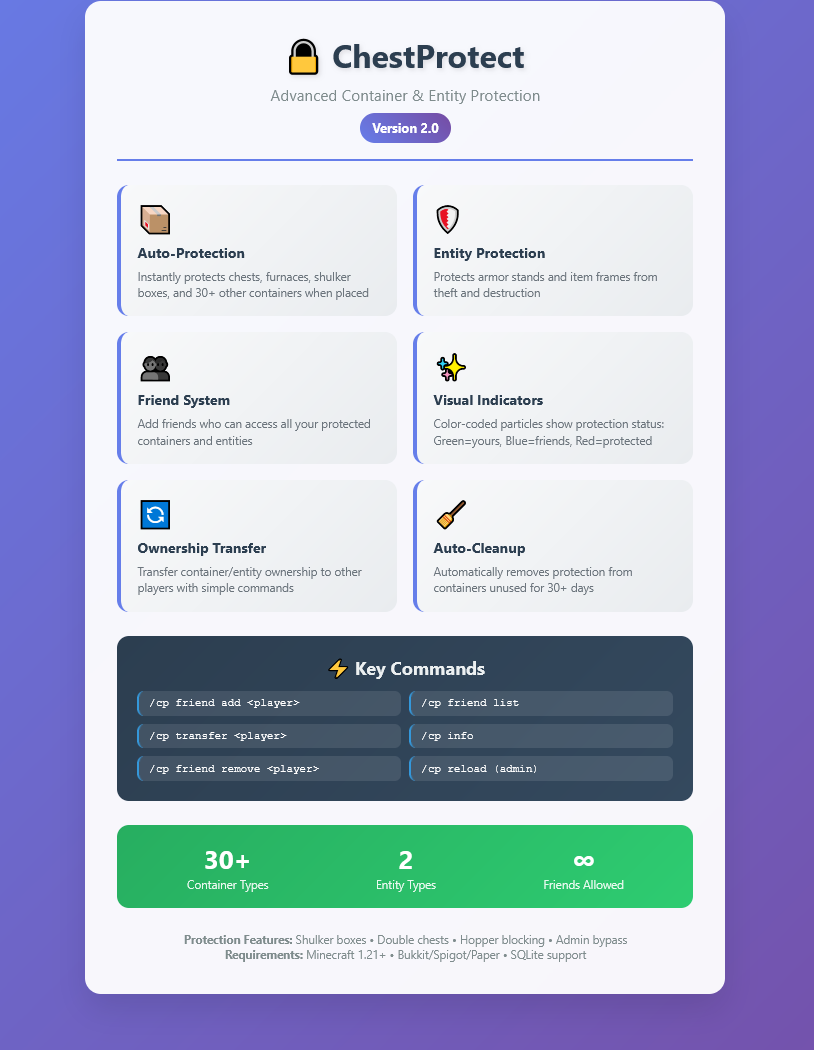
🔒 Core Protection Features
Automatic Container Protection
- Instant Protection: All containers are automatically protected when placed by players
- Extensive Container Support: Protects 30+ container types including:
- Storage: Chests, Trapped Chests, Barrels, Ender Chests
- All Shulker Boxes: All 17 colors (configurable)
- Processing: Furnaces, Blast Furnaces, Smokers, Brewing Stands
- Redstone: Dispensers, Droppers, Hoppers
- Utility: Beacons, Anvils, Enchanting Tables, Lecterns, Jukeboxes, and more
- Double Chest Support: Automatically protects both halves of double chests
- SQLite Database: Persistent protection storage with efficient indexing
Access Control System
- Owner-Only Access: Only the player who placed the container can access it by default
- Admin Bypass: Configurable admin override with permission
chestprotect.admin.bypass - Break Protection: Prevents unauthorized players from breaking protected containers
👥 Friend System
Global Friend Lists
- Add Friends:
/chestprotect friend add <player>- Add players to your friend list - Remove Friends:
/chestprotect friend remove <player>- Remove players from your list - View Friends:
/chestprotect friend list- See all your friends - Clear List:
/chestprotect friend clear- Remove all friends at once
Friend Access Benefits
- Global Access: Friends can access ALL your protected containers
- Offline Player Support: Add friends even when they're not online
- Cached Performance: Friend lists are cached for fast access checking
- Database Persistence: Friend relationships survive server restarts
🎨 Visual Indicators
Particle Effects System
- Real-time Visual Feedback: See protection status with particle effects
- Color-Coded Indicators:
- 🟢 Green Particles (Happy Villager) - Containers you own
- 🔵 Blue Particles (Enchant) - Containers your friends shared with you
- 🔴 Red Particles (Angry Villager) - Protected containers you can't access
- Smart Display: Only shows particles within 10 blocks of players
- Performance Optimized: Updates every 2 seconds to minimize lag
- Configurable: Enable/disable visual indicators in config
🔄 Ownership Transfer
Container Transfer System
- Easy Transfer:
/chestprotect transfer <player>- Transfer ownership to another player - Look-at-Target: Simply look at the container you want to transfer (no coordinates needed)
- Instant Transfer: Ownership changes immediately with database update
- Notifications: Both players receive confirmation messages
- Validation: Ensures you own the container and target player exists
🧹 Automatic Cleanup
Inactive Player Management
- Last Access Tracking: Records when containers were last opened
- Automatic Expiry: Removes protections from containers unused for 30+ days (configurable)
- Background Cleanup: Runs automatically every 24 hours
- Manual Cleanup: Admins can trigger cleanup with
/chestprotect cleanup - World Cleanup: Removes containers from deleted worlds
⚙️ Advanced Configuration
Hopper Control
- Configurable Hopper Access: Choose whether hoppers can extract/insert items from protected containers
- Complete Block Prevention: When disabled, hoppers cannot interact with protected containers at all
- All Container Types: Works with chests, furnaces, dispensers, and all other containers
Customizable Messages
- Color Code Support: Full
&color code support in all messages - Dynamic Placeholders:
{container}placeholder shows the actual container type - Multilingual Ready: All messages configurable in config.yml
- Admin Notifications: Separate messages for admin bypass actions
Protection Settings
- Admin Bypass Toggle: Enable/disable admin override permissions
- Double Chest Protection: Auto-protect both halves of double chests
- Shulker Box Toggle: Enable/disable shulker box protection
- Placement Notifications: Configure whether players see protection messages
📊 Information & Statistics
Player Information
- Protection Stats:
/chestprotect infoshows:- Number of containers you have protected
- Number of friends in your list
- Auto-cleanup expiry setting
- Database Queries: Real-time statistics from the database
🛡️ Security Features
Database Security
- SQLite Backend: Lightweight, reliable database storage
- Prepared Statements: Prevents SQL injection attacks
- Transaction Safety: Atomic operations for data consistency
- Index Optimization: Fast lookups even with thousands of containers
Permission System
- Granular Permissions: Separate permissions for each feature
- Default Access: Basic features available to all players by default
- Admin Controls: Admin-only commands properly protected
- Permission Inheritance: Logical permission hierarchy
🚀 Performance Features
Optimization Systems
- Friend List Caching: Friend lists cached in memory for instant access
- Efficient Database Queries: Indexed database with optimized SQL
- Minimal Visual Impact: Visual indicators limited to nearby containers only
- Asynchronous Tasks: Cleanup operations don't impact server performance
Resource Management
- Lightweight Design: Minimal memory footprint
- Smart Caching: Only caches frequently accessed data
- Automatic Cleanup: Background tasks prevent database bloat
💻 Commands Reference
| Command | Description | Permission |
|---|---|---|
/chestprotect |
Show help menu | chestprotect.use |
/chestprotect friend add <player> |
Add friend | chestprotect.friend |
/chestprotect friend remove <player> |
Remove friend | chestprotect.friend |
/chestprotect friend list |
List friends | chestprotect.friend |
/chestprotect friend clear |
Clear friends | chestprotect.friend |
/chestprotect transfer <player> |
Transfer ownership | chestprotect.transfer |
/chestprotect info |
View statistics | chestprotect.info |
/chestprotect cleanup |
Clean expired containers | chestprotect.admin.cleanup |
/chestprotect reload |
Reload config | chestprotect.admin.reload |
Aliases: /cp, /protect, /lockchest work for /chestprotect
🔧 Technical Requirements
- Minecraft Version: 1.21+ (API version 1.21)
- Server Software: Bukkit, Spigot, Paper
- Dependencies: SQLite JDBC driver (usually included)
- Java Version: Java 17+ (matches Minecraft 1.21 requirements)
📋 Installation
- Download ChestProtect.jar
- Place in your server's
/plugins/folder - Restart server to generate default configuration
- Customize settings in
/plugins/ChestProtect/config.yml - Reload config with
/chestprotect reload
✨ Key Benefits
- Zero Configuration: Works immediately with sensible defaults
- User Friendly: Simple commands and clear feedback messages
- Admin Friendly: Comprehensive admin tools and controls
- Performance Conscious: Optimized for servers with many players
- Feature Rich: Advanced functionality without complexity
- Reliable: Robust database storage and error handling
This plugin provides exactly what's implemented - no more, no less. Every feature described here is fully functional and tested.
Advertisement:
