

PluginGPL-3.0-only
Custom Items
The all-in-one custom item editor for Minecraft servers. Rename, relore, enchant, and fully customize any items without leaving the game.
106
Downloads
1
Followers
3 months ago
Updated
📦
1
Versions
📖About Custom Items
Custom Items
The all-in-one custom item editor for Minecraft servers
Rename, relore, enchant, and fully customize any items without leaving the game.




🧰 What is Custom Items?
Custom Items is a lightweight item customization plugin for Paper 26.1+ servers. Whether you have a huge RPG world with hundreds of items, a small survival SMP, or a creative server, Custom Items gives you the power to fully personalize every item in you server without tabbing out of the game.
No complicated setup. No dependencies. Just drag and drop
✨ Features
| Feature | Description |
|---|---|
| 🏷️ Custom Names | Rename any item with full MiniMessage support. |
| 📃 Custom Lore | Add, remove, edit, or clear multi-line lore with in depth MiniMessage support. |
| 🧙 Enchantments | Apply any item with any level to your items. |
| 🖼️ Custom Model Data | Full custom model data support allows you to use custom textures for your items. |
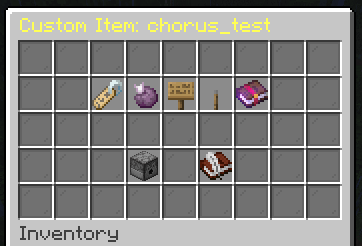
| 🖥️ GUI Editor | Fully edit your items without leaving the game. |
| ⚙️ Easy Configuration | Easily edit TOML configs to customize every part of the plugin. |
| 📦 No Dependencies | No need to hunt down external dependencies, there are none! |
Commands
| Command | Description | Example |
|---|---|---|
/item create <id> |
Creates a custom item and saves it to a config then opens the GUI | /item create legendary_sword |
/item edit <id> |
Opens the Custom Item editor. All changes are saved to the config. | /item edit legendary_sword |
/item edit rename |
Sets a custom name to the item in your hand. | /item edit rename <gold>Legendary Sword |
/item edit lore clear |
Clears an items lore completely | /item edit lore clear |
/item edit lore line add <content> |
Adds a line to an items lore | /item edit lore line add <red>Very Dangerous |
/item edit lore line set <line> <content> |
Sets a line on ann items lore | /item edit lore line set 1 <red>Very Dangerous |
/item edit lore line remove <line> |
Removes a line from an items lore | /item edit lore line remove 1 |
/item edit enchant <enchant> |
Enchants an item with an enchantment | /item edit enchant protection 3 |
/item edit modeldata <data> |
Sets a custom model data to the item in your hand. | /item edit modeldata 12345 |
Permissions
| Permission | Description |
|---|---|
customitems.item.edit |
Allows you to edit items that are config-bound |
customitems.item.give |
Allows you to give custom items to players. |
🚀 Installation
- Download the latest
.jar - Drop it into your server's
/pluginsfolder - Start/Restart your server
- Enjoy!
🐛 Issues & Suggestions
Found a bug? Have a feature rquest? We'd love to hear from you!
- Submit an issue
- Request a feature
- Or join our Discord for faster support and community discussion