Logo
MINECRAFTBIBLE
Items
Items

All game items

Blocks
Blocks

Building blocks

Mobs
Mobs

Creatures & monsters

Biomes
Biomes

World biomes

Structures
Structures

Generated structures

Recipes
Recipes

Crafting guides

Advancements
Advancements

Achievements

Loot Tables
Loot Tables

Drop rates

Tags
Tags

Item groupings

All Versions
View all data →
Capes
Cape ArchiveNEW

Browse rare Minecon capes, OptiFine capes, and custom capes from players worldwide

Browse

Player Database
Player DatabasePopular

Search any player

Skin Browser
Skin Browser

Browse & download skins

Cape Gallery
Cape GalleryNEW

Minecon & OptiFine capes

Seed Vault
Seed Vault

Curated seeds

Learn

Guides
GuidesNew

Tutorials & tips

Blog
Blog

News & updates

Community

Community Hub
Community HubHub

Posts, discussions & more

All Versions
View community →
Seed Analyzer
Seed Analyzer

World seed analysis

Loot Explorer
Loot Explorer

Drop rates

Crafting Calculator
Crafting Calculator

Material planning

Enchant Calculator
Enchant Calculator

Probability math

Redstone Lab
Redstone Lab

Signal timing

Trading Profit
Trading Profit

Villager ROI

All Versions
View all tools →
Mods
Mods

Browse all mods

Plugins
Plugins

Server plugins

Resource Packs
Resource Packs

Textures & sounds

Shaders
Shaders

Visual enhancements

Datapacks
Datapacks

World logic

Scanner
Mod Intelligence

Scan & analyze any mod

All Versions
View all mods →
Loading...
IntroductionIntroductionVersion HistoryVersion HistoryGuidesGuidesBlog & NewsBlog & News
ItemsItemsBlocksBlocksMobsMobsRecipesRecipesBiomesBiomesStructuresStructuresAdvancementsAdvancementsLoot TablesLoot TablesTagsTags
ModsModsPluginsPluginsResource PacksResource PacksShadersShadersDatapacksDatapacks

MinecraftBible

The Ultimate Wiki

Logo
MINECRAFTBIBLE

The ultimate Minecraft reference. Every item, block, mob, and recipe documented with precision.

Community

  • Skin Browser
  • Cape Gallery
  • Seed Vault
  • Blog
  • Guides

Database

  • Items
  • Blocks
  • Mobs
  • Recipes
  • Biomes
  • Structures

Tools

  • Seed Analyzer
  • Mod Intelligence
  • Crafting Calculator
  • Enchant Calculator

Mods & Packs

  • Mods
  • Plugins
  • Resource Packs
  • Shaders
  • Datapacks

Site & Legal

  • About
  • Authors
  • Editorial Policy
  • Corrections
  • Contact
  • Privacy Policy
  • Terms of Service
  • DMCA
  • Sitemap

© 2026 MinecraftBible. Not affiliated with Mojang or Microsoft.

PrivacyTermsContact
Border
PluginApache-2.0

Border

Easily control the worldborder with a cool and intuitive interface

2.6K
Downloads
8
Followers
5 months ago
Updated
📦
2
Versions
game-mechanicstechnologyutilitybukkitpaperpurpurspigot
Download Latestv1.1View on Modrinth

📖About Border

Border

ko-fi curseforge discord


🧩 What is Border ?

Border is a powerful yet easy-to-use Minecraft plugin that lets you fully control the world's borders - through a cool and intuitive interface.

No complicated commands
Just type /border in-game and explore a clean menu with all the settings you need !

Perfect for survival servers, events, and custom maps - Border gives you full control without touching a single config file.


🖼️ Interface Preview

Below are examples of what you'll see when using /border :

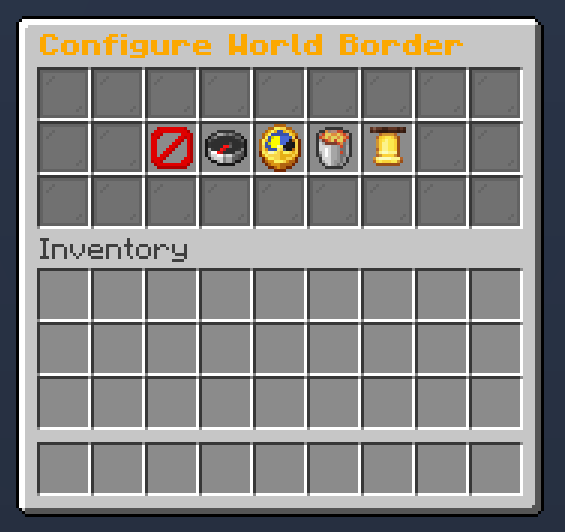
Main menu
Main interface with quick access to all border controls
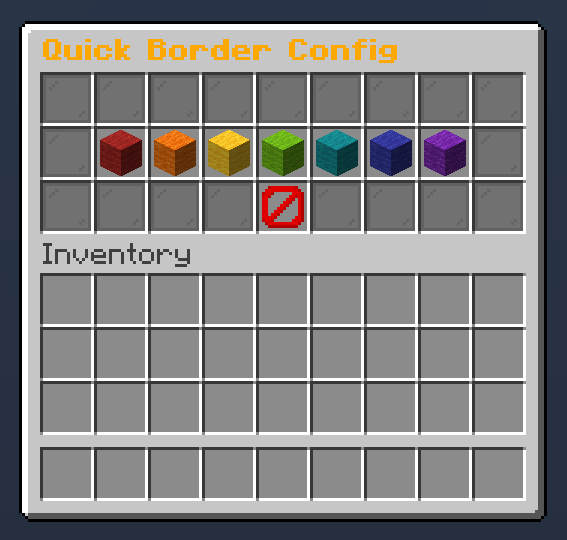
Size Settings
Resize the world border dynamically

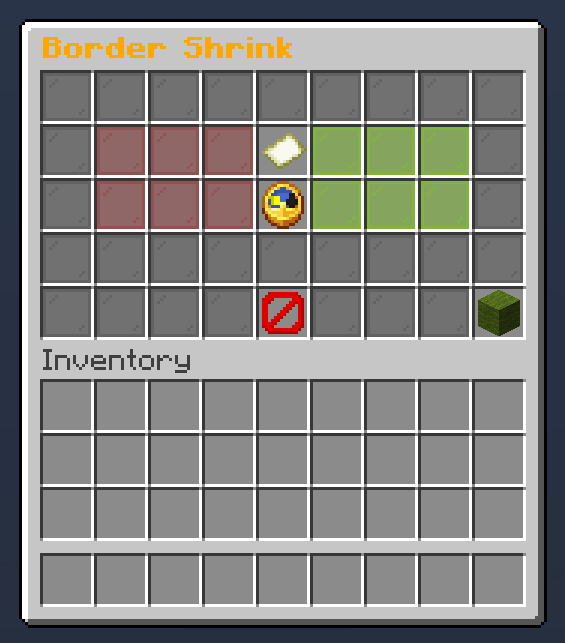
Shriking
Configure border shriking


✨ GUI Structure & Features

When you type /border, you'll open a clean and intuitive main menu that gives you access to all border controls. Here's what you’ll find inside :

  • Main Menu - Central hub that redirects to all sub-menus
  • Size Menu - Easily change the world border size
  • Center Button - Instantly center the border on your current position
  • Shrink Menu - Configure dynamic shrinking (size reduction over time)
  • Warning Settings - Adjust the warning distance before players reach the border
  • Damage Settings - Set how much damage players take outside the border

All menus update the border in real time - no need to reboot or reload anything


⚙️ How to Install

  1. Download the latest .jar file
  2. Drop it in your server’s /plugins folder
  3. Restart your server
  4. Type /border

🤝 Community & Support

Need help, found a bug, or just want to chat ?
Join our Discord community, we’re always happy to hear your feedback and suggestions !

This plugin is completely free
If you’d like to support its development and help it grow :

  • 🧡 Support on Ko-Fi

Your support helps the project stay alive and brings new updates


📊 Metrics

This plugin uses bStats, an open-source statistics service for Minecraft, to collect anonymous usage data.
If you prefer to disable it, open the config file inside the bStats folder and set metrics to false
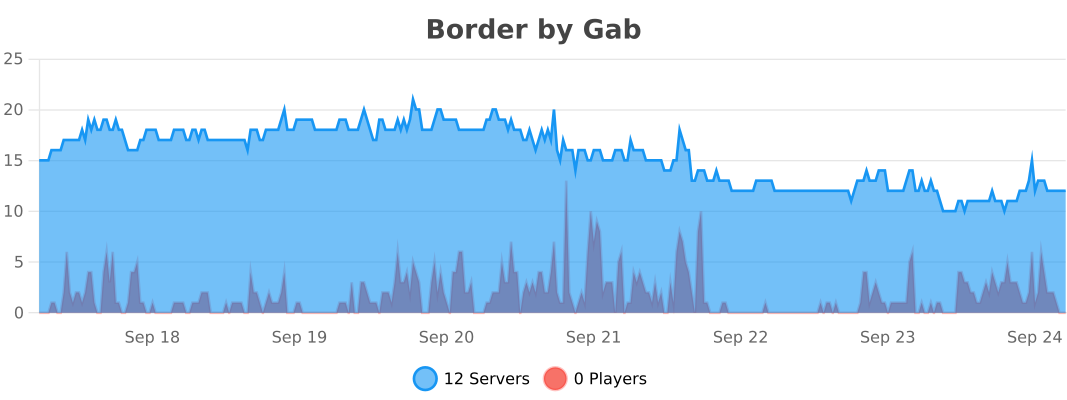
bStats

👥 Team & Contributors

ga0b
ga0bOwner

⚙️ Compatibility

Environment
🖥️ Server-side
Loaders
bukkitpaperpurpurspigot
Minecraft Versions
1.211.21.11.21.21.21.31.21.41.21.51.21.61.21.7+4 more

🔗 Links

Modrinth Page