


BOBSHOP
An advanced Minecraft shop plugin with holograms and backup support.
📖About BOBSHOP
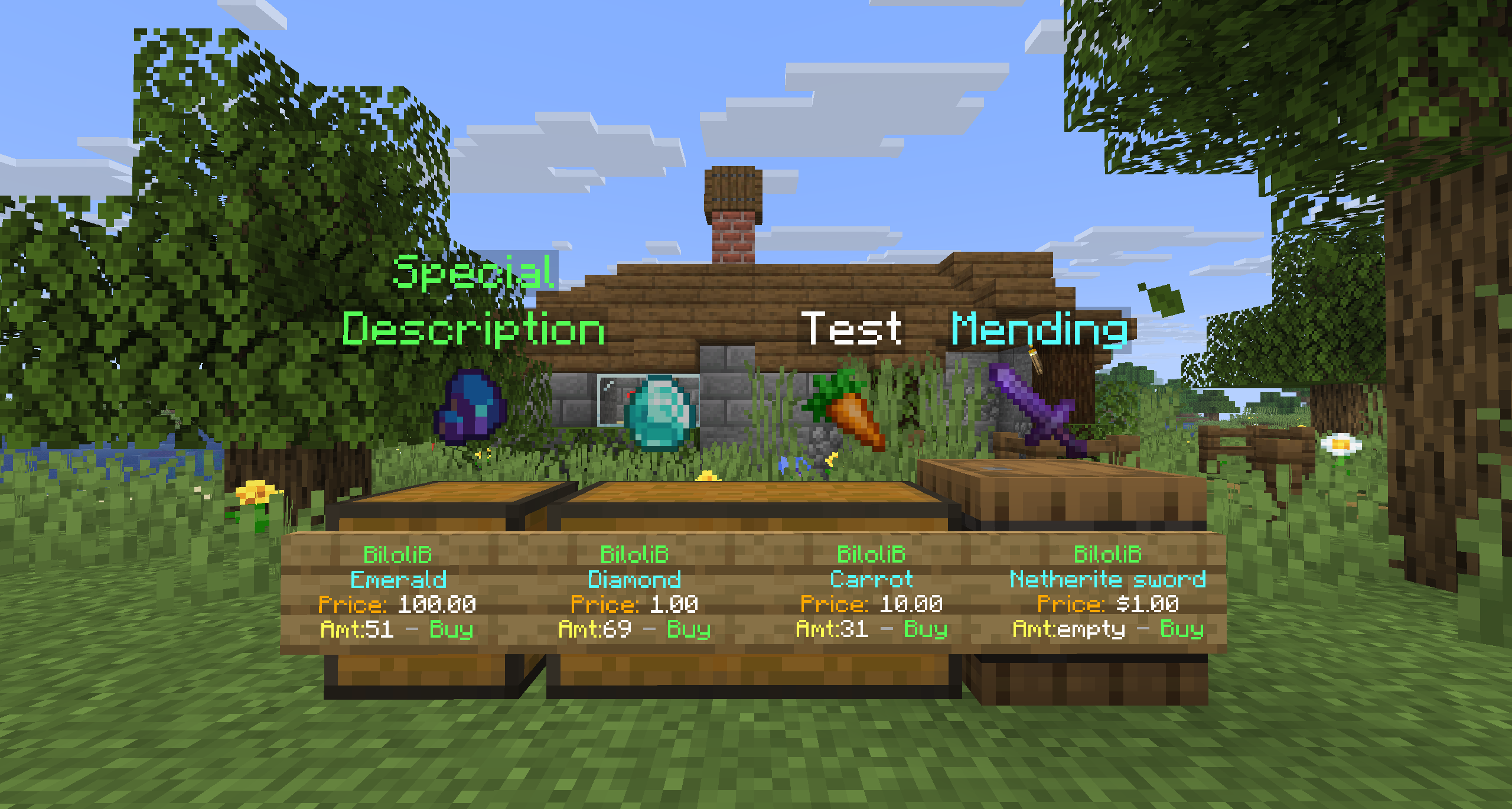
BOBSHOP



Required Plugins
- 💰 Vault (required)
- Any Vault-compatible economy plugin (e.g. EssentialsX Economy, CMI, XConomy, iConomy, etc.)
Notes
- External hologram plugins are no longer required.
- BOBShop now includes its own built-in hologram system for item and shop displays.
Features
- 🛒 Create player shops with chests or barrels
- 📜 Automatic sign creation and updating (buy/sell modes, prices, owner name, stock amount)
- 💰 Fully integrated with Vault economy (supports all Vault-compatible economy plugins)
- 🪧 Customizable holograms above shops (item preview + description text)
- 🏦 Admin Shops with unlimited stock and special pricing
- ⚙️ Configurable settings (shop limits, creation cost, tax rates, currency format, etc.)
- 💾 SQLite database with automatic backups
- 🔄 Reload support for configuration and language files
- 🌍 Multi-language support via
langfolder (e.g. English, Turkish) - 🪙 Permission-based tax discounts (e.g. VIP players pay less tax)
- 🚫 Protection: shops cannot be destroyed or modified without proper permissions
- ✨ Built-in hologram system (no need for any external hologram plugin)
How to Install
- Download the latest release of BOBShop from the Modrinth page.
- Place the
.jarfile into your server’spluginsfolder. - Make sure you have installed the required dependency:
- 💰 Vault
- A Vault-compatible economy plugin (e.g. EssentialsX Economy, CMI Economy, etc.)
- Restart your server.
- (Optional) Edit
config.ymland language files in theplugins/BOBShopfolder to customize shop limits, creation cost, taxes, messages, etc. - Use
/bobshop reloadto apply config or language changes without restarting the server.
⚠️ Important Note
Use the latest version (v3.0+) only.
- This release includes a built-in billboard hologram system — no external hologram plugins are needed anymore.
- Older versions may require external hologram plugins and their holograms may not work correctly on new servers.
- For best stability and performance, do not use older releases.
Commands & Permissions
| Command / Node | Description | Permission |
|---|---|---|
/bobshop |
Opens the plugin settings menu | bobshop.admin |
/bobshop reload |
Reloads plugin configuration and language | bobshop.admin |
| (no command) | Grants 20% shop tax discount | bobshop.tax.discount.20 |
| (no command) | Grants full tax exemption (0% tax) | bobshop.tax.free |
The multipliers.tax_by_permission section allows you to adjust or override shop taxes for players with specific permissions.
Example (config.yml)
multipliers:
  tax_by_permission:
    "bobshop.tax.discount.20": 0.8
    "bobshop.tax.free": 0.0
- Each key is a permission node.
- Each value is a multiplier applied to the tax percentage.
How it works
- If a player has the permission bobshop.tax.discount.20, their tax will be multiplied by 0.8 → they pay 20% less tax.
- If a player has the permission bobshop.tax.free, their tax will be multiplied by 0.0 → they pay no tax at all.
- Players without these permissions use the default tax values defined in config.yml.
This lets you create VIP ranks, donor perks, or staff exemptions by simply assigning the right permission.
Example with LuckPerms
# Give a player 20% tax discount
/lp user Steve permission set bobshop.tax.discount.20 true

# Make a player completely tax-free
/lp user Alex permission set bobshop.tax.free true
Note: Currently only basic permissions are available.
More detailed and customizable permission nodes will be added in future updates.
How to Use
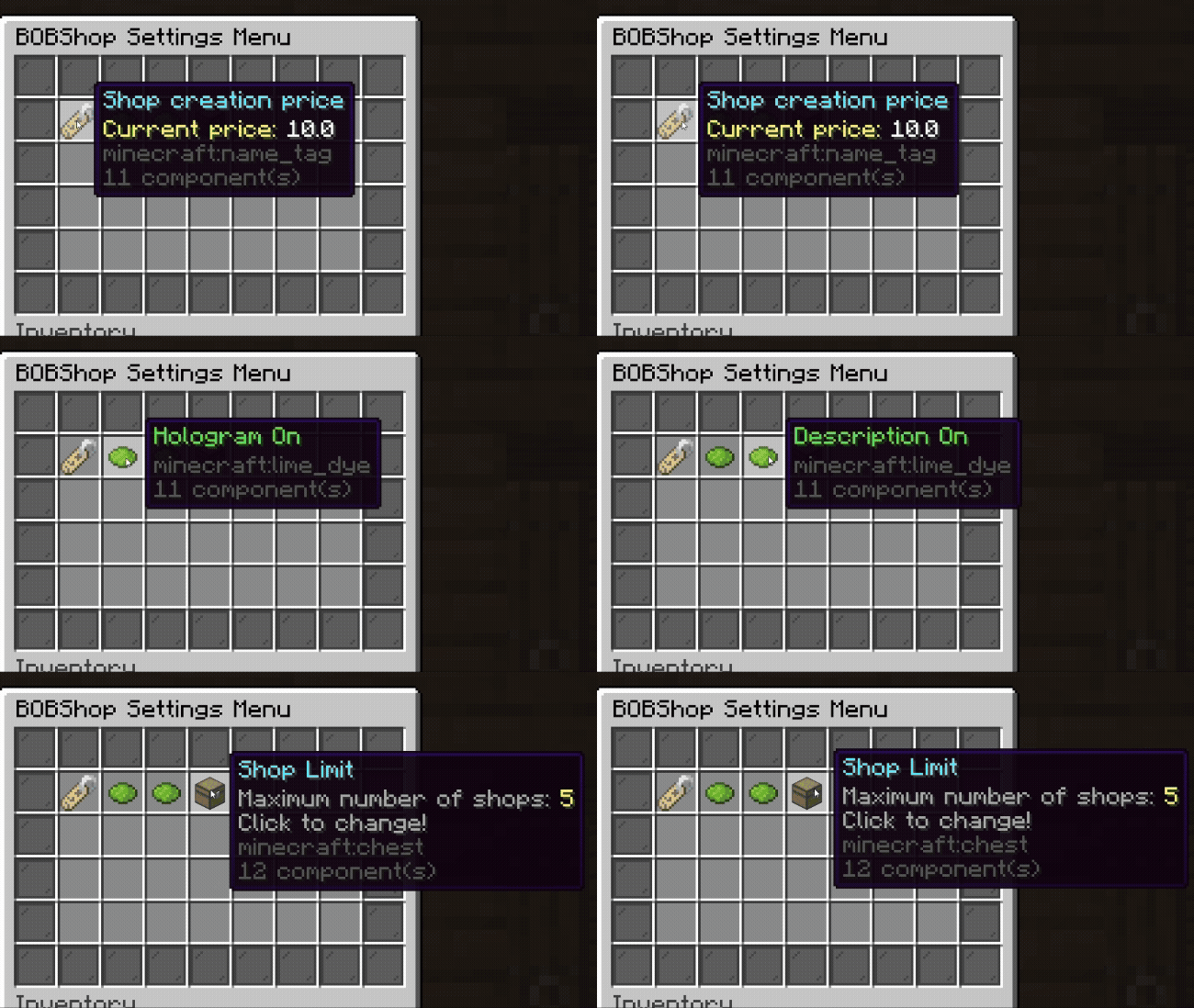
/bobshop
|
BOBShop Settings Menu
|
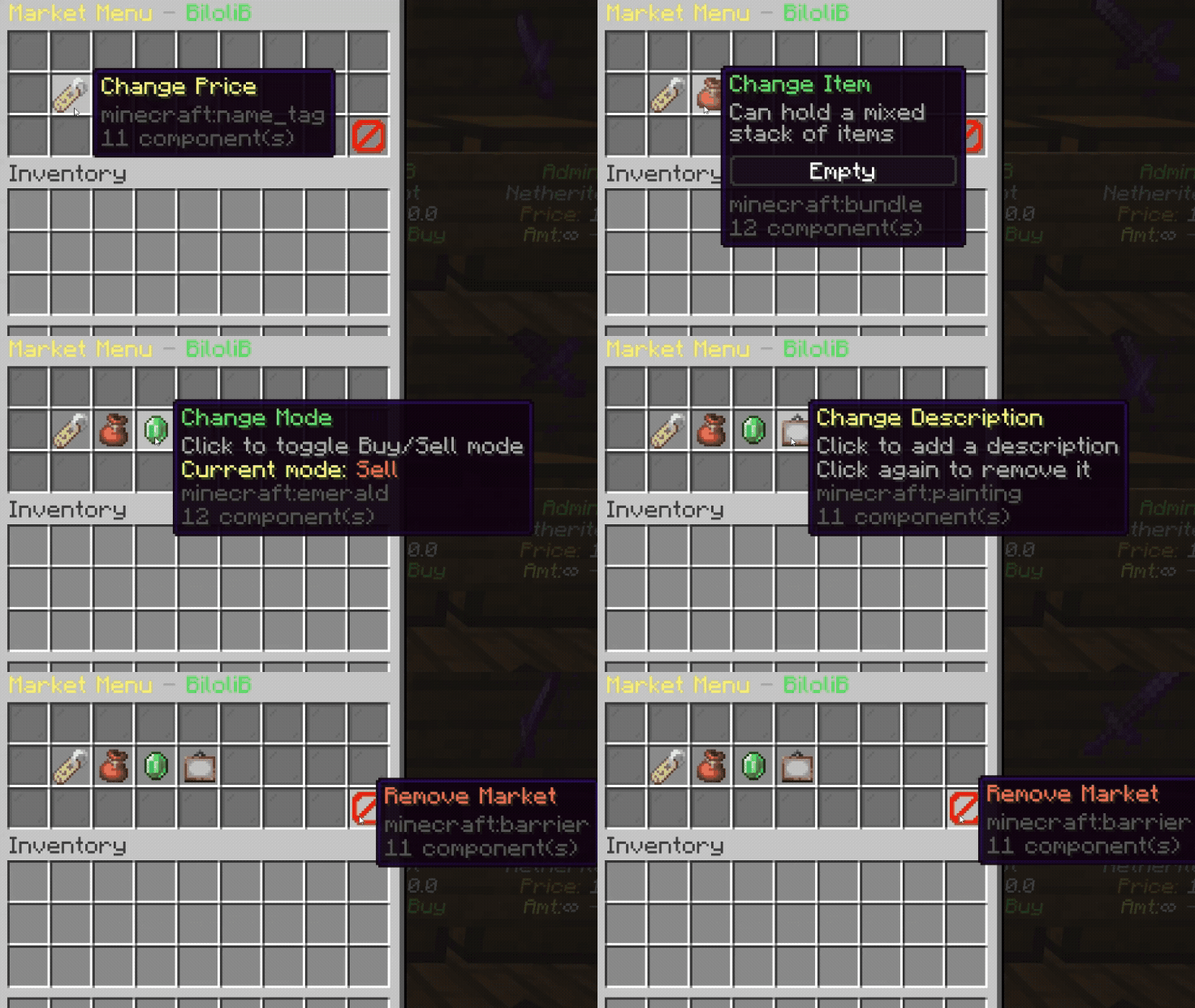
If you right-click on your own market's sign
|
Market Menu
|
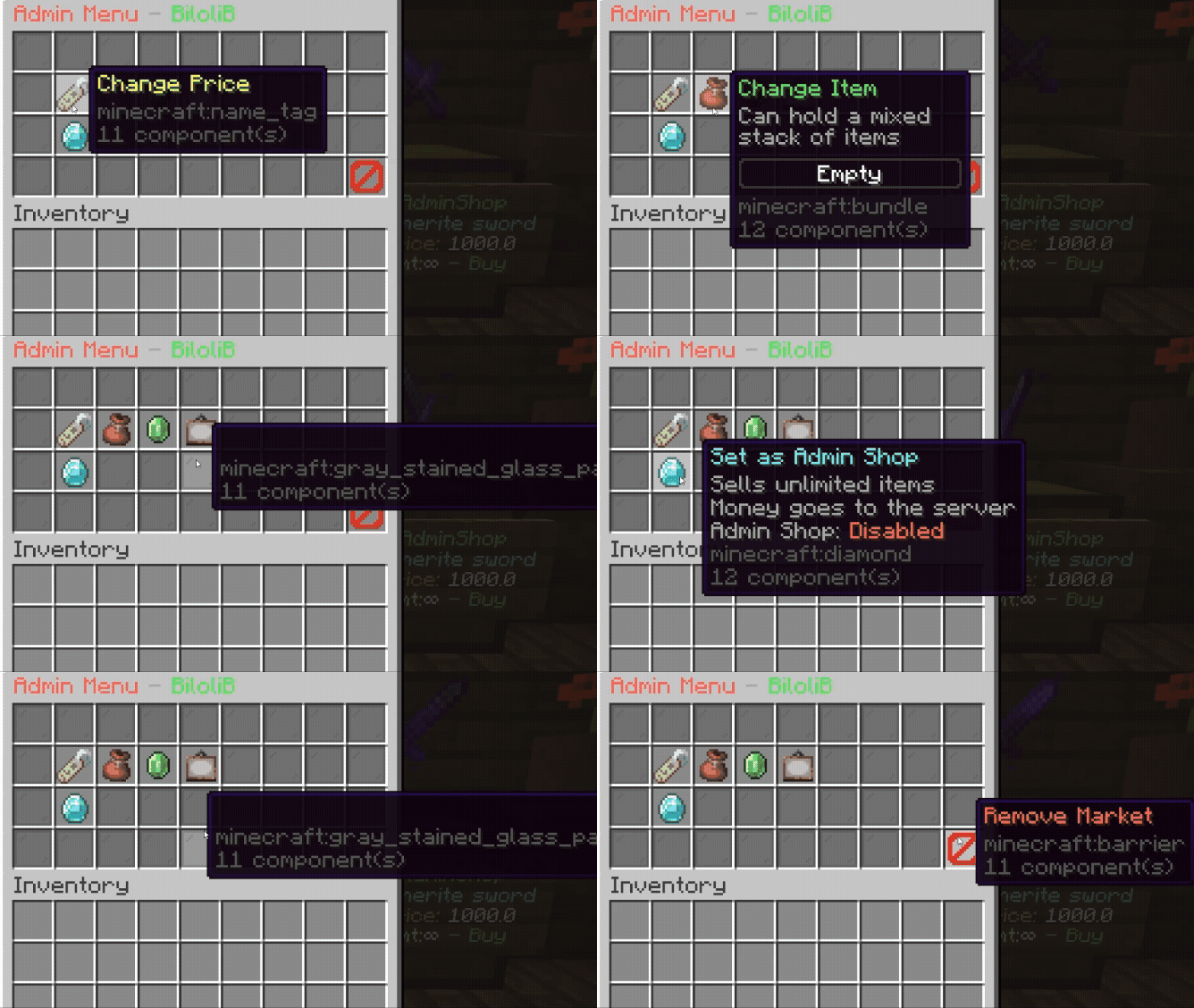
If you Shift + Right-click on any market's sign
|
Admin Menu
|
How to Sell & Buy 🛒💰
Right-click on the market's sign 🪧, then type in chat 💬 the amount you want to buy or sell.
Make sure to check the price 💵 before confirming! ✅✨
Note
I created this plugin inspired by QuickShop, adding my own ideas and features. Since I developed it alone, I may not have been able to test everything thoroughly, so some bugs might exist.
I’d really appreciate your feedback—if you encounter any issues, please let me know and I’ll do my best to fix them. Thank you for checking out BobShop!
Other Plugins
BOBCASE
🎁 BobCase is a simple and customizable crate plugin for Minecraft.
- Supports different crate types
- Fully configurable rewards and chances
- Easy to use for both players and admins