Logo
MINECRAFTBIBLE
Items
Items

All game items

Blocks
Blocks

Building blocks

Mobs
Mobs

Creatures & monsters

Biomes
Biomes

World biomes

Structures
Structures

Generated structures

Recipes
Recipes

Crafting guides

Advancements
Advancements

Achievements

Loot Tables
Loot Tables

Drop rates

Tags
Tags

Item groupings

All Versions
View all data →
Capes
Cape ArchiveNEW

Browse rare Minecon capes, OptiFine capes, and custom capes from players worldwide

Browse

Player Database
Player DatabasePopular

Search any player

Skin Browser
Skin Browser

Browse & download skins

Cape Gallery
Cape GalleryNEW

Minecon & OptiFine capes

Seed Vault
Seed Vault

Curated seeds

Learn

Guides
GuidesNew

Tutorials & tips

Blog
Blog

News & updates

Community

Community Hub
Community HubHub

Posts, discussions & more

All Versions
View community →
Seed Analyzer
Seed Analyzer

World seed analysis

Loot Explorer
Loot Explorer

Drop rates

Crafting Calculator
Crafting Calculator

Material planning

Enchant Calculator
Enchant Calculator

Probability math

Redstone Lab
Redstone Lab

Signal timing

Trading Profit
Trading Profit

Villager ROI

All Versions
View all tools →
Mods
Mods

Browse all mods

Plugins
Plugins

Server plugins

Resource Packs
Resource Packs

Textures & sounds

Shaders
Shaders

Visual enhancements

Datapacks
Datapacks

World logic

Scanner
Mod Intelligence

Scan & analyze any mod

All Versions
View all mods →
Loading...
IntroductionIntroductionVersion HistoryVersion HistoryGuidesGuidesBlog & NewsBlog & News
ItemsItemsBlocksBlocksMobsMobsRecipesRecipesBiomesBiomesStructuresStructuresAdvancementsAdvancementsLoot TablesLoot TablesTagsTags
ModsModsPluginsPluginsResource PacksResource PacksShadersShadersDatapacksDatapacks

MinecraftBible

The Ultimate Wiki

Logo
MINECRAFTBIBLE

The ultimate Minecraft reference. Every item, block, mob, and recipe documented with precision.

Community

  • Skin Browser
  • Cape Gallery
  • Seed Vault
  • Blog
  • Guides

Database

  • Items
  • Blocks
  • Mobs
  • Recipes
  • Biomes
  • Structures

Tools

  • Seed Analyzer
  • Mod Intelligence
  • Crafting Calculator
  • Enchant Calculator

Mods & Packs

  • Mods
  • Plugins
  • Resource Packs
  • Shaders
  • Datapacks

Site & Legal

  • About
  • Authors
  • Editorial Policy
  • Corrections
  • Contact
  • Privacy Policy
  • Terms of Service
  • DMCA
  • Sitemap

© 2026 MinecraftBible. Not affiliated with Mojang or Microsoft.

PrivacyTermsContact
BlockDisplays
PluginGPL-3.0-only

BlockDisplays

Decorative and animated miniature blocks!

47
Downloads
2
Followers
6 months ago
Updated
📦
1
Versions
decorationgame-mechanicsutilitybukkitpaperspigot
Download Latestv1.5View on Modrinth

📖About BlockDisplays

Features

Choose between three different sizes to create miniature blocks of any available item in the game.


Easily animate your blocks by making them spin, giving them a customised rotation angle and time interval!

Animation

Miniature blocks can easily be animated with the use of the command /bd edit settings.

Once you edited the miniature settings the block will update on its own!

Note: using the reload command will restart all running animations.
Animated blocks

Commands

Commands

  • /bd - Shows plugin's help lines
  • /bd help - Shows general help or specific help when a command is specified
  • /bd create - Creates a miniature block at player's location
  • /bd delete - Deletes an existing miniature block.
  • /bd edit - lets you edit a block's location, facing/rotation and settings to animate the blocks.
  • /bd list - Shows a list of all existing miniature blocks
  • /bd version - Shows the current plugin's version and details
  • /bd info - Shows all details for a specific existing block
  • /bd teleport <to|here> - Teleports a player to a block or a block to a player's location.
Permissions

Permissions

  • blockdisplays.command.help - Gives access to /bd help command
  • blockdisplays.command.create - Gives access to /bd create command
  • blockdisplays.command.delete - Gives access to /bd delete command
  • blockdisplays.command.teleport - Gives access to /bd teleport command
  • blockdisplays.command.list - Gives access to /bd list command
  • blockdisplays.command.version - Gives access to /bd version command
  • blockdisplays.command.info- Gives access to /bd info command
  • blockdisplays.command.edit - Gives access to /bd edit command

Issues

Open a new issue here.


When opening a new issue please add and specify:

  • Provider's version (spigot, paper, bukkit) - /version;
  • BlockDisplays' version - /bd version;
  • Where/when you met the issue, what you were doing when the error happened;
  • Error log.

Support

discord
I do my best to provide support for my projects over discord.
If you'd have questions or support requests feel free to join!

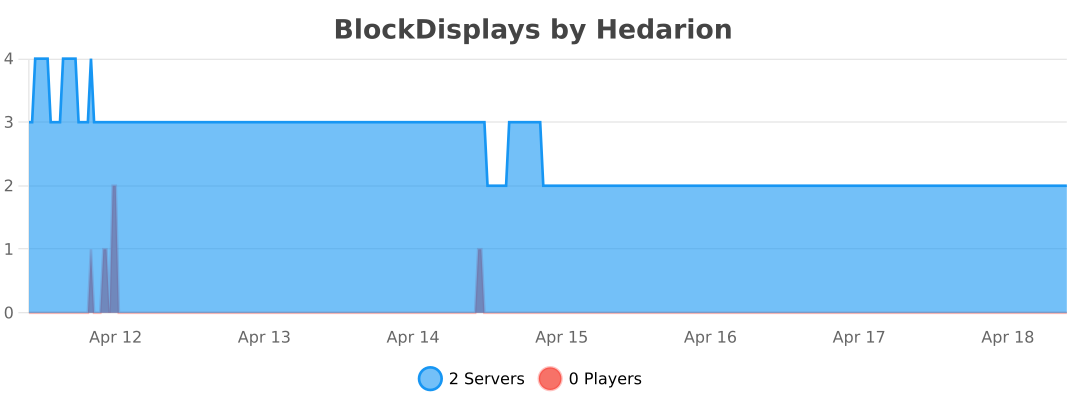
Metrics

This plugin collects anonymous server statistics which helps me keep track of the plugin's usage.

I invite you to keep this setting on as it contributes to boosting my dedication and work towards my projects!
Provided by bStats.
👥 Team & Contributors

Hedario
HedarioOwner

⚙️ Compatibility

Environment
🖥️ Server-side
Loaders
bukkitpaperspigot
Minecraft Versions
1.161.16.11.16.21.16.31.16.41.16.51.171.17.1+26 more

🔗 Links

Modrinth Page