PluginLicenseRef-All-Rights-Reserved
BiomesTitle
Display text once a player enter Biome/Area
745
Downloads
8
Followers
1 years ago
Updated
📦
6
Versions
📖About BiomesTitle
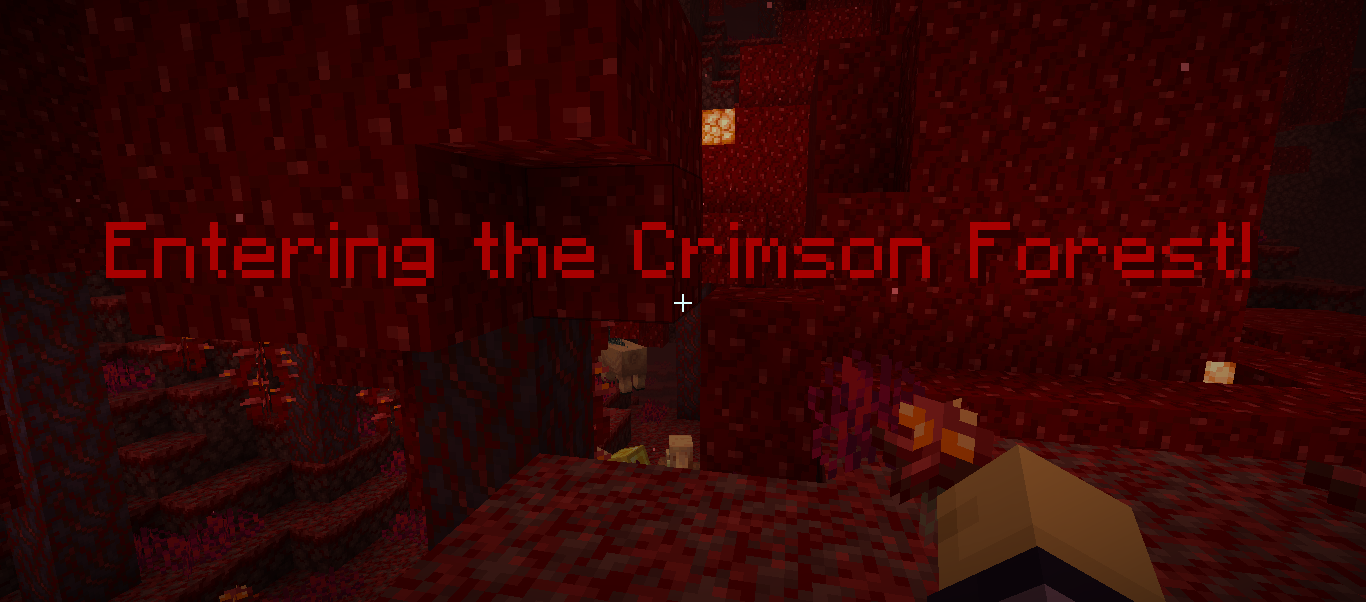
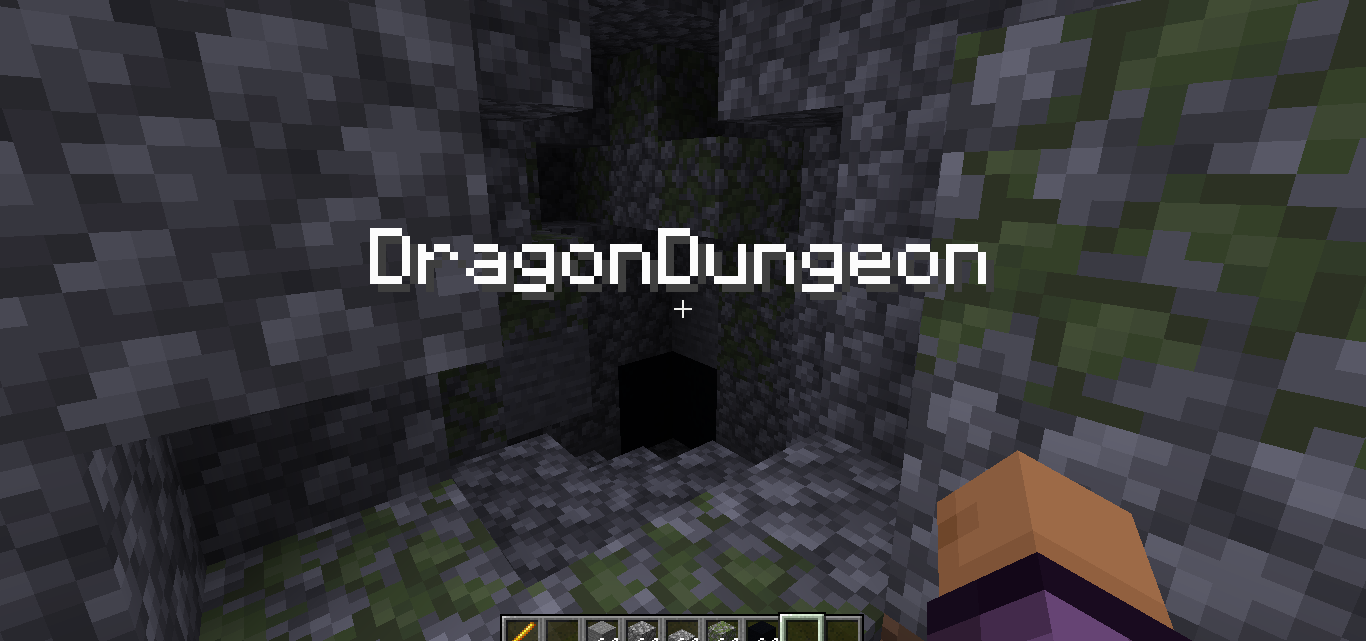
Display message once a player enter Biome/Area
This plugin sadly wont receive any update anymore(ABANDONED)
Other feature
- Display message once a player step into biomes/area/Structure
- Display option
- title
- subtitle
- actionbar
- bossbar
- Create your own Area
- Display message in structures
- Particles(Spawn a particle once a player step into the biomes/area)
- Trails Particle (spawn a trails once a player step into the biomes/area)
- Execute command (Executed command for player once a player step into the biomes/area)
- Custom sounds (Play sound once a player step into the biomes/area)
- RGB support using
Commands
/biometitlewand (Use to get Area wand)
/biometitlesetarea(Use to set the area)
Permissions
biomestitle.command.wand
biomestitle.command.setarea
How to use Area Wand? check Github ,Also custom area will appear in Area.yml
Config.yml# BiomesTitle Plugin
# Having an issue or suggestion? go to my github and create new issue nd label the issue
# with bug/request ,if i label it as Trying it means im working for it
# https://github.com/NotSabrina/BiomesTitle
disabled-worlds:
- example_world
- another_world
biomes:
# if u use PlaceholderAPI Plugin you can display a image,custom font Ex:
#PLAINS:
# message: "&aEntering the sunny plains! %image_placeholder%" <- PlaceholderAPI image
# display: "title"
# display option
# - title (the message will appear as title)
# - actionbar (the message will appear as action bar)
# - subtitle (the message will appearr as subtitle)
# - bossbar (the message will appeear as bossbar permanently)
# EXAMPLE_BIOME:
# message: "&aEntering the sunny plains!"
# display: "title"
# sound: "minecraft:entity.player.levelup" <-- Minecraft sound effect
# All minecraft sound effect : https://www.digminecraft.com/lists/sound_list_pc.php
# Use sudo if you want the player to execute command
# you cane use %player% without PlaceholderAPI
# commands:
# - "give %player% minecraft:diamond 1"
# - "say %player% has entered the plains."
# particles:
# type: "FLAME" <-- Particles spawn once a player step into the biome
# all minecraft particles : https://minecraft.wiki/w/Particles_%28Java_Edition%29
# count: 10 <-- How many particles appear(you can adjust this if you get lag issue)
# offsetX: 0.5 <-- X cordinate
# offsetY: 0.5 <-- Y cordinate
# offsetZ: 0.5 <-- Z cordinate
# speed: 0.1 <-- The speed of particles
# trail_particles:
# type: "VILLAGER_HAPPY" <-- Particles spawn as a trails that will follow player when in biome/area
# count: 5
# offsetX: 0.3
# offsetY: 0.1
# offsetZ: 0.3
# you can use <rgb> to make the message rgb example:
# message : <rgb> this is rgb text</rgb>
# Note:
# if u want to display a message once a player step into a Structure u should
# go to Area.yml and add it like
#structures:
# Village:
# pos1:
# x: 100
# y: 64
# z: 100
# pos2:
# x: 200
# y: 80
# z: 200
# message: "Welcome to the Village!"
# displayType: "bossbar"
# Vanilla Biomes
world:
DESERT:
message: "&eEntering the hot desert!"
display: "title"
sound:
- ""
commands:
- ""
- ""
particles:
type: ""
count: 10
offsetX: 0.5
offsetY: 0.5
offsetZ: 0.5
speed: 0.1
trail_particles:
type: ""
count: 5
offsetX: 0.5
offsetY: 0.3
offsetZ: 0.1
FOREST:
message: "&2Entering the lush forest!"
display: "title"
sound:
- ""
commands:
- ""
- ""
particles:
type: ""
count: 10
offsetX: 0.5
offsetY: 0.5
offsetZ: 0.5
speed: 0.1
trail_particles:
type: ""
count: 5
offsetX: 0.3
offsetY: 0.1
offsetZ: 0.3
world_nether:
NETHER_WASTES:
message: "&cEntering the fiery Nether Wastes!"
display: "title"
sound:
- ""
commands:
- ""
- ""
particles:
type: ""
count: 10
offsetX: 0.5
offsetY: 0.5
offsetZ: 0.5
speed: 0.1
trail_particles:
type: ""
count: 5
offsetX: 0.3
offsetY: 0.1
offsetZ: 0.3
SOUL_SAND_VALLEY:
message: "&7Entering the eerie Soul Sand Valley!"
display: "title"
sound:
- ""
commands:
- ""
- ""
particles:
type: ""
count: 10
offsetX: 0.5
offsetY: 0.5
offsetZ: 0.5
speed: 0.1
trail_particles:
type: ""
count: 5
offsetX: 0.3
offsetY: 0.1
offsetZ: 0.3
CRIMSON_FOREST:
message: "&4Entering the Crimson Forest!"
display: "title"
sound:
- ""
commands:
- ""
- ""
particles:
type: ""
count: 10
offsetX: 0.5
offsetY: 0.5
offsetZ: 0.5
speed: 0.1
trail_particles:
type: ""
count: 5
offsetX: 0.3
offsetY: 0.1
offsetZ: 0.3
WARPED_FOREST:
message: "&9Entering the Warped Forest!"
display: "title"
sound:
- ""
commands:
- ""
- ""
particles:
type: ""
count: 10
offsetX: 0.5
offsetY: 0.5
offsetZ: 0.5
speed: 0.1
trail_particles:
type: ""
count: 5
offsetX: 0.3
offsetY: 0.1
offsetZ: 0.3
BASALT_DELTAS:
message: "&8Entering the Basalt Deltas!"
display: "title"
sound:
- ""
commands:
- ""
- ""
particles:
type: ""
count: 10
offsetX: 0.5
offsetY: 0.5
offsetZ: 0.5
speed: 0.1
trail_particles:
type: ""
count: 5
offsetX: 0.3
offsetY: 0.1
offsetZ: 0.3
world_the_end:
THE_END:
message: "&5Entering The End!"
display: "title"
sound:
- ""
commands:
- ""
- ""
particles:
type: ""
count: 10
offsetX: 0.5
offsetY: 0.5
offsetZ: 0.5
speed: 0.1
END_HIGHLANDS:
message: "&dEntering the End Highlands!"
display: "title"
sound:
- ""
commands:
- ""
- ""
particles:
type: ""
count: 10
offsetX: 0.5
offsetY: 0.5
offsetZ: 0.5
speed: 0.1
trail_particles:
type: ""
count: 5
offsetX: 0.3
offsetY: 0.1
offsetZ: 0.3
END_MIDLANDS:
message: "&dEntering the End Midlands!"
display: "title"
sound:
- ""
commands:
- ""
- ""
particles:
type: ""
count: 10
offsetX: 0.5
offsetY: 0.5
offsetZ: 0.5
speed: 0.1
trail_particles:
type: ""
count: 5
offsetX: 0.3
offsetY: 0.1
offsetZ: 0.3
SMALL_END_ISLANDS:
message: "&dEntering the Small End Islands!"
display: "title"
sound:
- ""
commands:
- ""
- ""
particles:
type: ""
count: 10
offsetX: 0.5
offsetY: 0.5
offsetZ: 0.5
speed: 0.1
trail_particles:
type: ""
count: 5
offsetX: 0.3
offsetY: 0.1
offsetZ: 0.3
END_BARRENS:
message: "&dEntering the End Barrens!"
display: "title"
sound:
- ""
commands:
- ""
- ""
particles:
type: ""
count: 10
offsetX: 0.5
offsetY: 0.5
offsetZ: 0.5
speed: 0.1
trail_particles:
type: ""
count: 5
offsetX: 0.3
offsetY: 0.1
offsetZ: 0.3