MINECRAFTBIBLE
Loading...


Create and restore areas at any time at the glance of a command or set them to automatically regenerate!
This plugin lets you turn any WorldEdit selection into a restorable region.
AreaReloader creates a schematic copy of the selection, split in smaller sections in order to distribute server's load, allowing smoother pasting/regeneration.
Each saved area can be restored manually with a command or automatically on a timed schedule.
The restore interval is fully customizable, making it ideal for regenerating resource areas, PvP arenas, dungeons, or any place that needs resetting.
This version of the plugin will only work with WorldEdit, if you use FastAsyncWorldEdit (FAWE) you must use the mirror plugin, AreaReloader-FAWE.
CommandsThere are two main configuration files;
config.yml allows you to customise language and general settings, whereas the areas.yml config contains all the areas' details and custom settings per area, such as auto loading and intervals.
| Setting | Default value | Values | Description |
|---|---|---|---|
| Debug | true | true/false | If enabled prints all the plugin's processes to the debug file located at /AreaRealoder/debug.txt. |
| Updater | true | true/false | If enabled, automatically checks for plugin updates. |
| Metrics | true | true/false | If enabled retrieves anonymous server's statistics to help keep track of the plugin's usage. |
| Announcer | true | true/false | If enabled announces the plugin's branding message. |
AreaLoading settings
| Setting | Default value | Values | Description |
|---|---|---|---|
| Global interval | 500 | Any value above 0 | Sets an interval (in milliseconds) all areas use to wait between section loads if using the global option. |
| Fast mode | true | true/false | Whether or not to use FAWE's fast mode; depending on your server performance you may enable or disable this function. |
| Percentage | 15 | Any value above 0 | Sets the area loading progress percentage to broadcast to the player when loading an area. |
AutoReload settings
| Setting | Default value | Values | Description |
|---|---|---|---|
| Checker | true | true/false | Enable or disable the area scheduler function. |
| Notify admins | true | true/false | Whether or not to notify players with the admin permission whenever an area automatically loads. |
| Notify console | true | true/false | Whether or not to notify console whenever an area automatically loads. |
| Setting | Default value | Values | Description |
|---|---|---|---|
| Global | true | true/false | Whether or not the area should use the global interval between section loads. |
| Time | 200 | Any value above 0 | The time interval (in milliseconds) the area must wait between section loads. Note: Global interval must be disabled for this area to use its custom interval. |
| Setting | Default value | Values | Description |
|---|---|---|---|
| Enabled | true | true/false | Enables/disables the area to automatically reload. |
| Time | 200000 | Any value above 0 | Sets the interval (in milliseconds) for the area to automatically reload. |
Open a new issue here.
When opening a new issue please add and specify:
The plugin depends on WorldEdit, it will work with any WE's version your server supports.

I do my best to provide support for my projects over discord.
If you'd have questions or support requests feel free to join!
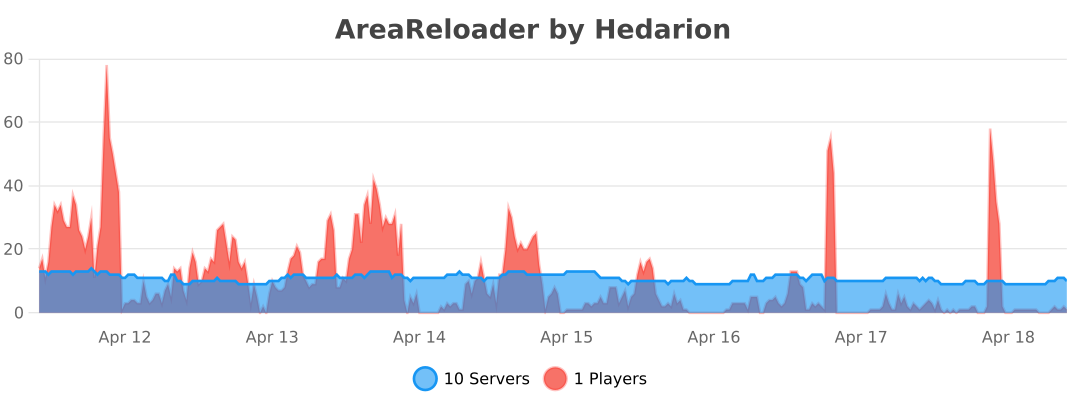
This plugin collects anonymous server statistics which helps me keep track of the plugin's usage.
I invite you to keep this setting on as it contributes to boosting my dedication and work towards my projects!
Provided by bStats.