AntiF5
Lightweight server-side plugin to block third-person (F5) camera abuse.
📖About AntiF5
🛡️ AntiF5
A lightweight and effective way to block third-person camera abuse on your server.




📖 OVERVIEW & HOW IT WORKS
AntiF5 is a clean server-side solution for servers that want to reduce camera peeking and keep gameplay fair without requiring client-side mods. If your server depends on fair positioning, limited vision, and cleaner PvP/PvE gameplay, this plugin gives you a practical way to discourage third-person camera usage.
How Does It Work?
Instead of trying to detect the F5 key directly, AntiF5 places a massive custom TextDisplay directly above the player's head. Because the display follows the player and is only shown to them, switching to third-person becomes practically unusable.
The default configuration uses a large black overlay, but you can fully customize how it looks!
✨ PLUGIN FEATURES
- Effective Blocking: Blocks useful third-person vision by covering the player's view.
- Modern Tech: Uses Minecraft's modern TextDisplay entity system.
- Client-Side Rendering: Visible only to the affected player.
- Highly Configurable: Customize text, scale, translation, opacity, background, and billboard mode.
- Persistent Data: Player toggle state is saved using PersistentDataContainer.
- Seamless: Handles join, respawn, and world changes automatically.
- Optimized: Lightweight and simple to configure.
⚙️ COMMANDS & PERMISSIONS
| Command | Permission | Description |
|---|---|---|
/antif5 or /antif5 toggle |
antif5.command.self |
Toggle AntiF5 for yourself |
/antif5 toggle <player> |
antif5.command.other |
Toggle AntiF5 for another player |
/antif5 reload |
antif5.command.reload |
Reload the plugin configuration |
| None | antif5.bypass |
Bypass the AntiF5 overlay automatically |
🛠️ CONFIGURATION & COMPATIBILITY
Compatibility
AntiF5 uses TextDisplay, so it is intended for modern Minecraft server versions that support display entities.
Configuration
You have full control over the overlay. Customize the following:
- Default enabled state & All plugin messages
- Displayed text & Text opacity
- Translation offsets, Scale & View range
- Shadow, See-through mode & Billboard mode
- Default background & ARGB background color
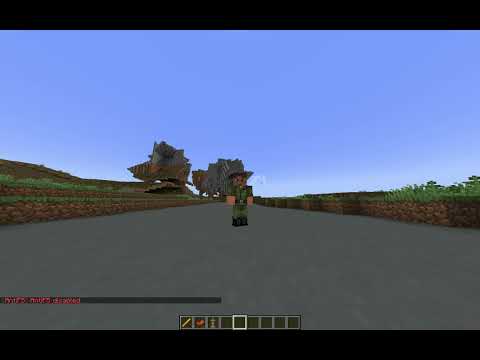
🎥 VIDEO SHOWCASE
🔗 LINKS & SUPPORT
If you encounter any issues, feel free to reach out! I aim to respond as quickly as possible.


SUPPORT THE PROJECT


PayPal: [email protected]