Warping Wonders
Provides vanilla friendly teleportation methods like Waypoint Hubs to further immerse you in your worlds. No more /tpa, /home, or similar commands needed.
📖About Warping Wonders

📖 Description
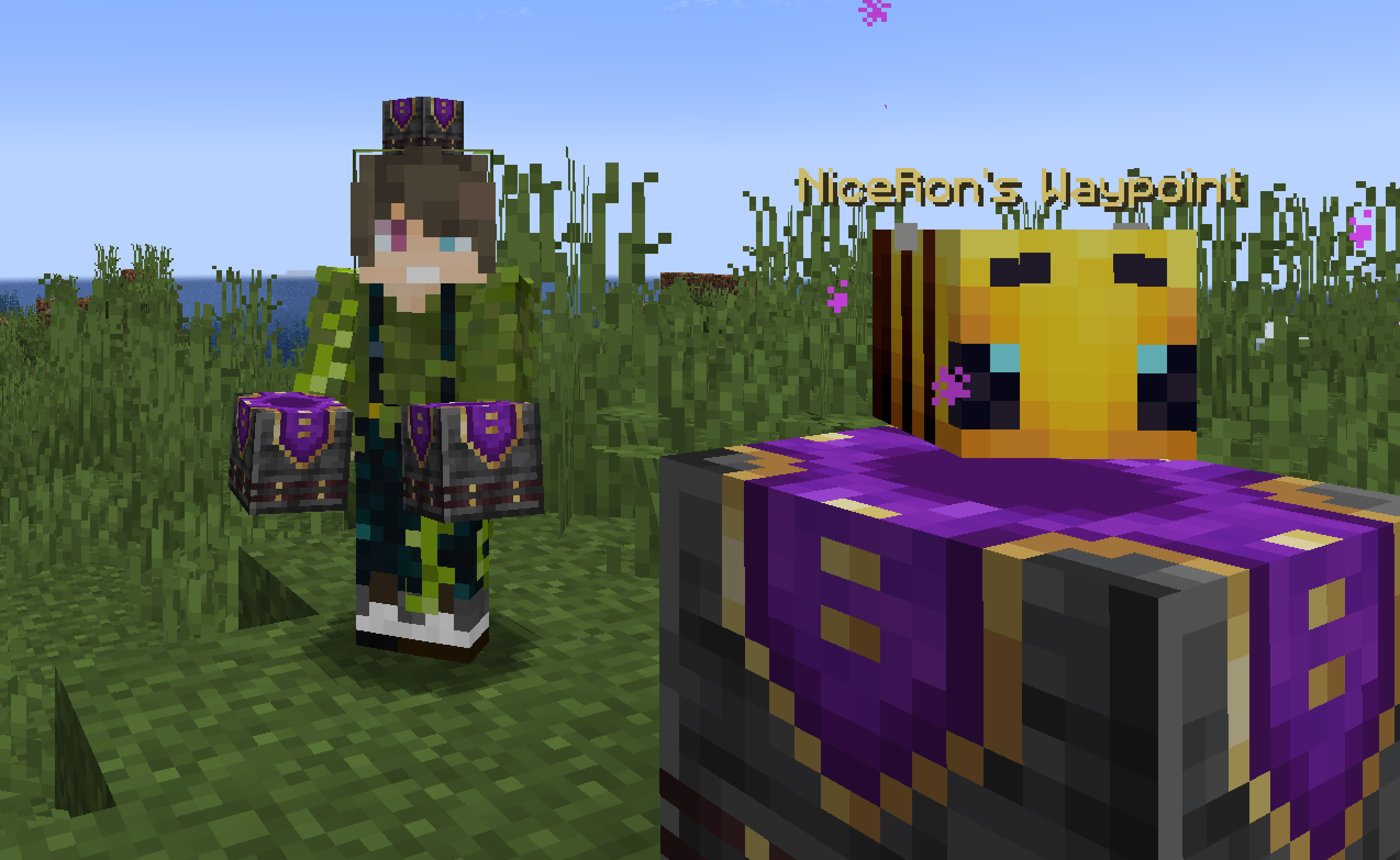
Warping Wonders allows for a more immersive player teleportation utilizing already existing items. Using a compass which is linked to a lodestone players can teleport back to the lodestone. A clock teleports players back to their spawnpoint (bed, respawn anchor) and the recovery compass can bring players back to their last death location. The latter two always get consumed when using them. In addition to that Portal Horns can be crafted which function as a TPA replacement. The latest addition to the data pack is a Waypoint Hub system which lets players set up a network of points of interest where they can teleport to. All teleport actions function across all dimensions. Ridden Entites (Camel, Strider, Donkey, Mule, Horse, Llama and Horses) as well as leashed Entities (including Boats) will be teleported alongside players.
With v2.5+ Admins/OPs can configure almost anything in-game using config menus.
Command to open the Config Menu/function warping_wonders
Will either be set automatically when opening the Config Menu or can be set with:
/tag <playername> add/remove wawo.admin
🧭 Item Overview
Compass Compasses can teleport you to their linked Lodestones, and several additional variants can also be crafted. Recovery Compass You can use a Recovery Compass to teleport to where you last died, and there are also a bunch of other variants you can craft. Clock Using a Clock teleports you back to your respawn point — usually your Bed or Respawn Anchor. Portal Horn Tooting a Portal Horn brings up a menu to invite another player to teleport to you. They’ll get a chat message where they can choose to accept. Waypoint Hub Waypoint Hubs can be crafted and placed to create fixed teleport locations that connect to other Waypoint Hubs. Multiple variants are available, each crafted with a different base block so they can blend seamlessly into any build.- Menus only display destinations the player can access (public or their own private waypoints).
- Pickaxes are the default tool for mining/breaking Waypoint Hubs.
- Private Waypoints display a lock icon above their name.
- Left- or right-clicking the icon of a Waypoint Hub you placed with a renamed Name Tag changes its name.
- Left- or right-clicking with a renamed Book adds/changes a description for the Waypoint Hub to the menu tooltip lore.
- Left- or right-clicking with a renamed Paper grants/revokes access permission for a player to teleport to the Waypoint regardless of it being locked ("trust / "untrust ")
- Left- or right-clicking with a Dye changes the waypoint’s text color.
- Left- or right-clicking with a Waypoint Lock toggles its accessibility (private/public).
- Left-clicking the icon without an item (Name Tag, Dye, etc.) cycles through available icons/heads.
- Right-clicking the icon without an item opens the waypoint menu.
- Placing a Wool block beneath the hub disables teleportation announcements for that hub.
🛠️ How to, Instructions & Commands
The datapack usually just needs to be installed. There is nothing else you have to do. It just works out of the box.
But if you are playing on a PaperMC Server (or a PaperMC Fork like Purpur) make sure to set allow-non-player-entities-on-scoreboards in your paper config files to true in order for everything to work properly.
The data pack version also double functions as a resource pack. So in order to be able to see them, just place the data pack .zip also in your resource folder and activate it like any other resource pack.
📝 Translations
Want to play in your own language? You can help us out by contributing on our Crowdin Page! Once a translation for a language is finished, it’ll be added to the data pack for you to enjoy.
✍️ Feedback, Questions & Suggestions
We're here to help! If you happen to have questions, suggestions or just encountered a bug, then feel free to hop on our discord server to ask for help in our Data Pack Section. Click to join the server
🎮 Explorer's Eden SMP
Join A Realm Recrafted, our Minecraft SMP! Enjoy a world featuring all of our (actively maintained) data packs, as well as some exclusive ones. It’s completely free without any microtransactions. Come build, explore, and craft with us today!