Logo
MINECRAFTBIBLE
Items
Items

All game items

Blocks
Blocks

Building blocks

Mobs
Mobs

Creatures & monsters

Biomes
Biomes

World biomes

Structures
Structures

Generated structures

Recipes
Recipes

Crafting guides

Advancements
Advancements

Achievements

Loot Tables
Loot Tables

Drop rates

Tags
Tags

Item groupings

All Versions
View all data →
Capes
Cape ArchiveNEW

Browse rare Minecon capes, OptiFine capes, and custom capes from players worldwide

Browse

Player Database
Player DatabasePopular

Search any player

Skin Browser
Skin Browser

Browse & download skins

Cape Gallery
Cape GalleryNEW

Minecon & OptiFine capes

Seed Vault
Seed Vault

Curated seeds

Learn

Guides
GuidesNew

Tutorials & tips

Blog
Blog

News & updates

Community

Community Hub
Community HubHub

Posts, discussions & more

All Versions
View community →
Seed Analyzer
Seed Analyzer

World seed analysis

Loot Explorer
Loot Explorer

Drop rates

Crafting Calculator
Crafting Calculator

Material planning

Enchant Calculator
Enchant Calculator

Probability math

Redstone Lab
Redstone Lab

Signal timing

Trading Profit
Trading Profit

Villager ROI

All Versions
View all tools →
Mods
Mods

Browse all mods

Plugins
Plugins

Server plugins

Resource Packs
Resource Packs

Textures & sounds

Shaders
Shaders

Visual enhancements

Datapacks
Datapacks

World logic

Scanner
Mod Intelligence

Scan & analyze any mod

All Versions
View all mods →
Loading...
IntroductionIntroductionVersion HistoryVersion HistoryGuidesGuidesBlog & NewsBlog & News
ItemsItemsBlocksBlocksMobsMobsRecipesRecipesBiomesBiomesStructuresStructuresAdvancementsAdvancementsLoot TablesLoot TablesTagsTags
ModsModsPluginsPluginsResource PacksResource PacksShadersShadersDatapacksDatapacks

MinecraftBible

The Ultimate Wiki

Logo
MINECRAFTBIBLE

The ultimate Minecraft reference. Every item, block, mob, and recipe documented with precision.

Community

  • Skin Browser
  • Cape Gallery
  • Seed Vault
  • Blog
  • Guides

Database

  • Items
  • Blocks
  • Mobs
  • Recipes
  • Biomes
  • Structures

Tools

  • Seed Analyzer
  • Mod Intelligence
  • Crafting Calculator
  • Enchant Calculator

Mods & Packs

  • Mods
  • Plugins
  • Resource Packs
  • Shaders
  • Datapacks

Site & Legal

  • About
  • Authors
  • Editorial Policy
  • Corrections
  • Contact
  • Privacy Policy
  • Terms of Service
  • DMCA
  • Sitemap

© 2026 MinecraftBible. Not affiliated with Mojang or Microsoft.

PrivacyTermsContact
Transformable Items
ModMIT

Transformable Items

Lets you move and resize held items, with the additional option of disabling Item Height Animations(Held item moving up and down when switching items or attacking)

2.1K
Downloads
2
Followers
3 weeks ago
Updated
📦
30
Versions
utilityfabricforgeneoforgequilt
Download Latestvv1.1-mc1.10.2-1.11.2-forgeView on Modrinth

📖About Transformable Items

Distribution Warning

This and the GitHub repository are the two ONLY OFFICIAL SOURCES. There will never be an official CurseForge page for the mod, because of how painful their user interface is to use and me personally not liking Overwolf as a company. Even though the license I use—the MIT License allows redistribution, I strongly advise you to only download Transformable Items from these two sources. If you do decide to download it through a different source, be extra careful and check the code to make sure it doesn't contain malware even on sites which review uploaded mods like CurseForge.

Transformable Items

Lets you move and resize held items, with the additional option of disabling Item Height Animations(Held item moving up and down when switching items or attacking)

Version Support

I plan to support Fabric 1.14.1-latest, Forge 1.6.4-latest and NeoForge 1.20.1-latest. I might also implement Forge 1.5.2 depending on how hard setting up Mixin would be.
Currently, Transformable Items is stable on Fabric and Quilt 1.14.1-26.2, Forge 1.12-26.2 and NeoForge 1.20.1-26.2.

Installation

  1. Install your mod loader of choice
  2. Download the mod for your Minecraft version and mod loader of choice
  3. Move it into your .minecraft/mods directory.
  4. Launch the game

Configuration

You can open the user-friendly custom made configuration by either opening it via Mod Menu(or the built in mod list when using Forge) or using the keybind(F7 by default, configured in Controls)
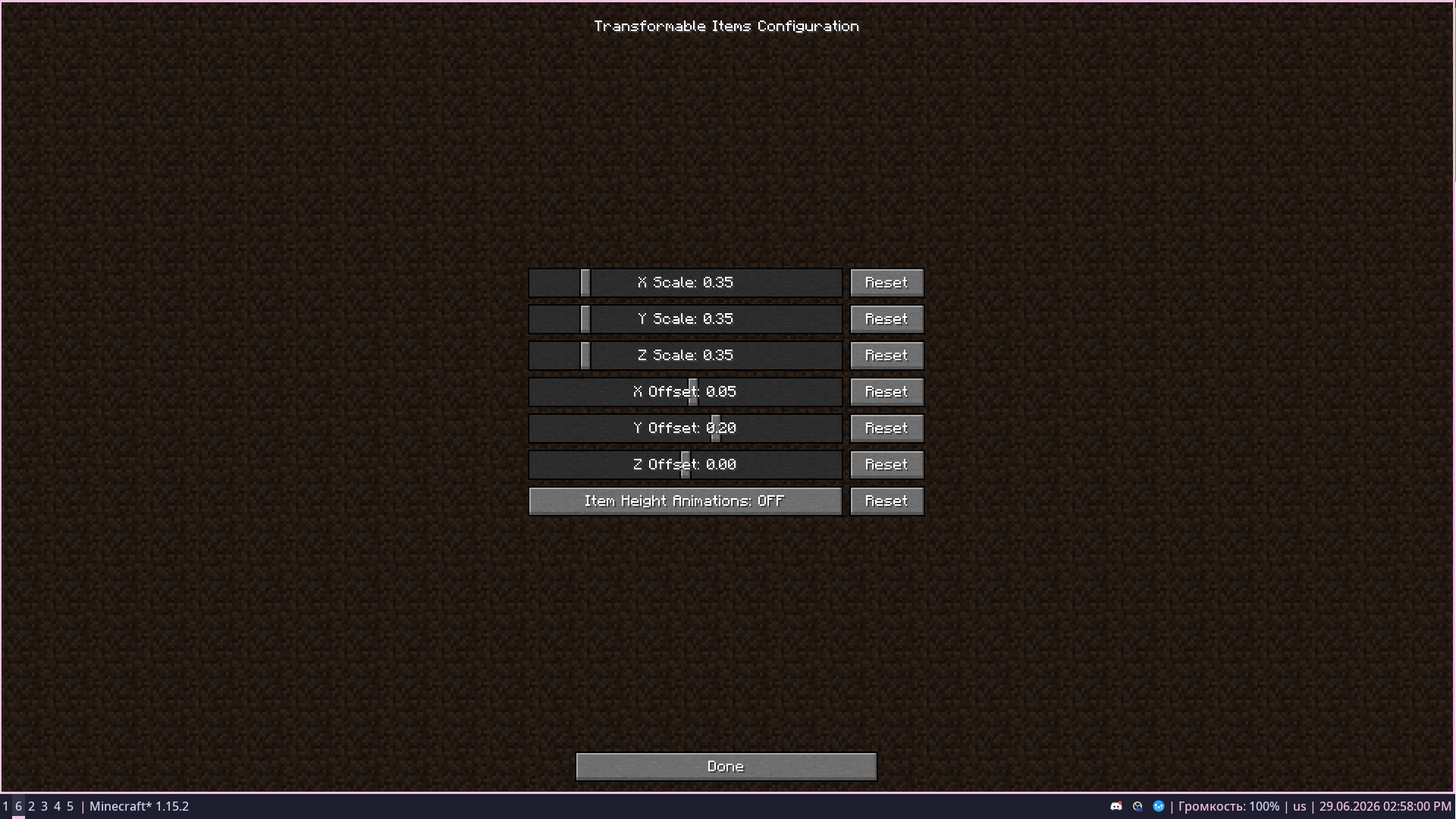
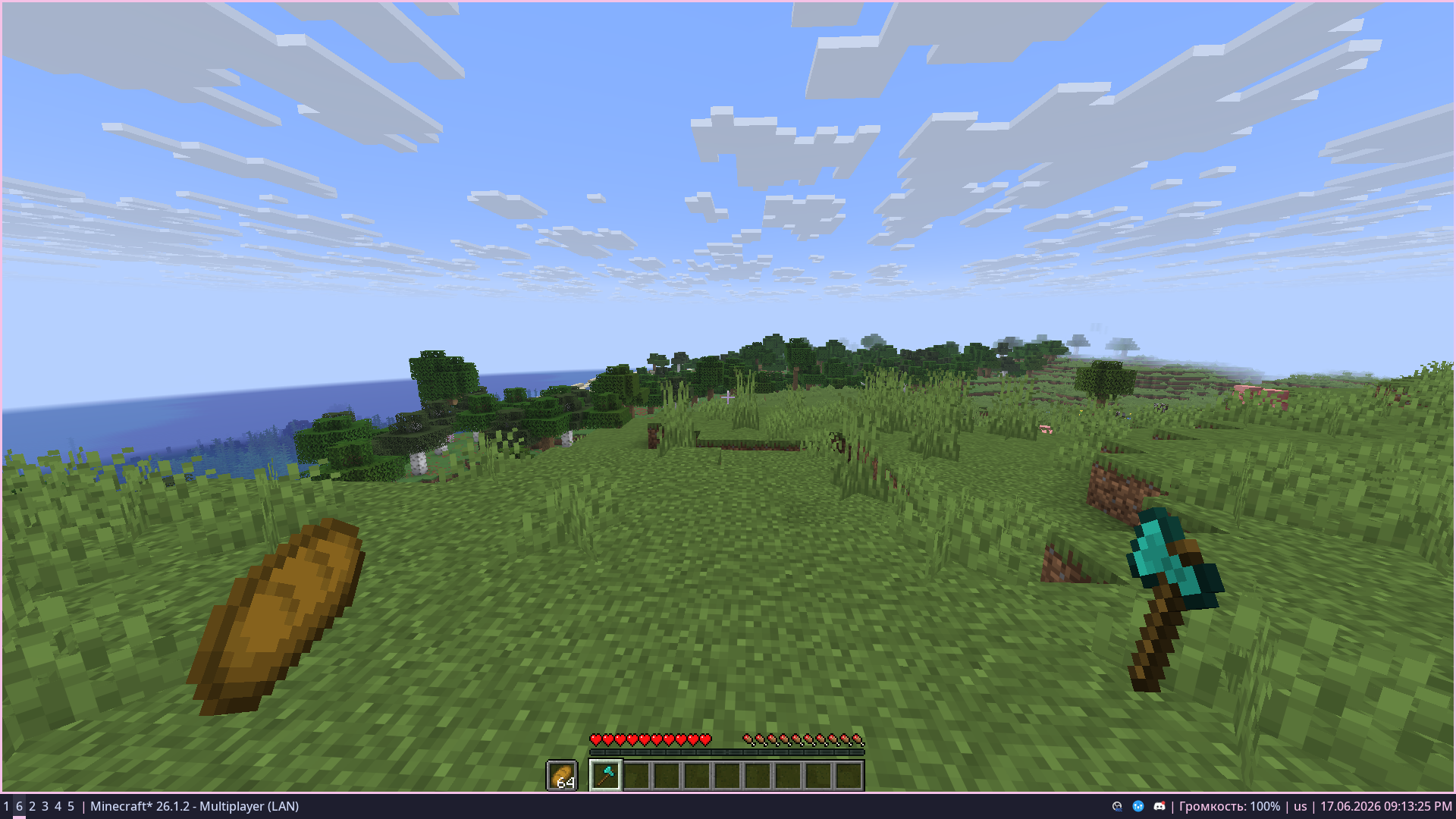
Screenshots

изображение изображение

👥 Team & Contributors

shaweel
shaweelOwner

⚙️ Compatibility

Environment
💻 Client-side
Loaders
fabricforgeneoforgequilt
Minecraft Versions
1.10.21.111.11.11.11.2

🔗 Links

Modrinth Page