Logo
MINECRAFTBIBLE
Items
Items

All game items

Blocks
Blocks

Building blocks

Mobs
Mobs

Creatures & monsters

Biomes
Biomes

World biomes

Structures
Structures

Generated structures

Recipes
Recipes

Crafting guides

Advancements
Advancements

Achievements

Loot Tables
Loot Tables

Drop rates

Tags
Tags

Item groupings

All Versions
View all data →
Capes
Cape ArchiveNEW

Browse rare Minecon capes, OptiFine capes, and custom capes from players worldwide

Browse

Player Database
Player DatabasePopular

Search any player

Skin Browser
Skin Browser

Browse & download skins

Cape Gallery
Cape GalleryNEW

Minecon & OptiFine capes

Seed Vault
Seed Vault

Curated seeds

Learn

Guides
GuidesNew

Tutorials & tips

Blog
Blog

News & updates

Community

Community Hub
Community HubHub

Posts, discussions & more

All Versions
View community →
Seed Analyzer
Seed Analyzer

World seed analysis

Loot Explorer
Loot Explorer

Drop rates

Crafting Calculator
Crafting Calculator

Material planning

Enchant Calculator
Enchant Calculator

Probability math

Redstone Lab
Redstone Lab

Signal timing

Trading Profit
Trading Profit

Villager ROI

All Versions
View all tools →
Mods
Mods

Browse all mods

Plugins
Plugins

Server plugins

Resource Packs
Resource Packs

Textures & sounds

Shaders
Shaders

Visual enhancements

Datapacks
Datapacks

World logic

Scanner
Mod Intelligence

Scan & analyze any mod

All Versions
View all mods →
Loading...
IntroductionIntroductionVersion HistoryVersion HistoryGuidesGuidesBlog & NewsBlog & News
ItemsItemsBlocksBlocksMobsMobsRecipesRecipesBiomesBiomesStructuresStructuresAdvancementsAdvancementsLoot TablesLoot TablesTagsTags
ModsModsPluginsPluginsResource PacksResource PacksShadersShadersDatapacksDatapacks

MinecraftBible

The Ultimate Wiki

Logo
MINECRAFTBIBLE

The ultimate Minecraft reference. Every item, block, mob, and recipe documented with precision.

Community

  • Skin Browser
  • Cape Gallery
  • Seed Vault
  • Blog
  • Guides

Database

  • Items
  • Blocks
  • Mobs
  • Recipes
  • Biomes
  • Structures

Tools

  • Seed Analyzer
  • Mod Intelligence
  • Crafting Calculator
  • Enchant Calculator

Mods & Packs

  • Mods
  • Plugins
  • Resource Packs
  • Shaders
  • Datapacks

Site & Legal

  • About
  • Authors
  • Editorial Policy
  • Corrections
  • Contact
  • Privacy Policy
  • Terms of Service
  • DMCA
  • Sitemap

© 2026 MinecraftBible. Not affiliated with Mojang or Microsoft.

PrivacyTermsContact
Tiers
ModGPL-3.0-only

Tiers

Official Tier Tagger of PvPTiers. Supports other Tierlists: MCTiers, Subtiers

374.1K
Downloads
29
Followers
4 months ago
Updated
📦
30
Versions
equipmentsocialutilityfabricquilt
Download Latestv0.7.2+1.21View on Modrinth

📖About Tiers

PvPTiers Logo

Tiers,

Official Display mod for PvPTiers. Also Supports other Tierlists: MCTiers and Subtiers

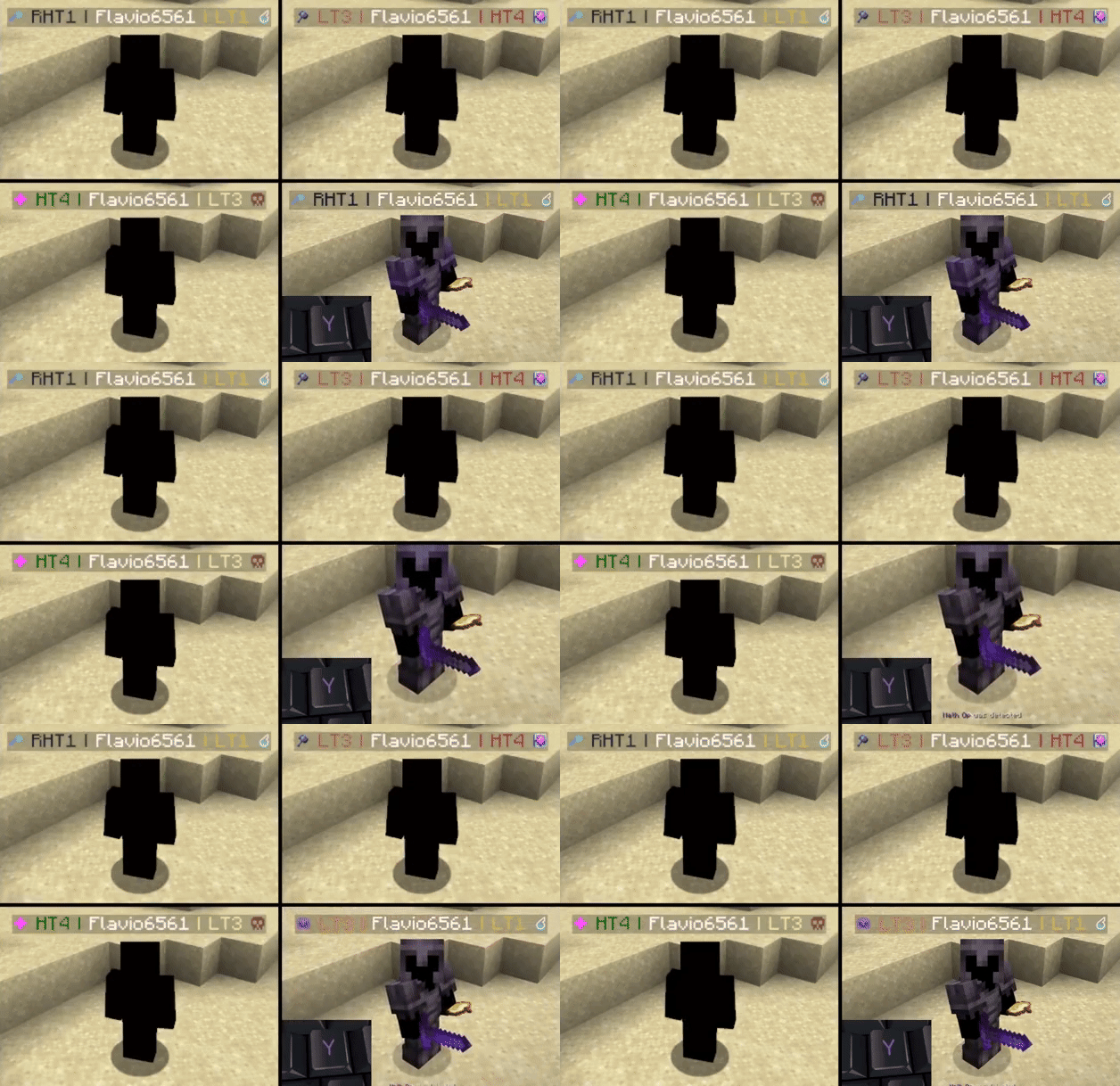
Mod showcase:

NameTags
Switchable MCTiers, PvPTiers and Subtiers icons and colors
Auto detect kit: press 'Y' to autodetect the current gamemode
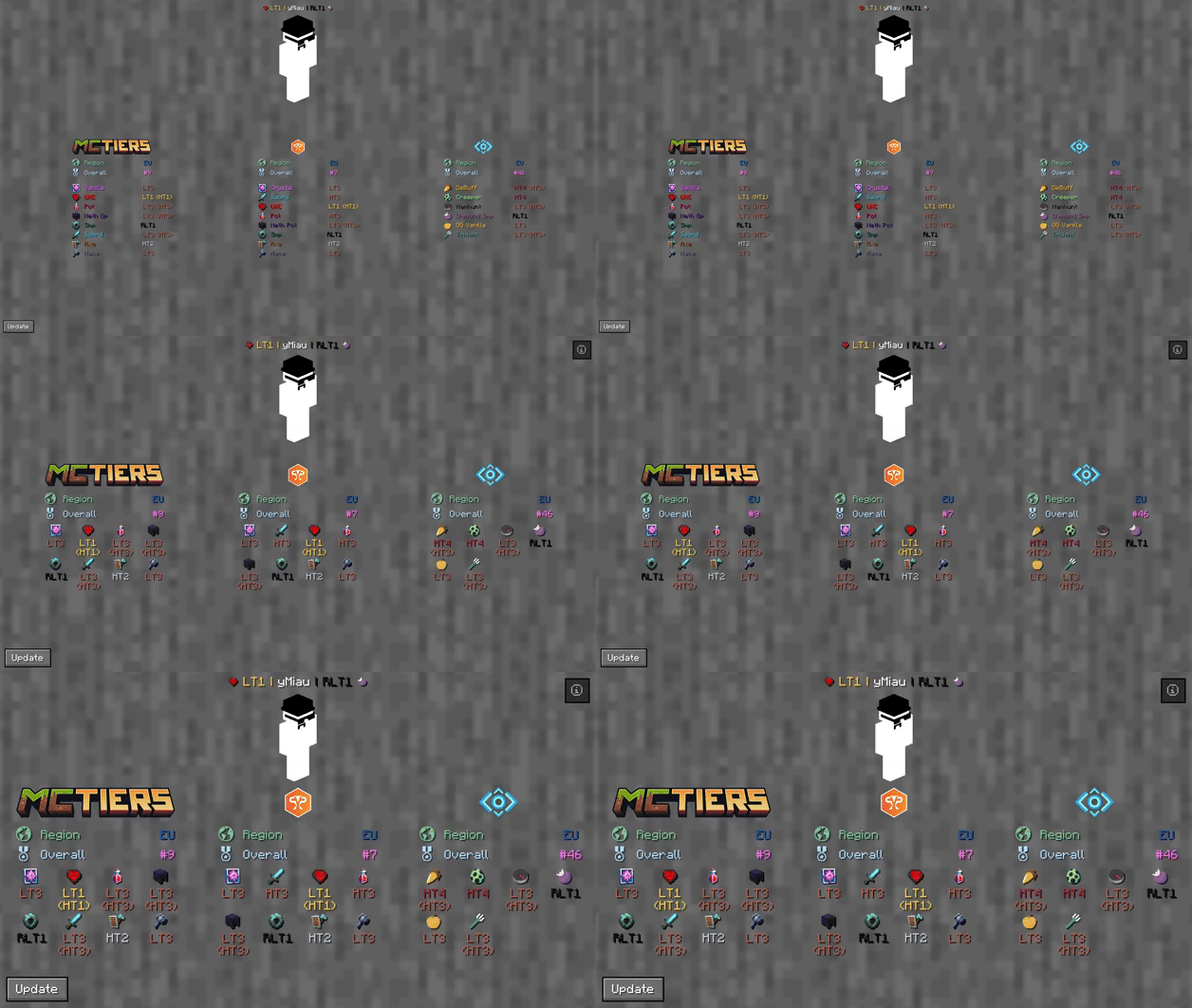
SearchResultScreen
The profile search result screen with PvPTiers icons on different GUI scales
Tiers is still in beta. Report an issue

Mod features:

  • Auto detect kit: press Y (editable) to auto-detect the gamemode you are playing to easily switch and see opponents tiers in that gamemode
  • See nearest player stats: press H (editable) to open the closest player search result screen
  • Search screen: see all tiers, peaks, regions, points, global rankings and skin with /tiers name
  • Change gamemodes and their position: choose a gamemode for each ranking site and decide whether to display it on the left or right
  • Cycle keybinds: press U and I (editable) to easily cycle between the right and left displayed gamemodes
  • Change preset styles: you can change icons and colors presets in the config screen
  • Display gamemodes: whether to display selected mode, adaptive highest or absolute highest

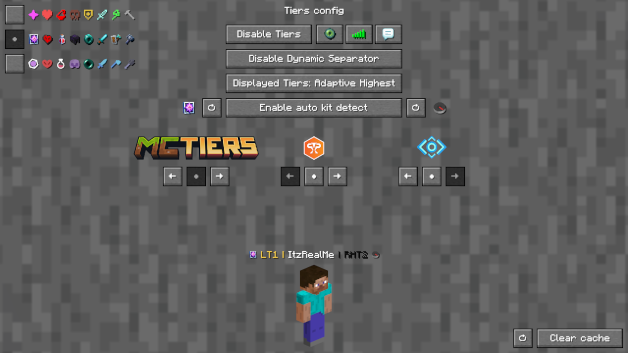
Screen config (ModMenu or /tiers config):

  • Toggle Tiers toggles Tiers
  • Toggle Icons toggles the icons next to the tiers
  • Toggle Tab toggles Tiers on the tablist
  • Toggle Chat toggles Tiers in chat
  • Toggle Dynamic Separator decides if the separator | is the same color as the tier or gray
  • Displayed Tier decides whether to display selected mode, adaptive highest or absolute highest
  • Preview Switcher decides whether to preview the default profile (ItzRealMe) or your character
  • Left and Right gamemode switcher switches between gamemodes of the selected provider
  • Position Settings decides if the specific provider gamemodes are displayer on the right, left or neither
  • Icon and color presets: you can switch between classic, PvPTiers and MCTiers styled icons

ConfigScreen
The config screen on 3 GUI scale

Why Tiers?

All sites in one mod:

Tiers is able to track and display all rankings from the official tierlist PvPTiers and variant lists MCTiers, Subtiers

Customizable icons:

With Tiers, you can customize gamemodes icons and text colors, as well as choosing where and what gamemode to display; want to manually modify the icons or tiers colors? Edit and add in your pack folder the default texture pack

Other:

Settings will be saved in your config folder and updated at runtime

The mod is client side (works on multiplayer)

Links:

  • GitHub page
  • Modrinth page
  • Changelogs
  • Report an issue

👥 Team & Contributors

No authors recorded.

⚙️ Compatibility

Environment
💻 Client-side
Loaders
fabricquilt
Minecraft Versions
1.21

🔗 Links

Modrinth Page