


Stylish Effects
Status effect display overhaul: Display them in any menu! And way more compact.
📖About Stylish Effects




📖 About:
Stylish Effects completely overhauls how status effects are displayed. There are multiple modes to choose and countless configuration options available to create the effects display of your dreams.
📚 Contents:
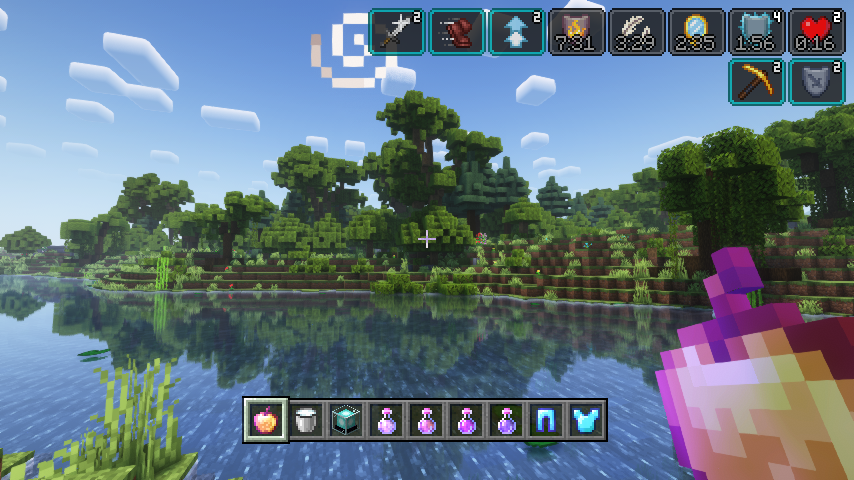
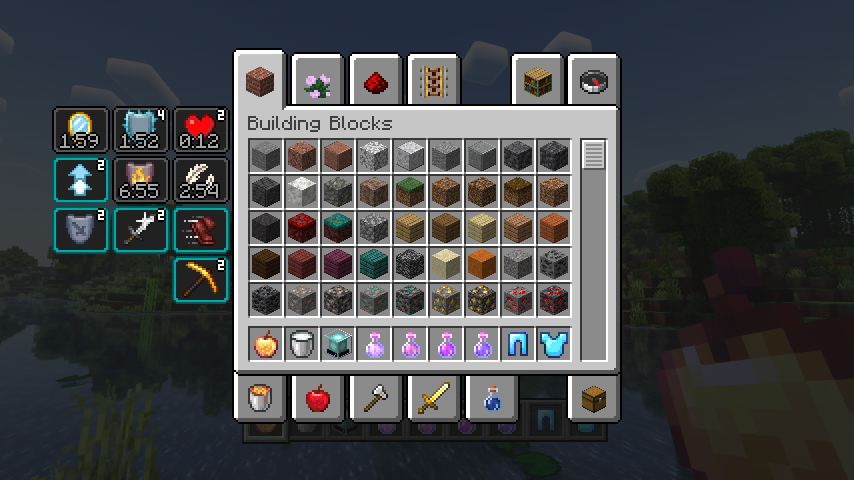
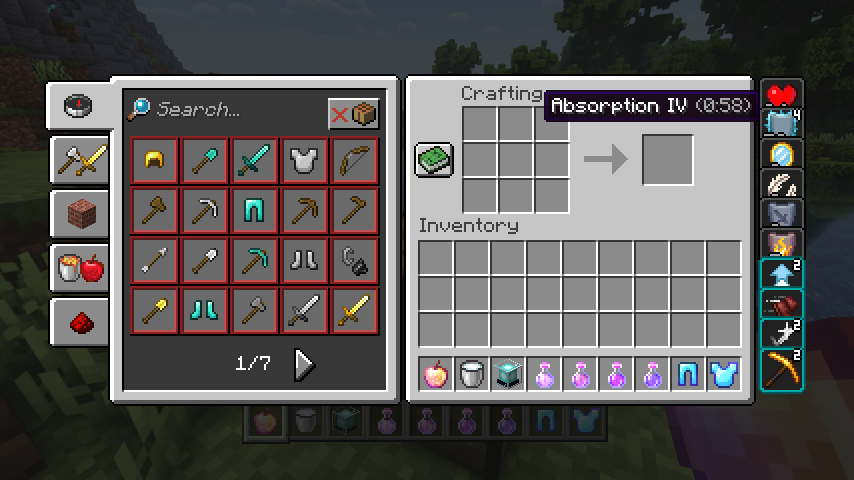
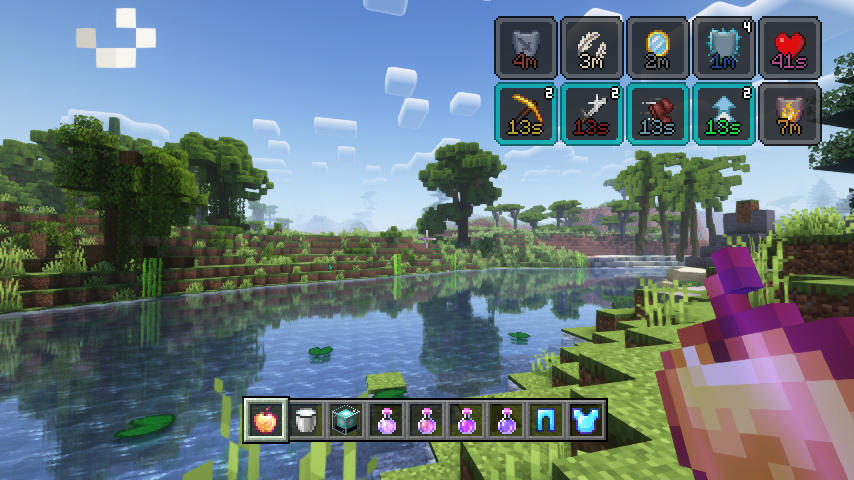
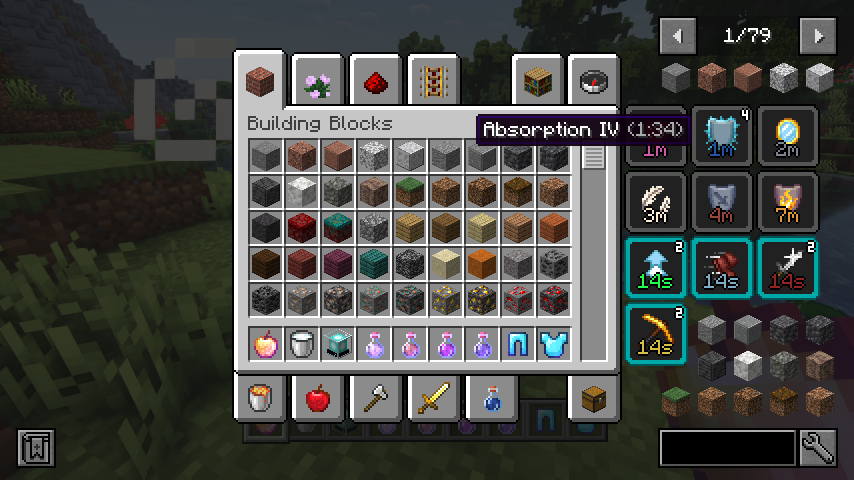
First of all, the crummy little vanilla hud effects display is replaced with a fancier version which includes an effect timer as well as the current effect amplifier. This display is also now used in the inventory, as it's way more compact and allows for many more effects to be shown before they start to overlap. And this new inventory display is no longer limited to the player inventory, now you can see your active effects in every container!
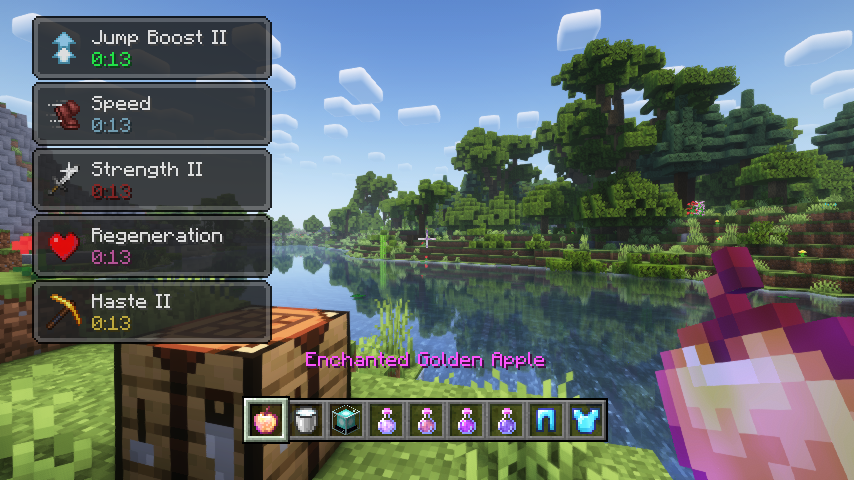
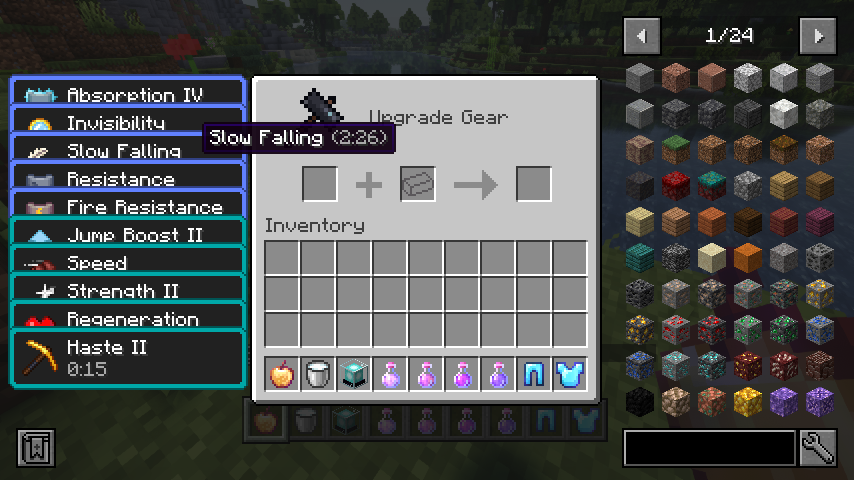
But wait, now that status effects are shown small and compact with just an icon, how will you find out how your active effects are called? Don't worry, a handy tooltip is added for that. The tooltip will be even more useful when Just Enough Effect Descriptions by MehVahdJukaar is installed.
You like the vanilla inventory status effect display and want to keep it or even use it on the hud as well? No problem! You can choose any widget mode you want, or even none. Alongside that there are many configurable settings, such as the screen side for effects, amount of rows and columns, a custom alpha value, text colors, custom screen positions, and much, much more.
📷 Media:
 |
 |
|
| Stylish effects in action being very stylish | Various effect render types can be chosen and configured | |
 |
 |
|
| Compact effects replace the vanilla display inside of the inventory | The effects display is shown in every container, not just the inventory | |
 |
 |
|
| Useful tooltips will appear when effect widgets are hovered | So many possible settings, create your very own effect display | |
 |
||
| Great JEI and REI compatibility | ||
💡 FAQ:
Q: How do I configure this mod on Forge?
A: Install my Config Menus for Forge mod and do it directly in-game!
Q: How do I configure this mod on Fabric?
A: Editing configs directly in-game has not yet been implemented. Instead when in a world run the /config showfile <modid> command by choosing either CLIENT or SERVER (depending on the mod), then click the file name (ending with .toml) that appears in chat to be able to manually edit the config file in a separate editor. After saving the file, the config will automatically reload in-game after a couple of seconds, so no game restart required.
Q: Where can I download this mod for Fabric on versions of Minecraft before 1.19?
A: Older downloads are found on the old project page.
🏆 Credits:
Developing Stylish Effects was helped and inspired by:
- Deadzoke for inspiring the effect timer display from their Ignite HUD mod
- Dmitrylovin for inspiring the compact effect amplifier display from their Inventory HUD+ mod
- Snownee for a small hack for disabling the default JEI inventory status effect handling from their Mini Effects mod







 |
 |
|
 |
 |
|
 |
 |
|
 |
 |
|
 |
 |
|