Logo
MINECRAFTBIBLE
Items
Items

All game items

Blocks
Blocks

Building blocks

Mobs
Mobs

Creatures & monsters

Biomes
Biomes

World biomes

Structures
Structures

Generated structures

Recipes
Recipes

Crafting guides

Advancements
Advancements

Achievements

Loot Tables
Loot Tables

Drop rates

Tags
Tags

Item groupings

All Versions
View all data →
Capes
Cape ArchiveNEW

Browse rare Minecon capes, OptiFine capes, and custom capes from players worldwide

Browse

Player Database
Player DatabasePopular

Search any player

Skin Browser
Skin Browser

Browse & download skins

Cape Gallery
Cape GalleryNEW

Minecon & OptiFine capes

Seed Vault
Seed Vault

Curated seeds

Learn

Guides
GuidesNew

Tutorials & tips

Blog
Blog

News & updates

Community

Community Hub
Community HubHub

Posts, discussions & more

All Versions
View community →
Seed Analyzer
Seed Analyzer

World seed analysis

Loot Explorer
Loot Explorer

Drop rates

Crafting Calculator
Crafting Calculator

Material planning

Enchant Calculator
Enchant Calculator

Probability math

Redstone Lab
Redstone Lab

Signal timing

Trading Profit
Trading Profit

Villager ROI

All Versions
View all tools →
Mods
Mods

Browse all mods

Plugins
Plugins

Server plugins

Resource Packs
Resource Packs

Textures & sounds

Shaders
Shaders

Visual enhancements

Datapacks
Datapacks

World logic

Scanner
Mod Intelligence

Scan & analyze any mod

All Versions
View all mods →
Loading...
IntroductionIntroductionVersion HistoryVersion HistoryGuidesGuidesBlog & NewsBlog & News
ItemsItemsBlocksBlocksMobsMobsRecipesRecipesBiomesBiomesStructuresStructuresAdvancementsAdvancementsLoot TablesLoot TablesTagsTags
ModsModsPluginsPluginsResource PacksResource PacksShadersShadersDatapacksDatapacks

MinecraftBible

The Ultimate Wiki

Logo
MINECRAFTBIBLE

The ultimate Minecraft reference. Every item, block, mob, and recipe documented with precision.

Community

  • Player Database
  • Skin Browser
  • Cape Gallery
  • Community Hub
  • Seed Vault

Database

  • Items
  • Blocks
  • Mobs
  • Recipes
  • Biomes
  • Structures

Tools

  • Seed Analyzer
  • Mod Intelligence
  • Crafting Calculator
  • Enchant Calculator

Mods & Packs

  • Mods
  • Plugins
  • Resource Packs
  • Shaders
  • Datapacks

© 2026 MinecraftBible. Not affiliated with Mojang or Microsoft.

PrivacyTermsContact
Spyglass Astronomy
ModLGPL-3.0-only

Spyglass Astronomy

Draw your own constellations on an interactive and improved night sky. An immersive overhaul of the space skybox, including planets and better stars.

2.0M
Downloads
1,116
Followers
4 months ago
Updated
📦
30
Versions
decorationfabric
Download Latestv1.0.20-mc1.21.11View on Modrinth

📖About Spyglass Astronomy

Spyglass Astronomy

Explore a procedurally generated solar system through the lens of a spyglass!

The mod is entirely client-side and designed for helping with world-building and immersion, it is encouraged you think of lore about all the constellations you draw and planets you name!

Planets and stars will be the same for all players on a particular world, and are generated randomly (and largely scientifically accurately) per world, and you can easily share constellations between players using a client-side command

The scientific accuracy means the underlying physics of astrology (orbital resonance, alignments, etc) work exactly the same, you just have to spot them and make up your own lore!
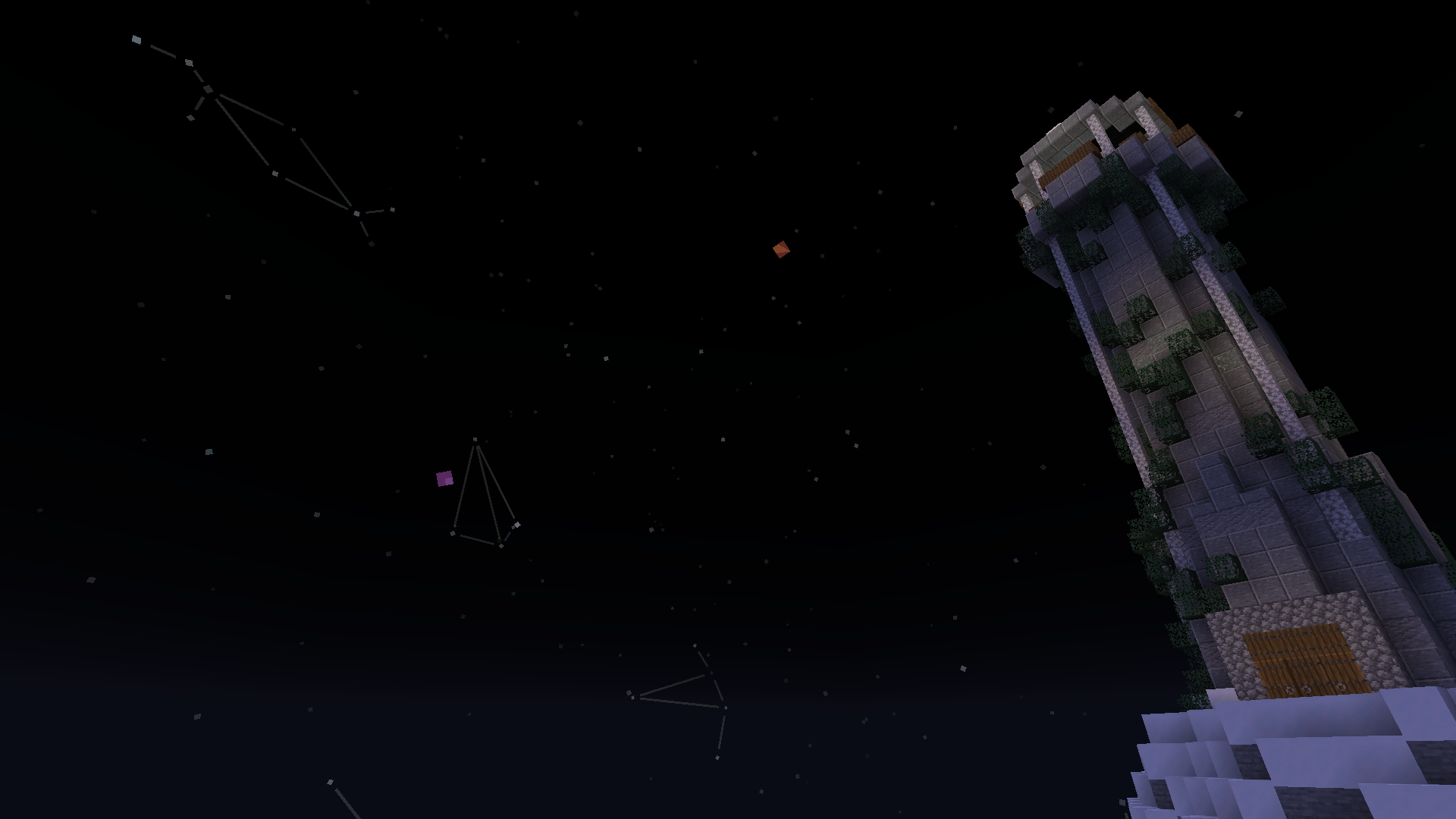
Screenshot of some planets and constellations from atop a mountain

Dependencies:

  • Fabric API (or the Quilt equivalent, although i have not tested this mod with Quilt)

How to use

To interact with the cosmos there are three spyglass modes: vanilla, constellation (amethyst), and star (emerald), these are cycled with the pick block button (middle click) while zoomed in.

Constellation mode allows you to draw constellations by holding the attack button (left click) and drawing between stars, as well as being able to select constellations

Star mode allows you to select stars and planets, note that comets are referred to as planets when using commands

Once an object is selected you can name it with /sga:name <name>, or get useful information with /sga:info, you can also get the information of a specific object without selecting it by following the suggestions after typing /sga:info <x>

If you're playing on a multiplayer server, you can use /sga:share or /sga:share <x> to share the currently selected or specified object respectively, this gives you a code you can send in chat or /message to someone directly, which allows them to easily add a constellation or name of a planet or star on their side, provided they have the mod too, of course. For an even smoother experience, you can use Spyglass Astronomy Sync, although that needs to be on the server too

All the client-side commands can be seen by looking at the suggestions after typing /sga:, or by looking at the list on the github readme

There is also a client+server mod that allows for bulk sharing, it's made by someone else, but it looks good!

Older versions of Spyglass Astronomy are incompatible with the mod Spyglass Improvements, however Spyglass Astronomy comes with its own scrollable spyglass zoom, and other mods, like Zoomglass, exist to allow for spyglass hotkeys

👥 Team & Contributors

Estecka
Estecka
Contributor
Nettakrim
NettakrimOwner
fliplus
fliplus
Contributor

⚙️ Compatibility

Environment
💻 Client-side
Loaders
fabric
Minecraft Versions
1.21.11

🔗 Links

Modrinth Page