Logo
MINECRAFTBIBLE
Items
Items

All game items

Blocks
Blocks

Building blocks

Mobs
Mobs

Creatures & monsters

Biomes
Biomes

World biomes

Structures
Structures

Generated structures

Recipes
Recipes

Crafting guides

Advancements
Advancements

Achievements

Loot Tables
Loot Tables

Drop rates

Tags
Tags

Item groupings

All Versions
View all data →
Capes
Cape ArchiveNEW

Browse rare Minecon capes, OptiFine capes, and custom capes from players worldwide

Browse

Player Database
Player DatabasePopular

Search any player

Skin Browser
Skin Browser

Browse & download skins

Cape Gallery
Cape GalleryNEW

Minecon & OptiFine capes

Seed Vault
Seed Vault

Curated seeds

Learn

Guides
GuidesNew

Tutorials & tips

Blog
Blog

News & updates

Community

Community Hub
Community HubHub

Posts, discussions & more

All Versions
View community →
Seed Analyzer
Seed Analyzer

World seed analysis

Loot Explorer
Loot Explorer

Drop rates

Crafting Calculator
Crafting Calculator

Material planning

Enchant Calculator
Enchant Calculator

Probability math

Redstone Lab
Redstone Lab

Signal timing

Trading Profit
Trading Profit

Villager ROI

All Versions
View all tools →
Mods
Mods

Browse all mods

Plugins
Plugins

Server plugins

Resource Packs
Resource Packs

Textures & sounds

Shaders
Shaders

Visual enhancements

Datapacks
Datapacks

World logic

Scanner
Mod Intelligence

Scan & analyze any mod

All Versions
View all mods →
Loading...
IntroductionIntroductionVersion HistoryVersion HistoryGuidesGuidesBlog & NewsBlog & News
ItemsItemsBlocksBlocksMobsMobsRecipesRecipesBiomesBiomesStructuresStructuresAdvancementsAdvancementsLoot TablesLoot TablesTagsTags
ModsModsPluginsPluginsResource PacksResource PacksShadersShadersDatapacksDatapacks

MinecraftBible

The Ultimate Wiki

Logo
MINECRAFTBIBLE

The ultimate Minecraft reference. Every item, block, mob, and recipe documented with precision.

Community

  • Skin Browser
  • Cape Gallery
  • Seed Vault
  • Blog
  • Guides

Database

  • Items
  • Blocks
  • Mobs
  • Recipes
  • Biomes
  • Structures

Tools

  • Seed Analyzer
  • Mod Intelligence
  • Crafting Calculator
  • Enchant Calculator

Mods & Packs

  • Mods
  • Plugins
  • Resource Packs
  • Shaders
  • Datapacks

Site & Legal

  • About
  • Authors
  • Editorial Policy
  • Corrections
  • Contact
  • Privacy Policy
  • Terms of Service
  • DMCA
  • Sitemap

© 2026 MinecraftBible. Not affiliated with Mojang or Microsoft.

PrivacyTermsContact
Spiky Spikes
ModMPL-2.0

Spiky Spikes

Don't step on it! Hurts almost as much as stepping on LEGO... ouch

1.2M
Downloads
94
Followers
4 months ago
Updated
📦
30
Versions
game-mechanicsutilityfabricforgeneoforge
Download Latestv21.11.0View on Modrinth

📖About Spiky Spikes


📖 About:

Spiky Spikes adds some really spikey spikes. There are a bunch of tiers, all with unique abilities. So what are you waiting for? Let's go and improve your mob farms!

📚 Contents:

Spiky Spikes brings you 6 Tiers of spikes, all of them are unique.

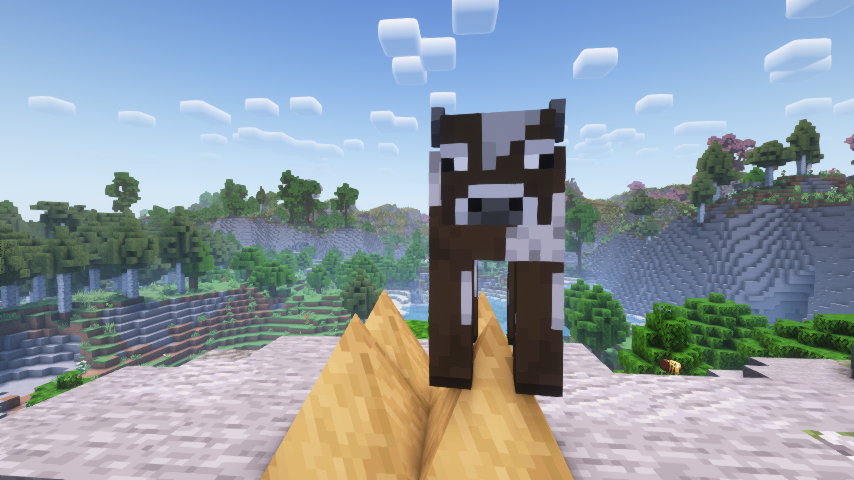
  • Wooden: Slowly damages mobs, but does not deal a killing blow.
  • Stone: Damages and kills mobs, but does not drop any loot or experience.
  • Iron: Damages and kills mobs, only drops normal loot without experience.
  • Golden: Damages and kills mobs, only drops experience without any loot.
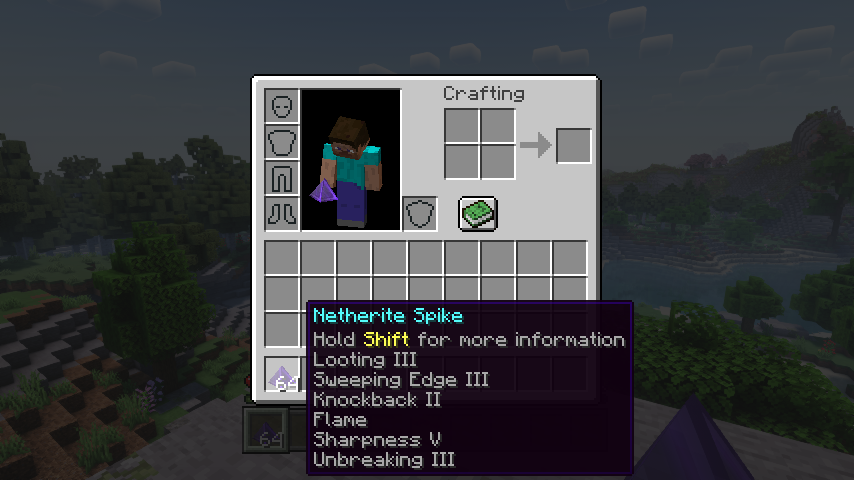
  • Diamond: Deals a lot of damage, mobs drop all loot like when killed by a player. Can use most sword enchantments, apply via an anvil.
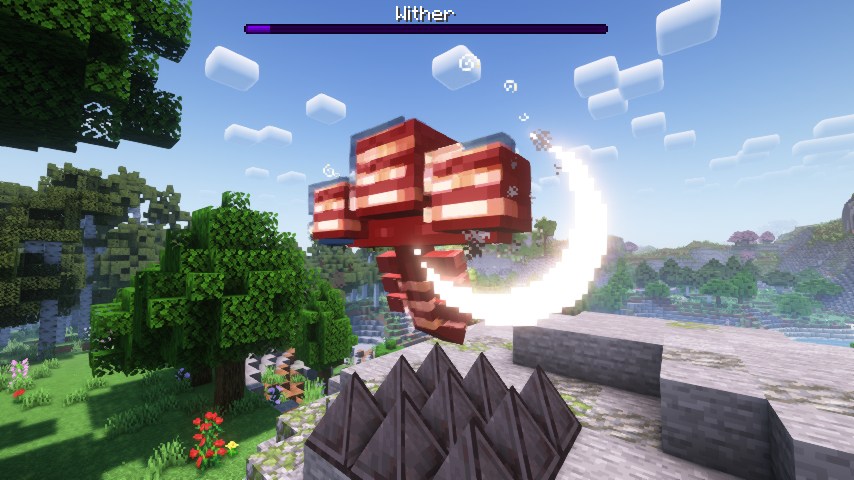
  • Netherite: Deals a lot of damage, mobs drop all loot like when killed by a player. Can use most sword enchantments, apply via an anvil. Is resistant to explosions and cannot be destroyed by the wither boss. Deals no damage to players.

Note: Make sure when adding enchantments to diamond and netherite spikes to have all the spikes you want to enchant ready at once. You can apply enchanted books To The Whole Stack, so enchanting more spikes later will needlessly consume more of your precious books.

📷 Media:
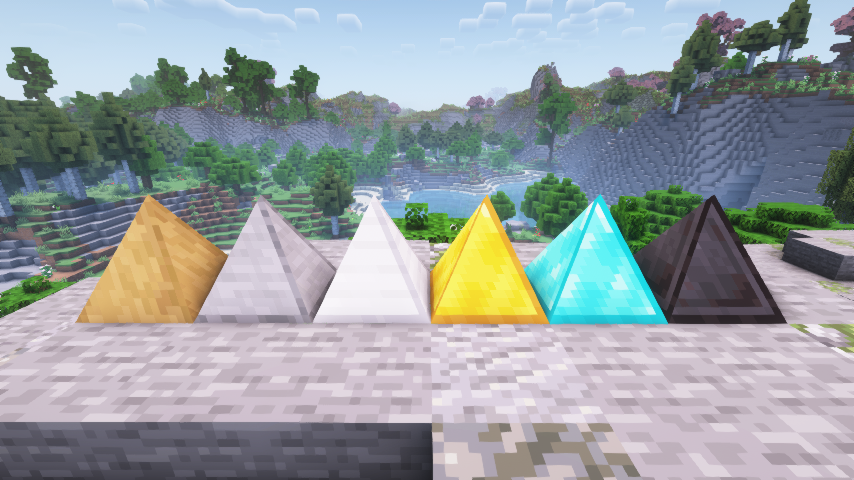
  
Spiky spikes are spikey    Wooden spikes bring mobs down to half a heart
 
  
Even the wither boss isn't safe from netherite spikes    All the enchantments you can put on spikes
 

💡 FAQ:

Q: How do I configure this mod on Forge?
A: Install my Config Menus for Forge mod and do it directly in-game!

Q: How do I configure this mod on Fabric?
A: Editing configs directly in-game has not yet been implemented. Instead when in a world run the /config showfile <modid> command by choosing either CLIENT or SERVER (depending on the mod), then click the file name (ending with .toml) that appears in chat to be able to manually edit the config file in a separate editor. After saving the file, the config will automatically reload in-game after a couple of seconds, so no game restart required.

🏆 Credits:

Developing Spiky Spikes was helped and inspired by:

  • RWTema for inspiring this mod from the spike blocks found in old versions of their Extra Utilities mod
  • XFactHD for introducing me to the dark arts of rendering non-cube shapes in Minecraft

  

    Reddit 


👥 Team & Contributors

LunaPixelStudios
LunaPixelStudios
Studio
Fuzs
FuzsOwner

⚙️ Compatibility

Environment
✅ Client & Server
Loaders
fabricforgeneoforge
Minecraft Versions
1.21.11

🔗 Links

Modrinth Page