Sparkles adds visual effects to decorate your builds. It's for solo and multiplayer (require admin role). Almost easy to use, tons of particles!
Creation Process
/function sparkle:create/[...]
- Go to the place where you want to add a spotlight.
- Point your character in the direction you want to install the spotlight (some spots are using orientation).
- Open the chat and type:
/function sparkle:create/
- Choose your spot, then press “enter".
An ingame demo is available, use: /function fksk:options/demo
Remove Process
/function sparkle:remove/[...]
When removing a spot, stay as close as possible of the center of the spot.
Chose the deletion distance at the end of the command, from 1 to 5 (complete with TAB).
How to
Use commands & functions
- Open your chat and start with
/function sparkle:
- Chose to "create", "edit" or "remove"
- You can write the command, or use the ARROW-KEYS to naviguate up and down
- Press TAB on the command line to auto-complete
- Press ENTER to send the command
Global Render distance (Patreon)
/scoreboard players set global.render_distance fksk.options 3
This option act as a global default render distance. Affects every players. Make sure to upgrade the render distance only if your computer/server can handle it. (default is 3. Range [1-5]. 99 for unlimited.)
Specific Render distance for a player (Patreon)
/scoreboard players set PLAYER_NAME fksk.render 2
This option act as an individual overwriting render distance. You can define the render distance for each player individualy, depending of their computer limitations.
Force a single spot to render from far away (Patreon)
/function sparkle:edit/force_render/[nearest|block|chunk]/[1-5]
- [nearest|block|chunk] : chose your targets
- [1-5] or 99 : chose the render distance to apply to targets
You can force secific spot(s) to render from a custom distance, by applying a score on it. Stay as close as possible to the center of the spot(s) when entering the command.
Datapack's Options
In game, use /function fksk:options/get
Patreon Supporters
- 1.21.11 (30/01/2026): Azerxim, Setsu-P, varinyc, nfnpgllxhn
- 1.21.9 (05/10/2025): CYKLOPPS, Azerxim, varinyc, Setsu-P, Wani P, Lionel Felke
- 1.21.5 (09/09/2025): CYKLOPPS, Azerxim, varinyc, Setsu-P, Wani P, Lionel Felke
- 1.20 (2022-07-18): Delivator, Jonathan Fanelli, Angelo Russo, Phantom-Glitch-Wolf, John Stampe, 깔수, Screaming Man, Dorian Dejean, ooF, ZMH, Yokie
- Render Distance Tweaks (2022-06-23): Screaming Man, Dorian Dejean, Peter Schubert, ooF, Tân Huỳnh
- 1.19 (2022-06-22): Screaming Man, Dorian Dejean, Peter Schubert, ooF, Tân Huỳnh
- Chrismas Pack (2021-12-24): Screaming Man, Dorian Dejean, Peter Schubert
Patreon Version
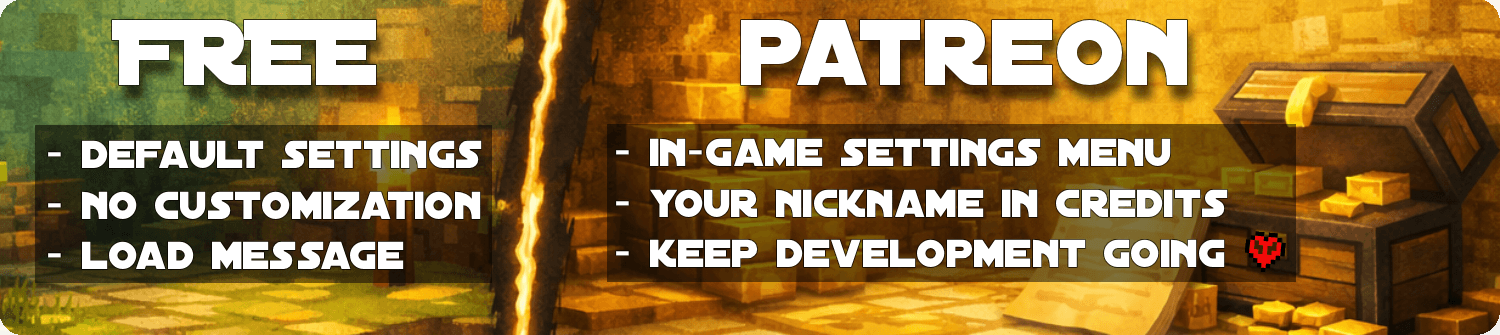
The free versions are designed to be fun and fully playable.
The Patreon version is for players and server owners who want more control, comfort, and flexibility through an in-game settings menu to tweak the parameters live, without file editing.
Becoming a Gold Patreon also means:
- Getting access to every Patreon versions of every projects.
- Getting your name listed in each project and on this page (see above).
- Supporting long-term development, updates, and new features 💛
Mod Version
Mod packaging is designed to be more convenient for your installations. Executed on the server side, it does not need to be installed on the client side. Keep in mind that inside the mod is simply a datapack. In addition, interactions between too many mods can degrade the functioning of one or more mods.
Issue / Bug
Visitors


