Logo
MINECRAFTBIBLE
Items
Items

All game items

Blocks
Blocks

Building blocks

Mobs
Mobs

Creatures & monsters

Biomes
Biomes

World biomes

Structures
Structures

Generated structures

Recipes
Recipes

Crafting guides

Advancements
Advancements

Achievements

Loot Tables
Loot Tables

Drop rates

Tags
Tags

Item groupings

All Versions
View all data →
Capes
Cape ArchiveNEW

Browse rare Minecon capes, OptiFine capes, and custom capes from players worldwide

Browse

Player Database
Player DatabasePopular

Search any player

Skin Browser
Skin Browser

Browse & download skins

Cape Gallery
Cape GalleryNEW

Minecon & OptiFine capes

Seed Vault
Seed Vault

Curated seeds

Learn

Guides
GuidesNew

Tutorials & tips

Blog
Blog

News & updates

Community

Community Hub
Community HubHub

Posts, discussions & more

All Versions
View community →
Seed Analyzer
Seed Analyzer

World seed analysis

Loot Explorer
Loot Explorer

Drop rates

Crafting Calculator
Crafting Calculator

Material planning

Enchant Calculator
Enchant Calculator

Probability math

Redstone Lab
Redstone Lab

Signal timing

Trading Profit
Trading Profit

Villager ROI

All Versions
View all tools →
Mods
Mods

Browse all mods

Plugins
Plugins

Server plugins

Resource Packs
Resource Packs

Textures & sounds

Shaders
Shaders

Visual enhancements

Datapacks
Datapacks

World logic

Scanner
Mod Intelligence

Scan & analyze any mod

All Versions
View all mods →
Loading...
IntroductionIntroductionVersion HistoryVersion HistoryGuidesGuidesBlog & NewsBlog & News
ItemsItemsBlocksBlocksMobsMobsRecipesRecipesBiomesBiomesStructuresStructuresAdvancementsAdvancementsLoot TablesLoot TablesTagsTags
ModsModsPluginsPluginsResource PacksResource PacksShadersShadersDatapacksDatapacks

MinecraftBible

The Ultimate Wiki

Logo
MINECRAFTBIBLE

The ultimate Minecraft reference. Every item, block, mob, and recipe documented with precision.

Community

  • Skin Browser
  • Cape Gallery
  • Seed Vault
  • Blog
  • Guides

Database

  • Items
  • Blocks
  • Mobs
  • Recipes
  • Biomes
  • Structures

Tools

  • Seed Analyzer
  • Mod Intelligence
  • Crafting Calculator
  • Enchant Calculator

Mods & Packs

  • Mods
  • Plugins
  • Resource Packs
  • Shaders
  • Datapacks

Site & Legal

  • About
  • Authors
  • Editorial Policy
  • Corrections
  • Contact
  • Privacy Policy
  • Terms of Service
  • DMCA
  • Sitemap

© 2026 MinecraftBible. Not affiliated with Mojang or Microsoft.

PrivacyTermsContact
Sounds
ModLicenseRef-All-Rights-Reserved

Sounds

It's what it says on the tin. A complete upgrade to Minecraft's SFX with over 170 new sound effects for UIs, items, blocks and more.

8.6M
Downloads
3,254
Followers
6 months ago
Updated
📦
30
Versions
game-mechanicssocialutilityfabricforgeneoforge
Download Latestv2.4.22+edge+1.21.11-fabricView on Modrinth

📖About Sounds

It's what it says on the tin.

Sounds is a mod that adds a variety of new sound effects to the game, whilst improving existing ones that didn't quite fit. It's a game-changer, it makes vanilla feel incomplete in comparison.

The mod is also a spiritual continuation of ExtraSounds, Auditory and QualitySounds; the majority of features from these mods have been expanded upon to be highly configurable.

Requires M.R.U & Yet Another Config Lib

Features

  • Includes over 170 SFX improvements which span across the entire game, such as UI, chat messages, in-game actions and block sounds.
  • High quality sound effects sourced from Zapsplat and hand-tweaked for the best SFX experience.
  • Fully client-side only, no need to install on the server!
  • Highly customizable, you can change the sounds events used, and even tweak the dynamic block and item sounds through resource packs, especially useful for creating addons for content mods.'

Configuration

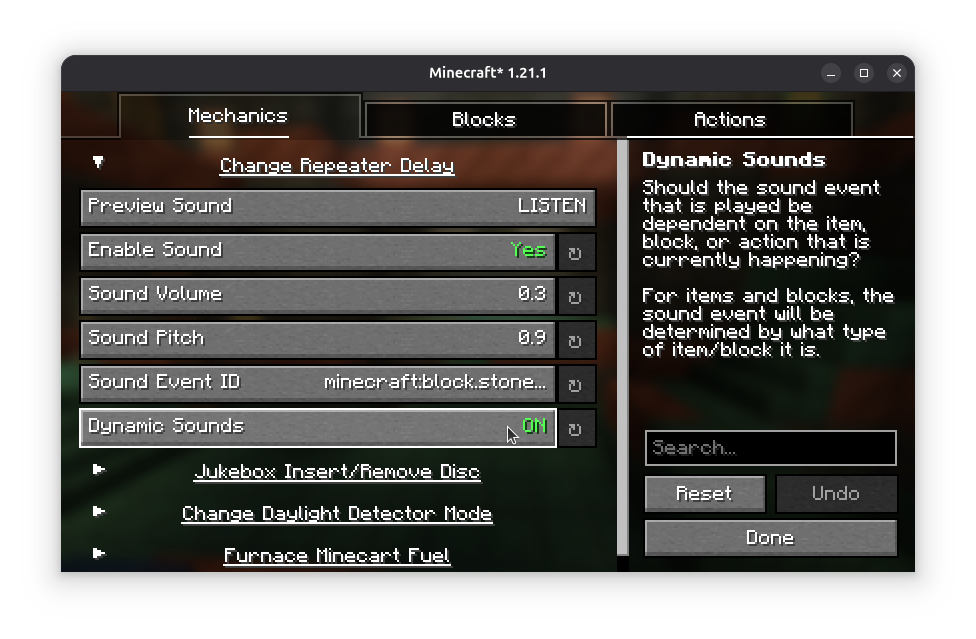
As mentioned, Sounds is highly customizable - the simple effects can be edited either through the configuration found in the config/sounds/ folder of your game instance, or though the configuration screen.

Mod Menu is required to access the configuration screen for the Fabric version of the mod.
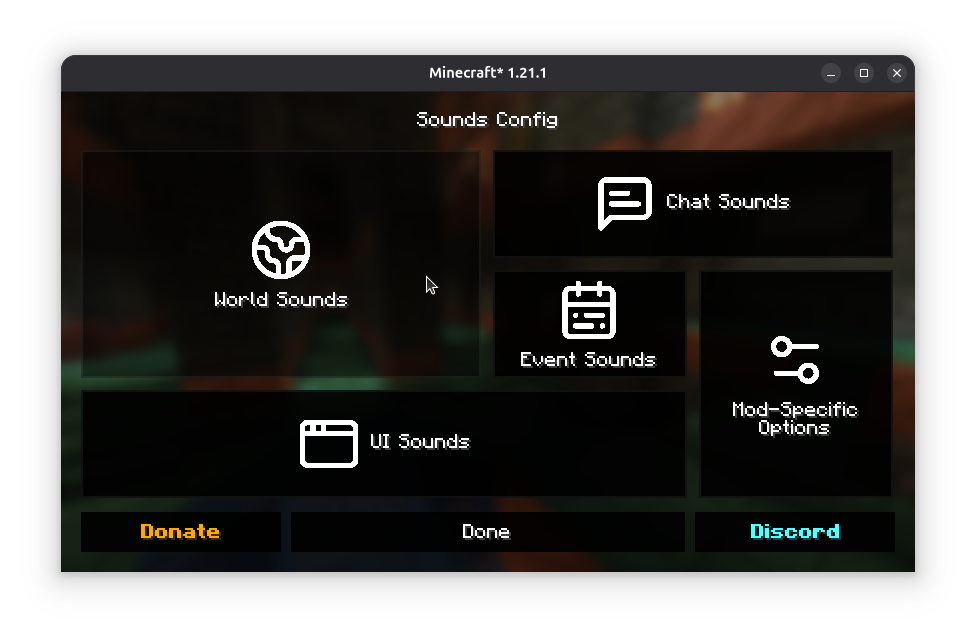
Adding support for modded content

Refer to the Sounds Documentation for more information on creating dynamic sound definitions for items, screens and blocks.

Custom sound effects obtained from Zapsplat under ZapSplat Standard License for Gold Members.

By using my mods, you agree to the End User License Agreement. You are free to use this mod within your Modrinth & CurseForge modpacks as long as the EULA is respected.

👥 Team & Contributors

IMB11
IMB11
Member
Cassian
Cassian
Member

⚙️ Compatibility

Environment
💻 Client-side
Loaders
fabricforgeneoforge
Minecraft Versions
1.21.11

🔗 Links

Modrinth Page