Logo
MINECRAFTBIBLE
Items
Items

All game items

Blocks
Blocks

Building blocks

Mobs
Mobs

Creatures & monsters

Biomes
Biomes

World biomes

Structures
Structures

Generated structures

Recipes
Recipes

Crafting guides

Advancements
Advancements

Achievements

Loot Tables
Loot Tables

Drop rates

Tags
Tags

Item groupings

All Versions
View all data →
Capes
Cape ArchiveNEW

Browse rare Minecon capes, OptiFine capes, and custom capes from players worldwide

Browse

Player Database
Player DatabasePopular

Search any player

Skin Browser
Skin Browser

Browse & download skins

Cape Gallery
Cape GalleryNEW

Minecon & OptiFine capes

Seed Vault
Seed Vault

Curated seeds

Learn

Guides
GuidesNew

Tutorials & tips

Blog
Blog

News & updates

Community

Community Hub
Community HubHub

Posts, discussions & more

All Versions
View community →
Seed Analyzer
Seed Analyzer

World seed analysis

Loot Explorer
Loot Explorer

Drop rates

Crafting Calculator
Crafting Calculator

Material planning

Enchant Calculator
Enchant Calculator

Probability math

Redstone Lab
Redstone Lab

Signal timing

Trading Profit
Trading Profit

Villager ROI

All Versions
View all tools →
Mods
Mods

Browse all mods

Plugins
Plugins

Server plugins

Resource Packs
Resource Packs

Textures & sounds

Shaders
Shaders

Visual enhancements

Datapacks
Datapacks

World logic

Scanner
Mod Intelligence

Scan & analyze any mod

All Versions
View all mods →
Loading...
IntroductionIntroductionVersion HistoryVersion HistoryGuidesGuidesBlog & NewsBlog & News
ItemsItemsBlocksBlocksMobsMobsRecipesRecipesBiomesBiomesStructuresStructuresAdvancementsAdvancementsLoot TablesLoot TablesTagsTags
ModsModsPluginsPluginsResource PacksResource PacksShadersShadersDatapacksDatapacks

MinecraftBible

The Ultimate Wiki

Logo
MINECRAFTBIBLE

The ultimate Minecraft reference. Every item, block, mob, and recipe documented with precision.

Community

  • Skin Browser
  • Cape Gallery
  • Seed Vault
  • Blog
  • Guides

Database

  • Items
  • Blocks
  • Mobs
  • Recipes
  • Biomes
  • Structures

Tools

  • Seed Analyzer
  • Mod Intelligence
  • Crafting Calculator
  • Enchant Calculator

Mods & Packs

  • Mods
  • Plugins
  • Resource Packs
  • Shaders
  • Datapacks

Site & Legal

  • About
  • Authors
  • Editorial Policy
  • Corrections
  • Contact
  • Privacy Policy
  • Terms of Service
  • DMCA
  • Sitemap

© 2026 MinecraftBible. Not affiliated with Mojang or Microsoft.

PrivacyTermsContact
Skin Shuffle
ModLicenseRef-All-Rights-Reserved

Skin Shuffle

Effortless in-game skin customization and management—change, store, and customize your skins with SkinShuffle. Instant skin changes available on compatible servers.

2.4M
Downloads
1,321
Followers
5 months ago
Updated
📦
30
Versions
socialutilityfabric
Download Latestv2.10.1+1.21.11-fabricView on Modrinth

📖About Skin Shuffle

SkinShuffle

SkinShuffle is a mod that allows you to change, store and customise your skin in-game. It also allows you to change your skin without leaving the server as long as the mod is installed on the server.

SkinShuffle integrates with Mojang's online API to change skins, if you do not have a Minecraft account, SkinShuffle WILL NOT work, you will receive NO SUPPORT from me for using a pirated version of Minecraft.

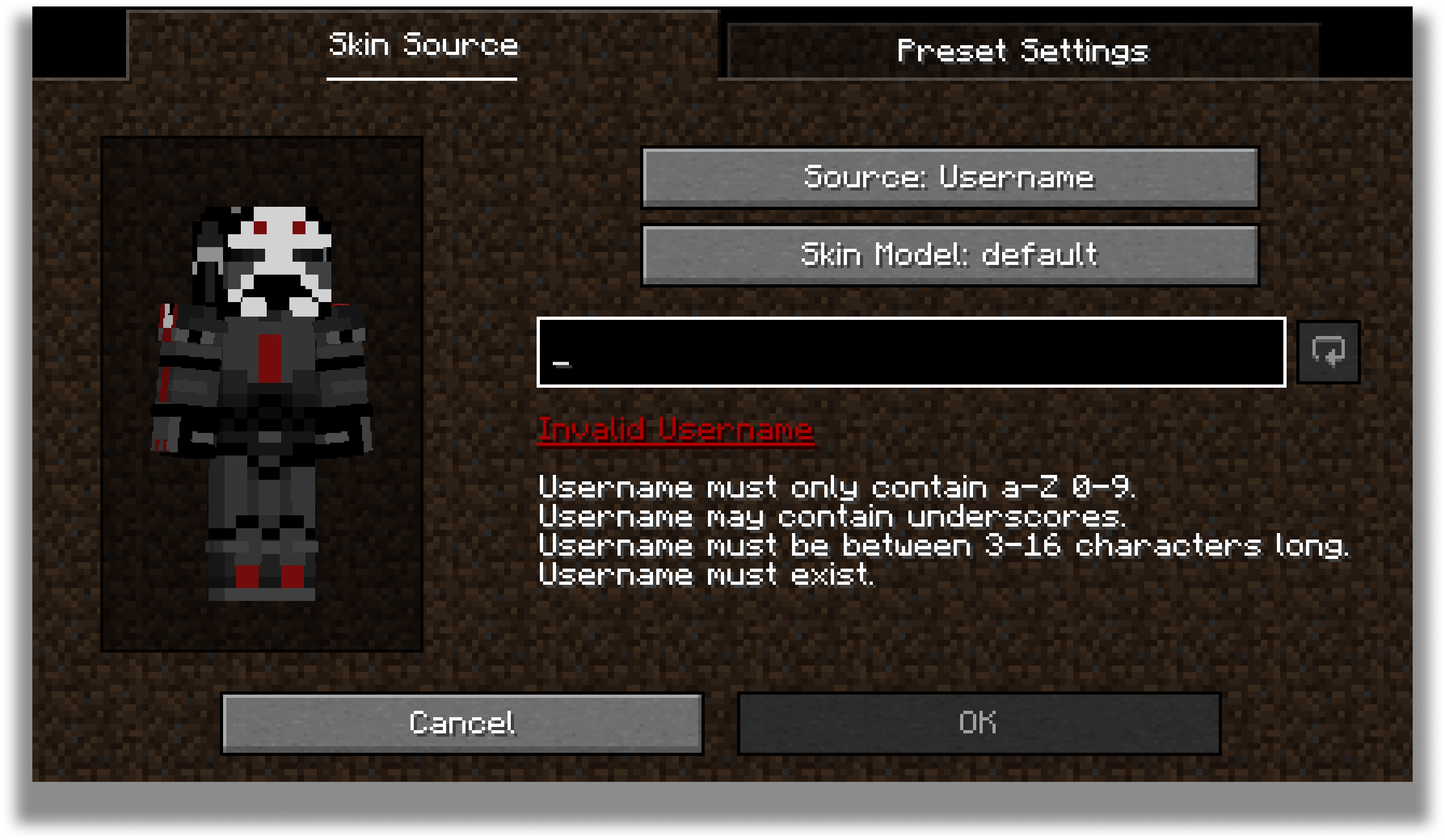
Skins are stored in Skin Presets, these presets can be created from the following sources:

  • Texture URLs
  • Usernames
  • UUIDs
  • Files
  • In-game textures (Resource Locations)

Server-Side Support

When SkinShuffle is installed on the server, you can change your skin in-game without having to relog. SkinShuffle will refresh your skin for you, and for other players instantly - even for players that do not have the mod on their client.

Got a Paper/Spigot/Bukkit server? Consider using the Skin Shuffle Bridge plugin to allow players on your server to hot-swap skins!

Alternatively, SkinShuffle is supported by SkinRestorer (fabric+neoforge+forge) if your server has that installed, players using SkinShuffle will be able to quickly change their skins without needing to rejoin!

We have massive plans to expand server-side support in the future:

  • Skin Changing Commands that allow vanilla clients to change their skins.
  • Skin Preset Sharing

Client-Side Support

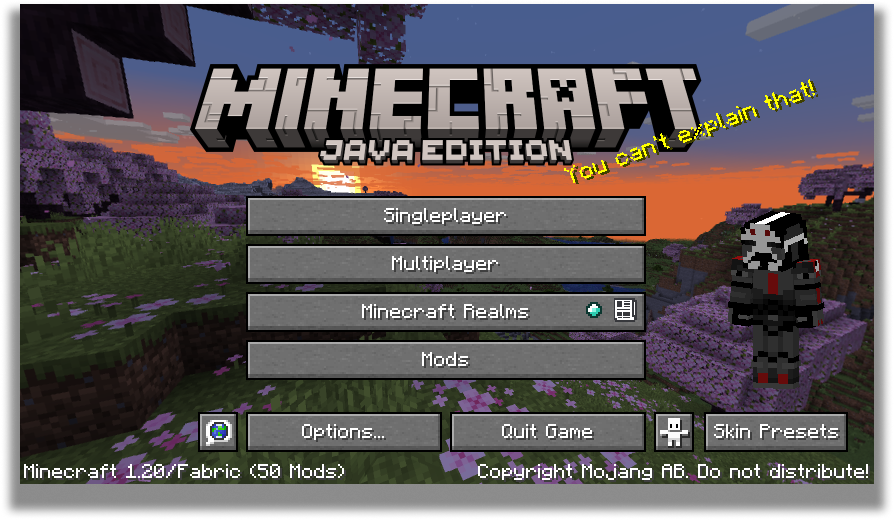
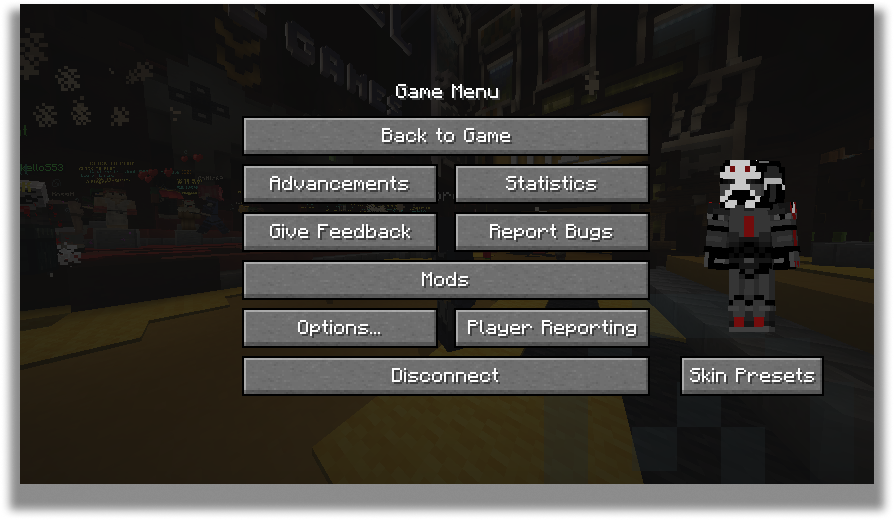
SkinShuffle works right out the bat for clients! Browse, create and edit skin presets in the Carousel and Edit Preset screens that can be accessed via Mod Menu or through the widget on the pause screen and the title screen.

When you start the game for the first time with SkinShuffle, it will automatically create a preset from your current skin and set it as the main preset! Your currently chosen preset will be shown on the widget.
Carousel Screen

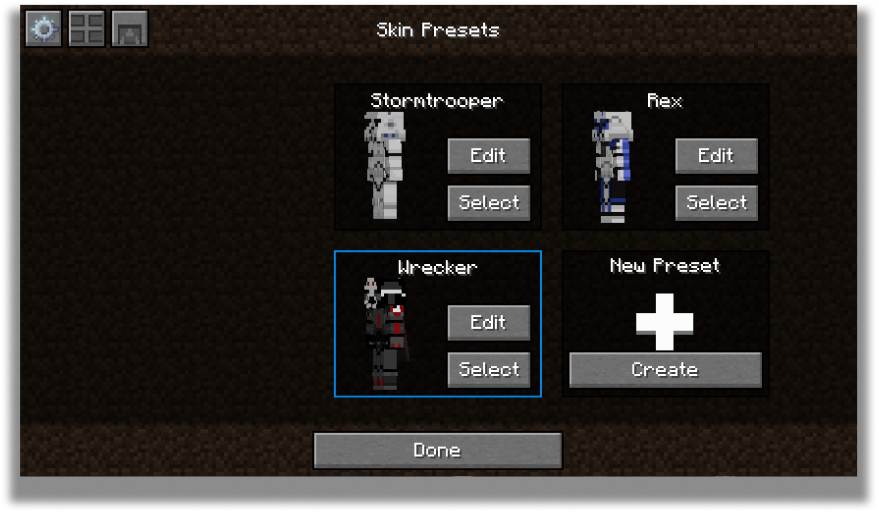
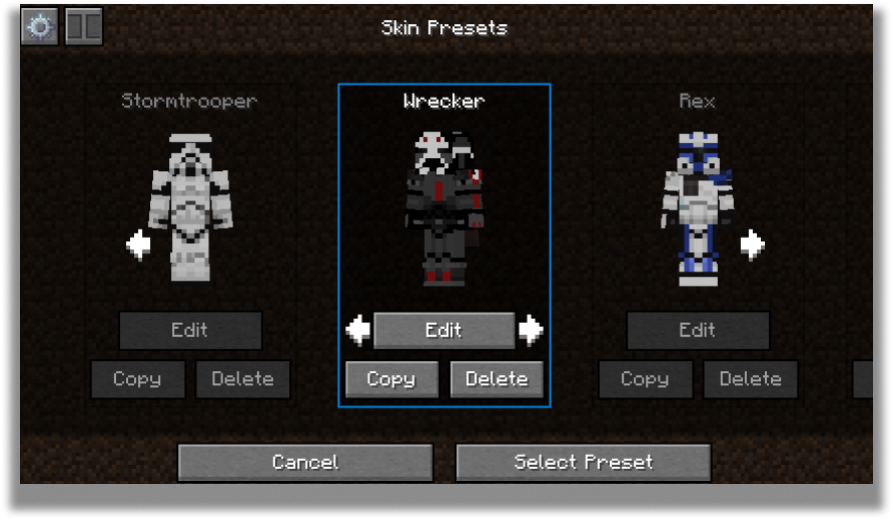
The carousel is where all your skins will be stored for future use! You can create, edit and delete your presets.

The carousel screen has two modes: Compact and Carousel

You can customize every preset to your own desire in the edit screen.

Edit Screen

The edit screen allows you to change the actual texture of the skin, the model type and the name of the preset.

For the future, there are plans to add cape and ear customization to this screen.

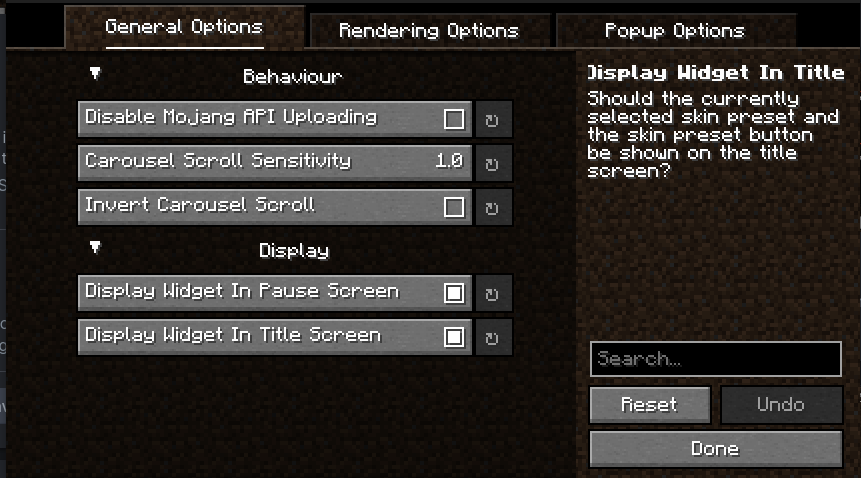
Configuration

Every part of SkinShuffle is customizable thanks to YACL's powerful configuration screen.

You can customize the speed that skins rotate in the carousel, to where they should follow your cursor, and where the preview widget should show.

By using my mods, you agree to the Modpack Distribution Guidelines and the End User License Agreement

👥 Team & Contributors

IMB11
IMB11
Member
Cassian
Cassian
Member

⚙️ Compatibility

Environment
💻 Client-side
Loaders
fabric
Minecraft Versions
1.21.11

🔗 Links

Modrinth Page