Logo
MINECRAFTBIBLE
Items
Items

All game items

Blocks
Blocks

Building blocks

Mobs
Mobs

Creatures & monsters

Biomes
Biomes

World biomes

Structures
Structures

Generated structures

Recipes
Recipes

Crafting guides

Advancements
Advancements

Achievements

Loot Tables
Loot Tables

Drop rates

Tags
Tags

Item groupings

All Versions
View all data →
Capes
Cape ArchiveNEW

Browse rare Minecon capes, OptiFine capes, and custom capes from players worldwide

Browse

Player Database
Player DatabasePopular

Search any player

Skin Browser
Skin Browser

Browse & download skins

Cape Gallery
Cape GalleryNEW

Minecon & OptiFine capes

Seed Vault
Seed Vault

Curated seeds

Learn

Guides
GuidesNew

Tutorials & tips

Blog
Blog

News & updates

Community

Community Hub
Community HubHub

Posts, discussions & more

All Versions
View community →
Seed Analyzer
Seed Analyzer

World seed analysis

Loot Explorer
Loot Explorer

Drop rates

Crafting Calculator
Crafting Calculator

Material planning

Enchant Calculator
Enchant Calculator

Probability math

Redstone Lab
Redstone Lab

Signal timing

Trading Profit
Trading Profit

Villager ROI

All Versions
View all tools →
Mods
Mods

Browse all mods

Plugins
Plugins

Server plugins

Resource Packs
Resource Packs

Textures & sounds

Shaders
Shaders

Visual enhancements

Datapacks
Datapacks

World logic

Scanner
Mod Intelligence

Scan & analyze any mod

All Versions
View all mods →
Loading...
IntroductionIntroductionVersion HistoryVersion HistoryGuidesGuidesBlog & NewsBlog & News
ItemsItemsBlocksBlocksMobsMobsRecipesRecipesBiomesBiomesStructuresStructuresAdvancementsAdvancementsLoot TablesLoot TablesTagsTags
ModsModsPluginsPluginsResource PacksResource PacksShadersShadersDatapacksDatapacks

MinecraftBible

The Ultimate Wiki

Logo
MINECRAFTBIBLE

The ultimate Minecraft reference. Every item, block, mob, and recipe documented with precision.

Community

  • Skin Browser
  • Cape Gallery
  • Seed Vault
  • Blog
  • Guides

Database

  • Items
  • Blocks
  • Mobs
  • Recipes
  • Biomes
  • Structures

Tools

  • Seed Analyzer
  • Mod Intelligence
  • Crafting Calculator
  • Enchant Calculator

Mods & Packs

  • Mods
  • Plugins
  • Resource Packs
  • Shaders
  • Datapacks

Site & Legal

  • About
  • Authors
  • Editorial Policy
  • Corrections
  • Contact
  • Privacy Policy
  • Terms of Service
  • DMCA
  • Sitemap

© 2026 MinecraftBible. Not affiliated with Mojang or Microsoft.

PrivacyTermsContact
Potion Cauldron
ModMIT

Potion Cauldron

Brings the potion cauldron feature from bedrock edition.

177.0K
Downloads
202
Followers
4 months ago
Updated
📦
28
Versions
game-mechanicsutilityfabricforgequilt
Download Latestv1.0.2+mc1.21.11View on Modrinth

📖About Potion Cauldron

Potion Cauldron

Description

  • A feature from Bedrock edition
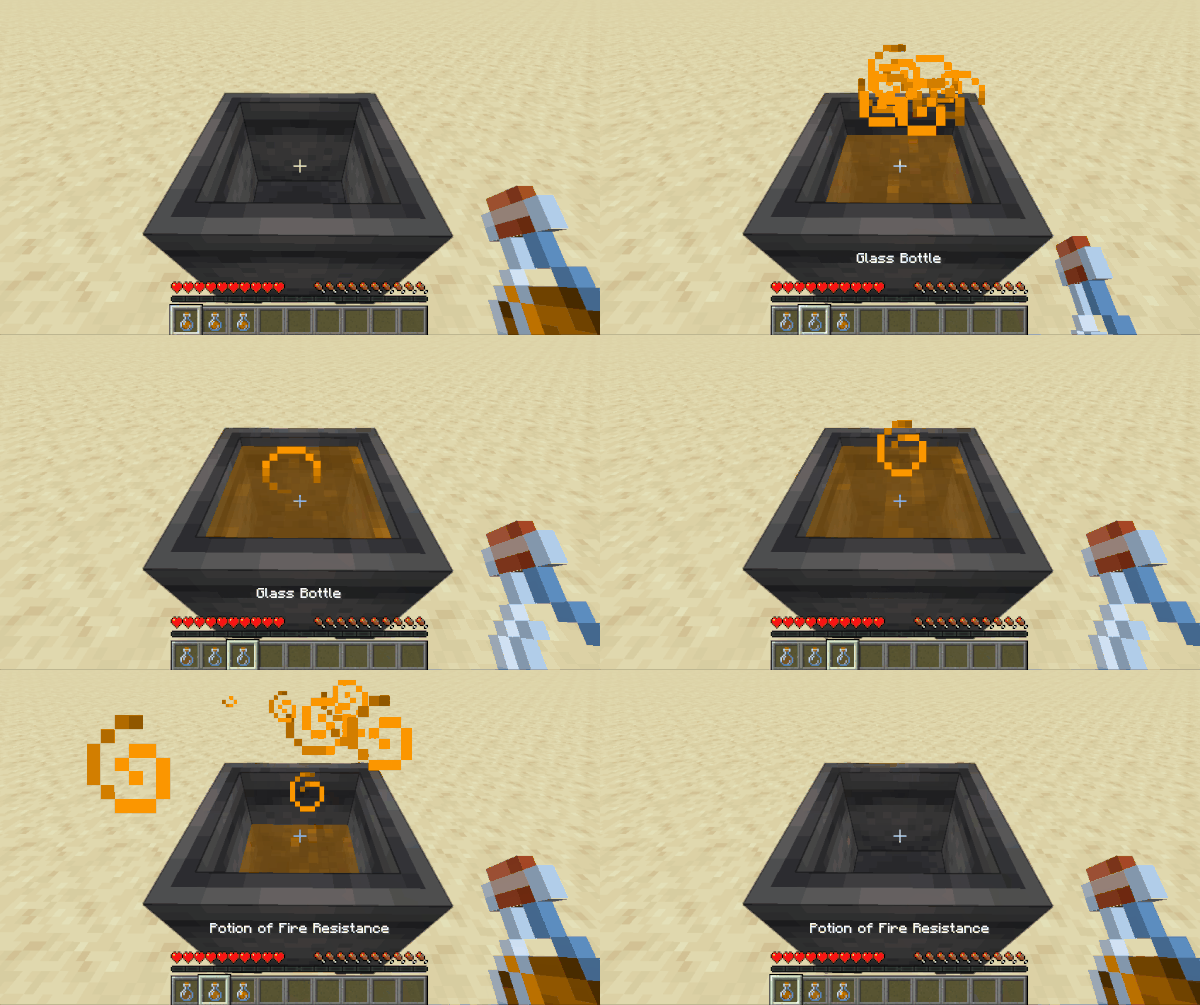
  • Right-click a cauldron with a potion in hand and store up to 3 bottles of the same potion
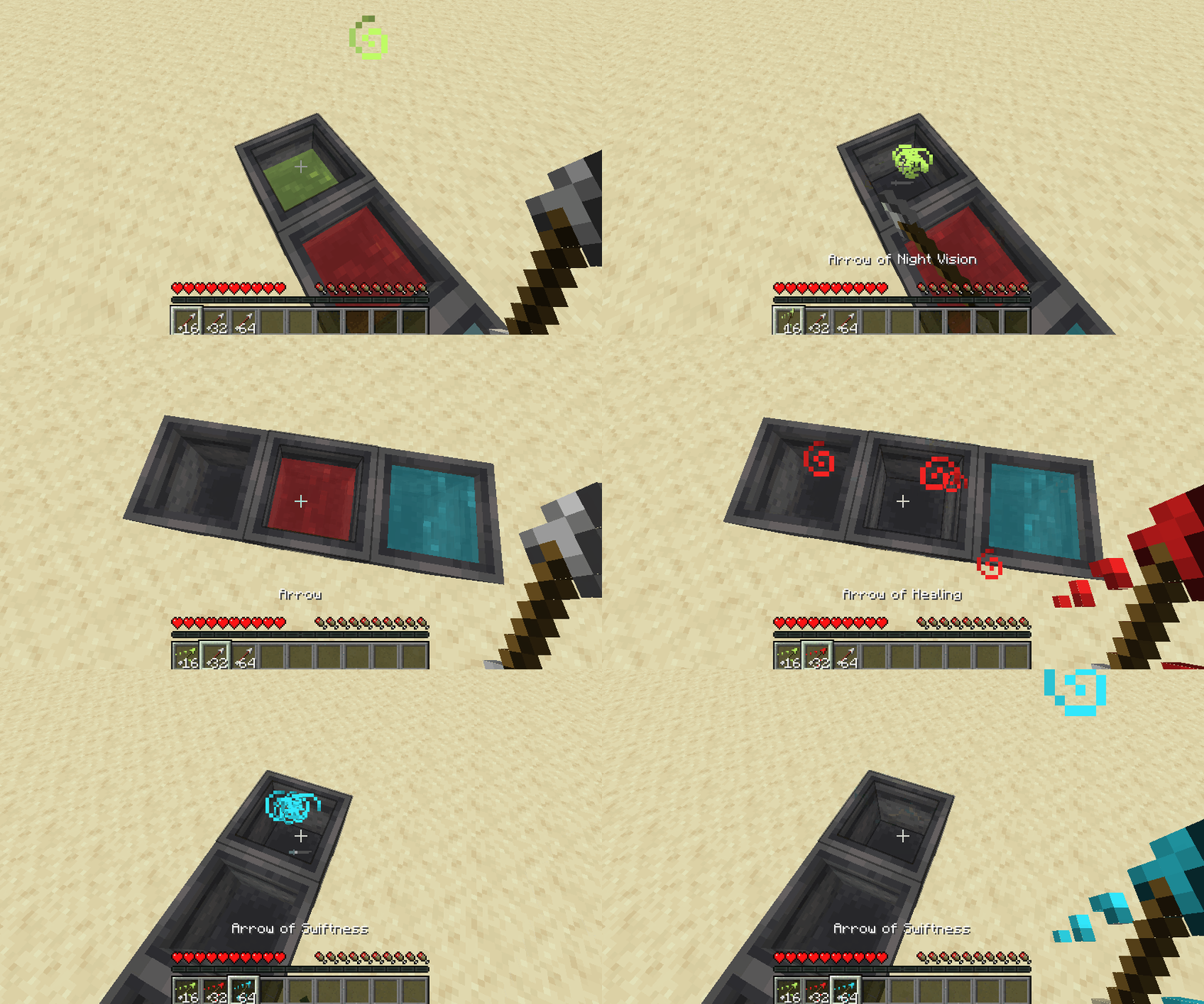
  • Right-click with arrows in hand to craft tipped arrows
  • Apply potion effect to any entities standing inside
  • Generates in swamp huts
Image 1

Image 2


Supported loaders

fabric quilt forge


Requirements

  • Fabric: Fabric API (Optionally Mod Menu for config GUI)
  • Quilt: QFAPI (Optionally Mod Menu for config GUI)
  • Forge: none

Installation

  • Download the appropriate JAR from either Modrinth or CurseForge and put it in .minecraft/mods folder.
  • For multiplayer, the mod must be installed on all clients and server side.

Configuration

  • File Location: .minecraft/config/potion-cauldron.json
  • On Fabric/Quilt, GUI is available through Mod Menu
  • Changing config doesn't require restarting your game (or server).
    • On single player and LAN hosted worlds:
      • When using the GUI, clicking the "Save" button will sync with all connected clients.
      • When not using the GUI, change the JSON file and use the command "/potioncauldron config reload".
    • On dedicated servers, after changing the config:
      • Use the "/potioncauldron config reload" command on the server console.
      • OP players can also use the above command in-game.
  • Available configuration options :
    • Evaporate if different potions or liquids are mixed
      • ON: If a player tries to put a different potion or liquid (water or lava) in a potion cauldron, the liquids from both the cauldron and the hand will evaporate and disappear.
      • OFF: Item in hand is used normally.
    • Allow merging different types of the same potion
      • ON: Allows merging normal, splash and lingering variants of the same potion. Taking back the potion will give whatever type was put in last.
      • OFF: Applies whatever is set in Evaporate if different potions are mixed option.
      • It's how it works in Bedrock edition. For instance, you can put a Potion of Fire Resistance, Splash Potion of Fire Resistance and a Lingering Potion of Fire Resistance in the same cauldron. Picking up would give back 3 bottles of Lingering Potion of Fire Resistance.
    • Apply potion effects to entities standing inside
    • Allow filling with water drips from rain and dripstone
    • Allow creating tipped arrows and the maximum number of arrows for each level
    • Generate in swamp huts
      • ON: When a swamp hut (witch hut) is generated, a cauldron filled with a random potion, type and level will be generated instead of an empty one.
      • OFF: Generates with an empty vanilla cauldron.
      • The chances of the generated random potion, its type and level can be configured.

Compatibility with other mods

  • Compatible with Sodium and and its Forge ports.
  • Should be compatible with mods that modify vanilla cauldron behavior.
  • Should be compatible with modded potions that are added using the vanilla potion registry.
  • May not be compatible with custom potion systems.

Inclusion in modpacks

  • Feel free to include this mod in any modpacks.

Known issues

  • Liquid transparency or potion particle effects may not work with some shaders.

If you encounter any problems, please create an issue on the Issue Tracker.

Affiliate

Click here to support my projects!

👥 Team & Contributors

Maxoduke
MaxodukeOwner

⚙️ Compatibility

Environment
✅ Client & Server
Loaders
fabricforgequilt
Minecraft Versions
1.21.11

🔗 Links

Modrinth Page