Logo
MINECRAFTBIBLE
Items
Items

All game items

Blocks
Blocks

Building blocks

Mobs
Mobs

Creatures & monsters

Biomes
Biomes

World biomes

Structures
Structures

Generated structures

Recipes
Recipes

Crafting guides

Advancements
Advancements

Achievements

Loot Tables
Loot Tables

Drop rates

Tags
Tags

Item groupings

All Versions
View all data →
Capes
Cape ArchiveNEW

Browse rare Minecon capes, OptiFine capes, and custom capes from players worldwide

Browse

Player Database
Player DatabasePopular

Search any player

Skin Browser
Skin Browser

Browse & download skins

Cape Gallery
Cape GalleryNEW

Minecon & OptiFine capes

Seed Vault
Seed Vault

Curated seeds

Learn

Guides
GuidesNew

Tutorials & tips

Blog
Blog

News & updates

Community

Community Hub
Community HubHub

Posts, discussions & more

All Versions
View community →
Seed Analyzer
Seed Analyzer

World seed analysis

Loot Explorer
Loot Explorer

Drop rates

Crafting Calculator
Crafting Calculator

Material planning

Enchant Calculator
Enchant Calculator

Probability math

Redstone Lab
Redstone Lab

Signal timing

Trading Profit
Trading Profit

Villager ROI

All Versions
View all tools →
Mods
Mods

Browse all mods

Plugins
Plugins

Server plugins

Resource Packs
Resource Packs

Textures & sounds

Shaders
Shaders

Visual enhancements

Datapacks
Datapacks

World logic

Scanner
Mod Intelligence

Scan & analyze any mod

All Versions
View all mods →
Loading...
IntroductionIntroductionVersion HistoryVersion HistoryGuidesGuidesBlog & NewsBlog & News
ItemsItemsBlocksBlocksMobsMobsRecipesRecipesBiomesBiomesStructuresStructuresAdvancementsAdvancementsLoot TablesLoot TablesTagsTags
ModsModsPluginsPluginsResource PacksResource PacksShadersShadersDatapacksDatapacks

MinecraftBible

The Ultimate Wiki

Logo
MINECRAFTBIBLE

The ultimate Minecraft reference. Every item, block, mob, and recipe documented with precision.

Community

  • Skin Browser
  • Cape Gallery
  • Seed Vault
  • Blog
  • Guides

Database

  • Items
  • Blocks
  • Mobs
  • Recipes
  • Biomes
  • Structures

Tools

  • Seed Analyzer
  • Mod Intelligence
  • Crafting Calculator
  • Enchant Calculator

Mods & Packs

  • Mods
  • Plugins
  • Resource Packs
  • Shaders
  • Datapacks

Site & Legal

  • About
  • Authors
  • Editorial Policy
  • Corrections
  • Contact
  • Privacy Policy
  • Terms of Service
  • DMCA
  • Sitemap

© 2026 MinecraftBible. Not affiliated with Mojang or Microsoft.

PrivacyTermsContact
Gravestones
ModMIT

Gravestones

Adds highly configurable Graves that spawn on death to hold your items

699.0K
Downloads
433
Followers
4 months ago
Updated
📦
30
Versions
game-mechanicsstorageutilityfabricquilt
Download Latestv1.2.10+1.21.11+AView on Modrinth

📖About Gravestones

Gravestones

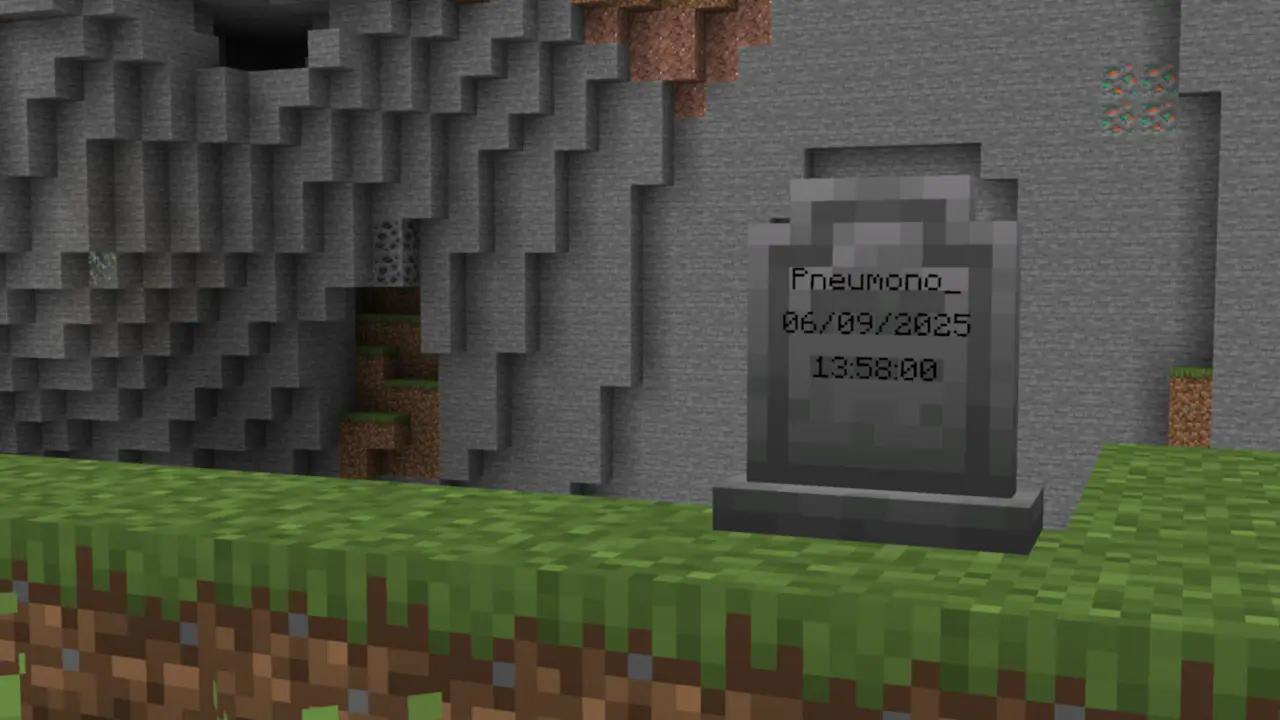
A screenshot of a gravestone in front of a cliff. Written on the gravestone is the name Pneumono_, and the date and time of death.

Gravestones adds blocks which store your items on death.

It's a fairly standard grave mod, but with nicer, vanilla-style textures, extra config options to help tailor the mod to specific servers, and the option to use gravestones in builds.

See the wiki for more detailed information!

Decay

Gravestone decay is very configurable and all of its features can be configured or disabled if they are not wanted!

By default, all gravestones decay over time and due to subsequent deaths. This is shown visually by a change in the block's texture.
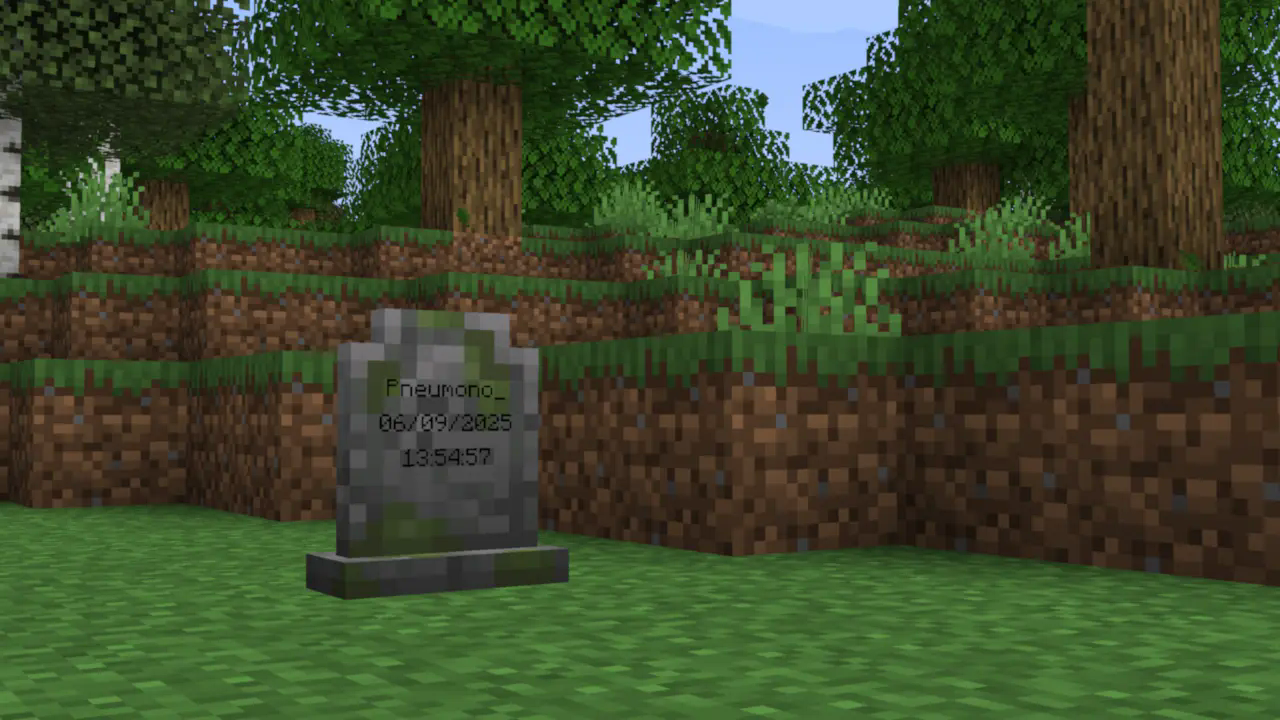
A screenshot of a gravestone with large cracks and growths of moss. Written on the gravestone is the name Pneumono_, and the date and time of death.

After 3 stages of decay, the gravestone breaks entirely, spilling its contents onto the ground (after which the vanilla 5-minute despawn timer applies).

Aesthetic Gravestones

Gravestones also includes craftable "aesthetic gravestones", which allow builders to use the gravestone blocks without having their builds at risk of damage.
They can also be written on and dyed just like signs.
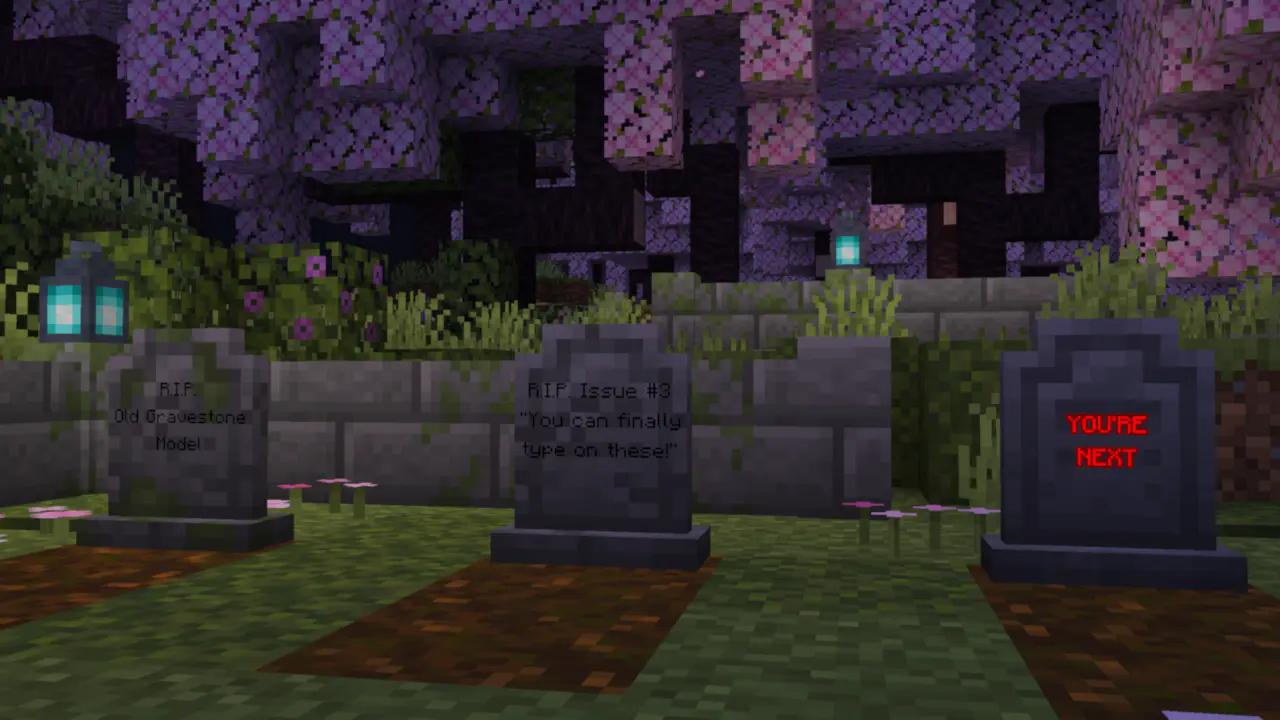
A screenshot of 3 aesthetic gravestones in a cherry grove surrounded by ruins. The grave on the left reads "R.I.P. Old Gravestone Model". The grave in the middle reads "R.I.P. Issue #3. You can finally type on these!". The grave on the right reads "YOU'RE NEXT", and is dyed red and glowing

Configs

This is a short summary of some of the mod's configs. For the full list with more detailed explanations, see the wiki.

  • Whether gravestones decay due to subsequent deaths
  • Whether gravestones decay over time, and how long it takes
  • Whether gravestones store experience, how much they store,
    and whether experience "decays" over time along with the gravestone itself
  • Whether gravestones can be accessed by players other than their owner
  • What time format the gravestones display (client-side)
  • And more!

Compatibility

At the time of writing, Gravestones has built-in support for Trinkets, Accessories, several mods with Soulbound enchantments, and Spelunkery's recovery compass changes. More mods will be added in the future.

Gravestones has an API for mod developers to add support for Gravestones. Information about this can be found here.

Dependencies

Gravestones depends on my core mod, PneumonoCore.

👥 Team & Contributors

Pneumono_
Pneumono_Owner

⚙️ Compatibility

Environment
✅ Client & Server
Loaders
fabricquilt
Minecraft Versions
1.21.11

🔗 Links

Modrinth Page