Logo
MINECRAFTBIBLE
Items
Items

All game items

Blocks
Blocks

Building blocks

Mobs
Mobs

Creatures & monsters

Biomes
Biomes

World biomes

Structures
Structures

Generated structures

Recipes
Recipes

Crafting guides

Advancements
Advancements

Achievements

Loot Tables
Loot Tables

Drop rates

Tags
Tags

Item groupings

All Versions
View all data →
Capes
Cape ArchiveNEW

Browse rare Minecon capes, OptiFine capes, and custom capes from players worldwide

Browse

Player Database
Player DatabasePopular

Search any player

Skin Browser
Skin Browser

Browse & download skins

Cape Gallery
Cape GalleryNEW

Minecon & OptiFine capes

Seed Vault
Seed Vault

Curated seeds

Learn

Guides
GuidesNew

Tutorials & tips

Blog
Blog

News & updates

Community

Community Hub
Community HubHub

Posts, discussions & more

All Versions
View community →
Seed Analyzer
Seed Analyzer

World seed analysis

Loot Explorer
Loot Explorer

Drop rates

Crafting Calculator
Crafting Calculator

Material planning

Enchant Calculator
Enchant Calculator

Probability math

Redstone Lab
Redstone Lab

Signal timing

Trading Profit
Trading Profit

Villager ROI

All Versions
View all tools →
Mods
Mods

Browse all mods

Plugins
Plugins

Server plugins

Resource Packs
Resource Packs

Textures & sounds

Shaders
Shaders

Visual enhancements

Datapacks
Datapacks

World logic

Scanner
Mod Intelligence

Scan & analyze any mod

All Versions
View all mods →
Loading...
IntroductionIntroductionVersion HistoryVersion HistoryGuidesGuidesBlog & NewsBlog & News
ItemsItemsBlocksBlocksMobsMobsRecipesRecipesBiomesBiomesStructuresStructuresAdvancementsAdvancementsLoot TablesLoot TablesTagsTags
ModsModsPluginsPluginsResource PacksResource PacksShadersShadersDatapacksDatapacks

MinecraftBible

The Ultimate Wiki

Logo
MINECRAFTBIBLE

The ultimate Minecraft reference. Every item, block, mob, and recipe documented with precision.

Community

  • Skin Browser
  • Cape Gallery
  • Seed Vault
  • Blog
  • Guides

Database

  • Items
  • Blocks
  • Mobs
  • Recipes
  • Biomes
  • Structures

Tools

  • Seed Analyzer
  • Mod Intelligence
  • Crafting Calculator
  • Enchant Calculator

Mods & Packs

  • Mods
  • Plugins
  • Resource Packs
  • Shaders
  • Datapacks

Site & Legal

  • About
  • Authors
  • Editorial Policy
  • Corrections
  • Contact
  • Privacy Policy
  • Terms of Service
  • DMCA
  • Sitemap

© 2026 MinecraftBible. Not affiliated with Mojang or Microsoft.

PrivacyTermsContact
Player Corpses
ModCC-BY-NC-SA-4.0

Player Corpses

When the player dies they will now leave behind a corpse from which they can later retrieve their items

14.4K
Downloads
17
Followers
3 months ago
Updated
📦
29
Versions
adventuregame-mechanicsutilitydatapackfabricforgeneoforgequilt
Download Latestv2.5+modView on Modrinth

📖About Player Corpses

This datapack/mod uses the new mannequin entity as a corpse for when the player dies! ✨

Corpses 💀

It makes it so that instead of players dropping their items around randomly, they will now leave behind a corpse with their skin and name from which they can later retrieve their stuff.

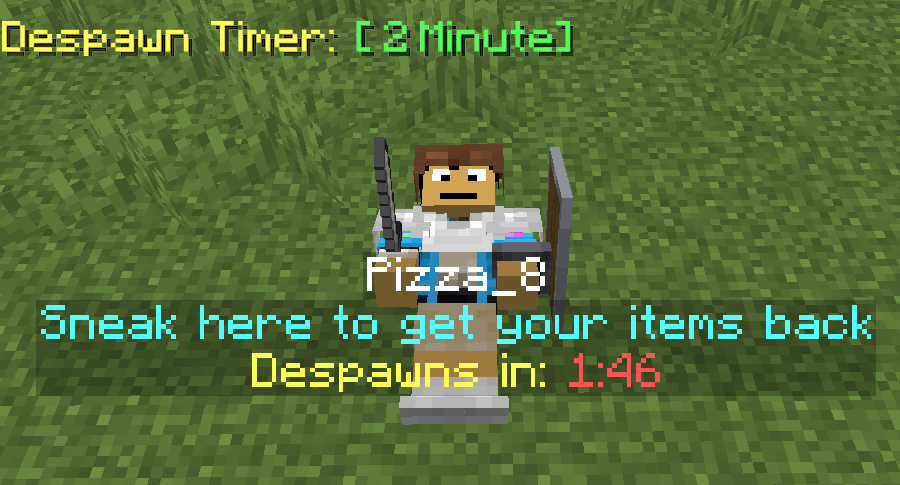
To retreieve the items from the corpse they must first locate it at the place where they last died and sneak while being near it, the items should pop back in their inventory and the corpse should disappear.

There is no despawn timer unless added via the config screen
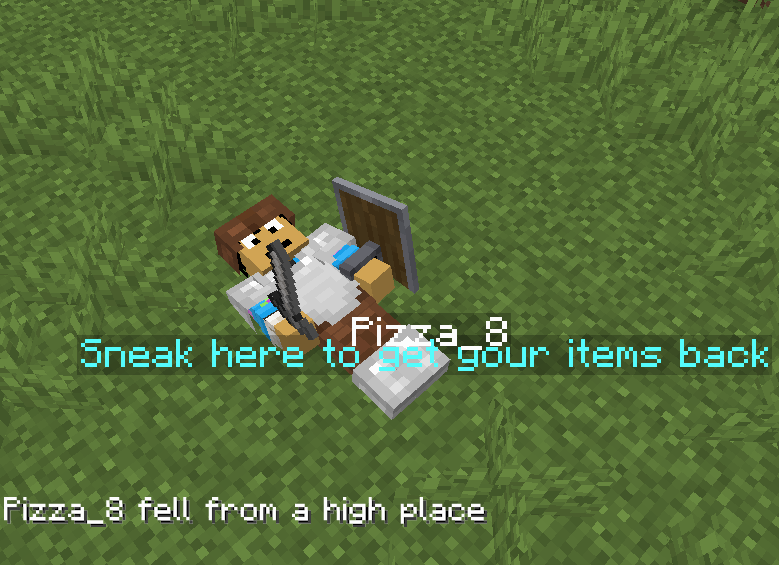
Player Corpse

Coprse Finder ⚙️

The Corpse Finder Screen allows the player to see all the currently loaded corpses and their coordinates

Can be accessed by typing: /trigger corpse_finder

Corpse Finder

Configeration Screen ⚙️

The Config Screen offers many options for players to choose how they want the pack to work to match their playstyle.

Can be accessed by typing: /trigger config

Config Options
  • Despawn Timer:
    Corpses spawned when a player dies will despawn after that amount of time passes

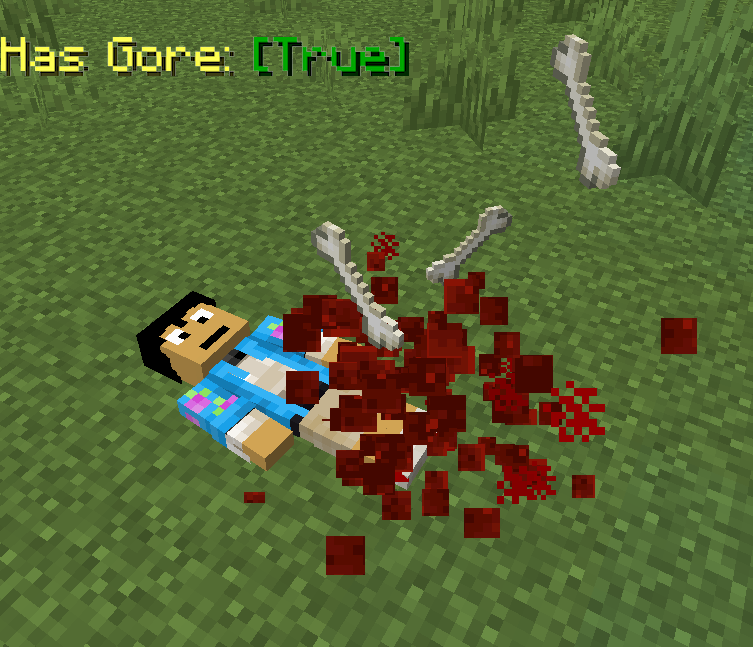
  • Has Gore:
    Corpses spawned when a player dies will have blood and bone particles and sounds

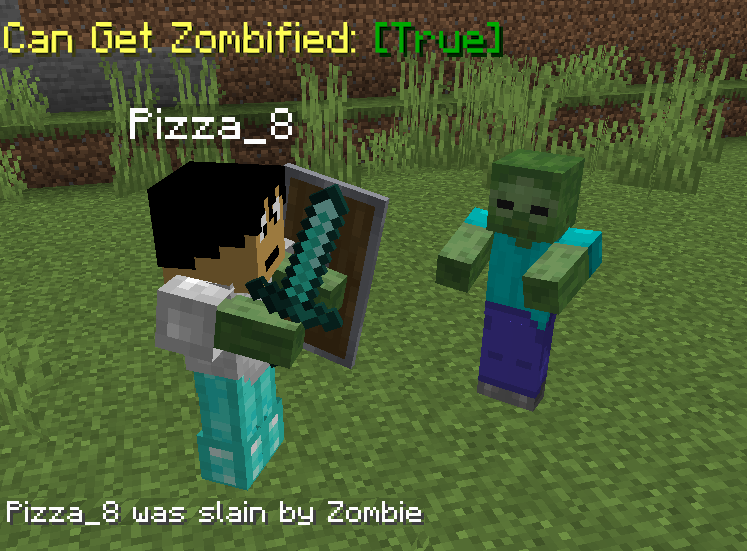
  • Can Get Zombified:
    When a player dies to a zombie a corpse wont spawn, instead a zombie with that player's head will spawn with all of the player's items, to get them back they must kill it

  • Gives Death Coords:
    Players will get a message with their death coordinates in chat after they die

  • Can Only be Looted by Owner:
    Corpses spawned when a player dies will only be able to be looted by that same player

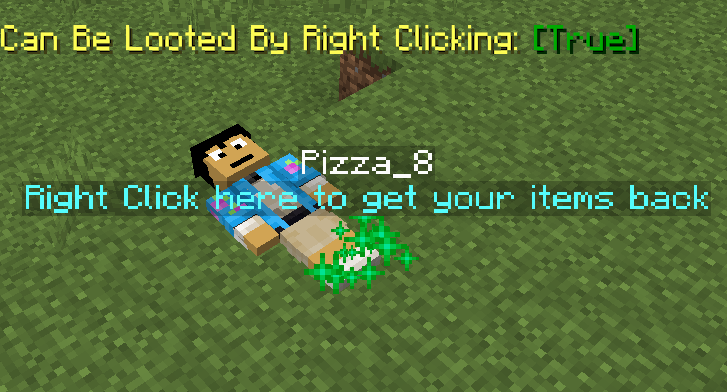
  • Can be Looted by Right Clicking:
    Corpses will be able to be looted by right clicking on it rather than sneaking

  • Instant Looting:
    Corpses will be able to be looted instantly after sneaking near them

  • Stays After Being Looted:
    Corpses spawned when a player dies will stay forever, even after they have been looted by a player

  • Gives Player's Head:
    Looting a player's corpse will give that player's head along with the rest of the items

  • Has Player's Name:
    Corpses spawned when a player dies will have their name

  • Has Description:
    Corpses spawned when a player dies will have a description explaining how to loot them

  • Floats in Water:
    Corpses spawned when a player dies will float in water

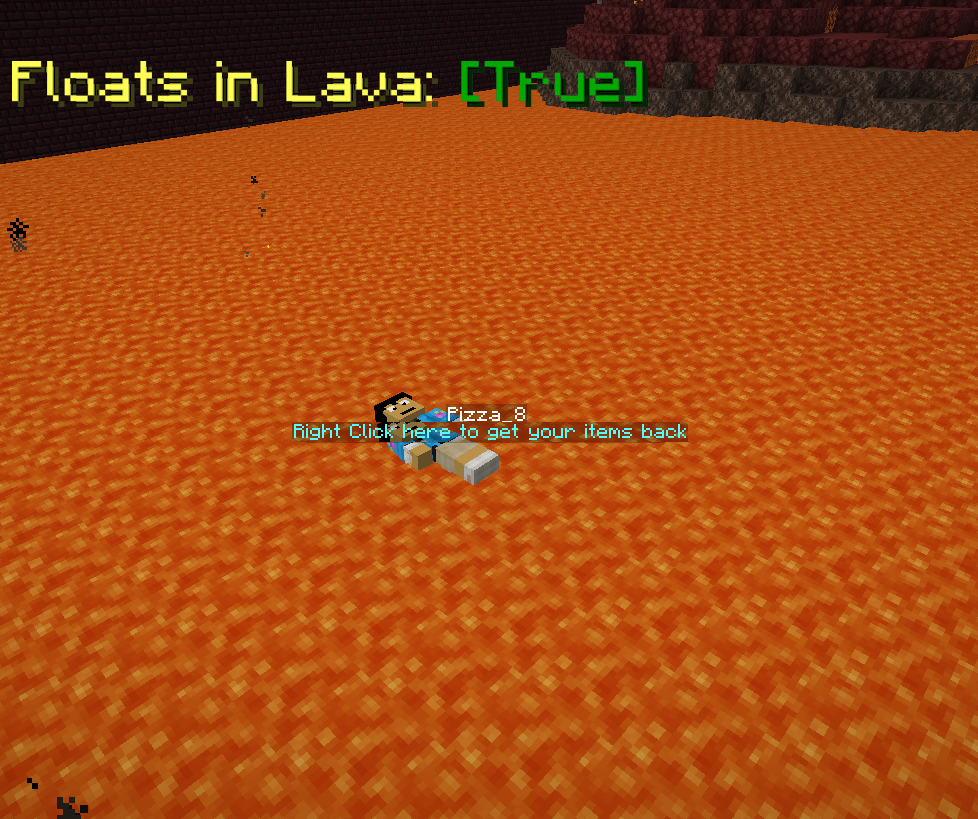
  • Floats in Lava:
    Corpses spawned when a player dies will float in lava

  • Can Burn:
    Corpses spawned when a player dies will burn when in lava or fire

  • Saves Items From Void:
    Corpses spawned when a player dies in the void will float before the damage zone, able to be looted

  • Remove Corpse Finder Screen Access:
    No one will be able to access the corpse finder screen, even after typing /trigger corpse_finder

  • Remove Config Screen Access:
    No one will be able to access this config screen, even after typing /trigger config

config screen

Config 3

Config 1

Config 2

Config 4

Config 5

👥 Team & Contributors

PizzaEight
PizzaEightOwner

⚙️ Compatibility

Environment
🖥️ Server-side
Loaders
datapackfabricforgeneoforgequilt
Minecraft Versions
1.21.11

🔗 Links

Modrinth Page